Log In
Free gifts available with your purchase
Bucket Brigade on Parade
Get that Vibe
The Bucket-500 is a deeply musical delay which introduces the typical juicy flavors of an analog bucket brigade (BBD) design to your mixes. It shines with that instant, very recognizable vibe that sits perfectly and pleasantly behind leading instruments and other sources. The texture and decay are quite different from most other delay plugins, making it a great addition to your creative arsenal.
Vintage meets Versatility
The concept behind the Bucket-500 is to offer a simple to use processor that still provides enough versatility to create a wide range of vintage style sounds. The plugin very much stays true to the original circuit, so the BL-3208 delay chip, the SA-571 based compandor system as well as the anti-aliasing and reconstruction filters have all been modeled to work their special kind of magic.
Creative Add-Ons
The plugin introduces plenty of custom features enhancing its flexibility and fun factor, including a tilt filter in the feedback path, a stereo cross-feed option and an optional delay clock LFO. Two slightly offset short delay times with the cross-feed on and modulation can add a very nice stereo spread to your signals, while the onboard host tempo sync will always play your repetitions on time.
Organic… nic … ic … c
The Bucket-500 introduces that much wanted warm, grungy, organic sort of feel getting more and more degraded with every repetition, fading to a nice grit and dark tone. However, the transients don't smear as much as with many other delays, so the tail does not get too muddy. This one instantly adds nice character and real interest while retaining its original stomp box simplicity.
Features
- Musical Analog Delay: The Bucket-500 offers a rich, vintage sound typical of analog bucket brigade designs, perfect for enhancing mixes with unique textures.
- Vintage Circuitry: Modeled after classic components like the BL-3208 delay chip and SA-571 compandor, it maintains the original analog vibe while adding versatility.
- Creative Features: Includes a tilt filter in the feedback path, stereo cross-feed, and a delay clock LFO for diverse sound shaping options and rhythmic flexibility.
- Organic Character: Delivers warm, grungy echoes that degrade pleasantly over time without muddying transients, adding depth and interest to any track.
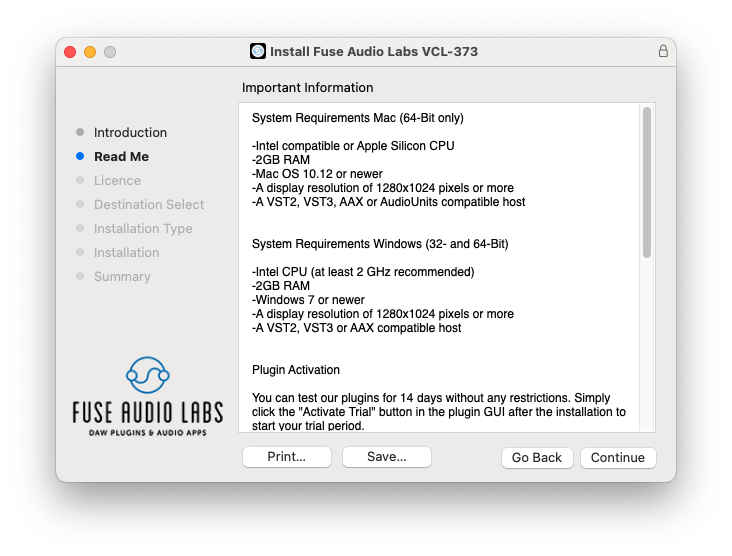
System Requirements
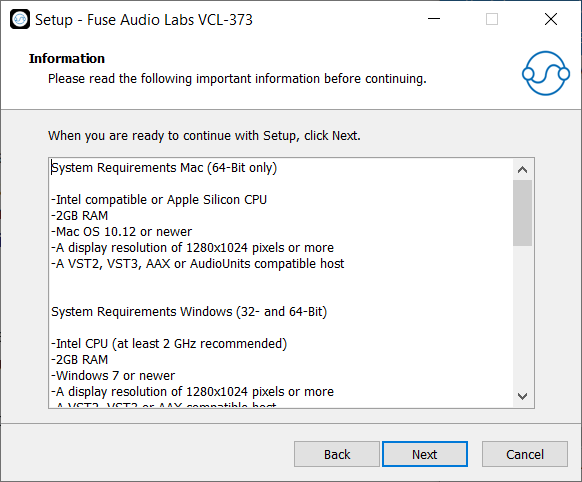
Mac (64-Bit only)
- Intel compatible or Apple Silicon CPU
- 2GB RAM
- Mac OS 10.12 or newer
- A display resolution of 1280x1024 pixels or more
- A VST2, VST3, AAX or AudioUnits compatible host
Windows (32- and 64-Bit)
- Intel compatible CPU (at least 2 GHz recommended)
- 2GB RAM
- Windows 7 or newer
- A display resolution of 1280x1024 pixels or more
- A VST2, VST3 or AAX compatible host