Buy Diffuse, get a free gift with purchase:
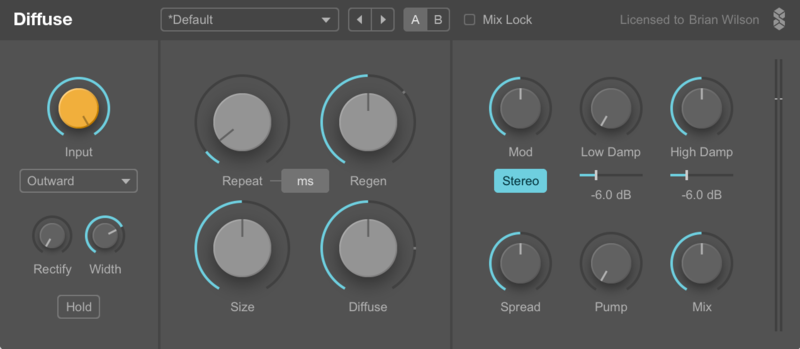
Diffuse is an analog/digital hybrid - an analog-modelled delay fused with a classic reverb design used in early digital units.
In Diffuse you get more than the best of both worlds - you can morph between delays and reverbs, and find all kinds of fantastical sounds in between the two. You’ll also find plenty of nonlinearities and smooth tape-style delay changes.
Diffuse gives you complete control over smearing, echoes and damping in the most intuitive ways possible.
Available within the Dub Machines Bundle
System Requirements
Mac
- macOS 10.11 El Capitan or higher (Intel / M1 Apple Silicon supported) (64-bit only)
- VST 2.4, VST 3 or Audio Unit host
- Minimum Intel i5 CPU / M1 Apple Silicon Processor and 4GB RAM or more recommended
Windows
- Windows 8 - Windows 11 (32 or 64-bit)
- VST 2.4 or VST 3 host
- Minimum Intel i5 CPU and 4GB RAM or more recommended
Berlin-based Surreal Machines have come up with a couple of awesome new delay plug-ins and Noah Pred thinks they might be the last dub tools you ever need... Building on the success of their first Max For Live devices, Berlin’s Surreal Machines make their first foray into DAW-agnostic signal...
Read MoreBerlin-based Surreal Machines have come up with a couple of awesome new delay plug-ins and Noah Pred thinks they might be the last dub tools you ever need... Building on the success of their first Max For Live devices, Berlin’s Surreal Machines make their first foray into DAW-agnostic signal p...
Read MoreWindows
1. Download the full version of the software from your User Account.
2. Extract the installer file and double-click it to begin the installation process.
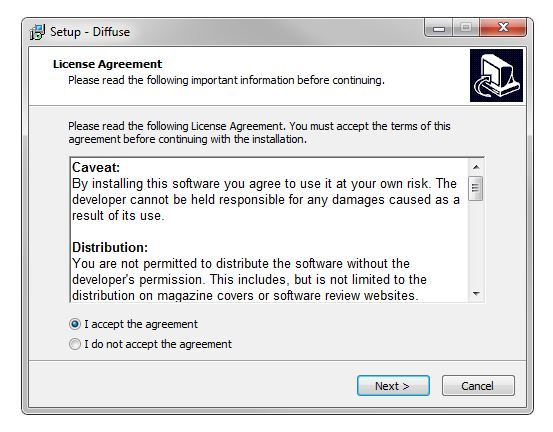
3. Read through the license agreement and select 'I accept the agreement' > click 'Next'.

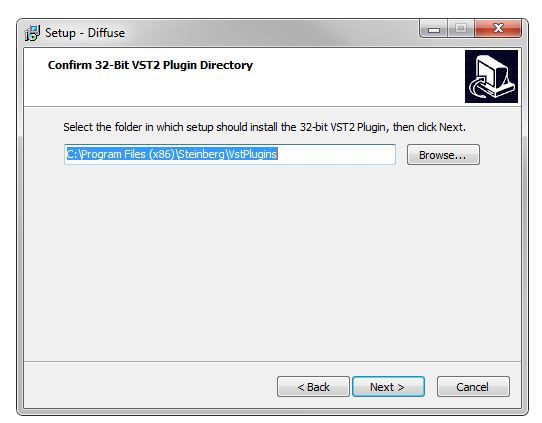
4. Select a folder in which to save the 32-bit version of the software to > click 'Next'.

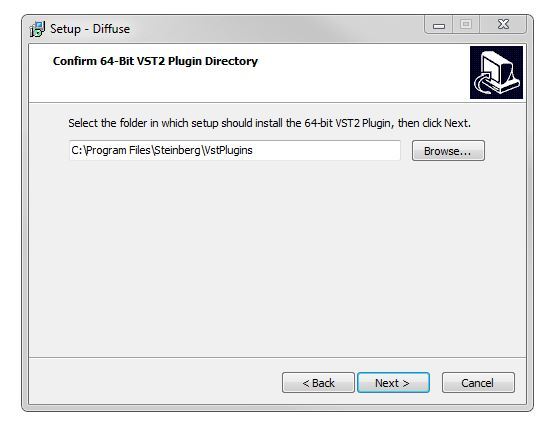
5. Select a folder in which to save the 64-bit version of the software to > click 'Next'.

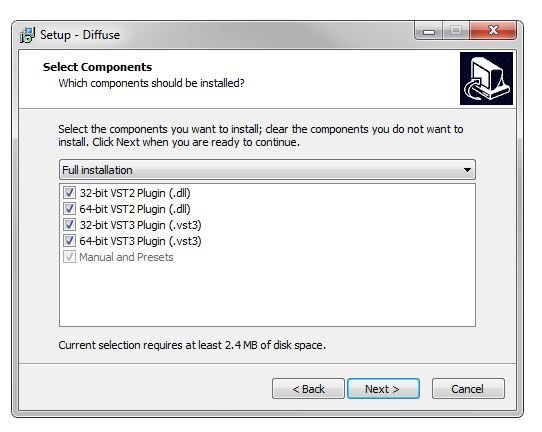
6. Select the software components that you wish to install > click 'Next.

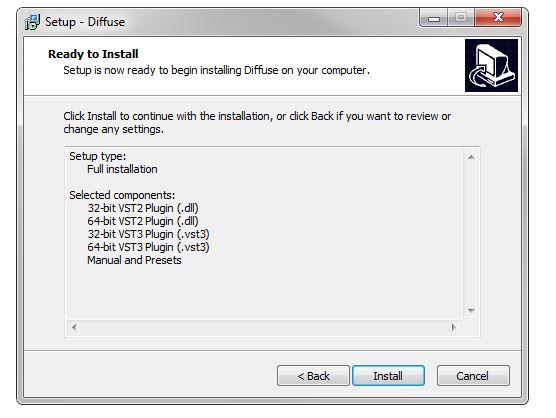
7. The software is ready for installation > click 'Install'.

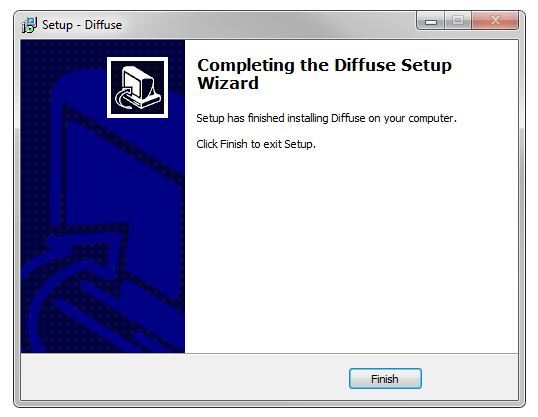
8. The installation of the software has successfully completed > click 'Finish'.

9. Open/Restart your DAW and load an instance of the newly installed software.
Note: Rescan your DAW's plugin list if the software fails to appear.
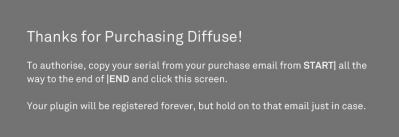
10. The first time you load the software, an authorisation screen will appear with instructions. You will need to copy the serial number from your User Account, which appears as shown below:
START|Your Name|your@email.com|XXXX-XXXX-XXXX-XXXX|END
Note: You must copy the entire serial as it appears in your email, including the words START and END.
11. After the serial number has been copied, click on the plugin authorisation screen.

The Software is now Ready for Use!

Mac
1. Download the full version of the software from your User Account.
2. Extract the installer file and double-click it to begin the installation process.
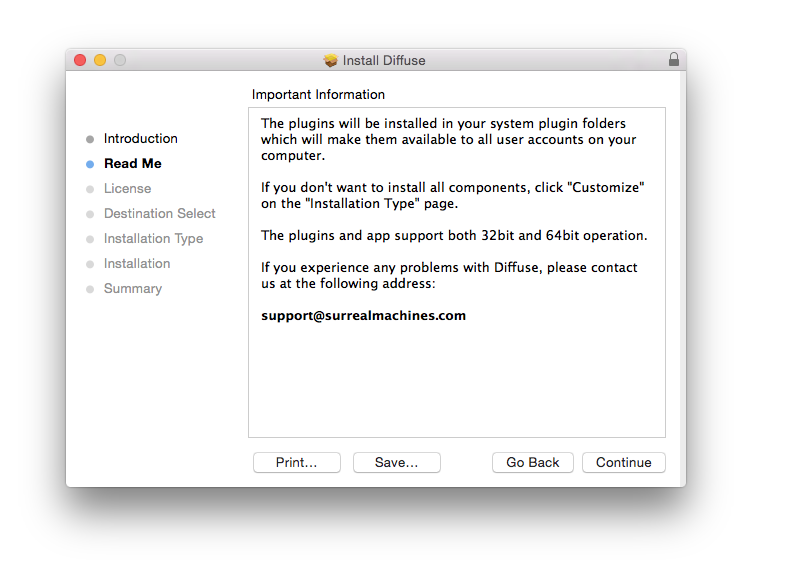
3. Double-click the installer file to begin the installation process. > click 'Continue'.

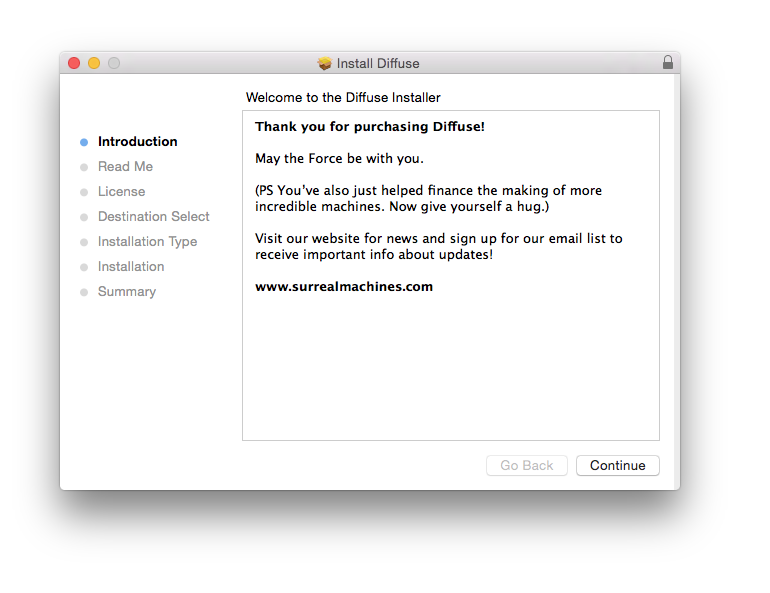
4. Read through the information > click 'Continue'.

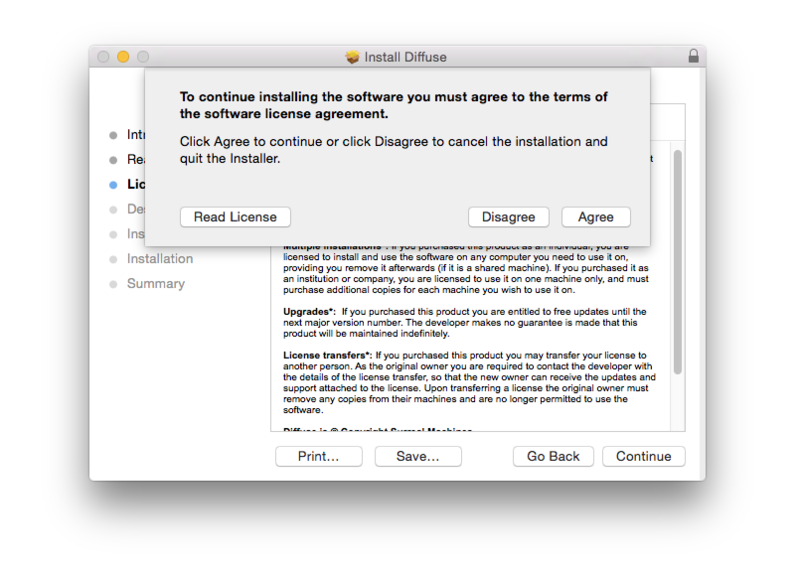
5. Read through the Licence Agreement > click 'Continue' then 'Agree'.

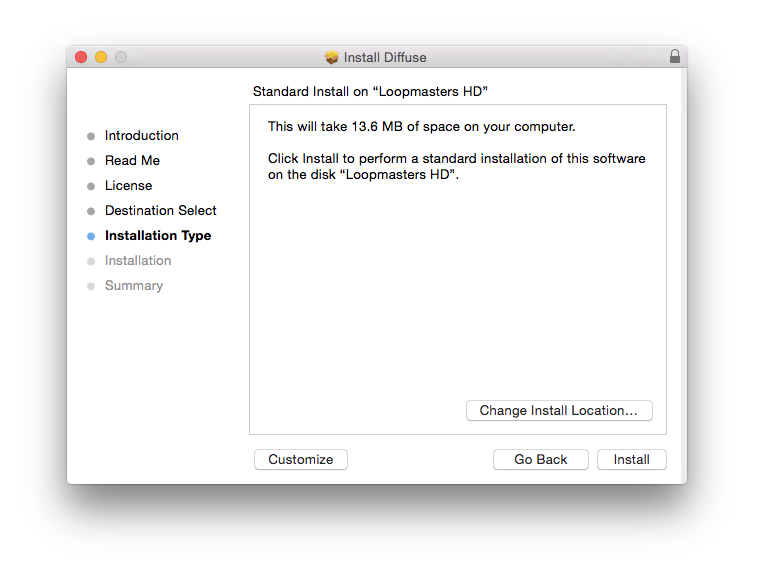
6. Review the installation and click 'Install'.

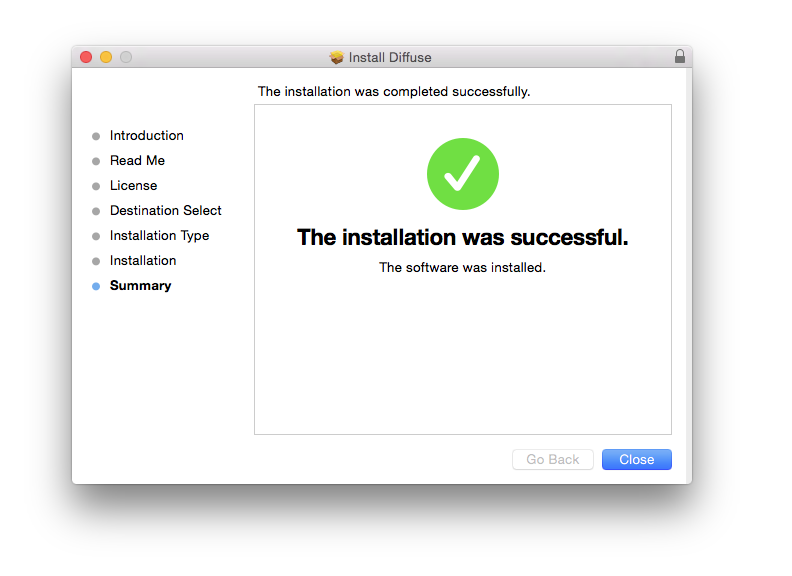
7. The installation has successfully completed > click 'Close'.

8. Open/Restart your DAW and load an instance of the newly installed software.
Note: Rescan your DAW's plugin list if the software fails to appear.
9. The first time you load the software, an authorisation screen will appear with instructions. You will need to copy the serial number from your User Account, which appears as shown below:
START|Your Name|your@email.com|XXXX-XXXX-XXXX-XXXX|END
Note: You must copy the entire serial as it appears in your email, including the words START and END.
10. After the serial number has been copied, click on the plugin authorisation screen.

The Software is now Ready for Use!