CHOW Matrix is a delay effect, made up of an infinitely growable tree of delay lines, each with individual controls for feedback, panning, distortion, and more.
The fundamental idea of the effect is to create a “tree” of delay lines, each with its own properties, such as delay-time, feedback, panning, etc. This flexibility allows musicians and producers to create a wide array of delay-based effects, from simple multi-tap echoes to lush reverberant spaces
CHOW Matrix is currently available in the following plugin formats:
- VST
- VST3
- AU
- Standalone plugin
System Requirements
Mac
- macOS 10.12 Sierra or newer (Intel / M1 Apple Silicon supported)
- Minimum 4 GB of RAM
- VST-compatible or AU-compatible plugin host
Windows
- Windows 7 or newer
- Minimum 4 GB of RAM
- VST-compatible plugin host
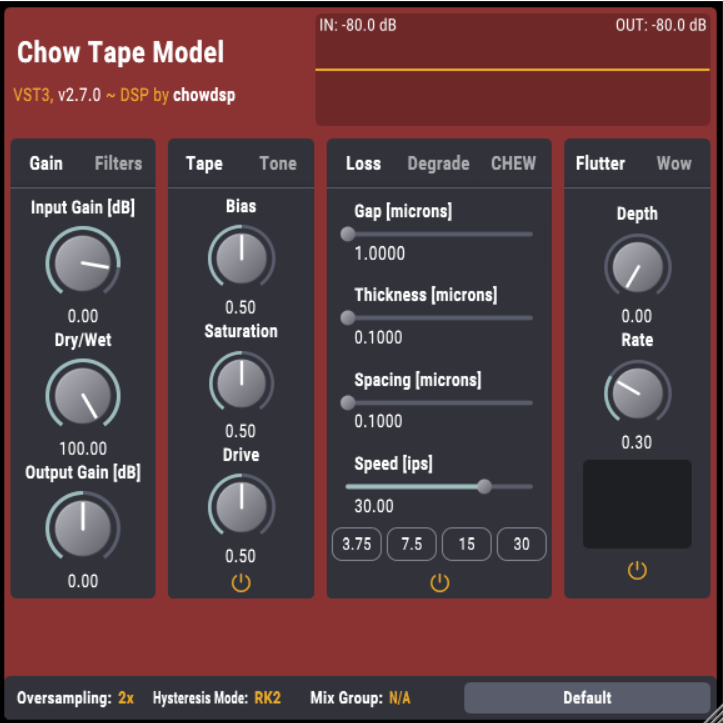
Please Note: CHOW Tape Model has been used as an example.
Windows
Installation
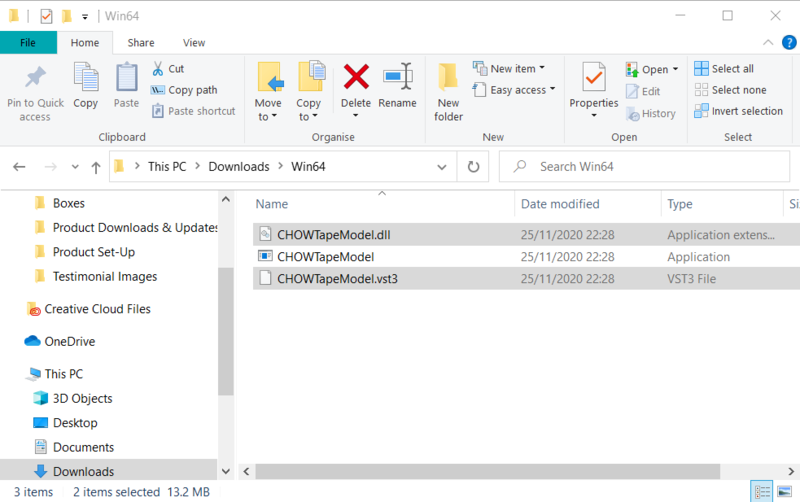
1. Download the .zip file from within your Plugin Boutique User Account > Double-click it to extract the contents.
2. Navigate to the folder with the .dll and .vst3 files > copy the necessary files.

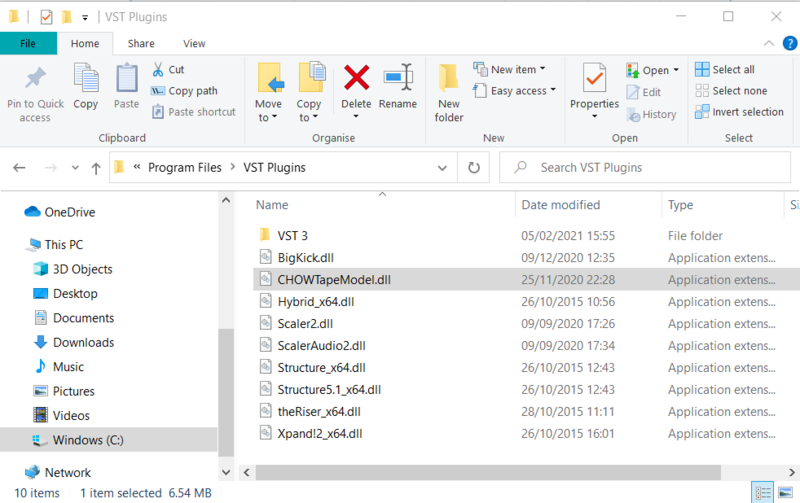
3. Navigate to the file path C:\Program Files\VST Plugins > Paste the .dll file in this folder.

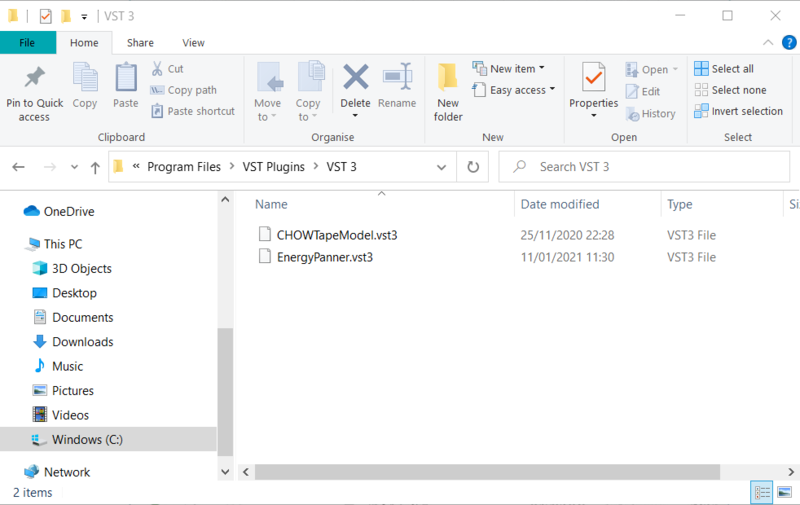
4. Navigate to the file path C:\Program Files\VST Plugins\VST 3 > Paste the .vst3 file in this folder.

Your software is now ready to use within your DAW.

Mac
Installation
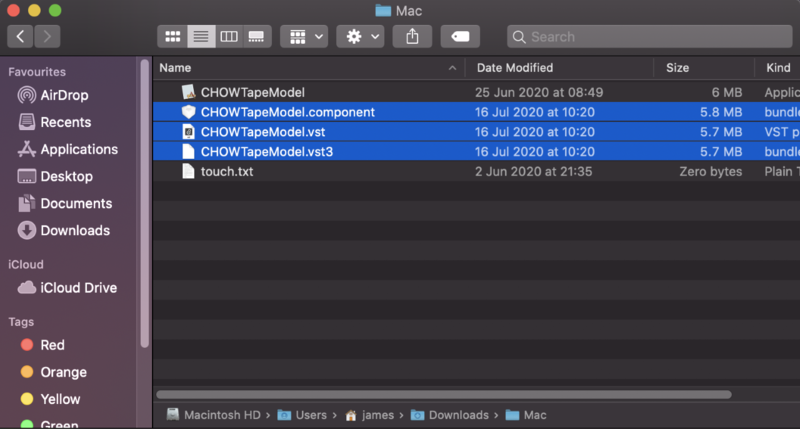
1. Download the .zip file from within your Plugin Boutique User Account > Double-click it to extract the contents.
2. Navigate to the folder that contains the AU and VST components > copy the necessary component.

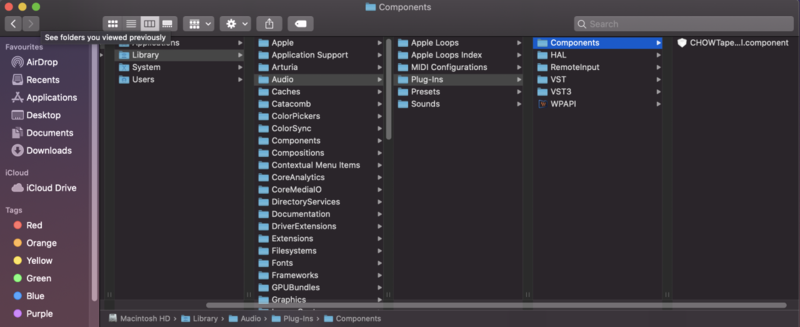
3. Navigate to the file path Macintosh HD:/Library/Audio/Plug-Ins/Components/ > Paste the component in this folder.

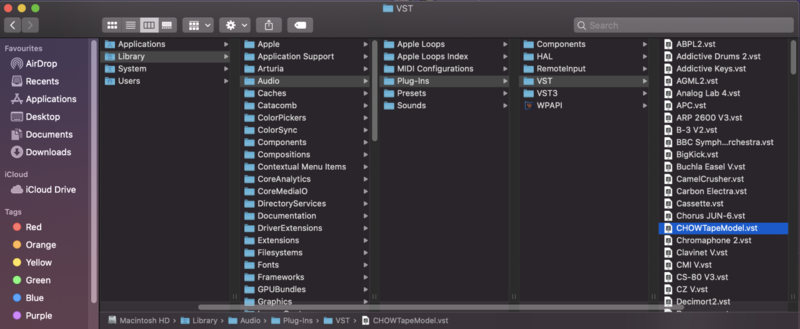
4. Navigate to the file path Macintosh HD:/Library/Audio/Plug-Ins/VST > Paste the .vst file in this folder.

5. Navigate to the file path Macintosh HD:/Library/Audio/Plug-Ins/VST 3 > Paste the .vst3 file in this folder.

Your software is now ready to use within your DAW.