Log In

Free gifts available with your purchase

Extensive Sonic Flanging
BLEASS Flanger is a comprehensive flanging effect with a wide range of sonic possibilities thanks to 2 LFOS, 3 Stages of modulation and beat synchronization.
BLEASS Flanger is a rich sounding flanging effect offering a wide range of synchronised modulations which colours sound in a novel and unique way thanks to its complex algorithmic combinations.
This Flanger offers three stages of modulation as well as two LFOs, combined offering great sonic versatility – from classic sine flanger sounds to crazy rhythmic modulations courtesy of its 6 different LFO shapes.
The ability to easily synchronize the flanging effect with the beat makes it ideal to bring subtle flanging variations while evolving harmoniously with a song’s dynamics.
BLEASS’ customary interface design makes for a smooth and efficient UI with clear visual feedback, increasing the enjoyment and playability of sound designing. As with other BLEASS plugins, BLEASS Flanger is very low on CPU usage and works in all compatible hosts & DAWs.
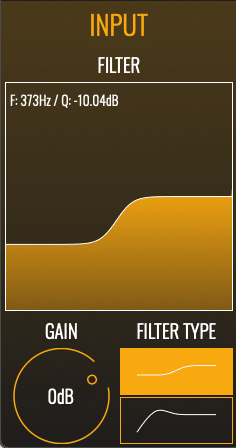
INPUT stage:
- Low-shelf/High-pass input filter
- Input gain
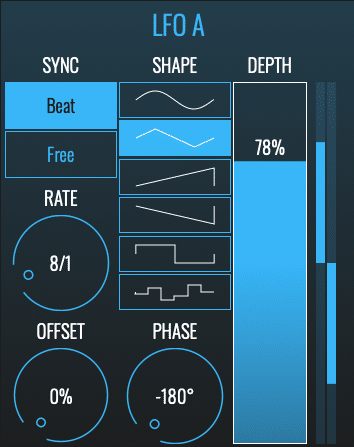
LFO A stage: (This LFO modulates DELAY TIME)
- SYNC: sets LFO’s synchronization between BEAT SYNC and FREE SYNC
- RATE: sets LFO’s rate
- OFFSET: when BEAT SYNC mode is activated, sets LFO’s offset relatively to the beat
- SHAPE: select LFO’s shape between sine, triangle, sawtooth, inverted sawtooth, square and random
- PHASE: sets offset between the LFO’s two stereo channels
- DEPTH: sets LFO’s amount as a percentage of DELAY TIME’s value
- STEREO METER: represents LFO’s state
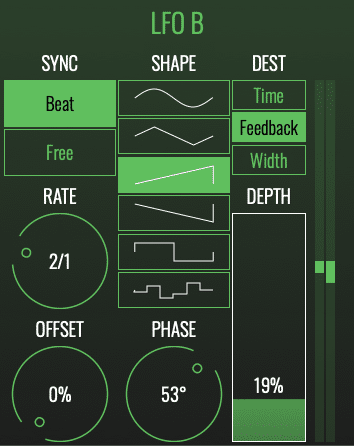
LFO B stage: (This LFO can modulate either DELAY TIME, DELAY FEEDBACK or DELAY WIDTH)
- SYNC: sets the LFO’s synchronization between BEAT and FREE
- RATE: sets the LFO’s rate
- OFFSET: if SYNC is set to BEAT, sets LFO’s offset relatively to the beat
- SHAPE: select LFO’s shape between sine, triangle, sawtooth, inverted sawtooth, square and random
- PHASE: sets offset between LFO’s two channels
- DESTINATION: sets the LFO’s destination between DELAY TIME, FEEDBACK and WIDTH
- DEPTH: sets LFO’s amount as a percentage of DESTINATION’s value
- METER: represents LFO’s state (depending on the selected modulation destination)
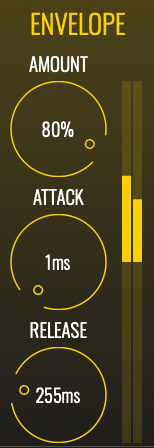
ENVELOPE FOLLOWER stage: (modulates DELAY TIME depending on the input signal’s level)
- AMOUNT: sets the amount of modulation as a percentage of DELAY TIME’s value
- ATTACK: sets the attack of the follower
- RELEASE: sets the release of the follower
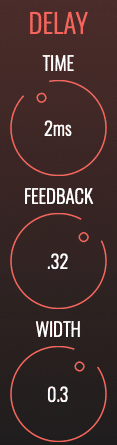
DELAY stage:
- TIME: sets average delay time
- FEEDBACK: sets average delay feedback
- WIDTH: sets delay time’s difference between both channels (and average delay time when width is modulated by LFO B)
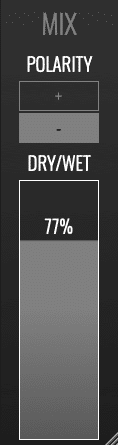
MIX stage:
- POLARITY: if set to “+“, wet signal is added to the dry signal, if set to “-“, wet signal is subtracted to the dry signal
- DRY/WET: sets the amount of wet signal added (or subtracted) to the dry signal
System Requirements
PC
- Windows 8 and later (64-bit)
- VST3
Mac
- macOS 10.9 and later (64-bit only) (including macOS 11 Big Sur and M1 processors)
- VST3 / Audio Unit
Format
- BLEASS Flanger is not a standalone product, it requires host software.
- BLEASS Flanger is compatible with all VST3 / Audio Unit compatible DAWs