


 Log In

Free gifts available with your purchase
Not all EQs are made EQUAL
Equalizer is an audio plugin that intelligently and automatically EQs your tracks.
It's an equalizer in the most literal sense; it tries to make everything equal.
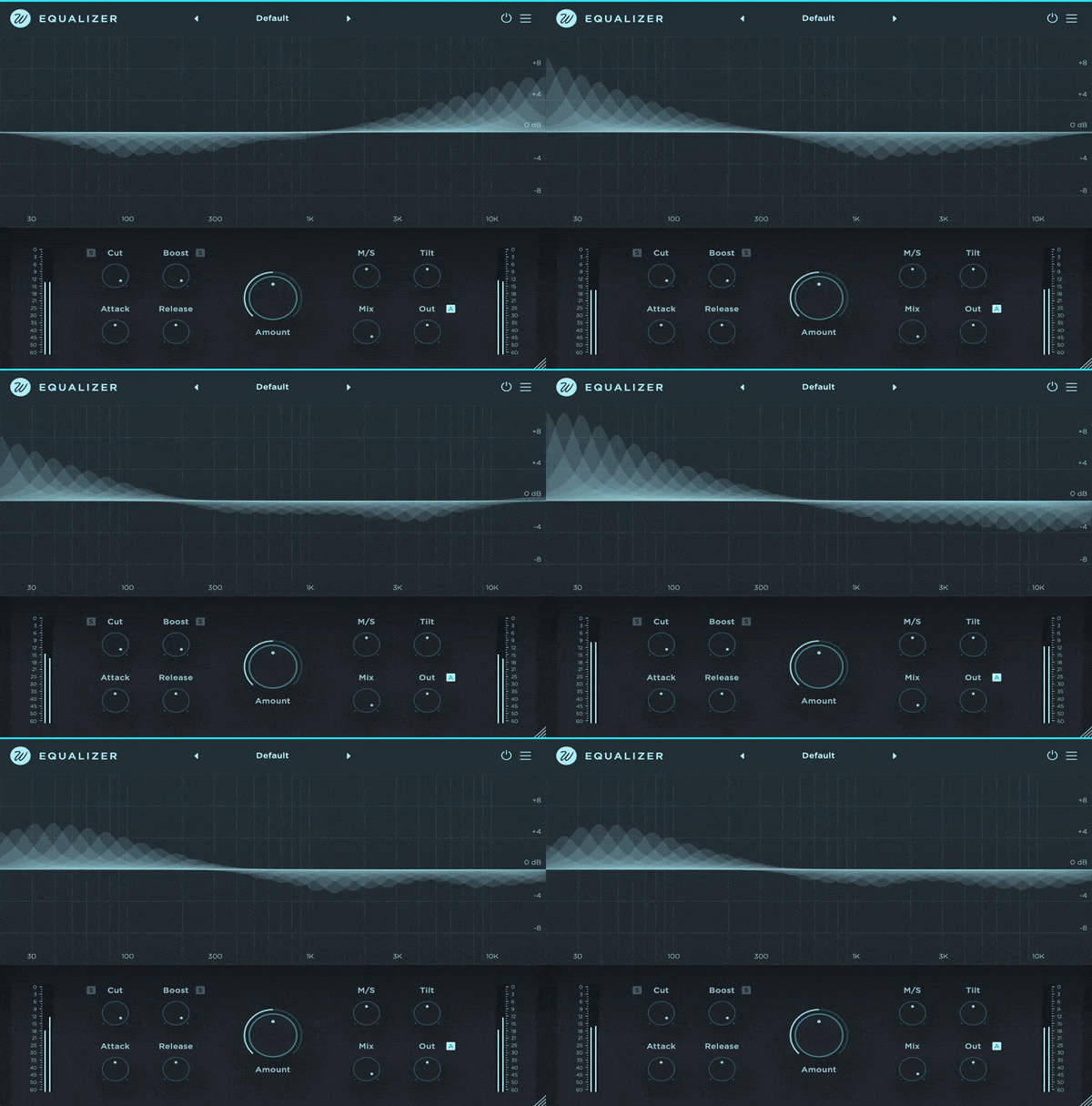
The plugin works by dividing the incoming signal into 32 bands. For each band, it calculates the gain and then determines a target volume. Based on this, Equalizer independently adjusts—either boosting or cutting—the gain for each band to achieve the desired target volume. Effectively making all frequencies have the same volume.
Equalizer significantly streamlines the mixing process, delivering high-quality results with unprecedented speed. Equalizer instantaneously performs tasks traditionally requiring extensive automation, saving you a lot of time. Moreover, it accomplishes this with minimal CPU consumption, ensuring efficient performance.

Everything Under Control
Even if the plugin can be operated with a single knob, Equalizer comes with a carefully curated set of tools for personalizing the plugin to your specific requirements.
These features include Mid/Side processing, a tilt knob for direct brightness control, attack and release parameters, separate controls for cut and boost with delta signal audition, and a mix control and output gain with auto-gain functionality.

Great Results, Faster
Equalizer eliminates digital harshness, enlivens dull recordings, removes unwanted resonances and keeps an overall balance at all times.
It effortlessly balances your track or mix, ensuring all elements sound cohesive. Ultimately, it elevates your sound to a whole new level, enhancing the quality of your audio production.
Equalizer takes from where there is too much and adds where there is need. Put simply, it's an EQUALIZER.
One More Thing
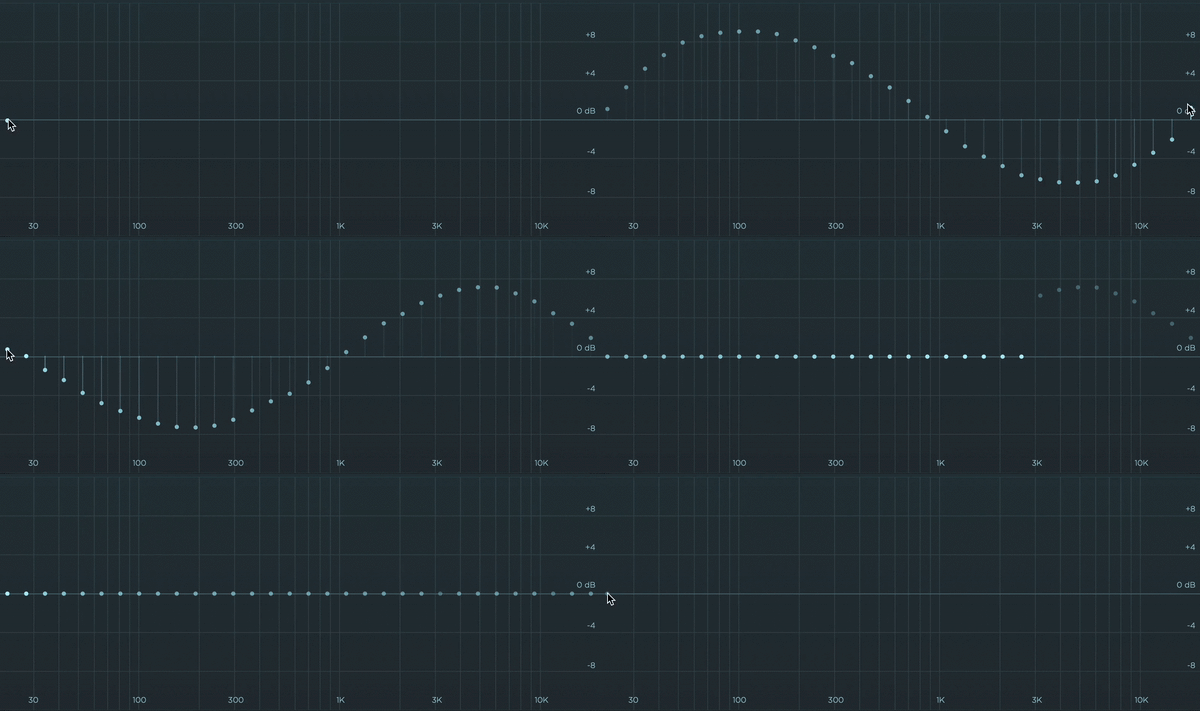
Equalizer offers an extensive level of control, allowing you to customize the amount of processing applied to each band, ensuring the plugin responds where you want it to.
Draw directly on the spectrum to determine the desired level of effect. You have the option to maintain the current settings, selectively disable specific bands, or, conversely, amplify their processing to achieve the desired sound.
Features
- Enhanced workflow
Equalizer has been designed to be easy to use. You can operate it with a single knob if you wish.
- Zero latency
The processing is done in the time domain. No latency is required at all. It's perfect for live use.
- Resizable
You can resize the window by stretching the bottom right corner, just like all our other plugins.
- Retina ready
The plugins doesn't use any images, everything is drawn on the fly by software. All graphics are crisp, and animations are smooth.
- Apple Silicon
Equalizer runs natively on Apple M1 and M2 chips, including AAX.
- Auto updater
The plugin will warn you that there is an update available and it can be automatically updated from within the plugin. Never miss an update.
- Preset system
With a wide collection of factory presets. Create your own presets easily with save, save as and delete functionality.
- Mix and output
Equalizer includes global mix and output volume parameters, which Wavesfactory think that all plugins should have!
System Requirements
- macOS and Windows. 64-bit only.
- AAX, Audio Units, VST and VST3.
- No iLok, challenge response or any other convoluted method is needed for registering Equalizer. You will receive a serial number at the time of the purchase.
Mac
- 10.13 or higher.
- Intel and Apple Silicon natively supported.
- 64-bit DAW and OS.
Windows
- 7, 8 or 10.
- 64-bit DAW and OS.
Simone Coen
Engineer/Producer
"Equalizer feels like that amazing gift you didn't expect. Any track I try feeding it ends up sounding better with next to no effort. Bravo Wavesfactory!"
Floating Spaces
Producer/DJ
"You can clearly hear the prominent 3D image on the lead vocal track as soon as I put Equalizer on. This thing has all of the chill and none of the fuzz."
Paul B Norris
Ed Sheeran
"Equalizer has been on every mix I've done since I have had it. It's incredibly intuitive to use, helping me quickly get smooth polishing sounding vocals. Wavesfactory have once again created a simple but essential plugin."
Reviews Summary
While it aims to provide a helpful overview, it may not capture every perspective or detail. We encourage you to read individual reviews to make an informed decision.
Users widely praise the plugin as an exceptionally powerful and intuitive tool that functions more like an intelligent balancer than a standard EQ. It is frequently highlighted for its ability to quickly clean up low- and mid-frequency mud, save time, and excel across diverse applications such as vocals, dialogue, clean guitars, and even the master bus. While it has a slight learning curve and occasional suggestions were made for built-in high/low-pass filters, an intensity control, and more visual skins, reviewers consider it a game-changing, everyday essential that outperforms competing dynamic and balancing plugins.


