


 Log In
Ozone 11 Equalizer
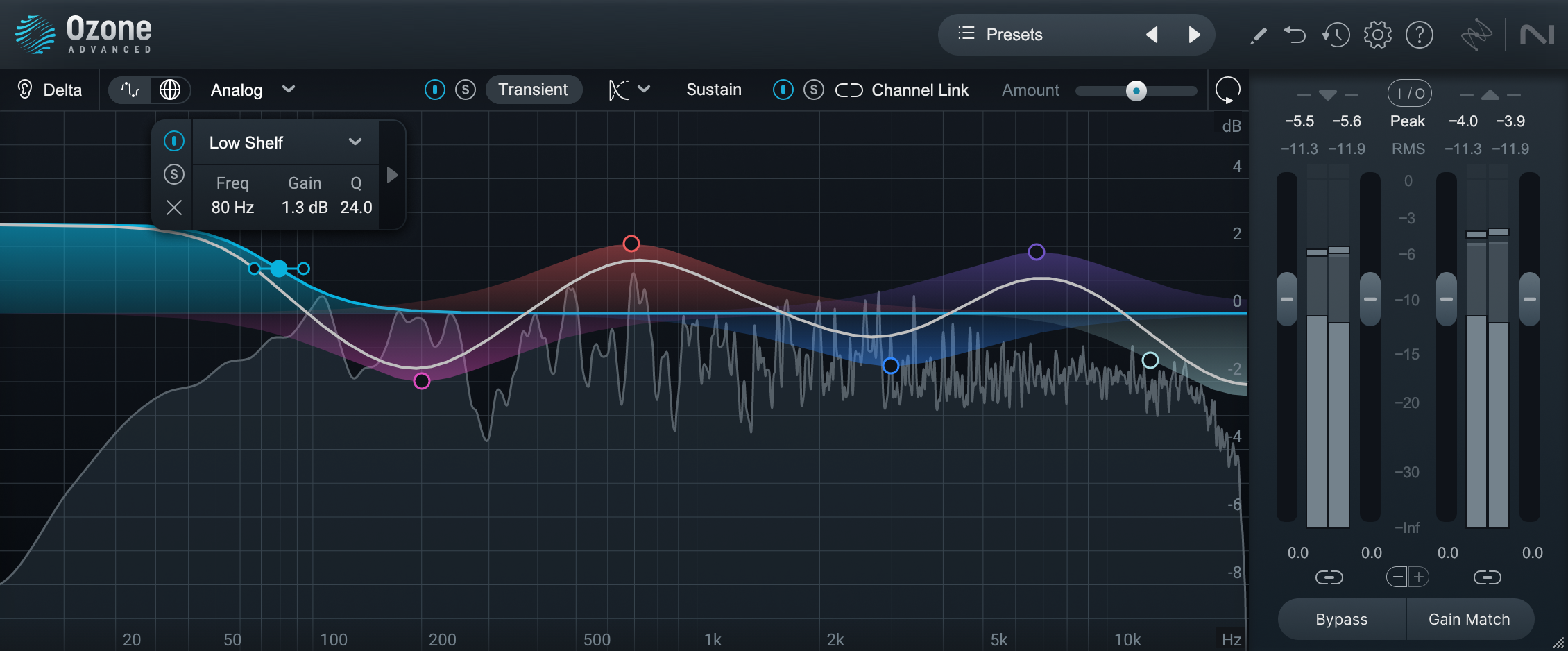
Control the finest details of your sound with fluid metering and new HUD controls.
Experience the cutting-edge Transient/Sustain mode to creatively control the punch of your mixes. Intuitively dial in curves with the resizable interface design, and hear exactly how you're affecting the audio with the new Delta button. Plus, don't be fooled by "louder is better" using the live Gain Match.
Ozone is the go-to EQ for mastering pros because it's packed with features to take on any job:
- Easily experiment with the classic sound of vintage analog and the modern precision of digital
- Separately treat the mid and side of the stereo image, or the left and right channels
- Find the sweet spot for your tone by scaling your settings from 0-200%
- Hunt for resonances by soloing the spectrum or individual nodes
- You can even fine-tune the phase response of each individual filter
- Precise
- Analog inspired, digital precision
- Flexible
- Mid/Side, Left/Right, Transient/Sustain,
- Linear Phase
- Analog-style filters
- Zero latency, low CPU cost
- Intuitive
- HUD controls
- Grid
- Fluid spectrum
Features
- New Transient/Sustain mode. Unlock your creative potential by separately enhancing the transient and sustain.
- Emulate classic analog EQs or modern digital models depending on your style.
- Use Mid/Side mode to correct frequencies in the sides of your audio.
- Enjoy smooth, fluid metering and a resizable window that lets you see more of your sound.
System requirements
- Mac: macOS Monterey (12.6.8), macOS Ventura (13.5)*
- Win: Windows 10, Windows 11
*Supported on Intel Macs and Apple silicon Macs (Apple M-series chips) in Rosetta 2 & native
Plugin formats:
AAX, AU, VST3. All plugin formats are 64-bit only.
Supported hosts:
Logic Pro 10.7, Live 11, FL Studio 21, Pro Tools 2023, Cubase 12, Studio One 6, REAPER 6, Cakewalk by Bandlab, Audition, MASCHINE, Wavelab 11, Davinci Resolve 18, Nuendo 12, Reason 12.5.
Reviews Summary
While it aims to provide a helpful overview, it may not capture every perspective or detail. We encourage you to read individual reviews to make an informed decision.
Users consistently praise this free EQ plugin for its ease of use, professional-grade sound quality, and versatile mixing and mastering capabilities that rival expensive paid alternatives. While celebrated as an essential, high-value tool that significantly enhances workflow, a few users note that it can be demanding on CPU.


