


 Log In

Free gifts available with your purchase
Timeless Equalizers Revitalized
Fat, tube-driven, passive equalizers can be so much more than functional tools. They impart character and style to any source; drums, synths, vocals, guitars, strings, brass… you name it! As such, they’ve been sought after in top-of-the-line international studios for decades, and their sound enriches the textures of thousands of classic records, in every genre you can imagine.
Now combined into a single plug-in, which not only improves the workflow but allows for a revitalized approach to the sonics using Softube's latest digital signal processing technology, the Tube-Tech Equalizers Mk II are a huge step forward for an already phenomenal pair of processors.
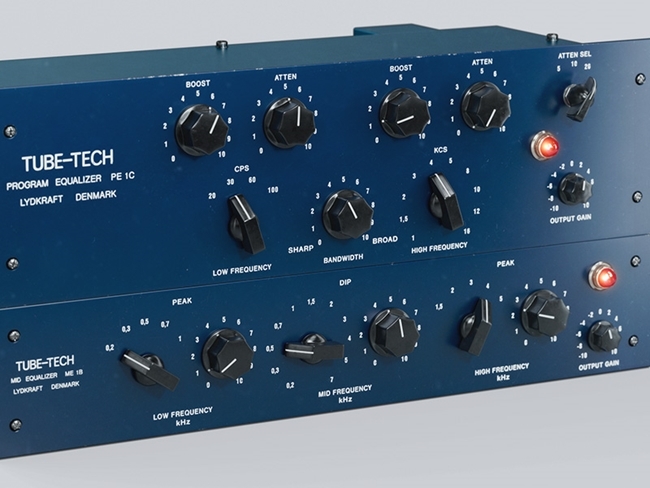
By combining the PE 1C and ME 1B equalizers, Softube have made a new beast which benefits from Softube's latest signal-processing technology. Sound engineers all over the world praise the 'Pultec' tube-driven passive equalizer PE 1C for its super huge bass and its silky shiny treble. The all-new high-res graphics look absolutely stunning on any display.
Long and Happy Partnership
As long ago as 2006, Softube formed a partnership with Tube-Tech of Lydkraft, Denmark, and began work on what would become the definitive plug-in representations of Tube-Tech’s best and most highly-prized analogue hardware units.
In 2018 Softube released the updated Mk II versions; a total ground-up remodel of the CL 1B compressor, and a single combined EQ plug-in, taking advantage of Softube's latest signal processing technology. Softube also added stunning high-resolution graphics and additional features to make the best even better.
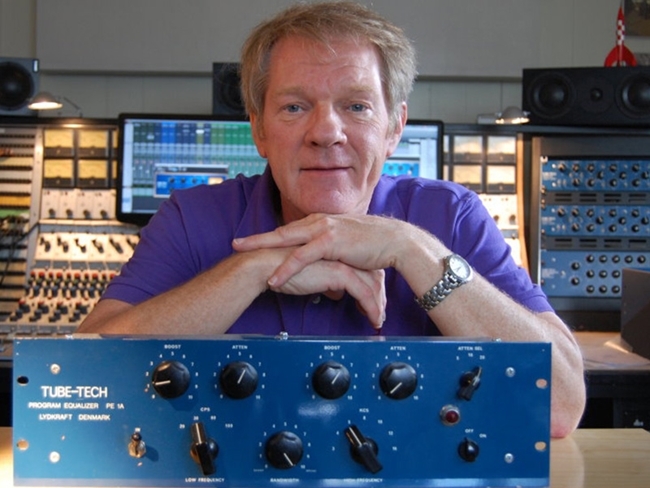
Much More Than Function
Fat, tube-driven, passive equalizers can be so much more than functional tools. They impart character and style to any source; drums, synths, vocals, guitars, strings, brass… you name it! As such, they’ve been sought after in top-of-the-line international studios for decades, and their sound enriches the textures of thousands of classic records, in every genre you can imagine.
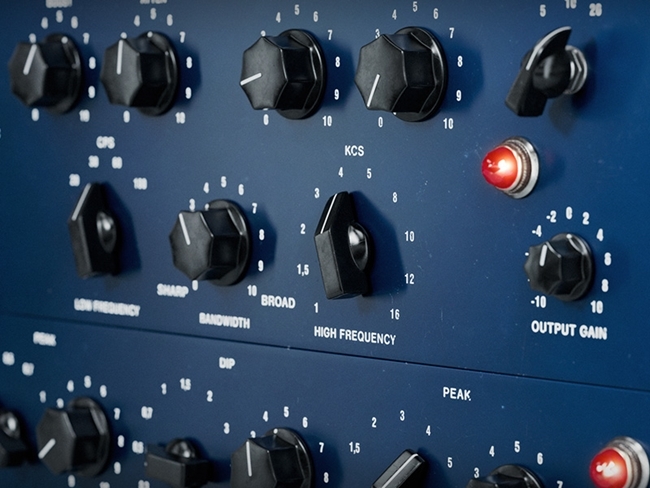
Quite a Few Tricks Up Its Sleeves
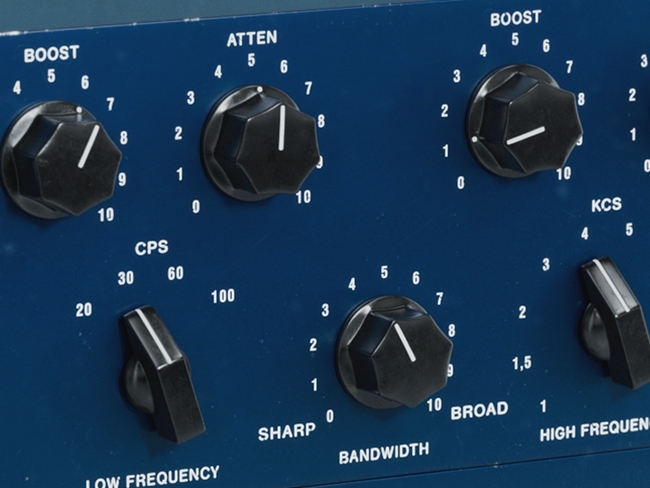
Try, for example, the famous 'Pultec' low-end trick. Because the filters for the low-frequency boost and attenuate functions are slightly offset in frequency (despite being controlled by the same frequency knob) it’s possible to create attractive and well-focused bumps or cuts in the low end by boosting and attenuating simultaneously. Give a kick drum more body, for example, by boosting heavily at 60 CPS and then attenuating to deal with the muddiness. The bump will remain, but you’ll have cleaned up too.
Unmatchable Together
The ME 1B was designed to accompany the PE 1C equalizer, and provide control over the frequencies that the PE 1C cannot adjust. On its own it's a great tool to shape the midrange of any audio material, and together with the PE 1C it becomes a versatile and full-featured equalizer.
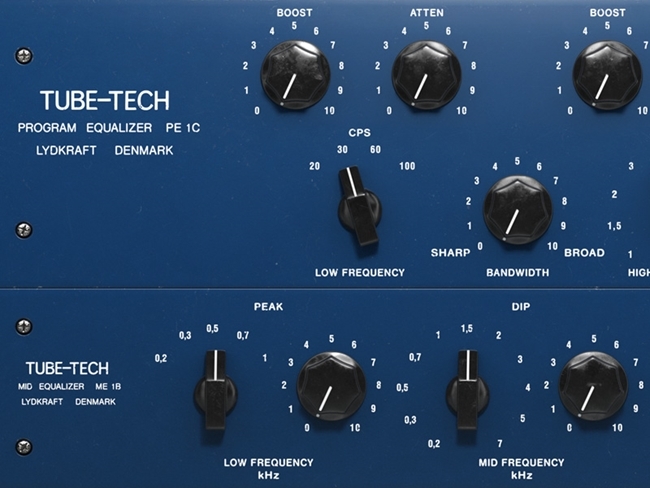
Straightforward Interface
The user interface of the ME 1B is pretty straightforward. You have three different sections, the Low-Frequency Peak, Mid Frequency Dip and the High-Frequency Peak. The only confusing thing is that the midsection never boosts, but always attenuates the selected frequency. The other two sections, low and high frequency, always boost the frequencies. But as soon as you start to use the ME 1B in conjunction with the Tube-Tech PE 1C 'Pultec' Equalizer you'll find that these equalizers complement each other perfectly.
Features
- Improved sound, updated using Softube's latest signal processing technology.
- Spectacular new high-resolution graphics.
- Still the same epic audio processors they always were.
- A ‘Pultec’-style low and high-end equalizer.
- Mid-range equalizer with the same passive, tube-driven design.
- Combined into one plug-in for better workflow and sound than ever.
- Legacy plug-ins included.
- Supported sample rates: 44.1, 48, 88.2, 96, 176.4 and 192 kHz, in both mono and stereo.
System Requirements
- macOS Big Sur 11, Monterey 12, Ventura 13
- Windows 10 (64-bit), Windows 11
- Softube account
- iLok account
- Computer with AU, VST, VST3, and/or AAX-compatible DAW host software
- Internet access (for downloading installers and managing licenses)
Supported CPU Families
- Apple macOS computers with Intel Core i3/i5/i7 or Apple silicon (M1 or newer) CPU. Apple silicon is supported natively.
- Windows computers with quad-core Intel Core i3/i5/i7 or AMD quad-core processors with SSE 4.2 support.
- Other Intel processors (Celeron, Pentium, and Xeon) are compatible if they support SSE 4.2 instructions.
Supported Host Software (DAW)
Any 64-bit VST, VST3, AU, or AAX (Pro Tools 11.0.2 or higher) compatible host application should work. However, due to plug-in host differences between DAWs—and our rigorous standards—Softube only officially test their plug-ins and instruments in the most recent versions of Pro Tools, Logic Pro, Cubase, Ableton Live, Studio One, and Reaper. Softube plug-ins are not tested regularly in non-listed systems. They will likely work if the system requirements are met. However, the manufacturer cannot guarantee a solution for issues in unsupported systems.
Softube strongly recommend using VST3, as some of their plug-ins have features that are not present in the older VST format. Supported sample rates: 44.1, 48, 88.2, 96, 176.4, and 192 kHz, in both mono and stereo. The most recent maintenance release of your DAW application is recommended. AAX DSP is not currently in active development. TDM/VENUE/RTAS are no longer supported. See Legacy Installers.
Important Note: Make sure that you always use the latest iLok License Manager. It is not included in the Softube installer but can be downloaded from www.ilok.com


