


 Log In

Free gifts available with your purchase
Product information
Curves AQ
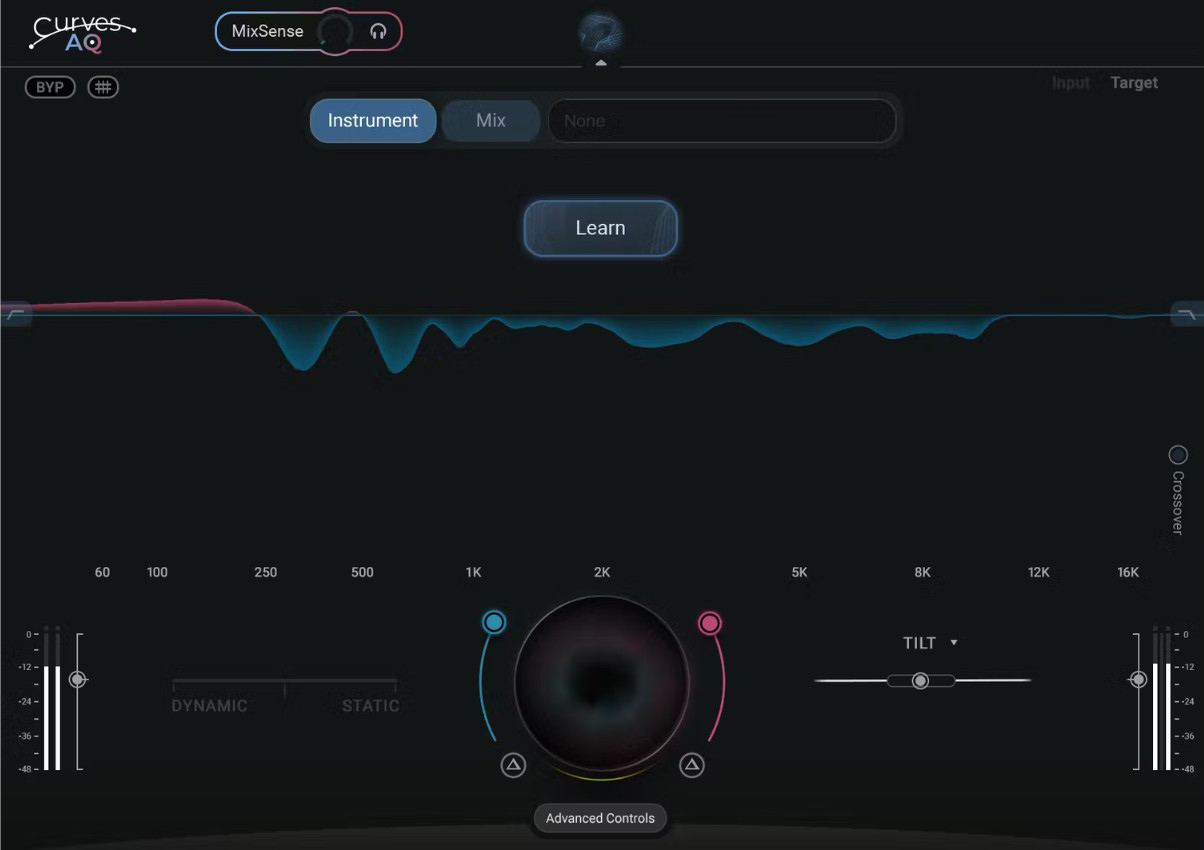
The World’s First Autonomous EQ
Everyone is trying to create a ‘smart’ EQ, but none use truly generative technology. Often they apply a ‘take-it or leave-it’ preset curve and don’t let you under the hood.
That’s why Waves created Curves AQ – the world’s first autonomous EQ.
AQ learns your audio, decides what sound it should have and creates 5 unique EQ profiles you can choose from. These are not presets – but original spectral curves based on the natural qualities of your audio, be it vocals, instruments or full mixes.
And beyond AI tools that either hit or miss the mark, AQ has 5 powerfully reimagined EQ controls to personalize & perfect your sound.
Features
- AI-powered EQ – you click learn, AQ does the rest
- Uses AI to generate original EQ curves
- AQ Creates 5 unique EQ profiles you can choose from
- Offers 5 reimagined EQ controls for full control over your sound
- MixSense – AQ adjusts processing in context of the mix
- Control amount of static EQ vs. dynamic EQ, or any combination
- Adjust boosting and cutting independently, globally & per band
- Smart Tilt control for overall tonal balancing
- Includes Curves AQ LIVE – zero latency version
- Offset feature adjust curve along X-axis, changing focal point of processing
System Requirements
Mac
- macOS Monterey 12, Ventura 13, Sonoma 14, Sequoia 15
- VST / AU / AAX
PC
- Windows 10+
- VST / AAX
Installation Instructions












Customer Reviews
(4)


