Log In

Free gifts available with your purchase
Arguably the Best Ever Console Equalizer, Finally Gets the Plugin Treatment It So Long Deserved
The HA-81A EQ preamp and equaliser is one of Heritage Audio’s best sellers, and for good reason. Taking our sought after 73 style preamp, with all its fame and glory, and combining it with a juicy, inductor-based equaliser you have all you need to capture authentic console results and sculpt them to whatever the track or mix calls for.
Where your typical 3 band 73-style equalizer exceeds at musicality but may be short of features, the HA-81A EQ excels at both. Designed to bring timeless analog character to your modern workflow, this plug-in delivers rich harmonic depth, musical EQ curves, and the unmistakable punch that defined countless classic records.
The Legendary 4-Band EQ is Finally Taken Seriously
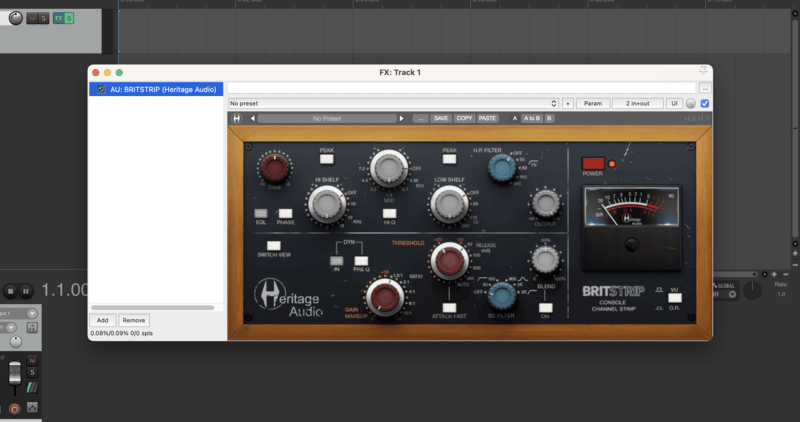
The EQ section of the HA-81 A EQ is based on Heritage Audio's Award Winning hardware console equalizer, an exceptionally musical 4 band, inductor-based equalizer that has become the gold standard for vintage EQ in thousands of studios.
Few tools can shape sound as musically as the EQ section of the HA-81A EQ. Whether you’re refining vocals, guitars, or any midrange instrument, every adjustment feels natural and expressive.
Across drums, bass, piano, or strings, the HA-81A EQ adds character and clarity. The lows feel full yet tight, the highs shimmer with detail, and the mids bring every track forward with focus and dimension.
Features
- At last a plugin worthy of the all-time classic channel
- Heritage Audio signature vintage 73-style preamp
- Celebrated 4-band EQ
- Pre selected specific musical frequencies
- Class-A Hi & Lo Pass Filters
- Quick & intuitive Classic Channel configuration