


 Log In

Free gifts available with your purchase
The World’s First Matching and Component Based Studio Plug-Ins
Pro Series Plug-Ins
Over the past decade, professional effects plug-ins have been about authentic analog emulation of original hardware, with either a black-box approach or circuit analysis and emulation. This gives musicians an easy-to-use user interface and faithful reproduction of analog tone in the digital domain.
Looking forward, the question is how we can create new tools to maximize the sound quality and usability with today’s new technology, with faster processors and memory, matching analysis, advanced nonlinear processing, and a cloud-based worldwide community. What can we do better, smarter, and more efficient?
Positive Grid teamed up the world’s brightest DSP engineers and component level modeling and matching authorities, working with the world’s leading producers, world-class engineers, and mixing & mastering gurus to develop some breakthrough technologies to bring software plug-ins to the next level.
The Pro Series EQ offers 3 revolutionary component based EQ: Digital, Tube, and Passive. It combines Positive Grid’s DSP engineering and component level modeling expertise.
Matching EQ
After years of research and development with the world’s best DSP engineers, we are proud to introduce a new way of EQ matching, one that truly recreates real world outboard analog equalizers – for the first time at component level. We used analog filters to match the frequency response for each EQ module: digital, tube, and passive EQ.
The EQ match works by analyzing the signal from the input track and side chain track – you can even see the frequency response of the matching process in real time. It then analyzes the difference curve between input and side chain, and automatically adjusts the controls to match the different curves.
The Pro Series EQ match process uses analog filters to match the frequency response difference, without adding post filters to compensate the frequency response difference. The end result is a more natural sound with real world analog sound characteristics.
Tube Equalizer
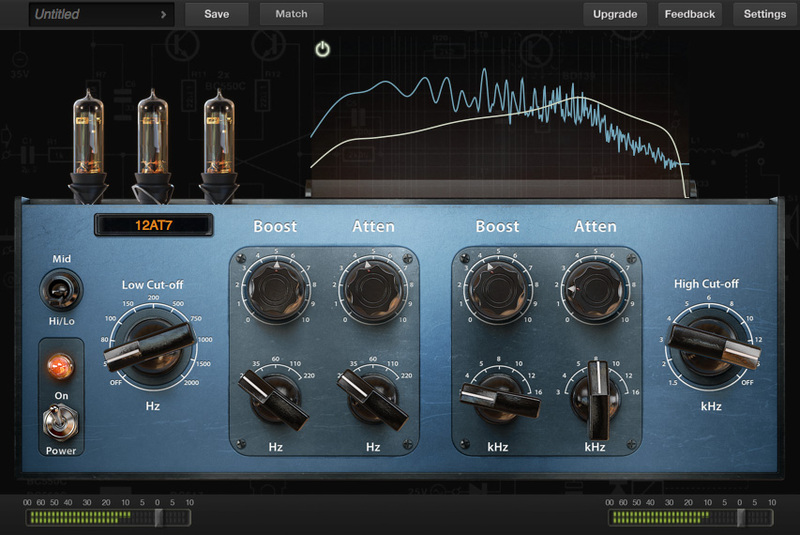
Loaded with 12AX7, 12AU7 and 12AT7 preamp tubes, the tube EQ captures the essence of analog EQ found in the best professional studios in the world, giving you the ultimate solution to add color and warmth to your recordings. It comes with low, mid, and high control panels so you can get a full frequency range control in one single EQ module.
Digital Equalizer
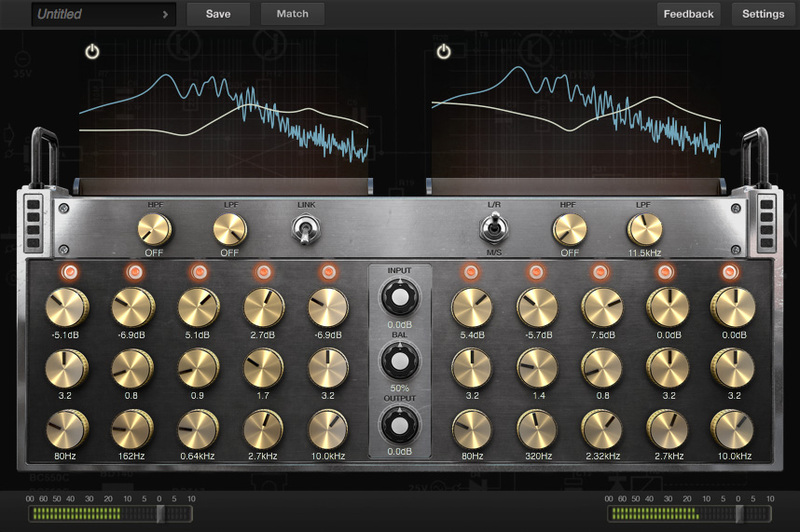
Provides the most clear and transparent digital EQ sound ever in a plug-in. With 5 bands plus high pass and low filter for each channel, its wide range control will give your mixes the necessary sound balance for professional use. You can also use the digital EQ module to shape your tracks tone without altering the output signal.
Passive Equalizer
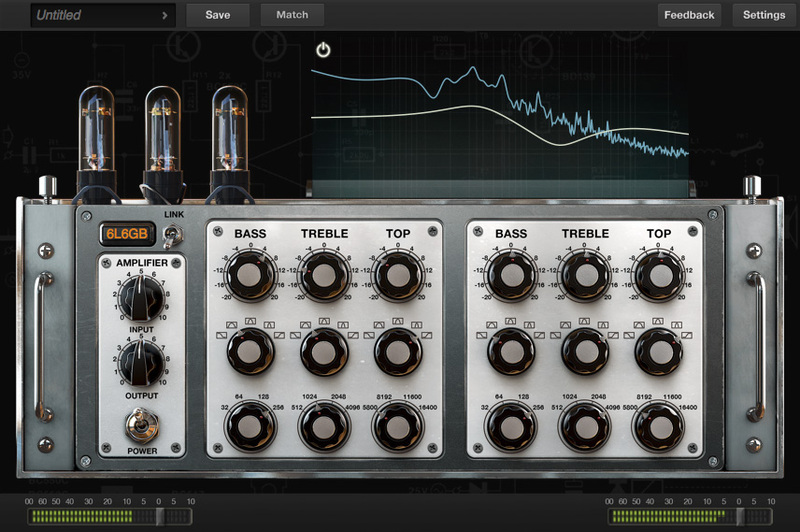
With 3 band controls for each channel, the passive EQ module gives an authentic analog sounding EQ shaping for a more musical mix. You can use the available tube power amplifier emulation to add even more color to the output sound, and get that rich tone from real world tube amplifier EQ racks.
Features:
- 3 individual EQ - Digital, Tube and Passive
- Matching Technology captures any real world analog EQ nuance
- Component level modeling, virtually swap out components
- Extremely high quality audio processing architecture
- Download more EQ profiles (coming soon)
System Requirements
Mac
- OS X 10.9 or later
- Audio Units, VST, RTAS, AAX Native
- 4GB of RAM minimal, 8GB or more recommended
- 400MB free disk space
- Pro Series plug-in requires A DAW software (Digital Audio Workstation) to host, it doesn’t have a Standalone version at this moment
Windows
- Windows 7 (SP1) or Windows 8, Windows 10
- VST, RTAS, AAX Native
- 4GB of RAM minimal, 8GB or more recommended
- 1.5GHz Dual core processor minimal, 2.0GHz Dual core or more recommended
- 250MB free disk space for per version (32 or 64 bits)
- Pro Series plug-in requires A DAW software (Digital Audio Workstation) to host, it doesn’t have a Standalone version at this moment
Supported Hosts
- Ableton Live 8.0 or above
- Avid Pro Tools 10 or above
- Ardour 3.0 or above
- Apple Logic Pro 9.0 or above
- Apple GarageBand 6.0.5, 10.0 or above
- Bitwig Studio 1.0 and above
- Cakewalk Sonar X2 or above
- Cockos Reaper 3.4 or above
- Harrison Mixbus 2.0 or above
- Steinberg Cubase 5.0 or above
- Steinberg Nuendo 4.3 or above
- MuTools MuLab 6.0 or above
- PreSonus Studio One Producer/Professional 2 or above
Note: Pro Series plug-in requires A DAW software (Digital Audio Workstation) to host, it doesn’t have a Standalone version at this moment
Installation Instructions
Mac:
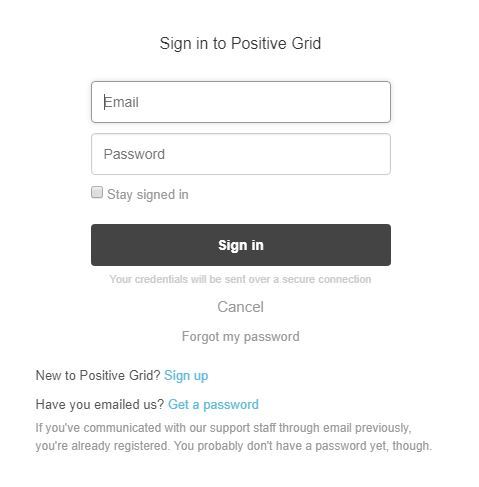
1. Log into/create your Positive Grid User Account.
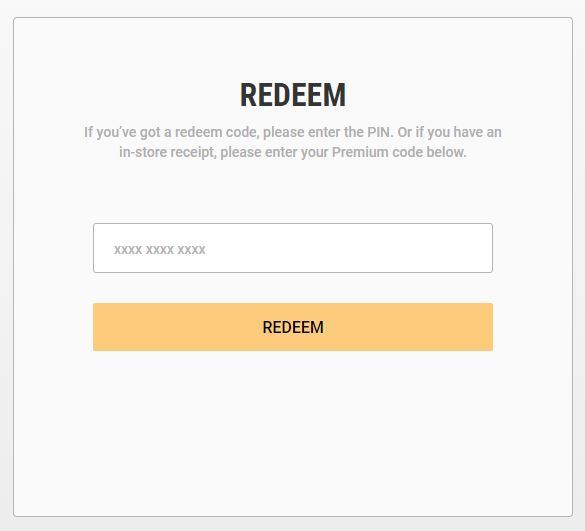
2. Copy and paste/manually enter the serial number from your User Account via Positive Grid's Redemption Area > click 'Redeem.'
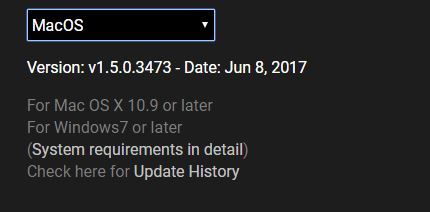
3. The download option will become available for your purchased product via the Positive Grid's download page. Scroll down the page to find your purchased product (Mac OS) installer, and click 'Download.'
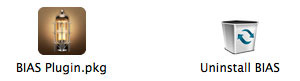
4. Once the download has concluded, double-click and open the .pkg file to run the installer.
Note: BIAS FX Desktop is used as the example.
5. Click 'Continue.'
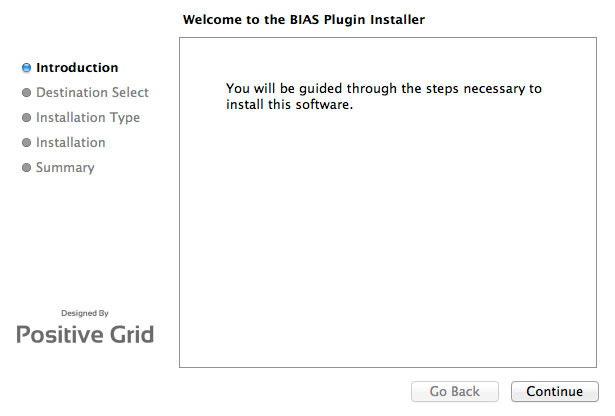
6. Confirm the computer folder/location in which to save the software to > click 'Install.'
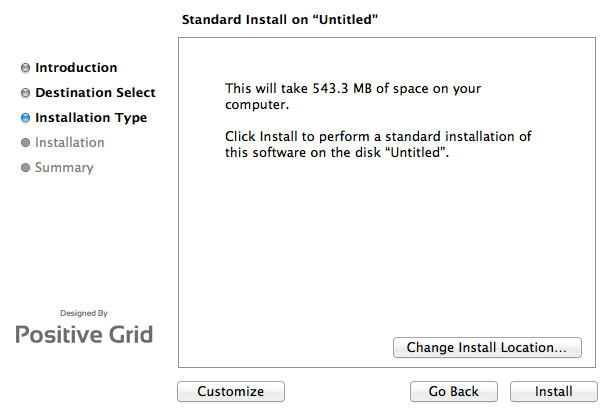
7. Once the installation has successfully completed, click 'Close.'
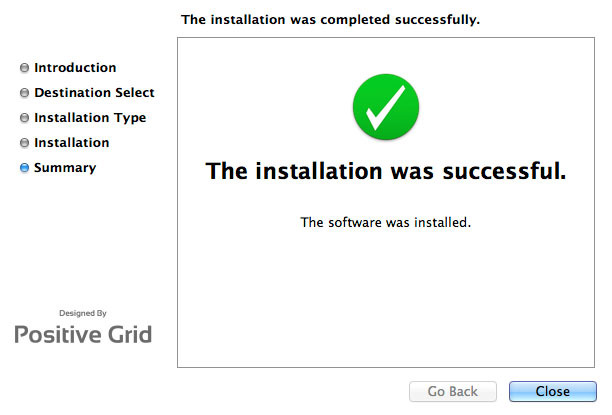
8. Restart your DAW and open the software.
Note: You may need to refresh/rescan your DAW's plug-in selection, in order to show the new installation.
Activation
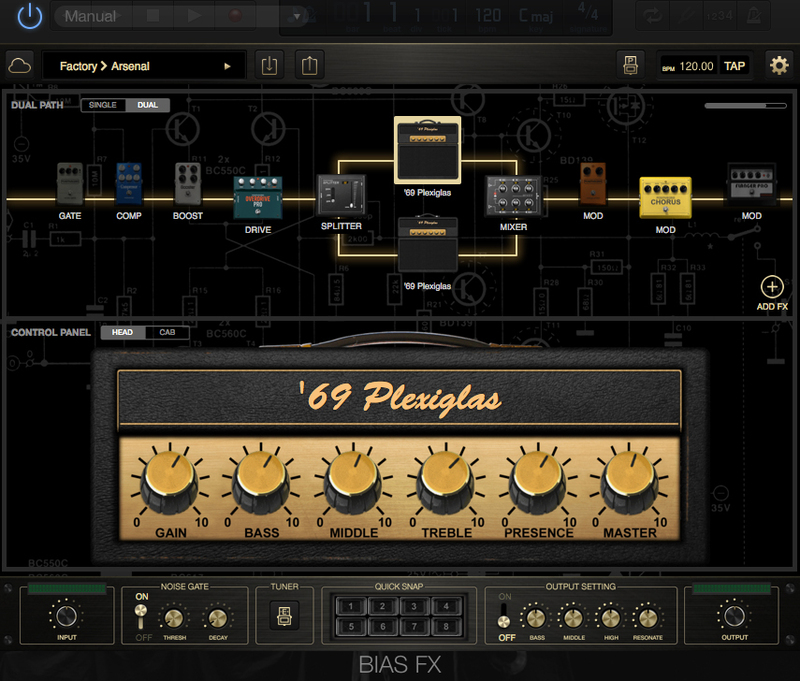
1. Open the software and click the settings icon on the upper right corner of the window. Then click "Login ToneCloud" in the drop-down menu to log in and activate the software.
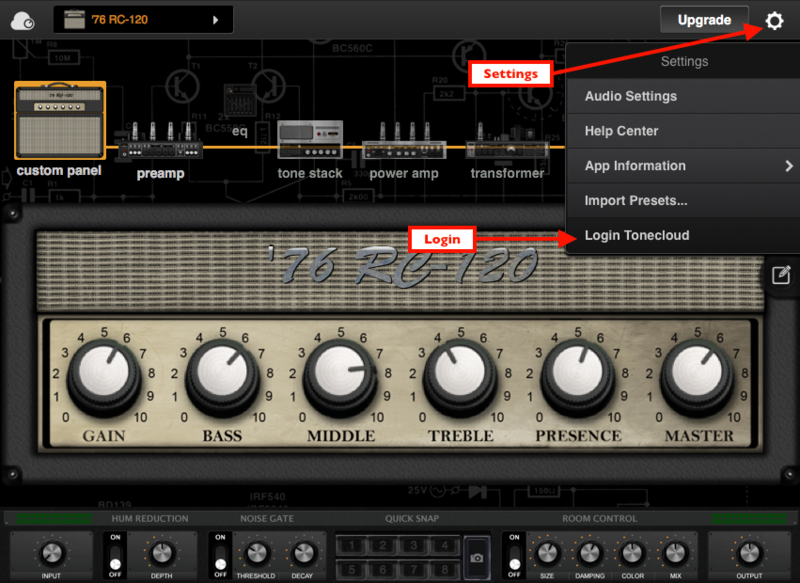
2. To check if the software has been activated, go to settings, App Information and make sure that it shows "Desktop" (for Standard license) or "Professional" (for Professional license) under License Tier.
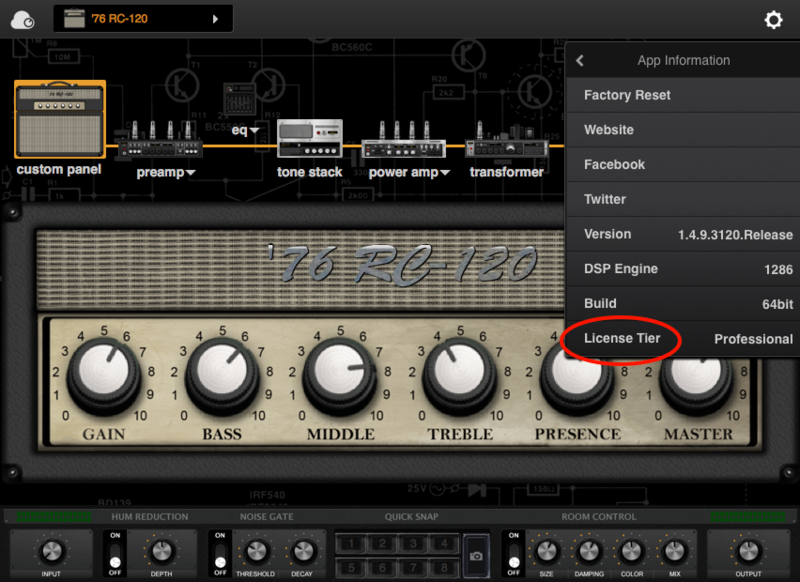
Your software is now activated into full version mode, ready for use within your DAW
Experiencing Trouble Activating Your Software?
1. If you still can't log in after following the steps, something must went wrong. Please refer to this article for troubleshooting.
2. The licence will be tied with the account which you key in after the purchase process. If you log in with a different account, BIAS will turn into a demo version. Please make sure you are using the same account you signed up with for the purchase.
3. BIAS Desktop allows you to activate the full licence on 2 devices. Please make sure the quota is still enough. You can release the quota by uninstall the software completely from your devices.
4. Another common root cause is the firewall setting of your anti-virus software. If the version you are using is a Demo (disabled "save/save as", system message showing for upgrade) and is unable to activate to standard version. Please disable your anti-virus software temporarily then try again.
PC/Windows:
1. Log into/create your Positive Grid User Account.
2. Copy and paste/manually enter the serial number from your User Account via Positive Grid's Redemption Area > click 'Redeem.'
3. The download option will become available for your purchased product via the Positive Grid's download page. Scroll down the page to find your purchased product (Windows 32-bit/64-bit)) installer, and click 'Download.'
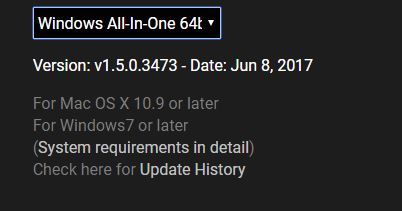
4. Once the download has concluded, double-click and open the .msi installer file to run the installer.
Note: BIAS FX Desktop is used as the example.
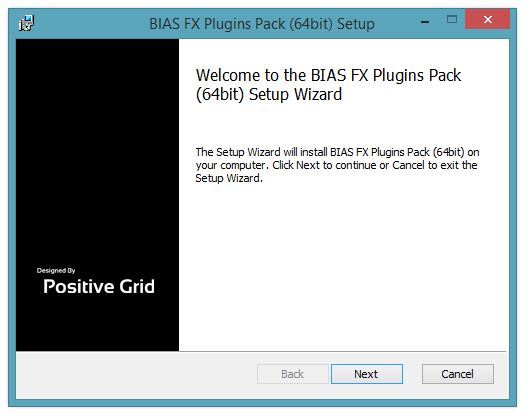
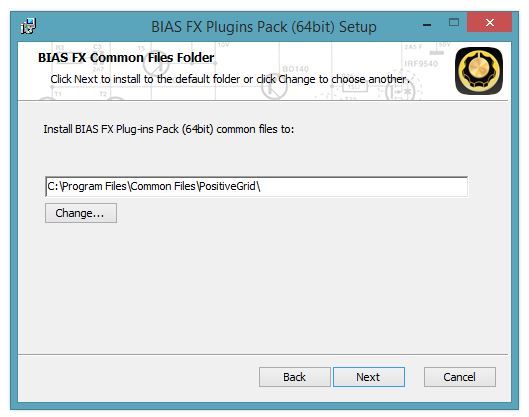
5. Choose and select a software folder in which to install the 64-bit format common files to > click 'Next.'
Note: 32-bit software formats need to be saved to - C:\Program Files (x86)\Common Files\PositiveGrid\
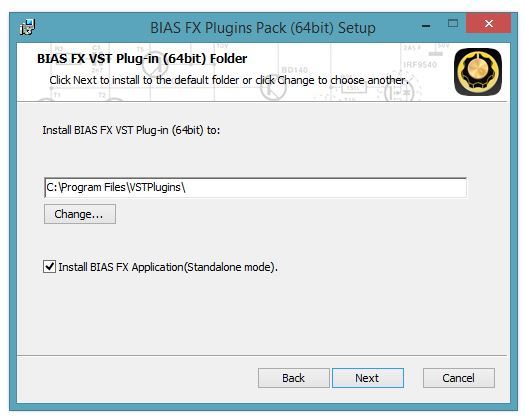
6. Choose and select a software folder in which to install the 64-bit format VST files to > click 'Next.'
Note: 32-bit software formats need to be saved to - C:\Program Files (x86)\VSTPlugins\
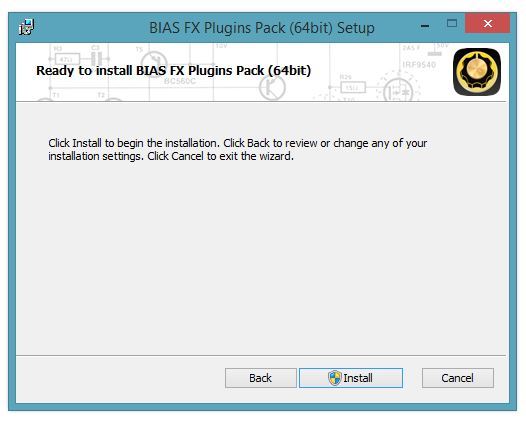
7. Review the installation and click 'Install.'
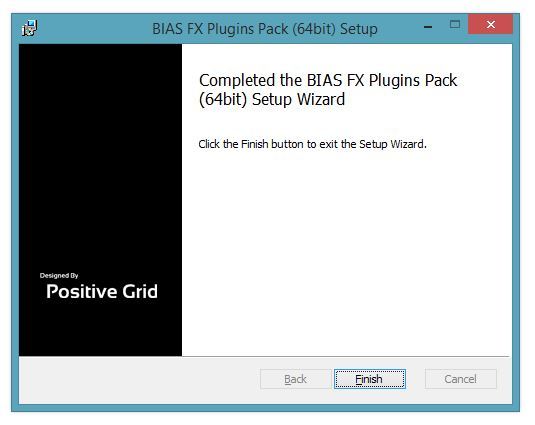
8. The installation of your software has successfully completed > click 'Finish.'
8. Restart your DAW and open the software.
Note: You may need to refresh/rescan your DAW's plug-in selection, in order to show the new installation.
Activation
1. Open the software and click the settings icon on the upper right corner of the window. Then click "Login ToneCloud" in the drop-down menu to log in and activate the software.
2. To check if the software has been activated, go to settings, App Information and make sure that it shows "Desktop" (for Standard license) or "Professional" (for Professional license) under License Tier.
Your software is now activated into full version mode, ready for use within your DAW
Experiencing Trouble Activating Your Software?
1. If you still can't log in after following the steps, something must went wrong. Please refer to this article for troubleshooting.
2. The licence will be tied with the account which you key in after the purchase process. If you log in with a different account, BIAS will turn into a demo version. Please make sure you are using the same account you signed up with for the purchase.
3. BIAS Desktop allows you to activate the full licence on 2 devices. Please make sure the quota is still enough. You can release the quota by uninstall the software completely from your devices.
4. Another common root cause is the firewall setting of your anti-virus software. If the version you are using is a Demo (disabled "save/save as", system message showing for upgrade) and is unable to activate to standard version. Please disable your anti-virus software temporarily then try again.


