


 Log In

Free gifts available with your purchase
Important note: This is an upgrade to Scaler 3 for owners of Scaler 1 and 2 (including Rent to Own customers who have completed their plans). The full purchase path is HERE. If you are a Rent to Own customer who has not completed your plan, you will have received a unique coupon for your discount on the full sku.


The World’s #1 Music Theory Workstation
Scaler 3 helps you explore new directions, solve musical puzzles, and refine your musical ideas.
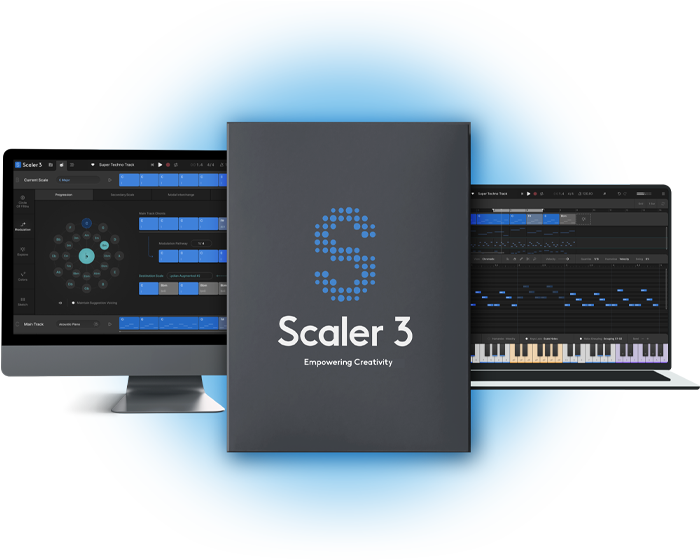
Scaler 3 helps you move from idea to finished music faster by making harmony, composition and music theory visual, practical and intuitive. Whether you’re writing your first progression or crafting sophisticated modulations, Scaler 3 helps you create with greater confidence while deepening your understanding of music.
How Scaler 3 helps you create

Songwriting
Build richer chord progressions, discover fresh ideas and overcome writer’s block with intelligent harmonic suggestions.

Film & Media Scoring
Explore advanced harmony, emotional modulations and orchestral progressions for cinematic composition.

Learn While You Create
Visualise harmony, scales and chord relationships as you work, naturally building your musical understanding.

Production & Performance
Generate melodies, basslines and performances, arrange complete songs and drive your favourite instruments inside your DAW.
Highlights

Multi-Bind
Bind multiple tracks together with Multi-Bind to create and perform complex arrangements with ease. Loop different sections, jump between parts, and audition individual tracks by muting or unmuting lanes, giving you more flexibility to experiment with your musical ideas.

Build Progressions
Drag and drop chords to build a progression. Choose from hundreds of chord sets categorised by artist and mood, and Scaler will be able to tell you which parent scales fit well with those chords. Stuck for ideas? Ask Scaler to suggest chords that will work next.
VST/AU Hosting
Load your favourite third-party instrument and effect plugins directly onto Chord Tracks and MIDI Lanes, with full support for both MIDI and audio effects. Seamlessly integrate your sounds and expand Scaler 3's creative potential within your workflow.
Multi-Lane Timeline
The Arrange page now includes a timeline-based layout with dedicated lanes for chords, melody, bass, and phrases. Each lane is synchronized with the main chord track, and clips are fully adjustable with independent control per lane or clip.
Explore Page
Discover a Harmonic Universe of chords untied to any specific scale. Categorized by genre and feel (EG, Dark, Bright, Neutral), the Explore page suggests compatible and experimental chord progressions, unlocking new paths for unique and bold harmonic structures.
Motions
Scaler's beloved Phrases, Performances, Melodies, and Basslines are reimagined as Motions, now with mood-based tags for easier browsing. Scaler 3 introduces hundreds of new Motions crafted by professional musicians, including the all-new Passages Motion.
Modulation Pathways
Solve your modulation puzzles with Scaler’s suggestions. From your current progression, choose a destination scale and the software will suggest multiple ways to reach it. You’ll also find Secondary Scale, Modal Interchange, Mediant and Neo-Riemannian modulation methods here, too.
Note Editing & Harmonic Modifiers
A comprehensive note editing matrix allows users to customize or create new Motions. MIDI lanes can be set to follow or run independently of Chord Tracks, with new Harmonic Modifiers and Motion Controls to adjust note range, density, pitch, and clip rotation – all within the chosen scale.

Scenes
Create evolving arrangements with Scenes. Build, duplicate, and arrange chord variations or sections to structure full tracks quickly and intuitively. Perform each Scene independently to explore different ideas or arrange full arrangements.
User Track Recording
Record melodies, chords, and ideas directly into Scaler’s piano roll. Capture chord triggers or Keys Lock performances and refine them with full MIDI editing and harmonic guides.

Divisi and Bass Follow
Control how chord voices are split across instruments with full Divisi and voice allocation, sending upper and lower notes to separate Scaler instances for realistic ensemble writing and richer layering. The Bass Follow Track automatically generates basslines that follow the root of your chord track.
Features
- Access over 1,000 chord sets, keys and modes, categorised by mood, artist and genre, including artist sets from Carl Cox, MJ Cole and The Temper Trap, across genres from Chill and Drum & Bass to Jazz, Cinematic, Pop, and Metal.
- Build intelligent chord progressions with chord suggestions, sequencing and automatic voice leading for smooth musical results.
- Create evolving arrangements with Scenes, letting you build, duplicate and arrange chord variations or song sections quickly.
- Use the Arrange Page timeline with dedicated lanes for chords, melody, bass and phrases, all synced to the main chord track.
- Detect chords, keys and scales from MIDI and Audio, then discover compatible chords that match your music.
- Transform chords into melodies, arpeggios, basslines and phrases with Scaler’s musician-made Motions library.
- Control chord playback from your MIDI keyboard with Bind to Keyboard for one-finger chords, melodies and arpeggios.
- Perform chords and Motions simultaneously with Multi-Bind, allowing you to loop multiple lanes at once for live performance, jamming and fast composition ideas.
- Combine different Motion types across multiple tracks, then move and audition them freely to build fuller melodic, bass, arpeggio and phrase-based arrangements.
- Edit performances with piano roll editing and creative modifiers for transposition, density, range and variation.
- Host your favourite VST and AU instruments and effects directly inside Scaler 3.
- Route chords, melodies, Scenes and performances to external instruments or plugins with full External MIDI Out.
- Sync chords across multiple Scaler 3 instances with Live Sync, keeping progressions consistent across your project.
- Create realistic ensemble parts with Divisi and advanced voice allocation, sending different voices to separate instruments.
- Generate basslines automatically with Bass Follow Track, following the root note of your chord progression.
- Explore harmonic movement with the Circle of Fifths, chord substitutions, extensions and related harmonic options.
- Use professional Modulation Suggestions to move between keys through progressions, secondary scales, modal interchange, mediants and Neo-Riemannian pathways.
- Experiment with Voice Grouping and advanced voicings, including drop voicings, guitar voicings and range-based chord shaping.
- Use the Explore Page to discover chords outside a fixed scale, including brighter, darker, compatible and adventurous options.
- Expand your harmonic vocabulary with the Colors Page, including substitutions, inversions, extensions, variations and parallel/negative harmony.
- Compare up to seven progressions side by side in the Sketch Pad.
- Record directly into Scaler’s piano roll with User Track, capturing melodies, chords, chord triggers and Keys Lock performances as editable MIDI.
- Play progressions with 50 internal sounds, including pianos, synths and orchestral instruments.
- Work in Standalone Mode without opening a DAW.
- Create ideas on iPad, then continue seamlessly in Scaler 3 on desktop. iPad version sold separately.
- Sync with your DAW’s position, tempo and time signature, or work independently using Scaler’s internal cycle tools.
- Get started quickly with a step-by-step onboarding tutorial.
MusicTech Magazine
The world's leading media brand at the intersection of music and technology
“Scaler 3 is the most advanced chord progression generator on the market, but it's far more than just that. It's a complete platform for creating.”
AudioBlob
Online blog focussed on VST and music software reviews
“Scaler 3 has raised the bar. It’s quick, smart, fun to use, and it fits into any genre or style. Scaler 3 is about getting inspiration flowing”
Christopher Coe
Live electronic artist, one half of Cox and Coe, and label head in partnership with Carl Cox at Awesome Soundwave.
“Scaler is a cut above the rest, it allows me to just get into the creation and not worry about the how and why of things.. just the music! I love it!”
macOS
- macOS 10.14 or higher
- Natively compatible with Apple Silicon
- Standalone and Plugin Formats: VST, VST3, AU, AAX
- DAW’s Supported: Ableton Live, Pro Tools, Logic Pro, FL Studio, Cubase, Studio One, Bitwig, Reaper, Reason + more.
- Compatibility: 64-bit compatible only
Windows
- Windows 8 or higher
- Standalone and Plugin formats: VST, VST3, AAX
- DAWs supported: Ableton Live, Pro Tools, FL Studio, Cubase, Studio One, Bitwig, Reaper, Reason + more.
- Compatibility: 64-bit compatible only
Reviews Summary
While it aims to provide a helpful overview, it may not capture every perspective or detail. We encourage you to read individual reviews to make an informed decision.
Scaler 3 is widely praised as an essential, powerful music theory and MIDI composition tool for both novices and seasoned producers, excelling at breaking writer's block, generating complex chord progressions, and accelerating creative workflow. Many reviewers appreciate the significant upgrades over version 2, including DAW-like arranging, VST hosting, and deep harmonic suggestions. However, several users note a steep learning curve and find the expanded interface and added layers more complex, overwhelming, or less straightforward than previous iterations.


