/ EQ / Fatmaker
Singomakers

Fatmaker

4.4 (130 Reviews)
$23.60 $59.00

60% off until Dec 31

Fatmaker Main Image
Fatmaker Main Image
Fatmaker Promo Video gallery thumbnail
Buy Now
Product information

Fatmaker

Singomakers are very proud to present their brand new plugin Fatmaker. 

Fatmaker is not just a regular equalizer, it's a multiband saturator mixed with different processing chains for each band and a powerful equalizer created for the best mixing and mastering results!

It works perfectly on Synths, Drums, Basses and Vocals! 

Fatmaker has already been championed by professional Sound Engineers and A-list Producers from all over the world. We are sure you will enjoy it too!

Features

Custom-made Hi-End filters with different saturation types for each band:

  • LF
  • LMF
  • HMF
  • HF
  • LP & HP filters

System Requirements

Mac:

  • macOS 10.11+
  • Apple Silicon Native

Formats:

  • AU
  • VST 32-bit
  • VST 64-bit

Please Note: If you have updated to Mac OS Sierra, a reboot is needed in order for Fatmaker to work properly.

Windows:

  • Windows 7+

Formats:

  • VST 32-bit
  • VST 64-bit
Testimonials

Joachim Garraud

"I love the sound that is produced when using the High-Pass filter and adjusting Low-Frequency to Low-Mid-Frequency at the same time.

Jordy Dazz

"The ability to make quick changes in boosting or cutting specific eq-regions works like a charm!"
Pavel Khvaleev (Moonbeam)

"Testing the new plugin - amazing warm EQ saturation!"

Installation Instructions

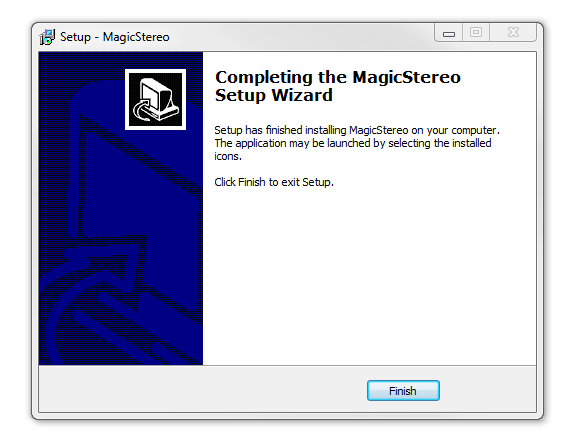
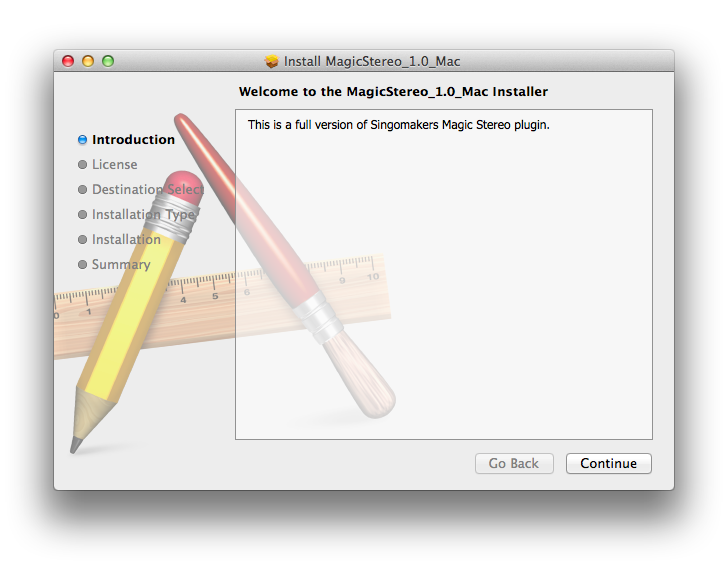
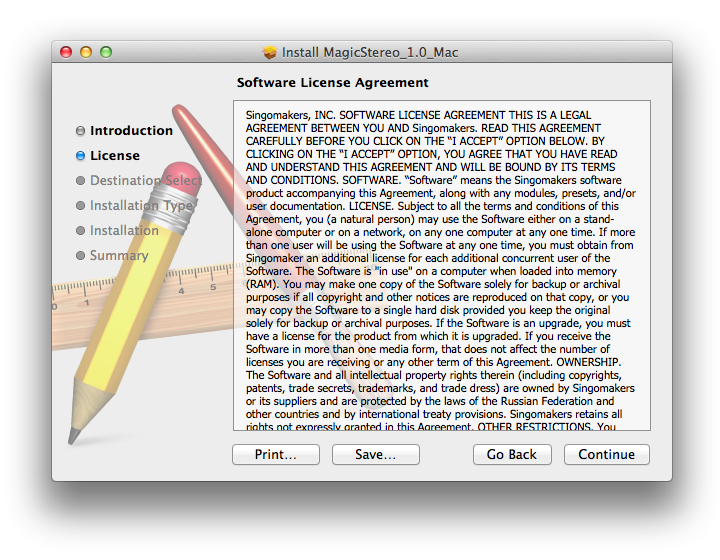
Note: Magic Stereo is used as the example.

Mac

1. Download the .zip folder from your User Account and double-click it to open and reveal the installer file.

2. Double-click the extracted software file to begin the installation process > click ‘Continue’.

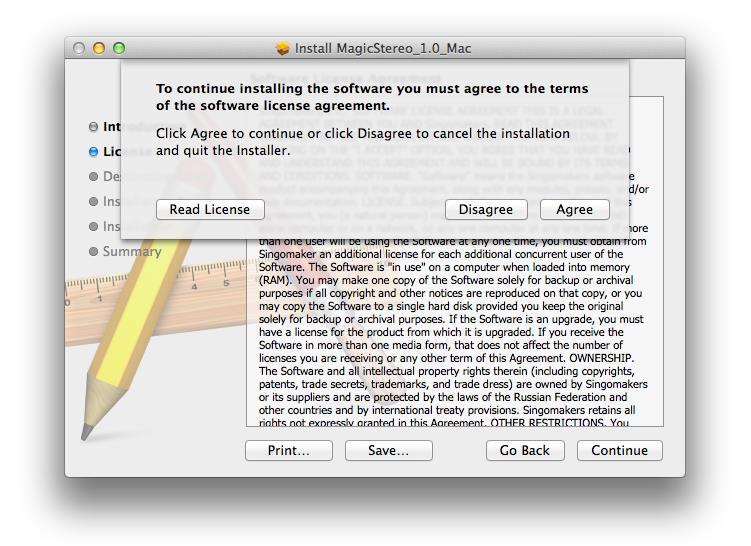
3. Read the Software License Agreement > click ‘Continue’.

4. Click ‘Agree’.

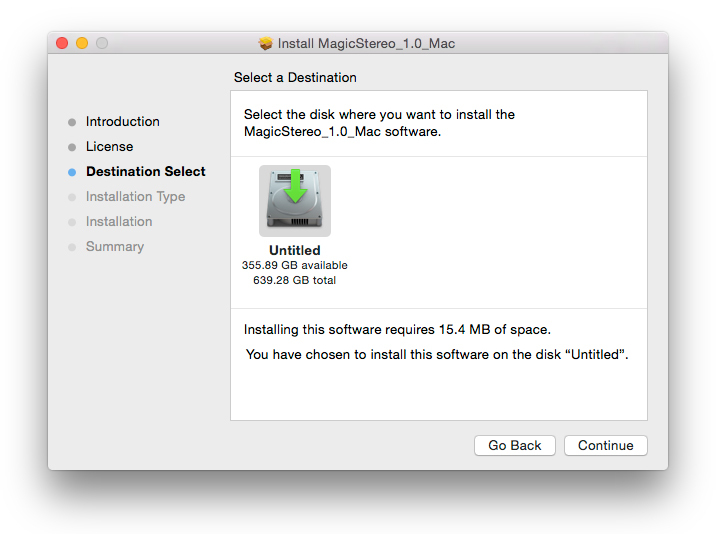
5. Review the installation and click ‘Install’.

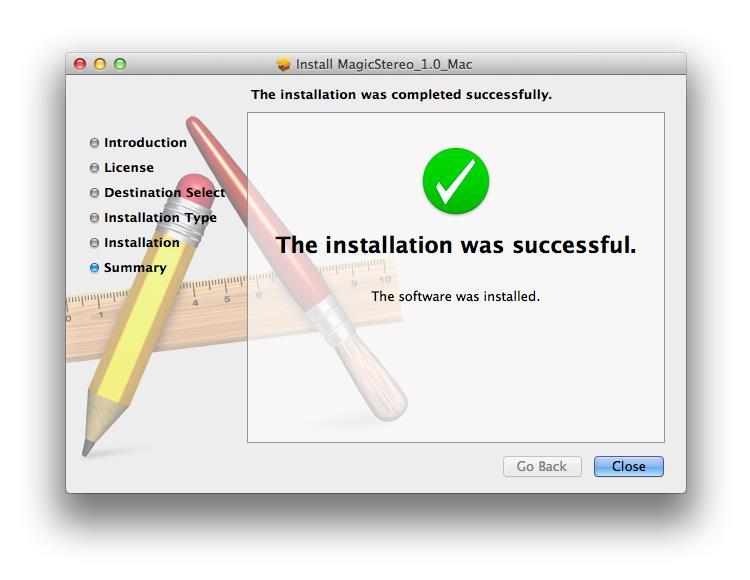
6. The installation of your software has successfully completed > click ‘Close’.

7. Locate and open the software within your DAW.

Note: Restart your DAW, and rescan the plug-in selection to show the new installation (in the event it fails to appear).

The Software is now Ready for Use Within Your DAW!

Windows

1. Download the .zip folder from your User Account and double-click it to open and reveal the installer files.

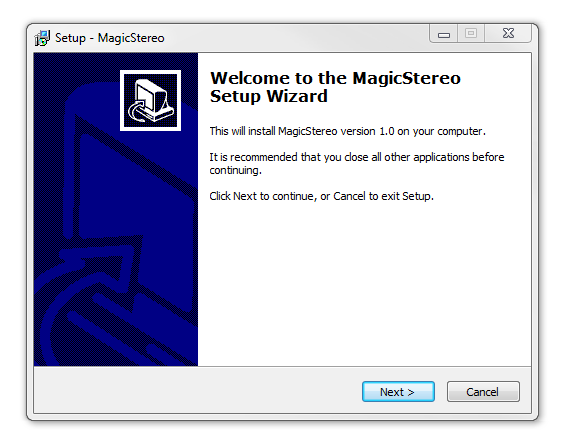
2. Double-click the relevant extracted .exe (32 or 64-bit) file to begin the installation process > click ‘Next’.

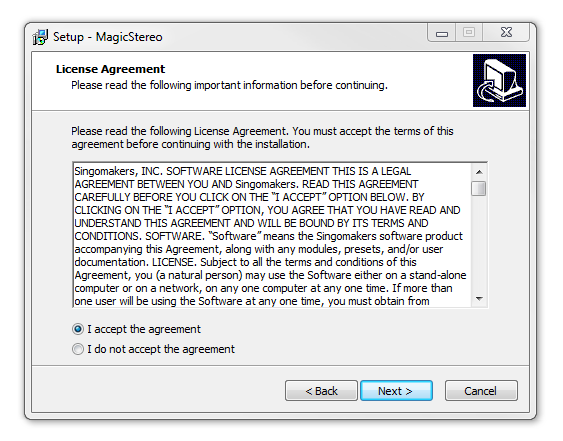
3. Read through the license agreement and click ‘I accept the agreement’ > click ‘Next’. 

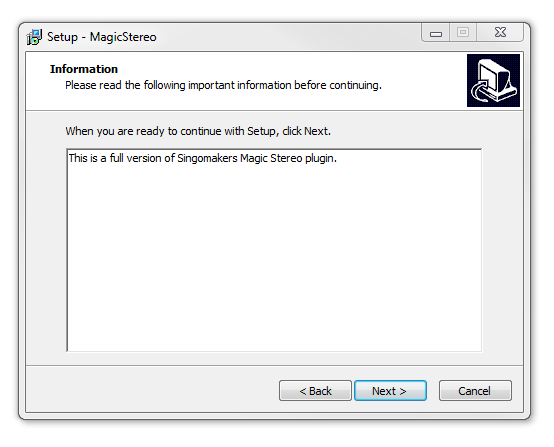
4. Read through the information > click ‘Next’.

64-Bit Installation:

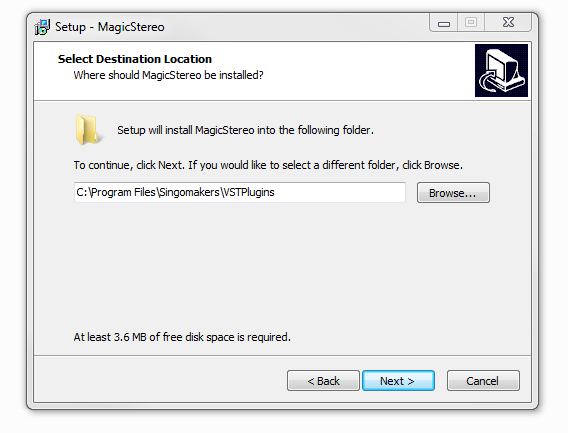
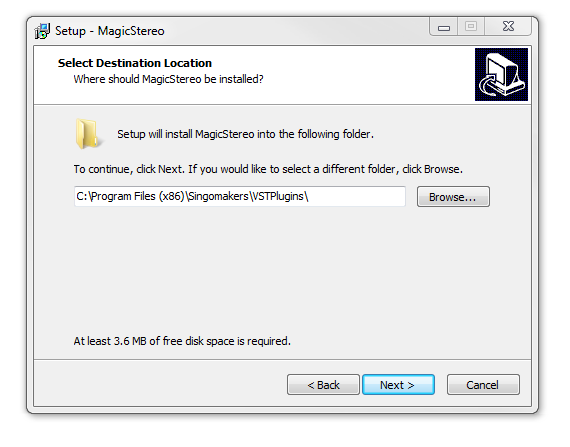
  • Choose and confirm the plug-in (64-Bit VST) directory in which to save your software to > click ‘Next’.

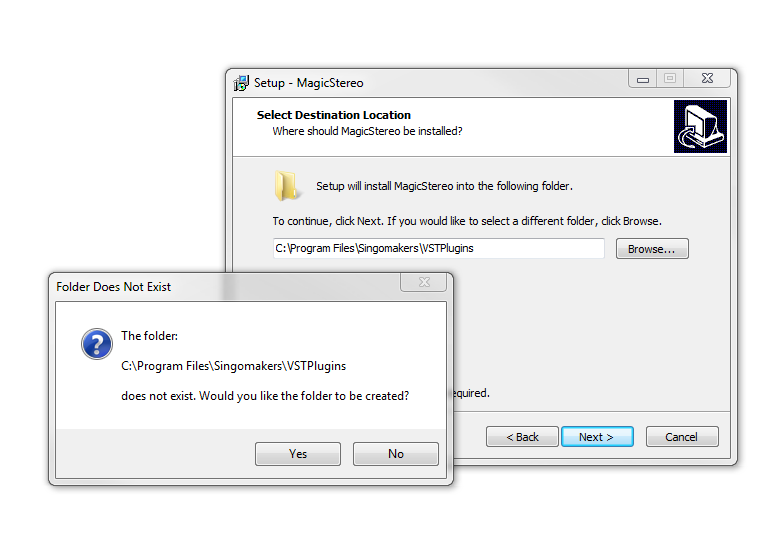
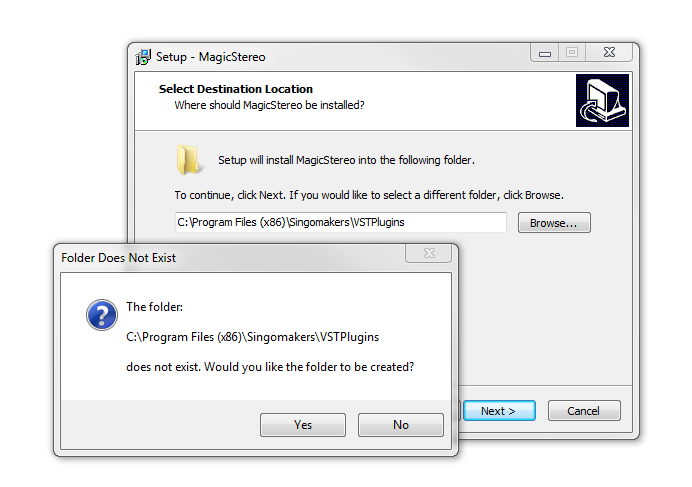
  • Select ‘Yes’ if prompted with the window below.

32-Bit Installation:

  • Choose and confirm the plug-in (32-Bit VST) directory in which to save your software to > click ‘Next’.

  • Select ‘Yes’ if prompted with the window below.

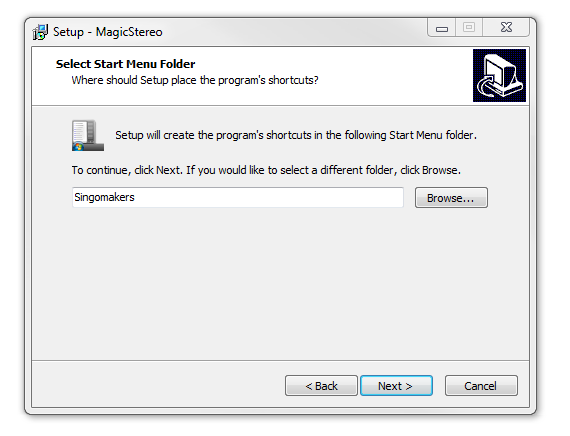
5. Create/select a folder in which to setup a shortcut path for your new installation.

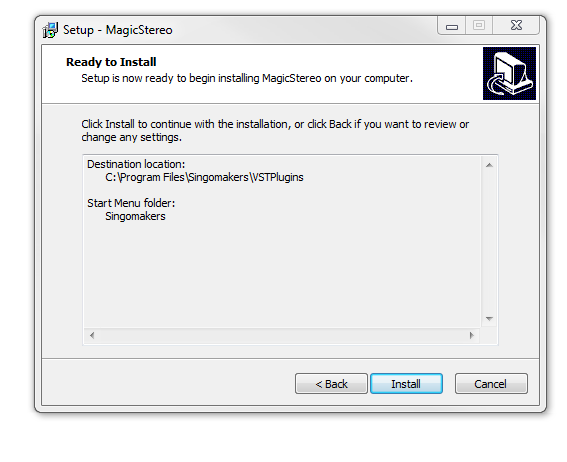
6. Review the installation and click ‘Install’.

7. The installation of the software has successfully completed > click ‘Finish’.

8. Locate and open the software within your DAW.

Note: Restart your DAW, and rescan the plug-in selection to show the new installation (in the event it fails to appear).

The Software is now Ready for Use Within Your DAW!

Bundle & Save

Singomakers Plugin Bundle
$51.60
$129.00 (60% off)

Plugin Boutique Rewards

Discover the most rewarding loyalty programme among all plugin retailers.

  • Free Loopmasters Samplepacks
  • Discounts on products and courses
  • Extra Virtual Cash claimed immediately at checkout
Find out more

Follow us:

X (Twitter) Facebook YouTube Instagram
Logo Logo

Plugin Boutique Limited, Part of the Beatport Group LLC.

Copyright © 2011-2025 Plugin Boutique. All rights reserved