


 Log In

Free gifts available with your purchase
What's new in BLACK Q - Version 3?
A new and improved version of Black Q. V3 now features overlapping bands and new frequency ranges as well as oversampling for more “analog” behaviour.
The philosophy behind Smooth Tube EQ
Tone Empire are obsessed with “Sound”
Tone Empire recently brought a vintage unit to life by building the hardware version over 6 months, changing tubes, transformers and signal paths.
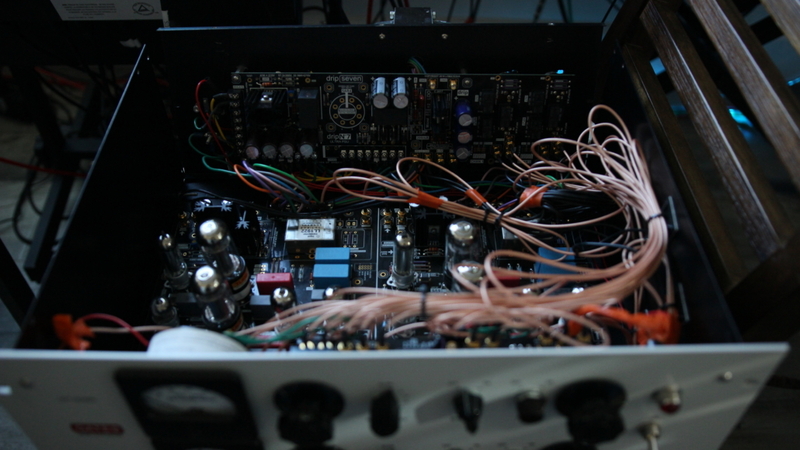
In this quest, Tone Empire built a ”Golden Unit” with “Super Powers.”
Tone Empire had the idea then to model this circuit with 2 paths involving sowter and lundahl transformers and some choices of vintage valves.
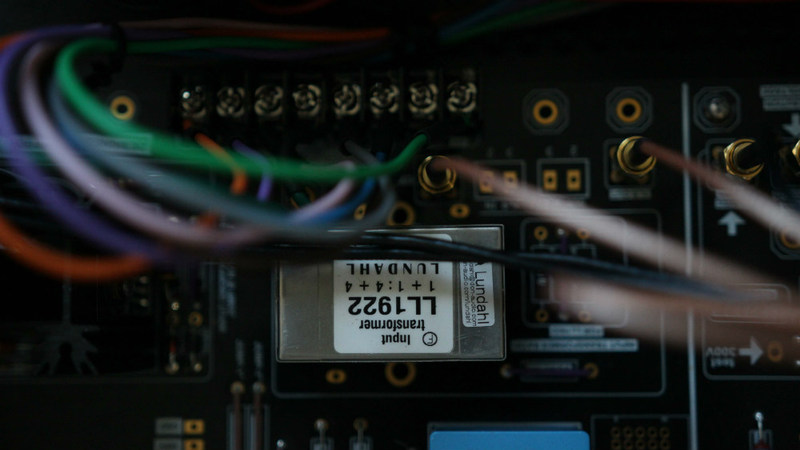
The result was simply “Stunning...”
Then combining this with a versatile EQ Design, Tone Empire developed a monster Tube EQ in the DSP world, a kind of hybrid with a sound going from "Clean and Silky" to full-on "Crunchy" sounding saturations.
TYPE A gives you a great “FULL” sound including a “Big” Low end and TYPE B gives you a crunchier mid/high enhanced sound.
These choices make it possible to use this EQ on a variety of sound materials from Drums to Vocals, Piano, String Instruments, Bass, Synths and as a mastering unit itself.
The next part was to make this plugin as processor efficient as possible so it could be used as a tracking plugin with very low latency and also allow one to run multiple instances of it effortlessly.
In Black Q Version 2, Tone Empire have also introduced ” OVERSAMPLING “. Now it has up to 8x oversampling option if your system can take that CPU LOAD, Select your oversampling choice to get the more ” ANALOG ” Sound.
System Requirements
Mac
- macOS 10.13 or later (Intel / Native M1 supported) (64-bit only)
- VST3 / AU / AAX (64-bit host required)
- Intel i3 / AMD Ryzen or equivalent
- 2 GB RAM / 300 MB HD Required
- Screen resolution: 1024 × 768
Windows
- Windows 10 or later (64-bit only)
- VST3 / AAX (64-bit host required)
- Intell i3 / AMD Ryzen or equivalent
- 2 GB RAM / 300 MB HD
- Screen resolution: 1024 × 768
Important Notes:
- This software is 64-bit compatible only and will not function on 32-bit systems.
- Some Anti-Virus software might alert while installing / downloading the files, kindly ignore those warnings (Tone Empire has tested on Norton Anti-Virus and the installers are clean).
Scott Yahney
Composer/Producer
"Black Q is dripping with vintage analog tube tone! A wonderful EQ with that vintage vibe from back in the day."













