


 Log In

Free gifts available with your purchase
Upgrade Note: This is an upgrade for customers who already own Weiss EQ MP. The full version is also available.

A 1:1 Code Port of the Weiss EQ with No Equal
Overview
- A line-by-line code port boasting 1:1 accuracy of the pioneering original hardware, known as the standard of digital mastering EQs.
- Increased functionality of the original algorithms, plus 32-bit / 192 kHz operation and updated ergonomics.
- Easy manual recall of Presets that sound and behave exactly like they do in the hardware.
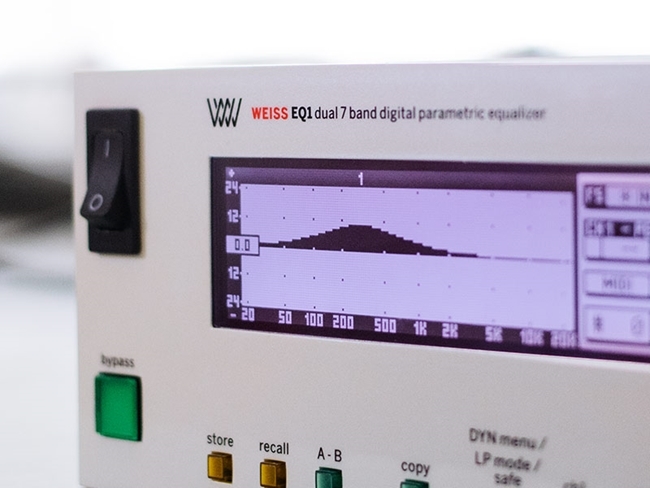
There’s a reason Weiss Engineering’s EQ1 has been at the top of the heap since its release in 1996. The EQ1’s dazzling sonic qualities combined with its flexibility as either a Minimum Phase EQ, a Linear Phase EQ, or a Dynamic EQ have made it the must-have digital mastering equalizer. The Weiss EQ1 plug-in crystallizes that legacy—in software form.
Weiss Engineering’s go-to hardware and Softube’s workflow and ergonomic advancements combine here to stunning effect. A one-for-one, line-by-line code port of the original, the EQ1 plug-in is the latest and greatest addition to Softube’s successful partnership with Weiss Engineering. EQ1 joins DS1-MK3, MM-1, and more out-of-this-world Weiss + Softube products to prove that Swiss and Swedish engineering make a stellar pair.
Doppelgänger
The EQ1 plug-in is a true line-by-line port of the original SHARC assembler code. It’s an accurate replica that functions just like the original, but with added features that take it higher.
Colossal Heights
The Weiss EQ1 is the mammoth of equalizers, but Softube felt compelled to go further. Softube and Weiss gave the EQ1 plug-in a higher sample rate, improved ergonomics, and increased functionality.
Picture Perfect
The EQ1 plug-in lets you easily recall Presets (or Snapshots in the hardware counterpart) manually and they'll sound and behave precisely as they do in the hardware.
The Original and Still the Best
The original Weiss EQ1 is the stick by which all digital mastering EQs are measured. EQ1 boasts seven identical parametric bands that cover the entire audio frequency range and have an incredible Q-parameter range of 0.2 to 650. Each EQ band has Boost/Cut, Frequency, and Q/Slope knobs and operate in any of the following modes: High-shelving, Low-shelving, Peaking, High-cut, Low-cut, and Bypass. High auditory quality and functional design made the EQ1 a bestseller in 1996 and solidified its status as the top digital mastering EQ in the field going forward.
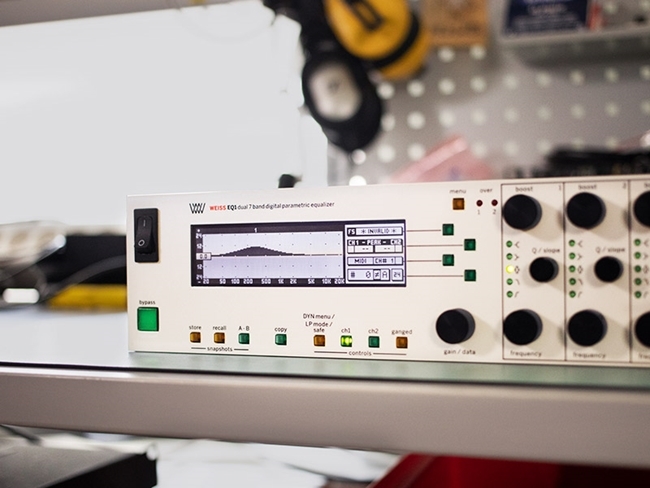
A Software Scion
An astonishingly accurate model of the hardware, the Softube + Weiss EQ1 plug-in covers all configurations and functions internally just as the original unit does. The saved Presets (or Snapshots, as they are referred to in the hardware) can easily be manually recalled to the plug-in and will sound and behave identically. The EQ1 plug-in is no pretender; it’s the real deal with extra features that make it an invaluable asset.
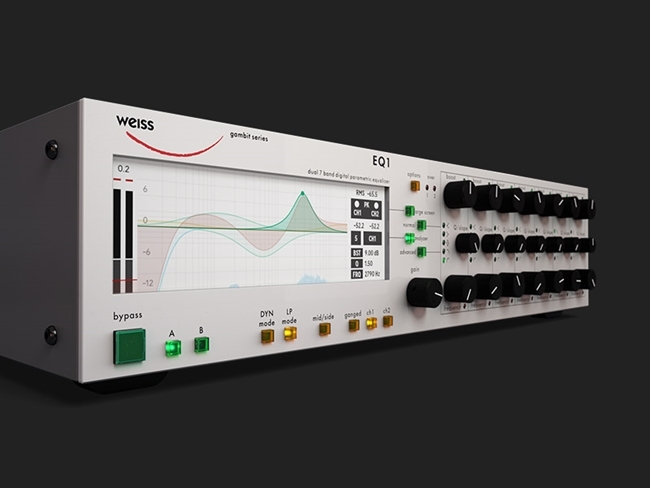
Raising the Bar
With every new iteration of EQ1, the standard has been set higher. The EQ1 plug-in is not an exception to this rule. Not only can you set the Threshold, but now you can also set Attack, Release, and Ratio in Advanced Dynamic Mode. The hardware allows four bands to function as dynamic bands, while the EQ1 software version kicks it into high gear and lets you activate all seven bands in Dynamic Mode. The additional components of the Weiss EQ1 plug-in have it racing ahead.
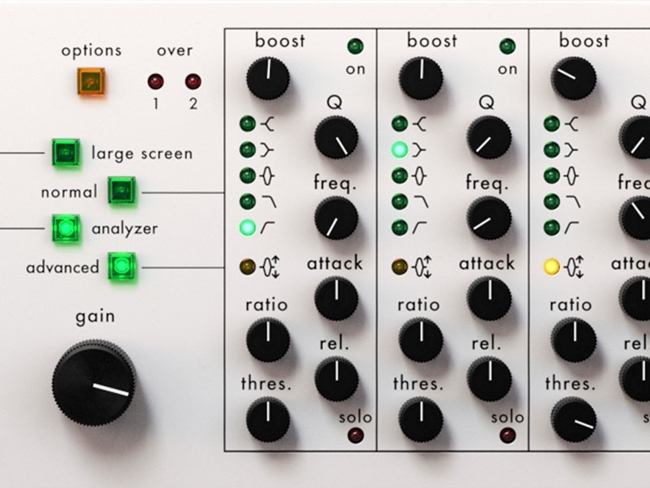
Flat-out Fantastic
When porting the code from the original hardware, Softube strove to be exacting, as always. But, true to form, they didn’t stop at perfection. Softube added innovative features that make the workflow speedier. The Weiss EQ1 plug-in user interface is a replica of the hardware, but now it adapts depending on the setting of the four distinct user interface configurations. The knob layout changes according to which modes of the unit are activated. In this way, the parameters are available at all times—independent of what mode is chosen—making access to them simpler and faster than ever before.
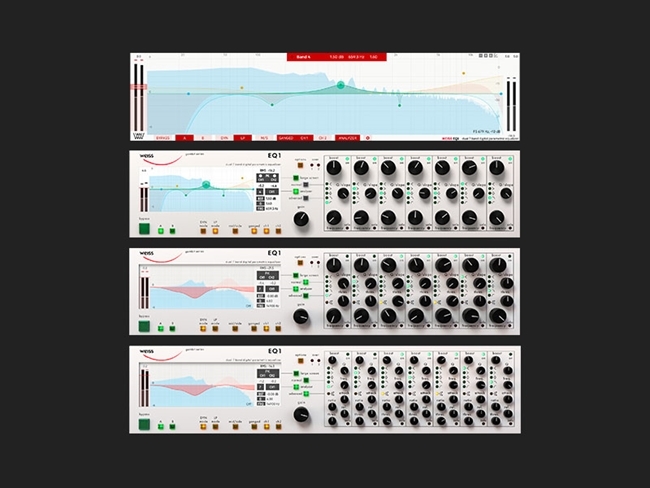
Softube & Weiss: Meeting of the Minds
Weiss has been a pioneer in digital audio equipment design since 1979. That’s when Weiss founder, Daniel Weiss, joined Willi Studer AG in Switzerland as an engineer. In 1985, Weiss struck out on his own and founded Weiss Engineering with a focus on pioneering digital audio equipment for Mastering Studios. The result of that endeavour is now legend.
Softube’s relationship with Weiss started in 2008 when they were first introduced to Daniel Weiss. Despite having so many guiding principles in common, it wasn’t until 2015 that Softube got serious about working together. Three years—and some blood, sweat, and tears—later, the Softube + Weiss DS1-MK3 plug-in was unveiled to great fanfare. And the tradition continues.
Features
- A line-by-line code port of the original Weiss EQ1, the standard-bearer of digital mastering EQs and a must-have for mastering houses worldwide.
- A surgical Minimum Phase EQ, a true Linear Phase EQ, and a Dynamic EQ—all in one.
- 7 full-range bands with -39 to +18 db Cut/Boost range.
- Threshold, Attack, Release and Ratio parameters available on individual bands in Dynamic Advanced Mode.
- Operates in Minimum Phase, Linear Phase, Dynamic and Dynamic Advanced Modes.
- High and Low Cut, High and Low Shelving and Peaking Incredible Q-Range of 0.2 to 650 M/S Processing, Solo/bypass individual bands and Link Channels 4 user interface layouts Up to 192kHz sample rates and, with 64-Bit internal processing.
- Workflow and ergonomic advancements with four adaptable user interfaces.
- Created in collaboration with—and endorsed by—Weiss Engineering.
System Requirements
- macOS Big Sur 11, Monterey 12, Ventura 13
- Windows 10 (64-bit), Windows 11
- Softube account
- iLok account
- Computer with AU, VST, VST3, and/or AAX-compatible DAW host software
- Internet access (for downloading installers and managing licenses)
Supported CPU Families
- Apple macOS computers with Intel Core i3/i5/i7 or Apple silicon (M1 or newer) CPU. Apple silicon is supported natively.
- Windows computers with quad-core Intel Core i3/i5/i7 or AMD quad-core processors with SSE 4.2 support.
- Other Intel processors (Celeron, Pentium, and Xeon) are compatible if they support SSE 4.2 instructions.
Supported Host Software (DAW)
Any 64-bit VST, VST3, AU, or AAX (Pro Tools 11.0.2 or higher) compatible host application should work. However, due to plug-in host differences between DAWs—and our rigorous standards—Softube only officially test their plug-ins and instruments in the most recent versions of Pro Tools, Logic Pro, Cubase, Ableton Live, Studio One, and Reaper. Softube plug-ins are not tested regularly in non-listed systems. They will likely work if the system requirements are met. However, the manufacturer cannot guarantee a solution for issues in unsupported systems.
Softube strongly recommend using VST3, as some of their plug-ins have features that are not present in the older VST format. Supported sample rates: 44.1, 48, 88.2, 96, 176.4, and 192 kHz, in both mono and stereo. The most recent maintenance release of your DAW application is recommended. AAX DSP is not currently in active development. TDM/VENUE/RTAS are no longer supported. See Legacy Installers.
Important Note: Make sure that you always use the latest iLok License Manager. It is not included in the Softube installer but can be downloaded from www.ilok.com
Jonathan Wyner
Mastering credits include: James Taylor, David Bowie, Aerosmith, Pink Floyd, Cream, Miles Davis, Nirvana, Aimee Mann.
One of the most elegant interfaces I've ever experienced."
Howie Weinberg
15x Grammy Award-Winner, 32 Grammy nominations, 200+ Gold and Platinum records.
"The Weiss EQ1 sounds phenomenal! It sounds exactly like the real hardware unit that I've been using since the mid-90s. It's well worth the investment...."


