


 Log In

Free gifts available with your purchase
Reverb Just Got A Whole Lot Wilder
A reverb like no other, Ether takes your sound to new dimensions with its unparalleled processing capabilities. This isn't just another multi-effects processor - Ether is a creative powerhouse that allows you to shape and manipulate your sound like never before.
At its core, Ether provides eight distinct space settings, pre-delay, reverb time, and damp controls. But what sets it apart is its post-reverb shaping capabilities. With an array of five fully bypassable modules, you’ll transform even the simplest sound into something unique.
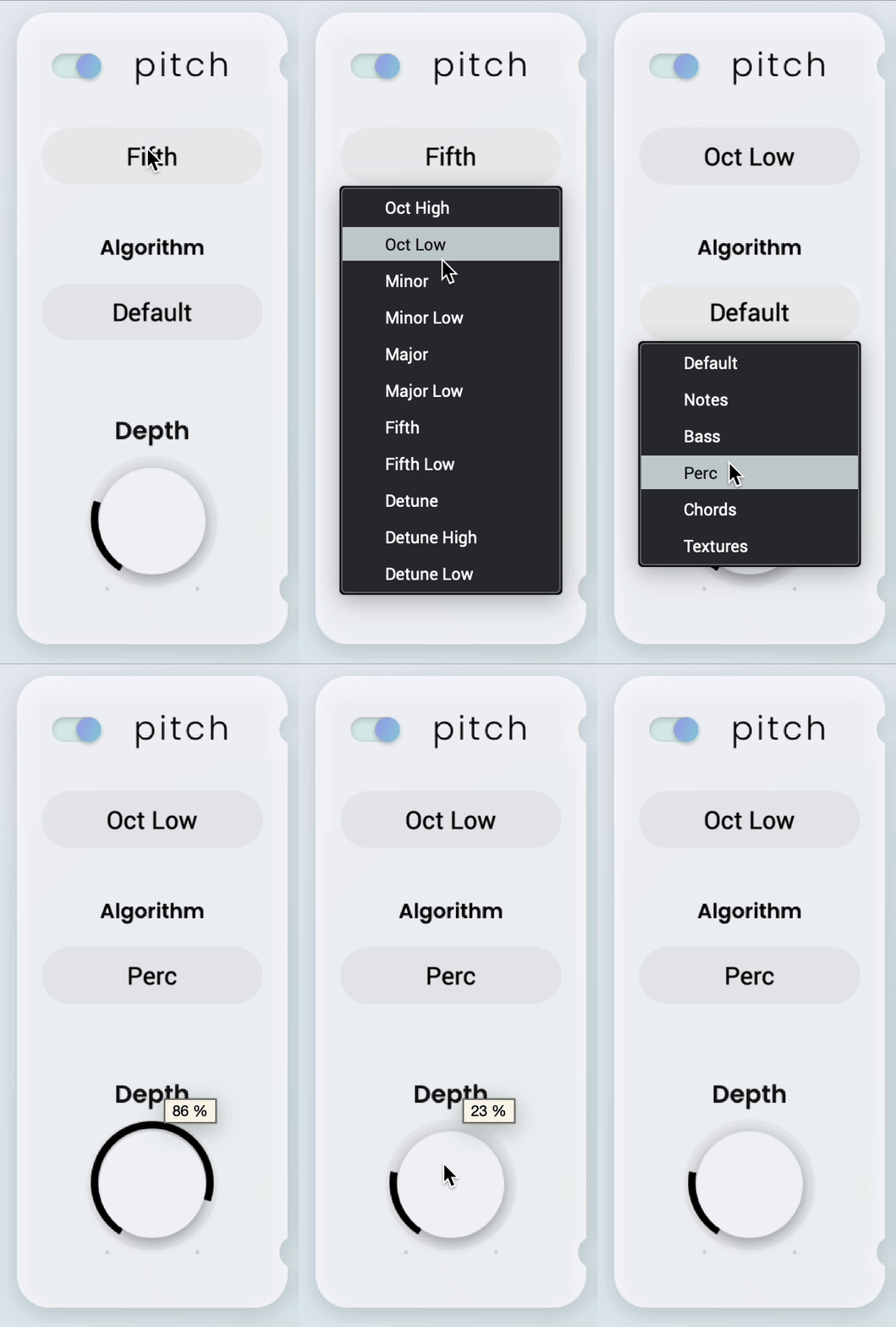
Pitch-Perfect
With the ability to adjust and blend, PITCH gives you complete control over your sounds' timbre. Tuning your reverb up can add shimmering, ethereal qualities, suitable for creating otherworldly textures and soundscapes. Pitching down, on the other hand, can add depth and weight, perfect for lo-fi crunch.
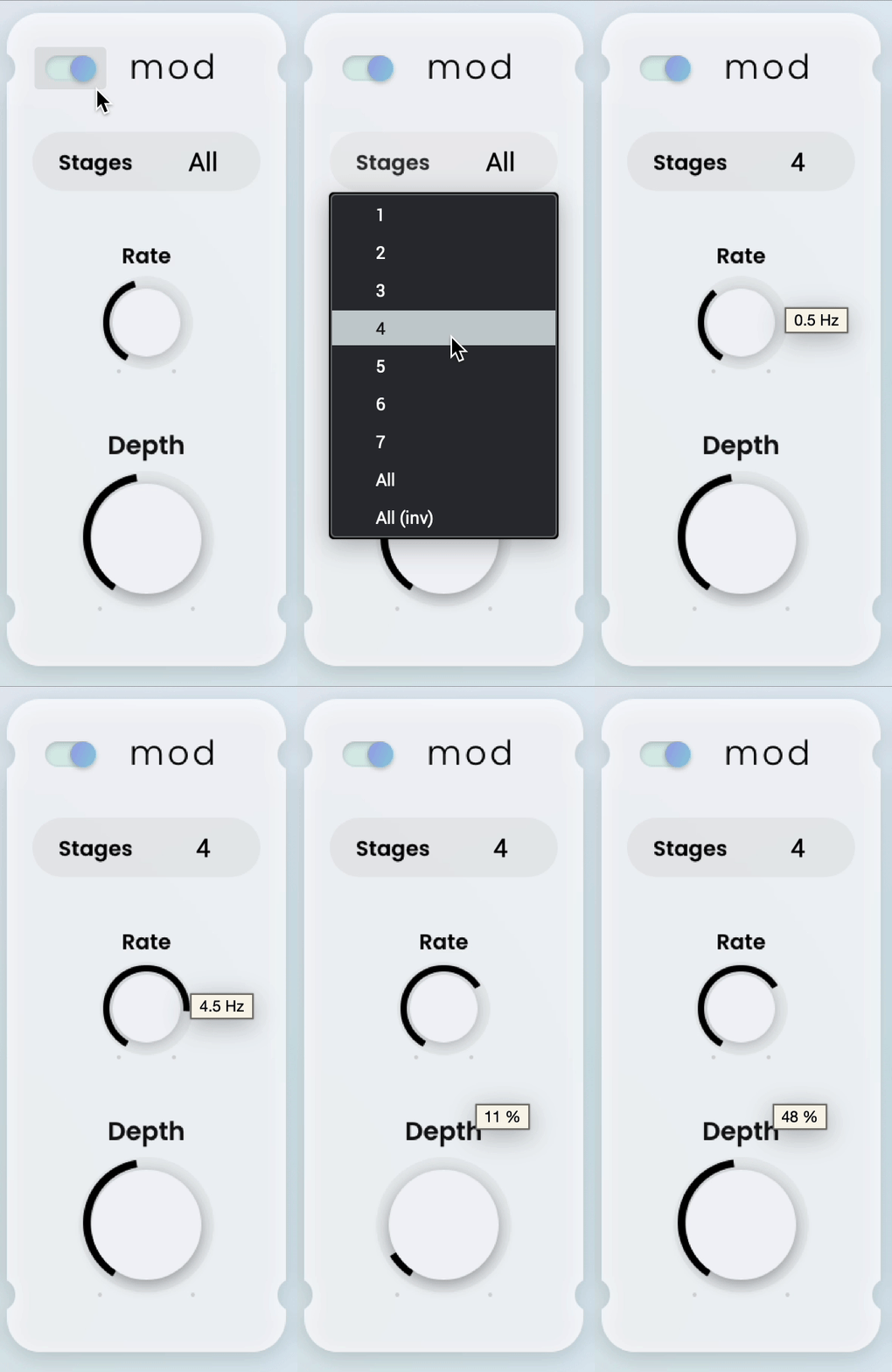
Rise and Shine
Take your tracks to new heights with mesmerizing MODULATION. Easily control rate, mix, and stages to achieve subtle and lush swells to mind-bending motion.

Rinse & Repeat
With the ability to feed the input from the dry, pitched, reverb, or mix, add DELAY in ways that previously seemed impossible. Time and feedback controls allow you to sculpt the effect to your exact liking, whilst sync and mix make it easy to sit perfectly into your mix. With cross control, you can create dynamic, bouncing echos that make your tracks stand out from the crowd.
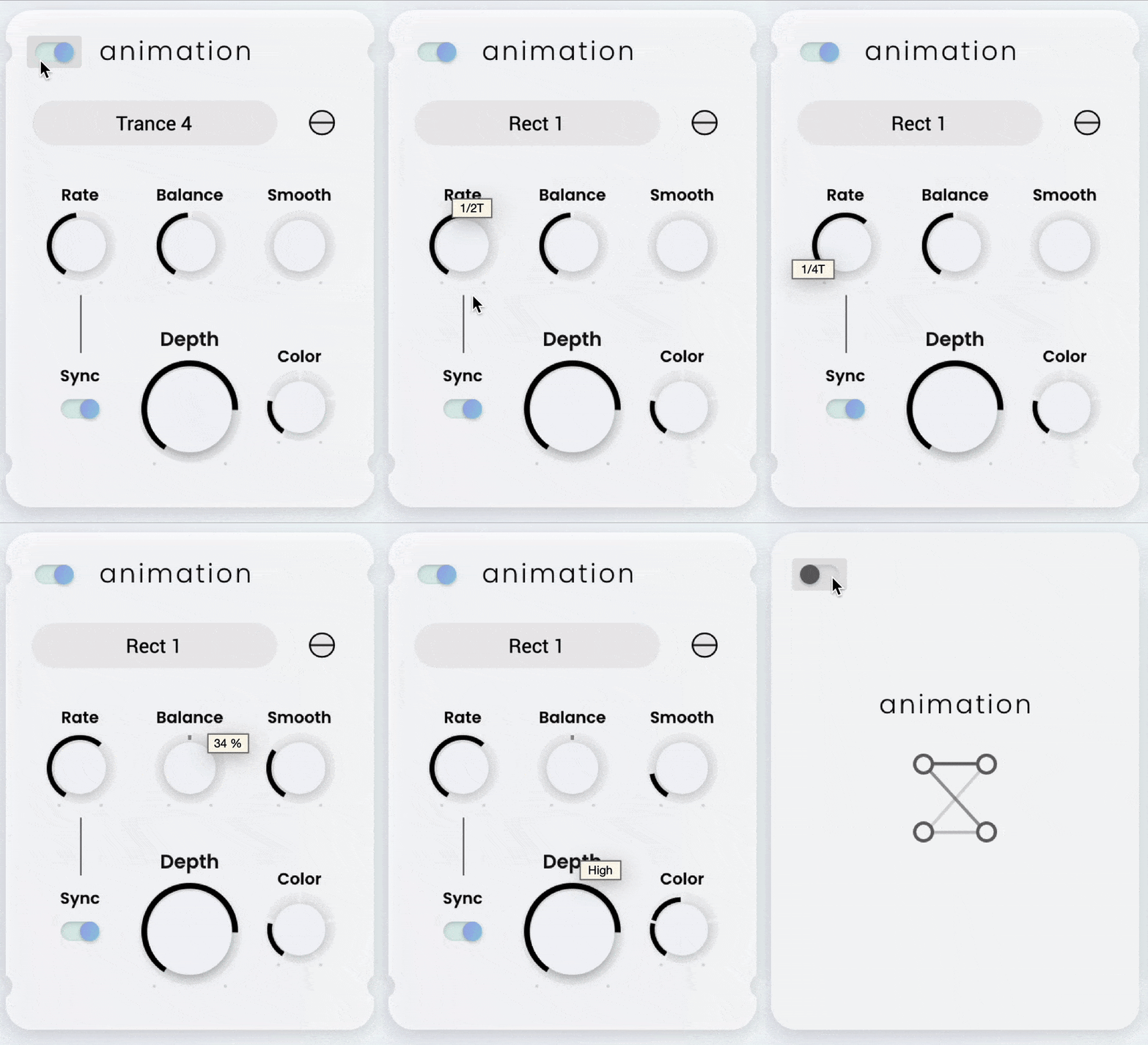
Sonic Masterpiece
Add layers of sonic paint to your music with ANIMATION. Whether you want to create gentle ripples, choppy stutters or pulsating beats, our range of selectable shapes and adjustable parameters provide a colourful palette of sound.
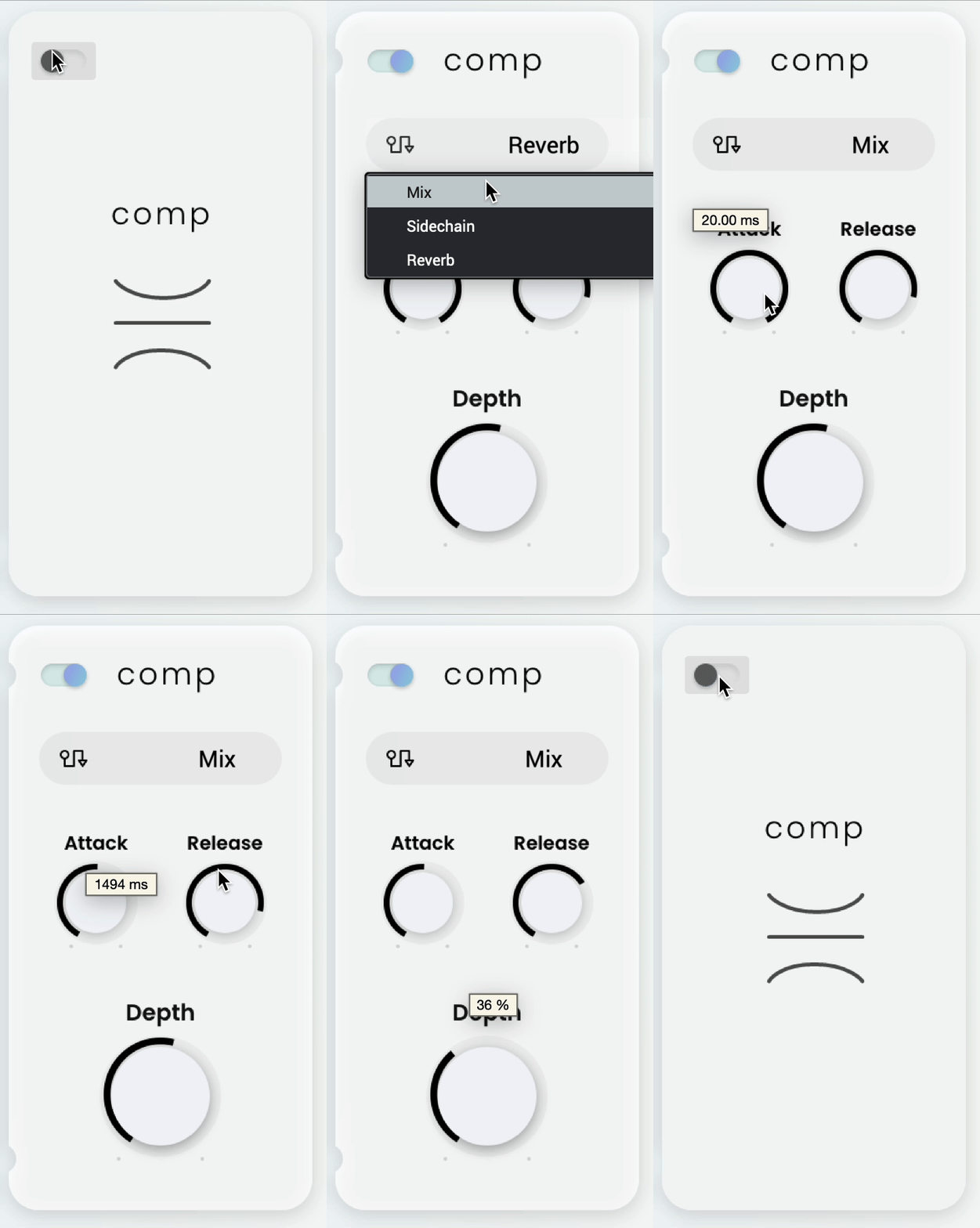
Compress To Impress
Whether you're a seasoned pro or just starting out, COMPRESSOR is the perfect tool to finely tune your sound's dynamics. With flexible input options, adjustable attack and release settings, you can dial in just the right amount of compression.

Making Waves
If you're looking to add subtle pitch modulation or rhythmic effects, our LFO is the secret weapon for adding character to your sound. Explore endless possibilities with a range of triggering options that can easily sync to your project tempo.
The Ultimate Sound Alchemist
With its advanced algorithms and intuitive controls, you can add depth, richness, and texture to any audio source, from vocals and guitars to synths and drums. Whether you're a producer, musician, or sound designer, Ether opens up a world of sonic possibilities that will inspire your creativity and elevate your productions to the next level.
Features
- Comprehensive Reverb section
- Eight distinct space settings
- Pre-delay, reverb time and damp controls
- Post-reverb shaping with EQ & filter section
- 5 further, fully bypassable modules
- Pitch shifting algorithm with variety of available intervals, plus algorithm selector to suit your source material.
- Pitch modulation section with shape, depth and rate controls
- Delay section with BPM sync, cross-feed for bouncing delay FX and a range of input routing options
- Animation section
- BPM syncable
- Wide range of animation shapes
- Rate, tonal balance, color and smoothing controls
- Compressor
- Three input routing options
- Attack and release time constants
- LFO/Envelope section
- Four unique modulation modes
- BPM syncable
- Retrigger threshold control with metering
- Two assignable destinations with independent depth and invert controls, from a range of options.
- Wide variety of logically categorised presets.
System Requirements
Mac
- macOS 12, 13, 14, 15 (Intel & Apple Silicon)
- 2GB free disk space (20GB for all content)
- 4GB RAM (8GB recommended)
- Dual-core 2.5GHz CPU
- VST 2/3 Plugin compatible host
- AAX plugin compatible host
- AU plugin compatible host
Windows
- Windows 10 - Windows 11
- 2GB free disk space (20GB for all content recommended)
- 4GB RAM (8GB recommended)
- Dual-core 2.5GHz CPU
- VST 2/3 Plugin compatible host
- AAX plugin compatible host
Important notes:
- An internet connection is required to authorise this software.



















