


 Log In

Free gifts available with your purchase
Rhythmic space machine with advanced ducking.
ReverbShaper unlocks the hidden rhythm of reverb, putting your sounds inside amazing spaces that move, groove and flow along with your music.
Imagine chopped reverb tails infusing your music with rhythmic space. EDM synths wrapped in vast pumping halls. Trap melodies transformed into vivid groove atmospheres. Vocals suspended in mid-air with stunning ambient sustain. Precision ducking and shaping like you've never seen. And much more.
Running inside Cableguys' ShaperBox 3 effects plugin, use ReverbShaper on its own or with other Shapers — they all work in exactly the same way, stacking up to create elaborate, multilayered effects that'll make your productions stand out.
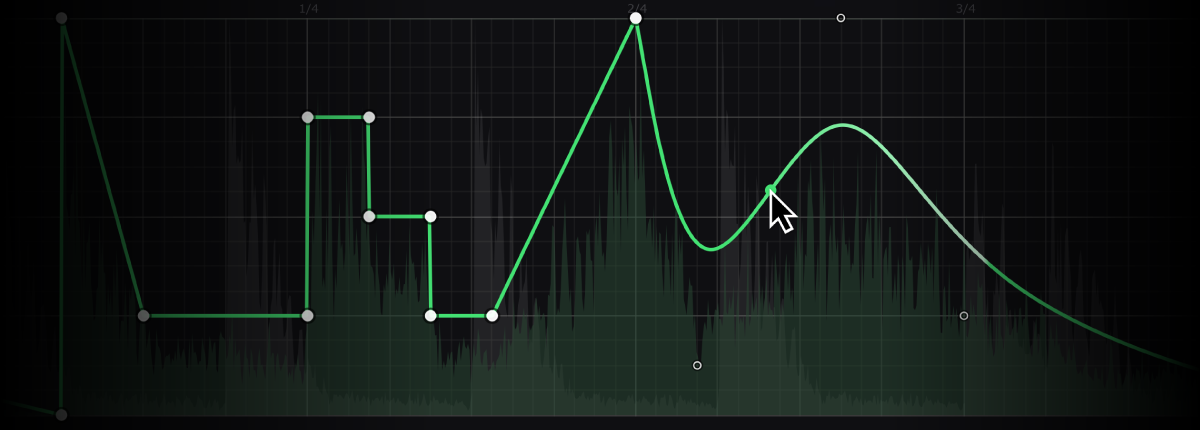
Rhythmize your reverb
Create any reverb movement you can imagine with Cableguys' easy LFO drawing. Draw curves, steps, ramps – any shape at all – to create exciting rhythmic reverb patterns, arrangement-enhancing swells and pumping ambience that fills out your music.
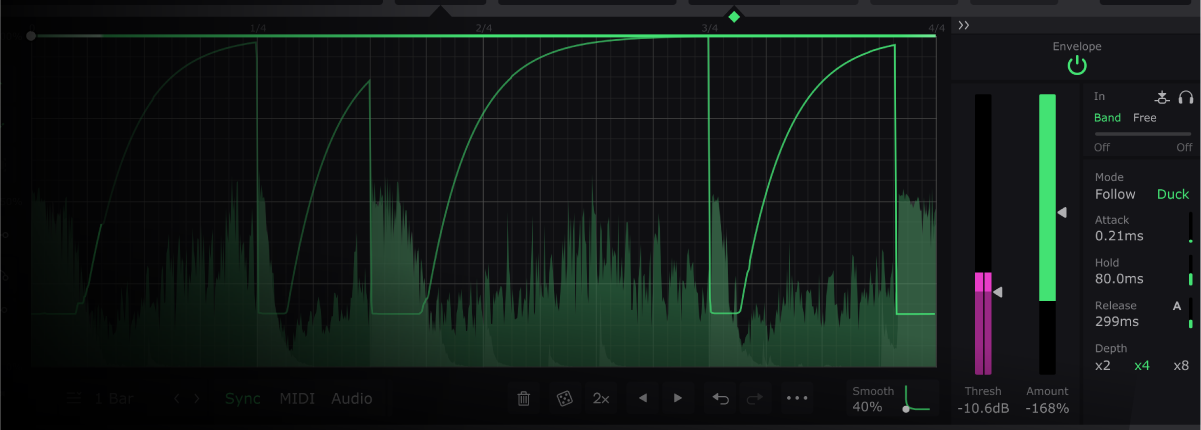
Duck with total precision
Forget boring static reverb – ReverbShaper gives you ambience that breathes with every beat. In just 1 click, get ducked reverb that lowers while a vocal or instrument plays, for spacious reverbs that won't muddy your mix. You can even draw a custom ducking curve and trigger it from transients.
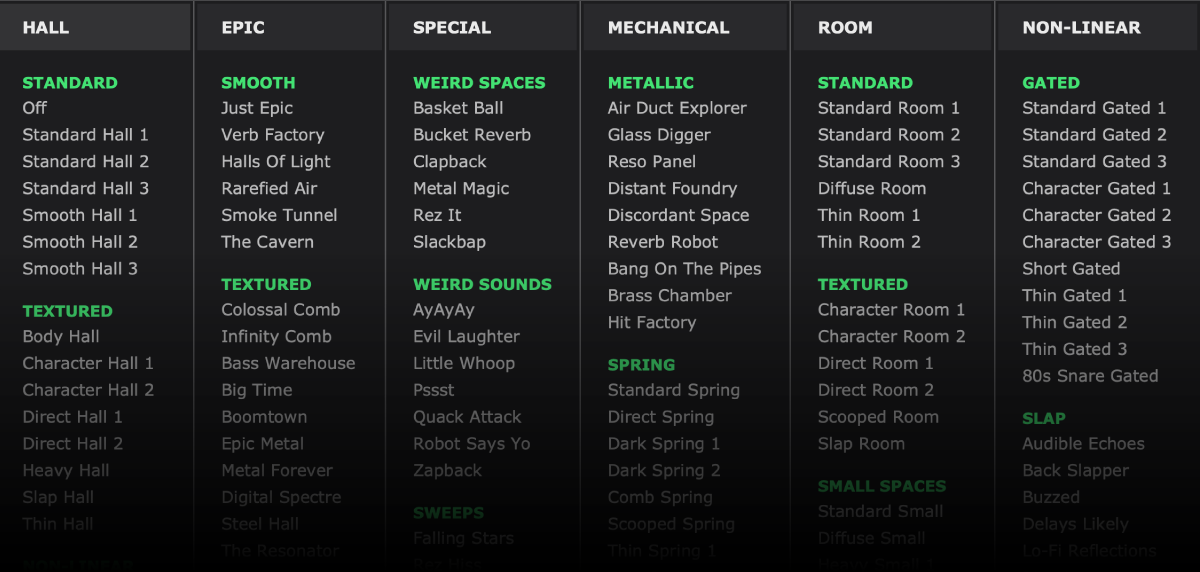
Explore amazing spaces
Immerse your sounds in 127 fantastically diverse reverbs, from lush rooms and halls to shimmering vintage plates, epic ambiences, old-school spring units, and classic gated 'verbs.
Want weird? Explore metallic resonances, bizarre slapbacks, experimental swells and beyond – or go nuts and combine 3 different reverbs with full multiband control.
Features
- 127 amazing spaces
- Easy drawable reverb LFOs
- Ducking in 1 click
- Decay with Gated mode
- Size. Width. Pre-Delay
- Reverb tail reset
- Multiband control
- Runs in ShaperBox 3
- Modern interface with large editing areas
- Interface resizable from 75% to 200%
- Retina/HiDPI support for crisp, clear graphics
- Built-in help — hover over any control for description
- Wave Presets covering all common uses
- 9 slots to store Custom Waves, saved with the patch
- Switch User Waves via MIDI
- Dry/wet mix for each band
- Master Mix for creative blends and smooth transitions
- Smoothed Bypass for click-free switching to the dry signal
- Solo bands for easy setup
- Smooth, accurate spectrum view
- Large, precise oscilloscope view with Magnitude mode and Freeze option
- Trigger Smoothing to reduce clicks when switching/triggering Waves
- Expandable LFO for detailed editing
- Set LFO loop length in beats and bars, or Hertz/ms
- LFO loop length from 1/128 to 32 bars, with sample-accurate sync
- Audio-rate modulation up to 5.24kHz for extreme sound design
- 2x/3x button — double or triple patterns with a click
- Flip/resize/move/randomize wave or selection
- Copy/paste waves between any Shapers
- Unlimited undo/redo for LFO wave edits
- Selection skewing, for easily increasing intensity over time
System Requirements
Mac
- Mac OS X 10.13 or later (64-bit only)
- Intel or Apple Silicon processor
- VST 2, VST 3, AU or AAX host DAW
Windows
- Windows 7, 8, 10 or 11 (64-bit only)
- VST 2, VST 3 or AAX host DAW


