Buy VertiVerb VRS23, get a free gift with purchase:
VertiVerb VRS23 is a faithful simulation of the Dynacord® VRS 23 (Vertical Reverberation System), an early 80s BBD echo and reverb.
This unit uses 10 BBD chips in a complex cascaded matrix to generate both echo and reverberation.
As stated by the manufacturer, back in the 80s, the VRS23 incorporated a “newly developed” reverberation structure which avoids the “cellar” effect found in early reverberation units. This translates in a peculiar mixture of delay and reverberation that made the VRS23 a truly unique device.
Audiority went further and added new features like FBK and CLK (Clock) trimmers, allowing you to fine tune the feedback amount and the BBD clock speed.
Features
- BBD Analog Echo/Reverb simulation
- Authentic BBD emulation with reduced bandwidth (according to delay time)
- Internal companding via NE570 simulation
- Delay Time
- Feedback (Regen)
- 4 Delay Time range switch
- Modulation
- Feedback Trimmer
- Clock Trimmer
- Tempo Sync
- Ducking
- Pre and Post effect gain
- Mix control
- Resizable interface
System Requirements
PC
- Windows 7 (64-bit only)
- Intel i5 or higher
- 2GB RAM
- Screen resolution: 1024×768
- VST2, VST3 64-bit host
- PT11 or higher, AAX 64-bit host
MAC (Intel)
- OSX 10.13 or later (64-bit only)
- Intel i5 or higher
- 2GB RAM
- Screen resolution: 1024×768
- VST2, VST3, AU 64-bit host
- PT11 or higher, AAX 64-bit host
MAC (Silicon)
- macOS 11.0 or later (64-bit only)
- Apple M1 or higher
- 2GB RAM
- Screen resolution: 1024×768
- VST2, VST3, AU 64-bit host
- PT11 or higher, AAX 64-bit host
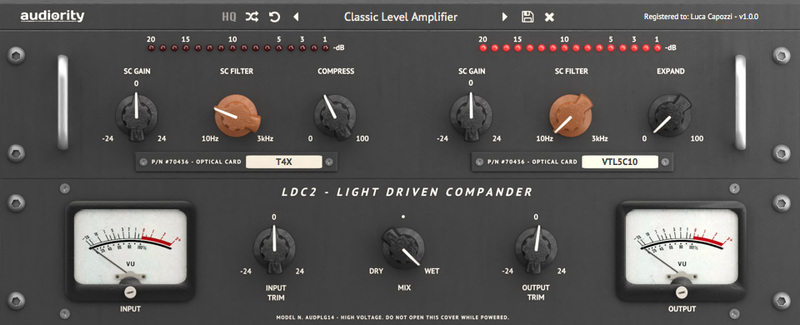
Note: LDC2 Compander is used as the example.
Mac
Registration
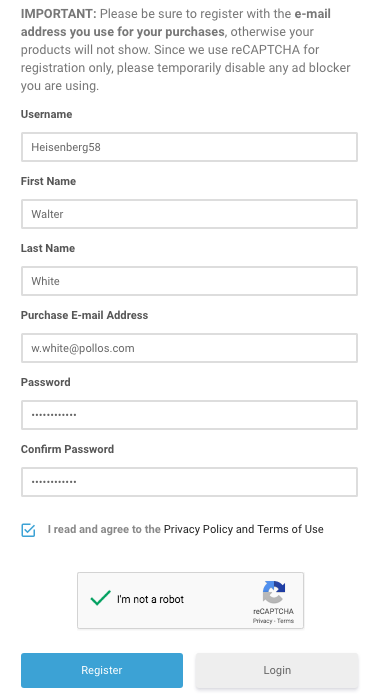
1. Visit https://www.audiority.com/register and enter your personal details > Click 'Register.'

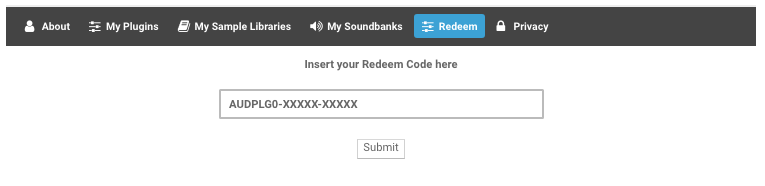
2. Once logged in, Click the 'Redeem' button at the top of the page and enter the redeem code, found in your Plugin Boutique User Account > Click 'Submit'.

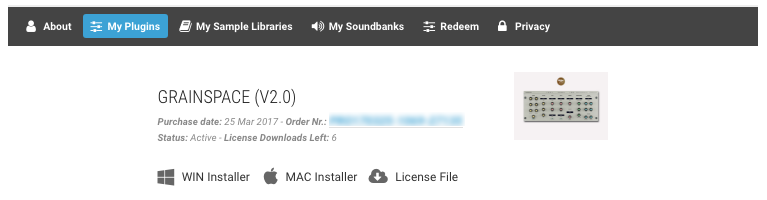
3. Click the 'My Plugins' button > Select the Mac Installer.

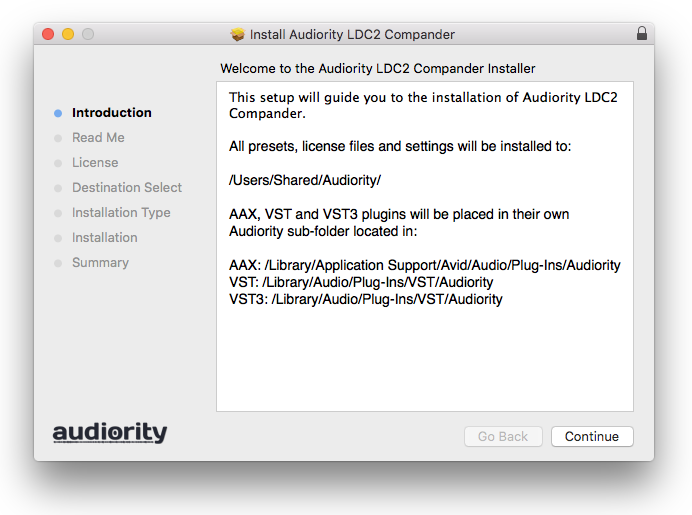
4. Locate the .dmg installer file from the 'Downloads' section of your computer, and double-click it to begin the installation process > click ‘Continue.’
Installation
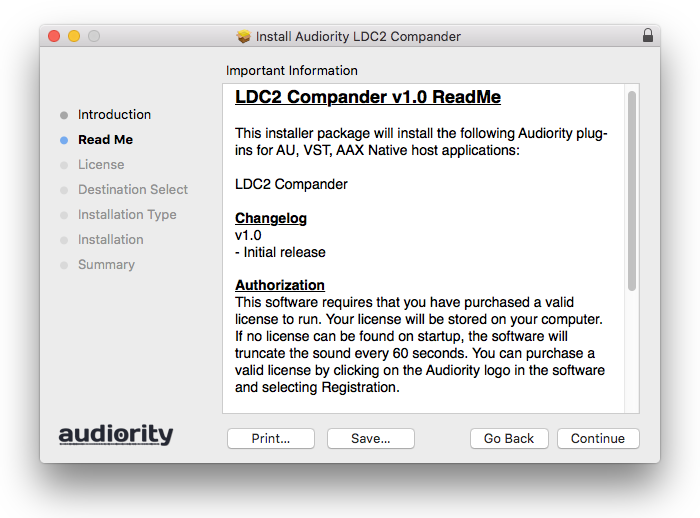
1. Open the .dmg file > Open the .pkg file to begin the installation.
2. Click 'Continue'.

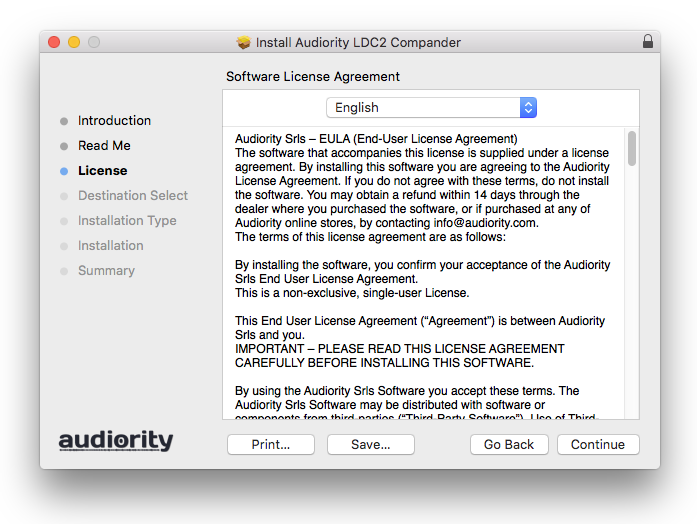
3. Click 'Continue'.

4. Click 'Continue'.

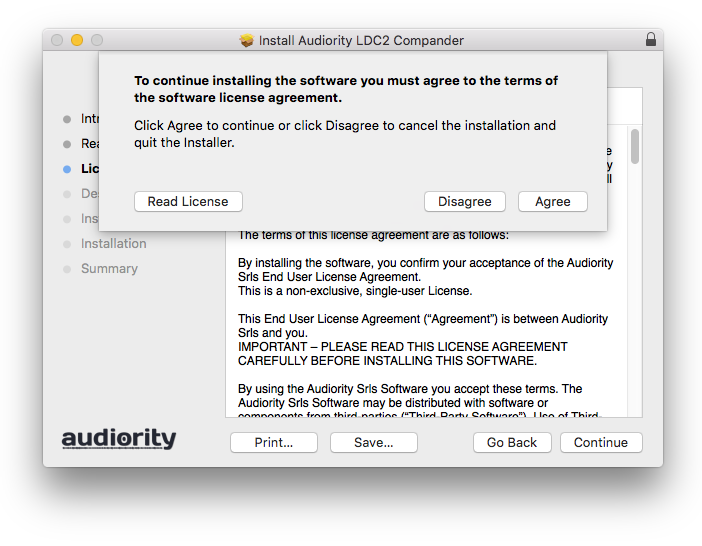
5. Click 'Agree'.

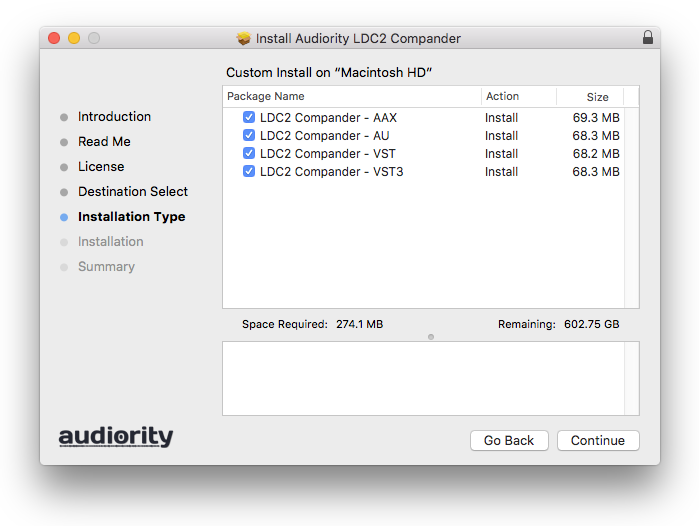
6. Click 'Continue'.

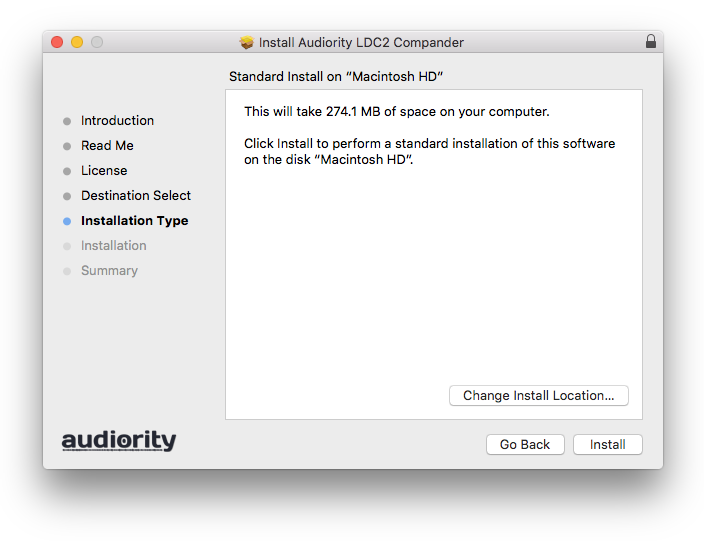
7. Click 'Install'.

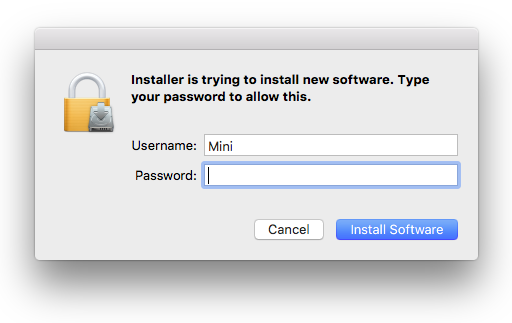
8. Enter your computer Username and Password > Click 'Install Software'.

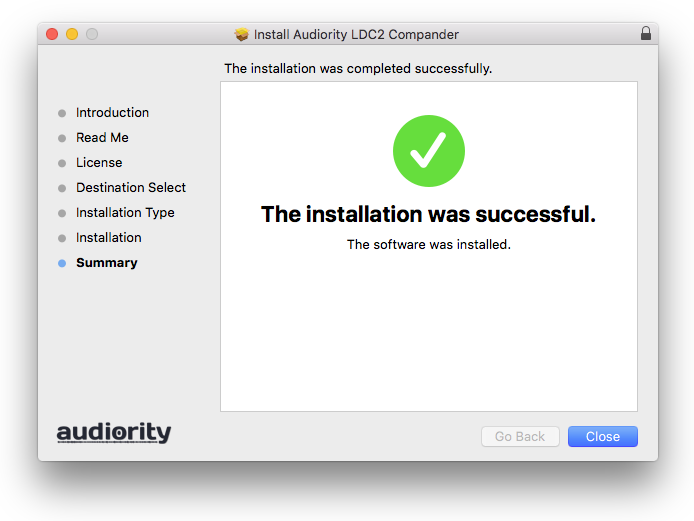
9. Click 'Close'.

Activation
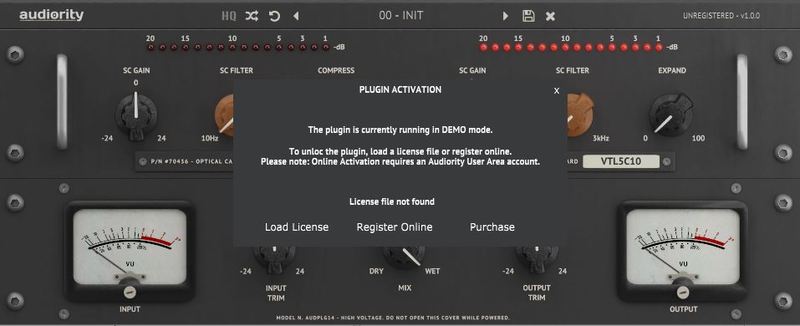
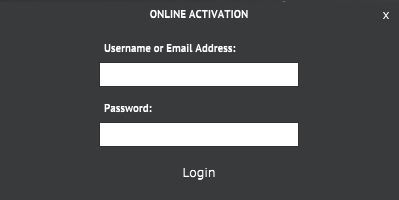
1. Open the newly installed plugin in your DAW > Click 'Register Online'.

2. Enter your username and email address that you registered at Audiority > Click 'Login'.

Your plugin is now activated and ready to use.

Windows
Registration
1. Visit https://www.audiority.com/register and enter your personal details > Click 'Register.'

2. Once logged in, Click the 'Redeem' button at the top of the page and enter the redeem code, found in your Plugin Boutique User Account > Click 'Submit'.

3. Click the 'My Plugins' button > Select the Windows Installer.

Installation
1. Double-click the installer to extract the contents > Double-click the .exe file to begin the installation.
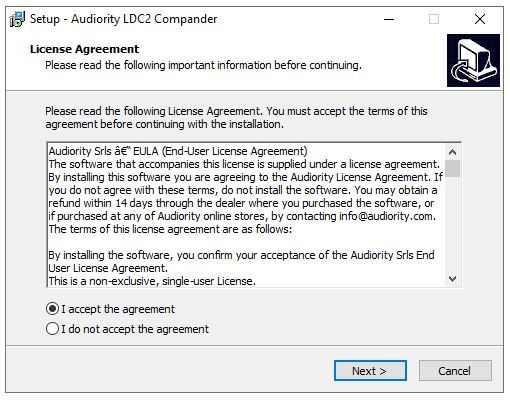
2. Select 'I Accept the Agreement' > Click 'Next'.

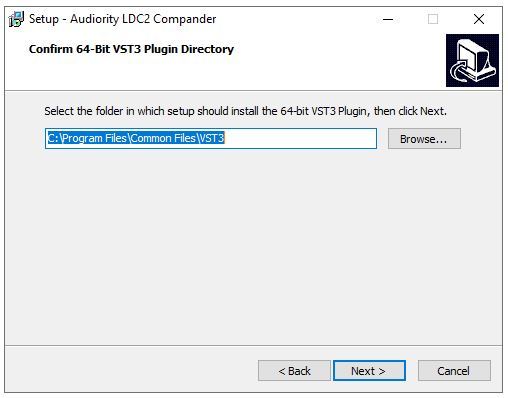
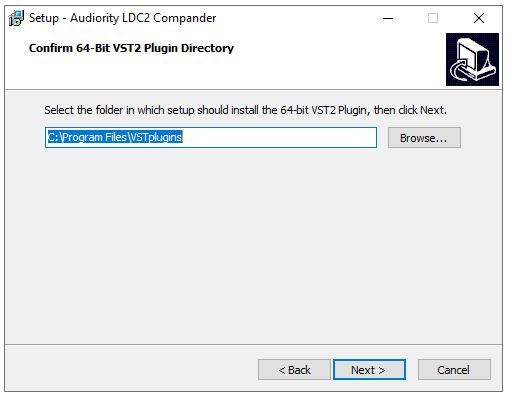
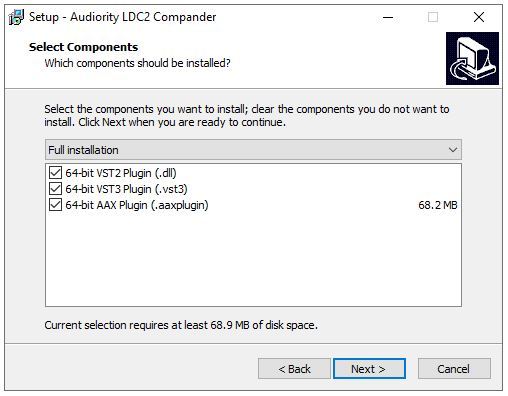
3. Click 'Next'.

4. Click 'Next'.

5. Click 'Next'.

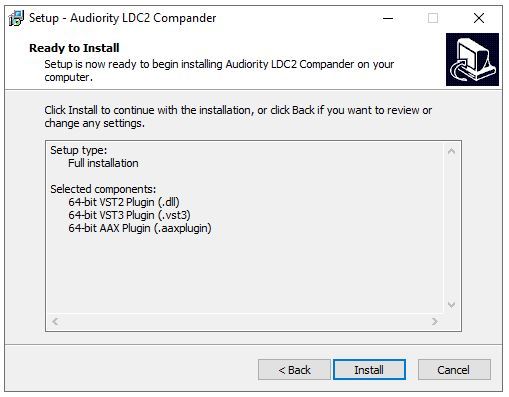
6. Click 'Install'.

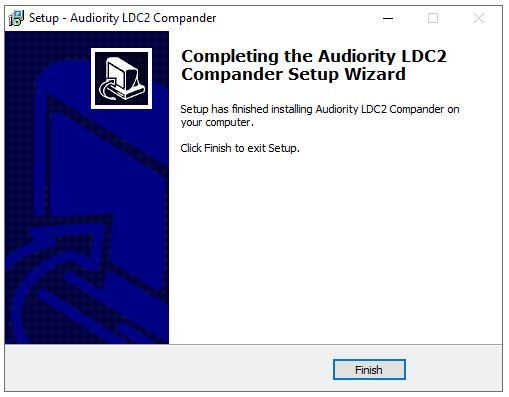
7. Click 'Finish'.

Activation
1. Open the newly installed plugin in your DAW > Click 'Register Online'.

2. Enter your username and email address that you registered at Audiority > Click 'Login'.

Your plugin is now activated and ready to use.