


 Log In

Free gifts available with your purchase
Crossgrade Note: This is a crossgrade for owners of any full Motion product. Lite versions are not eligible. The standard purchase path of Motion: Dimension is also available.

Space & Time Modulation
Motion: Dimension unveils a new realm of sonic exploration, focusing on an intricate blend of dual delays and adaptable reverbs to immerse you in a dynamic and responsive sound design journey.

Seamlessly integrate complex delay lines with lush reverberations, all controllable through the intuitive hexagon controller. From subtle echoes to sweeping sonic landscapes, Dimension places comprehensive sonic manipulation at your fingertips.
What can Motion: Dimension do?
- Craft intricate rhythmic patterns with dual delays.
- Blend smoothly between plate and hall reverbs for evolving spaces.
- Reverse delays for mind-bending sound design.
- Enhance atmospheres with mesmerising textures.
- Give mono sounds creative spatial complexity.
- Experiment with series and parallel effects routing.
- Visualise your sound with a 3D reactive object.
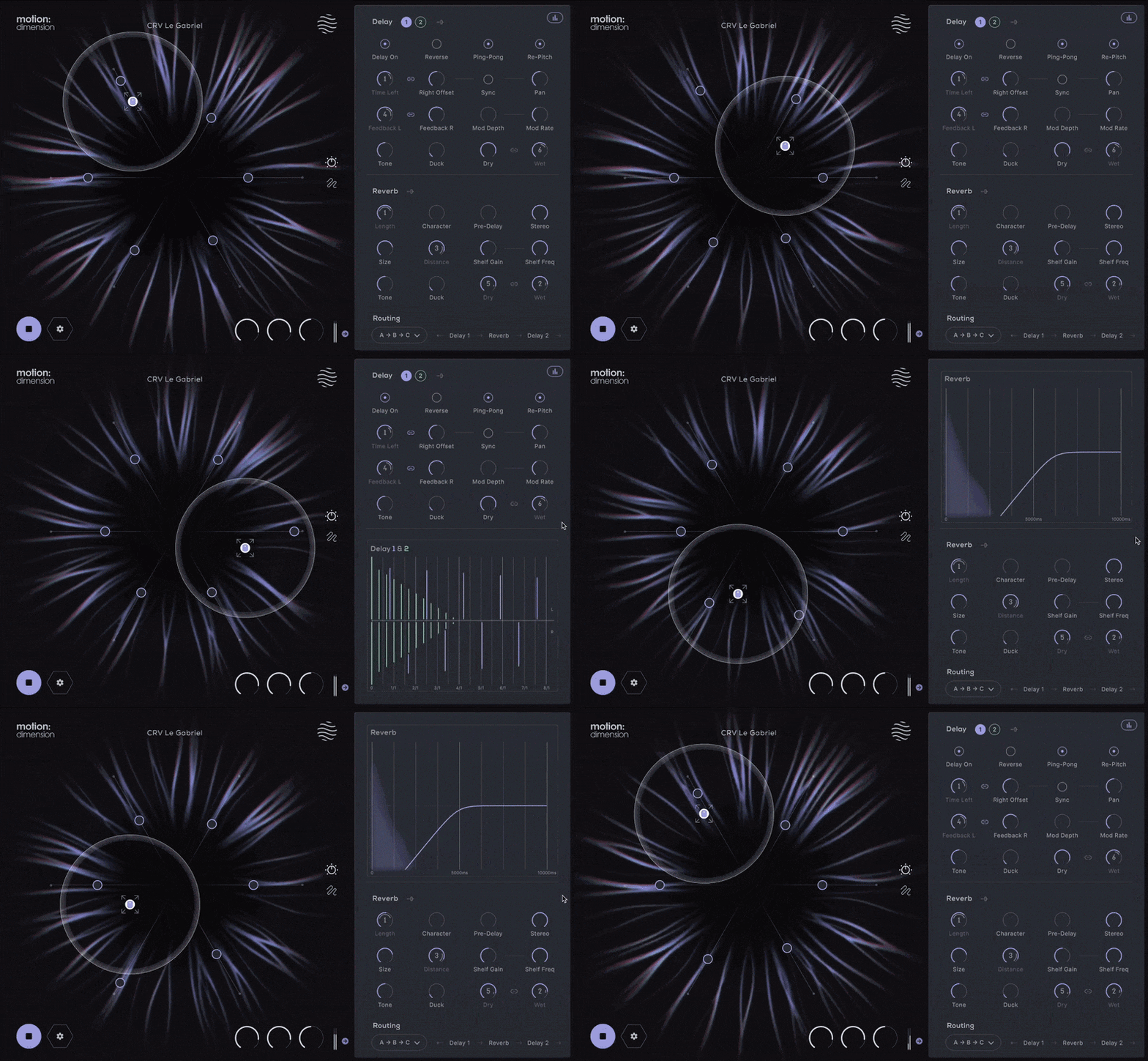
The Hexagon offers six macro sliders that can be assigned to control any of the onboard effect parameters.
Motion: Dimension employs the Hexagon controller for intuitive and animated effect modulation. Drag and drop parameters onto the six macro sliders, each assignable for detailed sound shaping. The magnetic cursor creates an interactive experience, making modulation a part of your production.
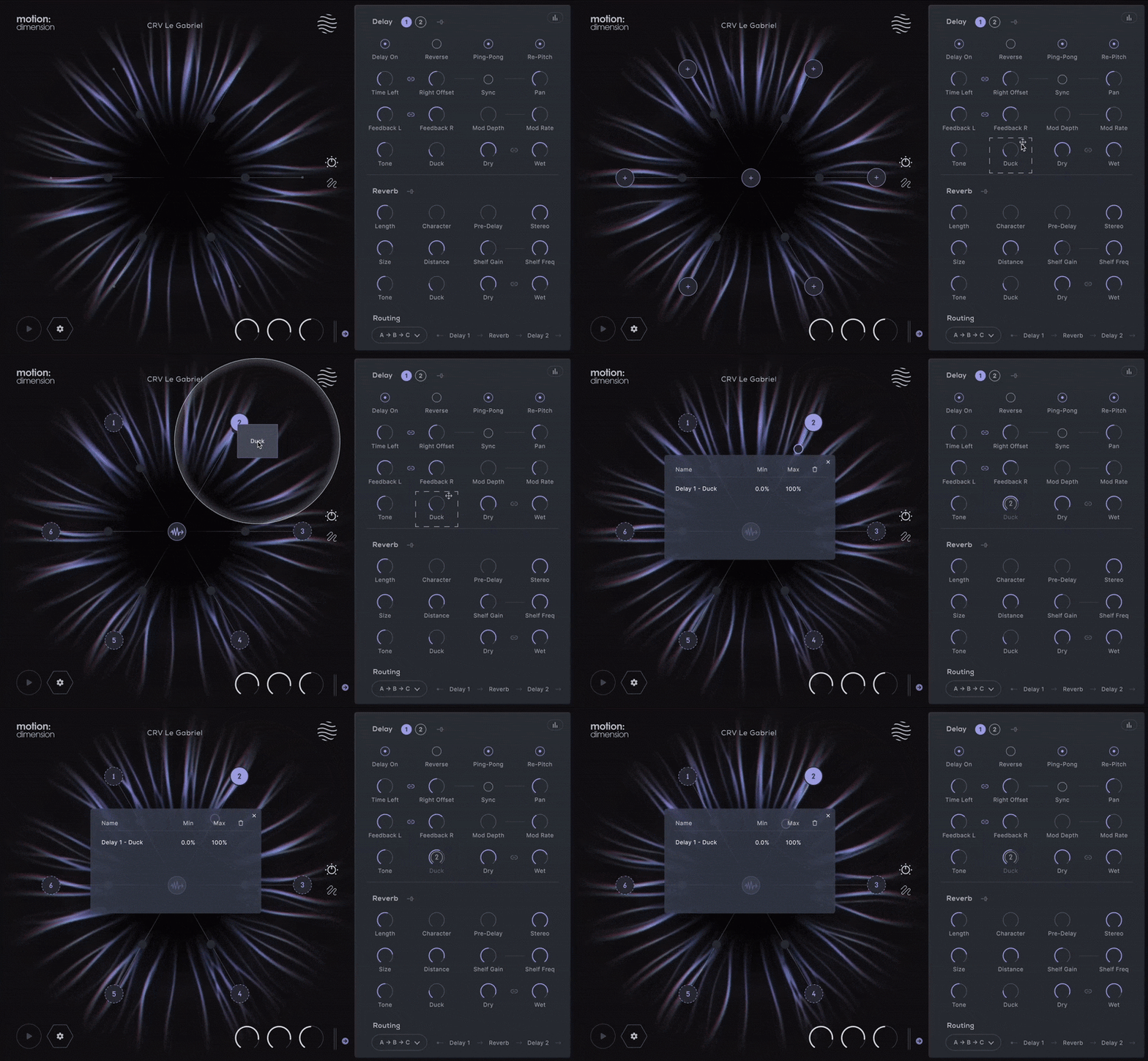
The Hexagon: Reactive Animation
Improving upon the concept of the traditional XY pad, the hexagon provides new automation possibilities, allowing six macro sliders to be pushed and pulled together by a magnetic field surrounding your mouse cursor.
Cursor movements can be played live, recorded or pre-programmed; and then controlled with extensive timing and playback options.
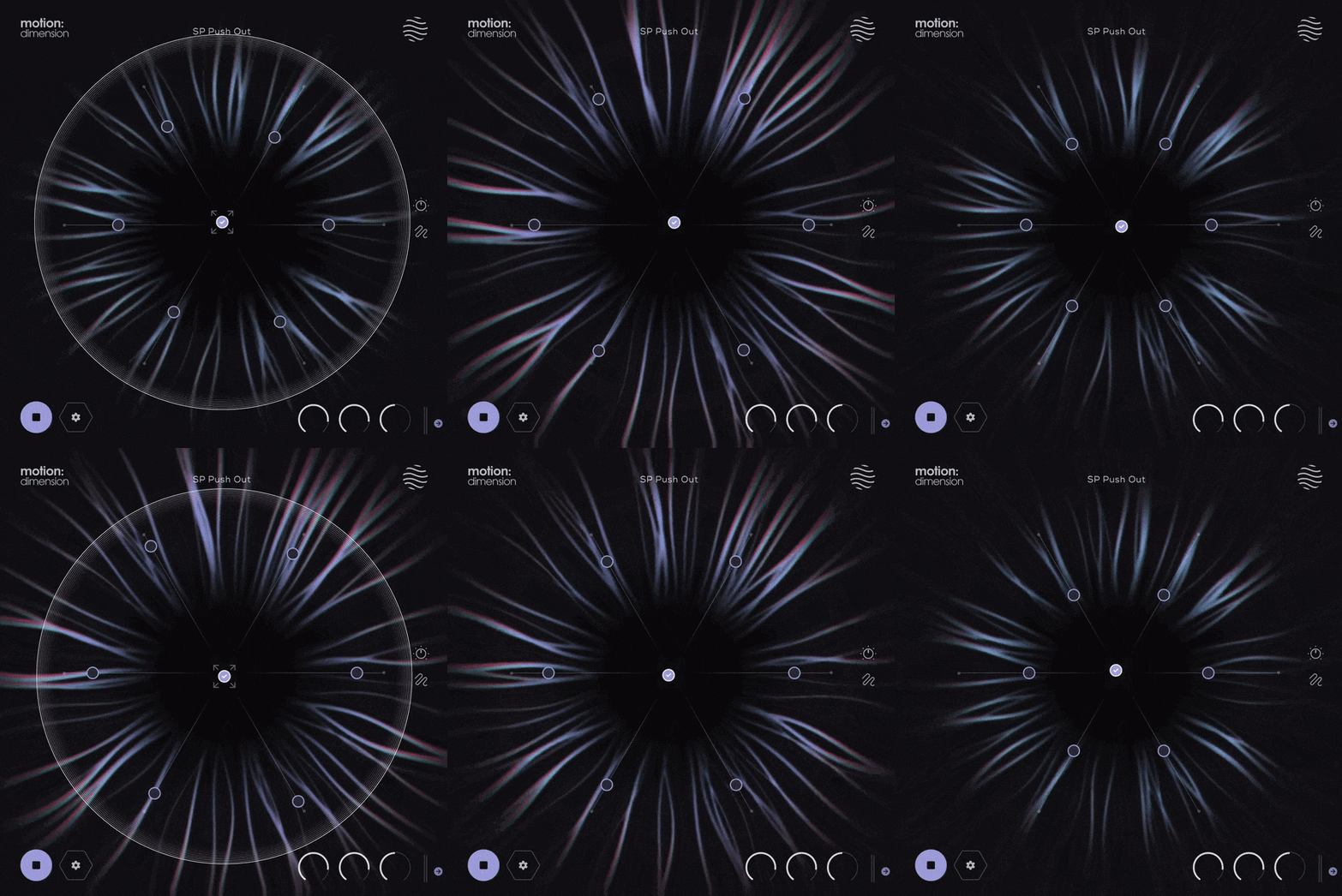
Perform Your Effects
Customise your cursor’s magnetic field controlling how you interact with the sliders.
Design intricate paths around the Hexagon by plotting points or recording your mouse movements freely.
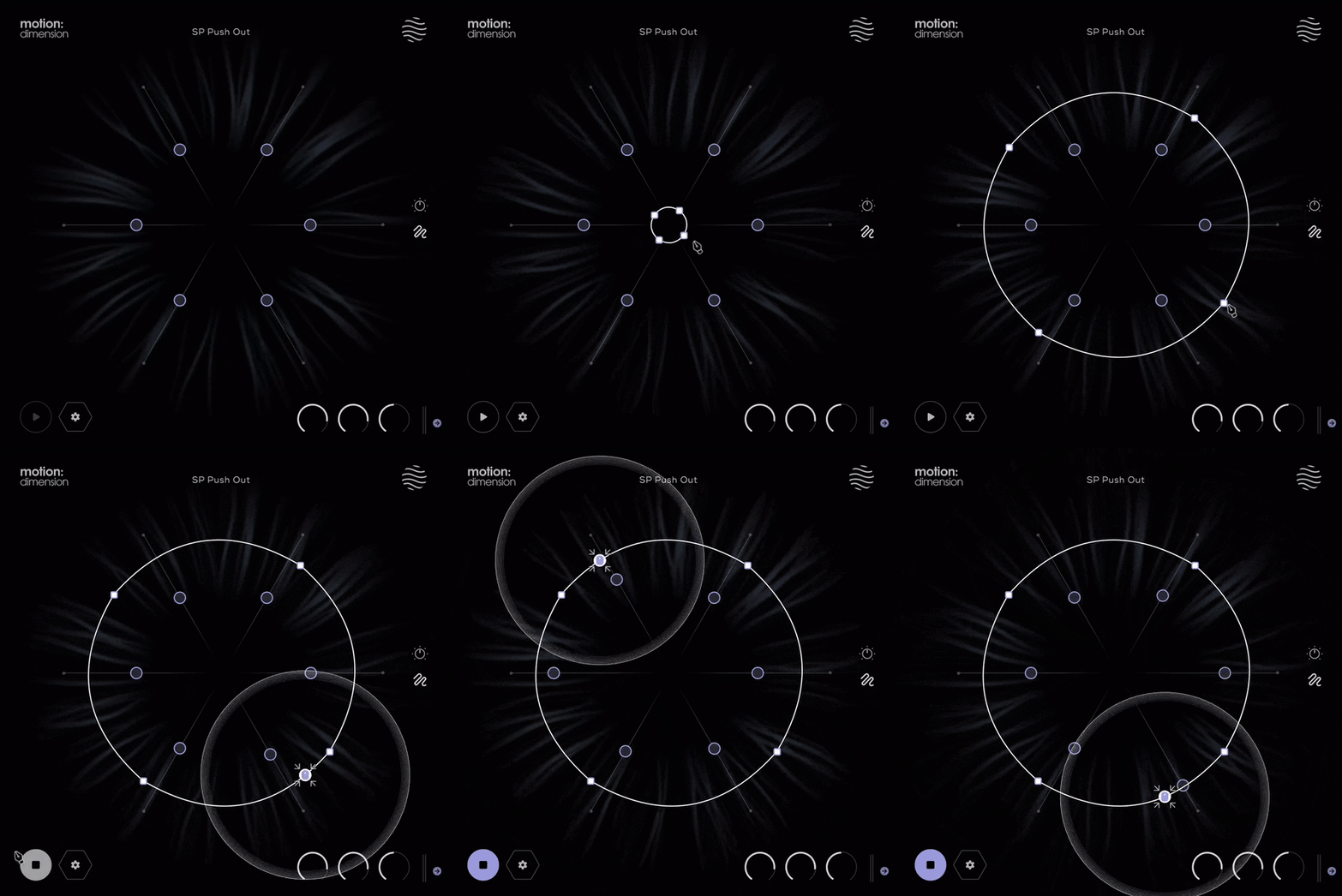
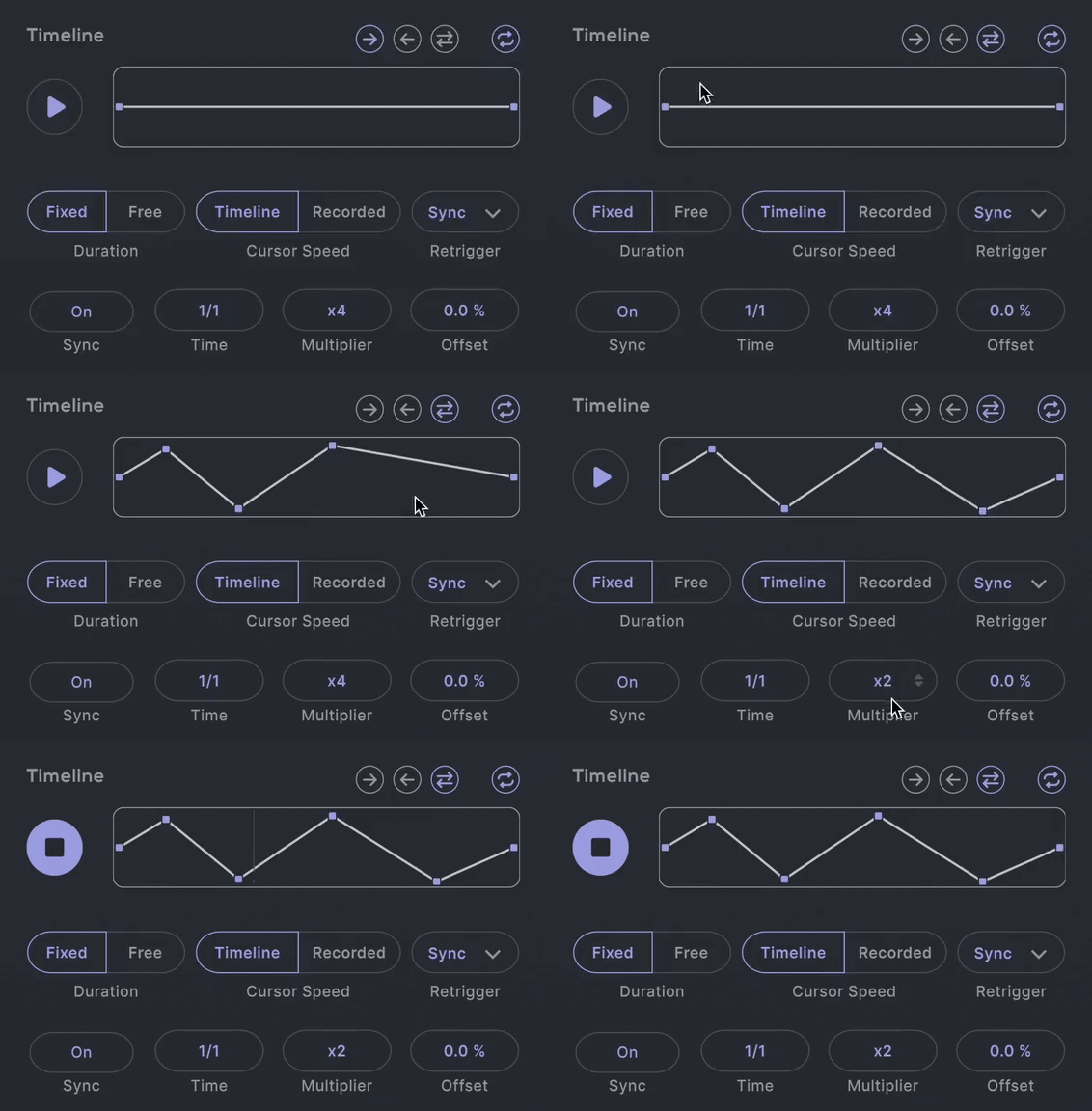
Take control of your modulation with detailed timing and trimming adjustments to generate endless sonic landscapes. Whether adding subtle echoes to a guitar, designing atmospheric pads, or creating rhythmic complexity in electronic music, Dimension's timeline is your gateway to dynamic auditory realms.
Dynamic Dual Delays
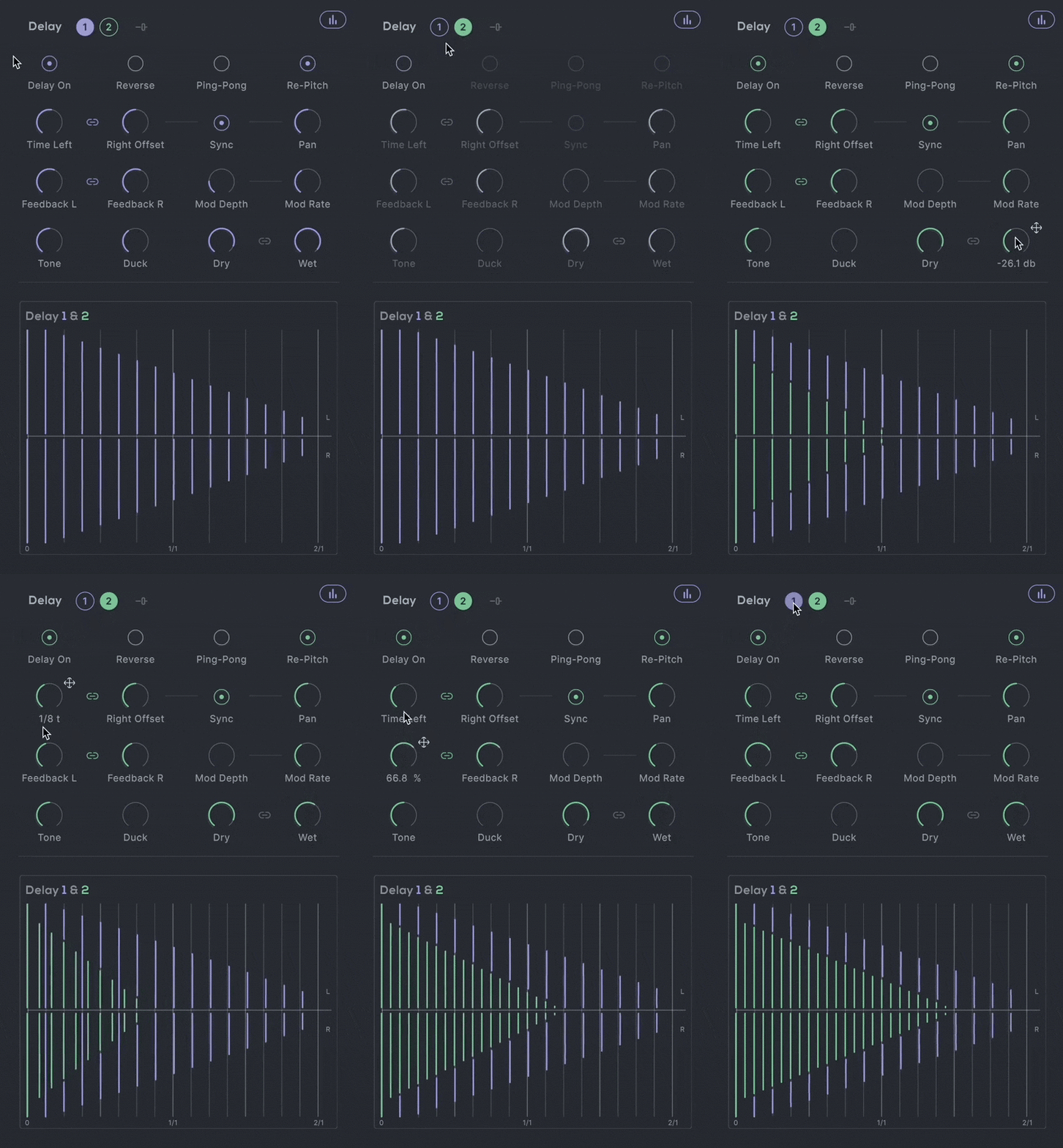
Each delay in Dimension offers comprehensive control over your sound:
- L+R Delay Time & Feedback: Independent timing for intricate stereo effects.
- Ping-Pong & Reverse Delay: Toggle for rhythmic variety and reverse effects for textural intrigue.
- Repitch, Mod Depth & Rate: Pitch adjustments that react to your delay time changes, perfect for creative effects.
- Tone, Duck, and Filtering: Fine-tune the echo's character and frequencies.
Reverb That Breathes
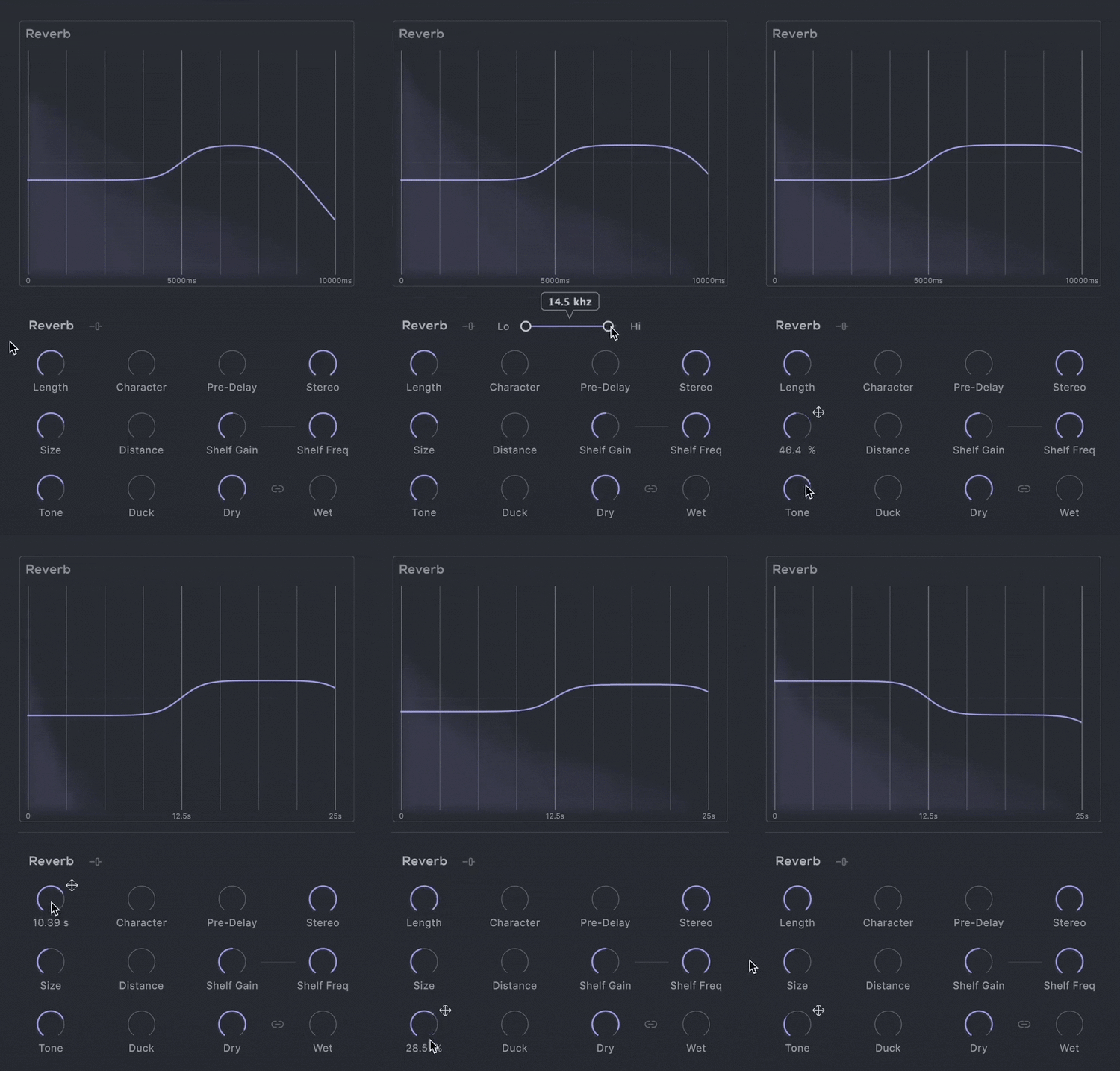
Dimension’s reverb capabilities allow for a seamless blend between plate and hall characteristics:
- Character: Smoothly navigate between reverb types, from tight, reflective plates to vast, open halls.
- Length, Size and Distance: Control the scale of your space and the balance between early and late reflections for precise spatial imaging.
- Advanced Tone Shaping: Includes Shelf Frequency, Shelf Gain, and Hi-/Lo-Cut filters to perfectly integrate the reverb into your tracks.
Routing Redefined
Dimension’s new routing options allow any combination of series and parallel processing between the two delays and the reverb unit, offering unprecedented flexibility in building your sound, and allowing for complex, layered effects configurations.

Watch Motion: Dimension in Action
Features
- FX Page
- 3 effect sections: Delay 1, Delay 2, Reverb
- Routing section to re-route the plugin's signal chain
- Cursor, Path and Timeline Page
- Reactive 3D Visualiser
- 6 Macro Sliders
- Per Slider Parameter Mapping
- Per Slider Parameter Min/Max Values
- Audio Reactive Envelope
- Magnetic Cursor control
- Input/Output Gain controls
- Global Dry/Wet mix control
- Safety Limiter toggle
- Input Thru toggle
- Global Bypass
- Step-by-step interactive tutorial
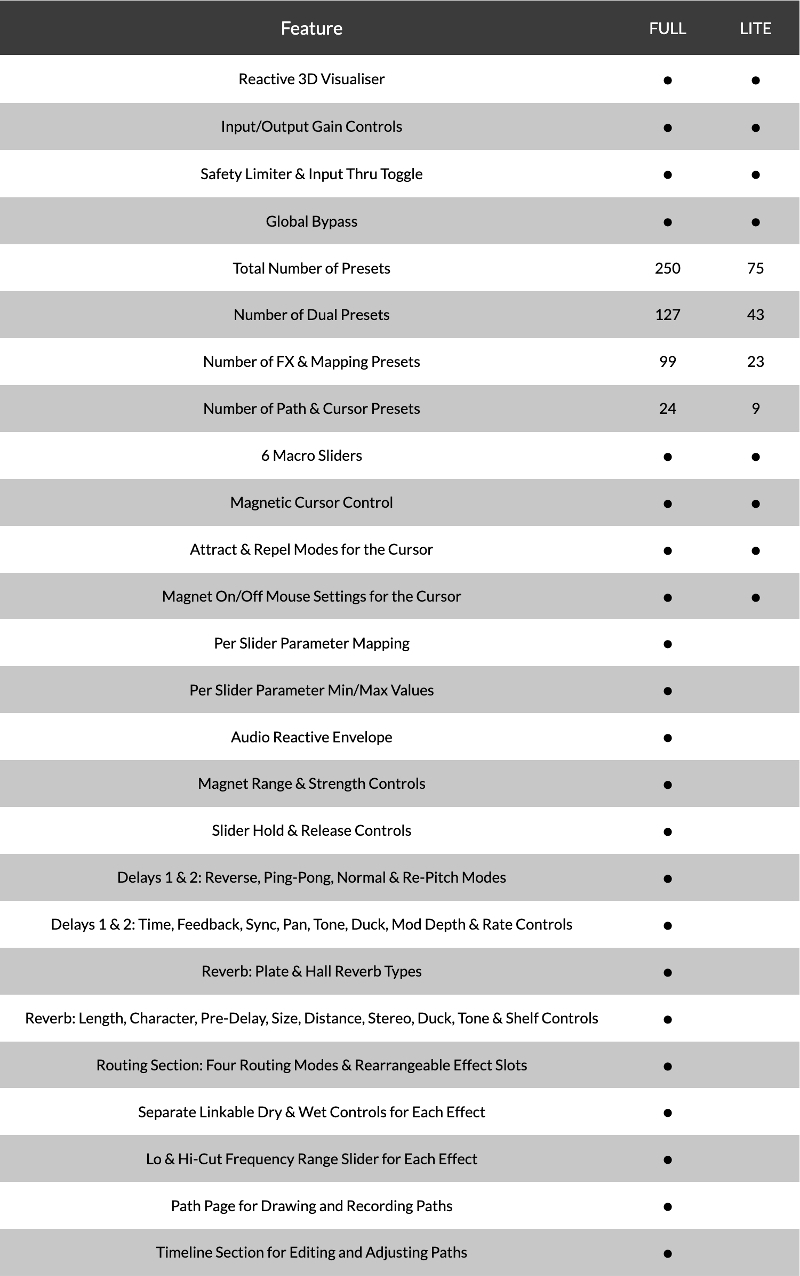
- 250 Presets
- 127 Dual Presets
- 99 FX & Mapping Presets
- 24 Path & Cursor Presets
Delay 1 & 2
- Four delay modes
- Reverse mode
- Ping-Pong mode
- Normal mode
- Re-Pitch mode
- Delay Time, Feedback, Pan, Tone & Duck controls
- Sync to DAW toggle
- Delay Modulation Depth & Rate controls
- Hi-Lo Frequency Range slider
- Linkable Dry & Wet level controls
- Visual graph displaying the Time, Feedback & volume of both delays
Reverb
- Two reverb types
- Plate
- Hall
- Length, Character, Pre-Delay, Size & Distance controls
- Stereo width and Duck controls
- Shelf Gain / Frequency and Tone controls
- Hi-Lo Frequency Range slider
- Linkable Dry & Wet level controls
- Visual graph displaying the reverb length, size, pre-delay, shelf & tone
Routing Section
- Four different routing options
- All in Series
- Series into Parallel
- Parallel into Series
- All in Parallel
- Rearrangeable effect slots
Cursor & Hexagon
- Attract & Repel modes
- Magnet Range & Strength controls
- Magnet On/Off Mouse settings
- Slider Hold & Release controls
Paths
- Record Cursor Mode
- Line & Circle Draw modes
- Path Drawing Tools:
- Select Point/Curve Line
- Add Point
- Remove Point
- Scale/Move Path
Timeline
- Forward, Reverse, Pendulum Playback Direction
- Loop Path toggle
- Timeline Speed graph
- Fixed/Free Timeline Duration
- Timeline/Recorded Cursor Speed
- On, Off, Sync Retrigger modes
- DAW Sync or Free Timeline Duration
- Time, Multiplier and Offset controls
Version Comparison
System Requirements
macOS
- macOS 10.15 or higher (Intel / Native Apple Silicon supported).
- Plugin Formats: VST, VST3, AU, AAX, Standalone
- DAW's Supported: Ableton Live, Pro Tools, Logic Pro, FL Studio, Cubase, Nuendo, Reaper, Reason + more.
- Compatibility: 64-bit compatible only.
Windows
- Windows 7 or higher
- Plugin formats: VST, VST3, AAX, Standalone
- DAWs supported: Ableton Live, Pro Tools, FL Studio, Cubase, Nuendo, Reaper, Reason + more.
- Compatibility: 64-bit compatible only.
Note: If accessing this software via a Rent to Own plan or the Beatport Studio membership, it is installed and activated through the Beatport Access portal. An internet connection is required every 3 days to validate your license.

Dam Swindle
Dutch duo providing the world with club-ready grooves for over a decade. Collaborations include Tom Misch, Kerri Chandler, Mayer Hawthorne, Mark de Clive-Lowe, Hercules & Love Affair and Seven Davis Jr.
"Motion: Dimension is such a playful and interesting way to capture motion in sound!"

Ed is Dead
Electronic musician, producer and composer. Universal Music, Idioteque Records and more.
"Motion: Dimension works amazingly well for pads and leads."

Martijn Van Sonderen
Member of electronic music trio Noisia and Zonderling.
"Motion: Dimension offers an interesting way of controlling movement that leads to sounds you wouldn't otherwise come up with."


