


 Log In
Free gifts available with your purchase
CSR Hall Reverb
Large Acoustic Hall Reverb
Acoustic Hall Reverb Processor
Reverb it's one of the most complicated yet natural acoustical effects in nature. Hall reverberation is a particularly articulated reverb because of the nature of the space producing it. Thousands of reflections closely spaced together forming a lush and rich reverb tail.
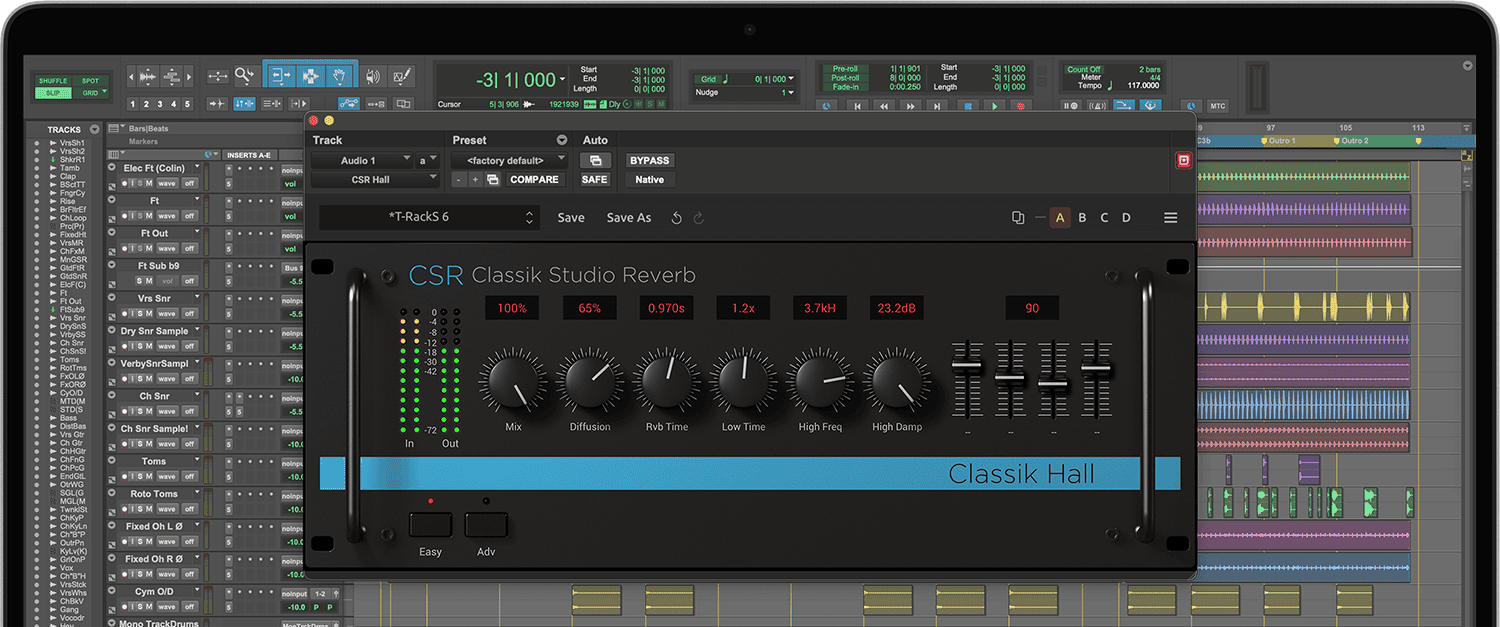
The CSR Hall reverb was developed to recreate the illusion of the sound source being really placed into such acoustical space. Concert halls are designed to enhance the sound produced into them, and so does IK Multimedia's plug-in: its natural decay is unobtrusive to the direct signal, the depth and precise image of the stereo filed make the reverb very clean yet deep and enveloping.
The special “dual” nature of the CSR Hall reverb is, on top of its premium sound quality, what makes it very special: the “easy” mode makes the most used and straightforward controls visible to the user, so that the needed setting can be reached with the turn of just a few knobs. In the “Advanced” mode, the module becomes a “tweaker's delight” where every single little detail and nuance of the reverberation (like high and low frequency time and damping, diffusion and level of early reflections) really make this reverb processor stand up there with the best of 'em.
In mixing situations the CSR Hall reverb blends nicely without sounding fake or harsh. Vocals are a premium candidate for Hall reverb use, but pretty much all solo instruments which need to be put into a large hall space will gain a 3D quality from this type of reverb.
It's a critical tool in a series of applications, be it a pop or rock mix, or a classical recording which may need a touch of added ambience of the best quality and realism possible.
System Requirements
Mac® (64-bits)
- Minimal: Apple M1 or Intel® Core i5 Processor, 8 GB of RAM, macOS® 10.15 or newer (macOS 11 or newer required for Apple Silicon Processors). 9 GB of hard drive space.
- Requires an OpenGL 2 compatible graphics adapter.
- Supported Plug-in formats (64-bit): Audio Units, VST 2, VST 3, AAX.
Windows® (64-bits)
- Minimal: Intel® Core i5 Processor or equivalent, 8 GB of RAM, Windows 10 (64 bit) or newer. 9 GB of hard drive space.
- Requires an ASIO compatible sound card.
- Requires an OpenGL 2 compatible graphics adapter.
- Supported Plug-in formats (64-bit): VST 2, VST 3, AAX.
Important note: Internet connection is required as all of the Custom Shop operations are web based.


