/ Reverb / TrueVerb
Waves

TrueVerb

5.0 (3 Reviews)
$27.99 $99.00

71% off until Dec 07

Waves TrueVerb
Waves TrueVerb
Waves TrueVerb
Waves TrueVerb gallery thumbnail
Buy Now
Product information

TrueVerb

Create Natural-Sounding Reverb Spaces with Quick Early Reflection Editing

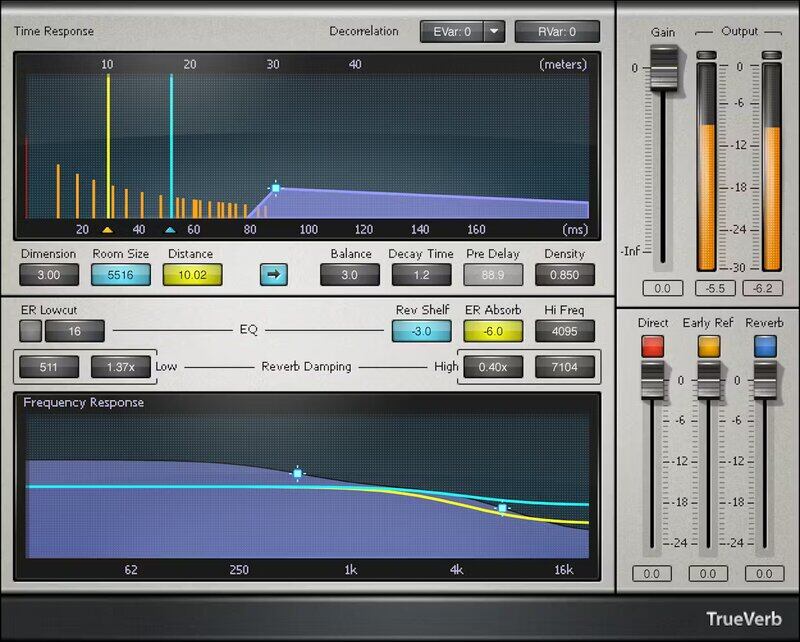
TrueVerb splits reverb controls into 4 clearly defined sections: early reflections, reverb tail, EQ, and damping. In addition to being a complete reverb solution in itself, the detailed early reflections editing—and low CPU power—also make it an ideal “front end” to augment early reflections for convolution reverbs.

30 included presets get you started quickly, but don’t stop there—the streamlined interface and straightforward parameters encourage customizing the settings for your own needs.

Features

  • Optimize early reflections and reverb tail separately
  • Link button changes reflections and reverb proportionately
  • Reflections and reverb can have independent frequency responses
  • Shelving filter trims highs going into reverb, for smoother tails
  • Low-frequency cut before early reflections minimizes “mud”
  • Dual controls for low- and high-frequency damping
  • Open, transparent clarity fits well with vocals
  • Differentiate early reflections when using multiple TrueVerbs

System Requirements

Mac

  • macOS Monterey 12, Ventura 13, Sonoma 14, Sequoia 15
  • VST / AU / AAX

PC

  • Windows 10+
  • VST / AAX
Installation Instructions

1. Head to https://www.waves.com/create-account

2. Enter your email and choose a password to create an account (if you already have a Waves account, choose Log in, enter your details and head to Step 5) > click 'Submit'

3. Open your email inbox > click the activation link in the email from Waves

4. Click 'Log in here' > Log in to your Waves account

5. Click 'Register New Products'

6. Enter the Serial Number found in your Plugin Boutique user account > click 'Submit'

7. Click download in your Plugin Boutique user account or head to https://www.waves.com/downloads/central > download the Waves Central app for your operating system

8. Install Waves Central > Open Waves Central

9. Click 'Log in' > enter your log in details

10. Click the 'Install Products' tab

11. Tick the blue dot on all products you wish to install or click the top dot to install all products > click 'Install & Activate'

12. Click 'OK'

13. Open your DAW > open the Waves plugin

Your Waves plugins are installed and ready to use, enjoy!

Plugin Boutique Rewards

Discover the most rewarding loyalty programme among all plugin retailers.

  • Free Loopmasters Samplepacks
  • Discounts on products and courses
  • Extra Virtual Cash claimed immediately at checkout
Find out more

Follow us:

X (Twitter) Facebook YouTube Instagram
Logo Logo

Plugin Boutique Limited, Part of the Beatport Group LLC.

Copyright © 2011-2025 Plugin Boutique. All rights reserved