


 Log In

Free gifts available with your purchase
Product information
Abbey Road Chambers
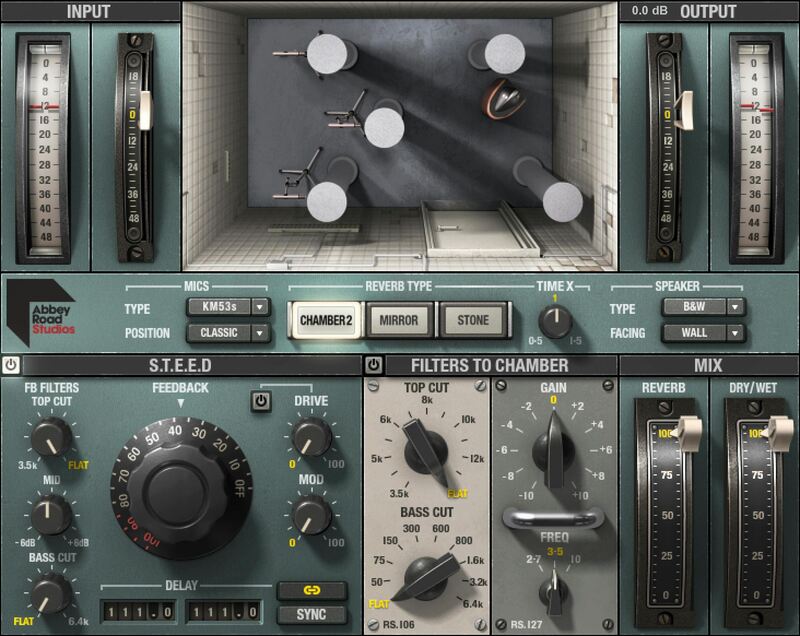
The Legendary Intimate Reverb of the 60s—Now in Your Studio
The unmistakable sonic signature of Abbey Road Studios’ echo chambers was born in the 1950s. This plugin, designed in close collaboration with Abbey Road, models not just three chambers—but also the tape delays, filters, speakers, mics, and signal path that were a crucial part of this sound.
If you get goosebumps when you hear your vocals through these reverbs, maybe it’s because you’re hearing the same reverb effect that graced John Lennon’s voice on “A Day in the Life.”
Features
- Models Abbey Road’s reverb chambers and processing chain
- Exceptional tonality for vocals and for transient-heavy instruments
- Includes both Abbey Road’s Studio Two and Mirror Room chambers
- Bonus: Olympic Studios’ famous Stone Room chamber
- Features the pre-chamber S.T.E.E.D. tape delay system
- Choose speakers and mics, as well as their room placement
- Dedicated EMI RS106 and RS127 EQs to sculpt the chamber effect
- Artist presets by Dave Pensado, Jacquire King, Guy Massey, more
System Requirements
Mac
- macOS Monterey 12, Ventura 13, Sonoma 14, Sequoia 15
- VST / AU / AAX
PC
- Windows 10+
- VST / AAX
Installation Instructions












Customer Reviews
(1)


