


 Log In

Free gifts available with your purchase
Product information
Magma Springs
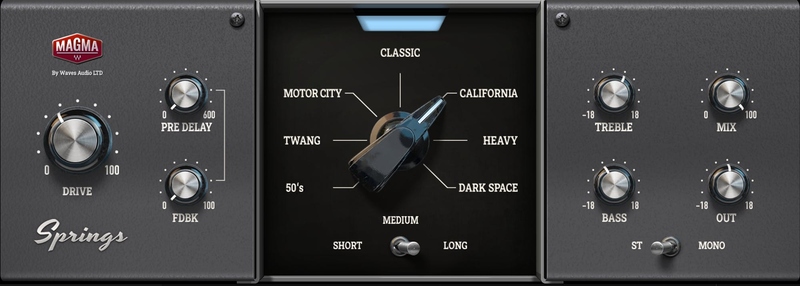
The Magic of Spring. Simply Timeless.
Spring reverb is nostalgic, but timeless. It makes some things sound vintage, and other things sound fresh. Its metallic twang defined eras, and its boingy resonance adds a personal touch on mixes that you need to hear.
Some reverbs melt into the mix. Others boast a distinctive character. Spring reverb does both. Once it’s on you can no longer imagine the part without it. This could explain its cult following since the 1950s.
Magma Springs is a collection of our 7 favorite types of spring reverb – each one a peek into a world of style. Try them on any part, any genre, and imbue your tracks with unparalleled magic.
Features
- The timeless sound of spring reverb which stylized multiple genres & eras
- Perfect to achieve classic Indie, Surf, Motown, Dub, Rock & Roll, Country, and many more sounds
- 7 spring reverb units modeled
- Driven by the analog Magma tube sound
- Tactile analog workflow for seamless results
- Pre-Delay & Feedback controls for wild creative FX options
System Requirements
Mac
- macOS Monterey 12, Ventura 13, Sonoma 14, Sequoia 15
- VST / AU / AAX
PC
- Windows 10+
- VST / AAX
Installation Instructions














