


 Log In

Free gifts available with your purchase
Product information
H-Reverb Hybrid Reverb
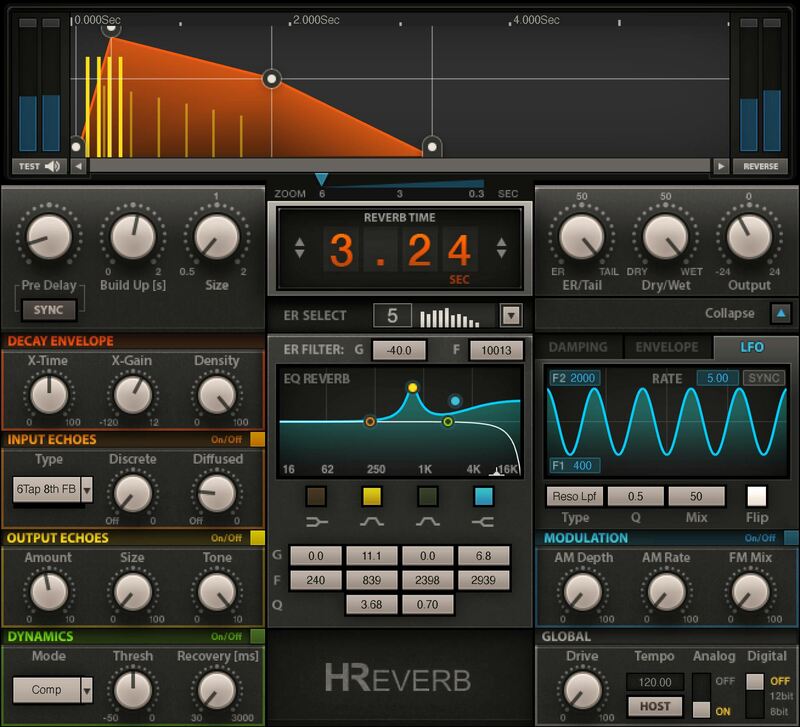
Reverb Unlimited: Algorithmic and Convolution Reverb Combined
H-Reverb creates an entirely new class of deep, rich, and realistic reverb, by augmenting the rich flexibility of algorithmic reverb with the lifelike realism of convolution technology. From simple rooms to complex halls—and beyond—H-Reverb sets the standard for unparalleled flexibility.
With H-Reverb you can create natural-sounding effects—or innovative ones that take liberties with linear space and time. But it doesn’t stop there. With added EQ, compression, ducking, de-essing, modulation, overdrive, resonance, and pre/post delay—H-Reverb enables you to chisel your reverb effects with unprecedented control.
Features
- Flexibility to create the sound of classic or contemporary reverb
- Combines two powerful reverb technologies
- Pre-delay BPM sync for rhythmic effects
- FIR engine lets you shape non-linear decay for flexible effects
- EQ, dynamics, modulation, decay envelope control, damping, more
- Collapse the interface for basic controls—or expand to dive deep
- Over 240 stunning presets from world-class engineers
- Full timing and shaping of the reverb buildup
- Mono, stereo, 5.0 and 5.1 surround options
System Requirements
Mac
- macOS Monterey 12, Ventura 13, Sonoma 14, Sequoia 15
- VST / AU / AAX
PC
- Windows 10+
- VST / AAX
Installation Instructions














