Log In

Free gifts available with your purchase

A Dolby Atmos Reverb Plugin for Natural, Cinematic Spaces
Immersive Room Reverb That Sounds Real
Verberate Immersive 2 is a professional algorithmic reverb plugin built for Dolby Atmos, spatial audio, and multichannel formats up to 9.1.6. Its time-variant design produces rich, natural reverb tails that feel like part of the space—not layered on top.
Whether you’re mixing film dialogue, immersive music, or game audio, Verberate Immersive 2 gives you a believable sense of depth and place. No metallic tails. No phasey weirdness. Just clean, organic reverb that sits naturally in the mix.

Designed for Modern Immersive Workflows
Verberate Immersive 2 was built for immersive audio from the start, with independent control of early reflections and reverb tails, plus full 3D panning for all components. It fits perfectly into large-scale Atmos music production, Foley editing, and film post-production sessions.
You can position the dry signal, reflections, and tail separately within the surround field, shaping each with visual panners, divergence controls, and full support for immersive formats like 7.1.4, 9.1.6, and everything in between.
CPU-Efficient and Session-Ready
Reverb plugins designed for immersive audio often carry a heavy CPU load, especially those using convolution. Verberate Immersive 2 avoids that entirely. Its algorithmic engine delivers high-fidelity room modelling at a fraction of the processing cost—ideal for large sessions with hundreds of channels and multiple reverb instances.
It’s also built for speed. Preset switching is instantaneous. You can audition different spaces mid-playback without a break in sound. No loading times. No workflow interruptions. Just smooth creative flow from start to finish.
Realism, Detail, and Control
- Vivid Hall algorithm: resonance-free, time-variant reverb tails
- Legacy Hall mode for a denser, classic algorithmic sound
- Separate early reflections and tail processors
- Frequency dispersion modelling for mechanical plate-style effects
- Optional swirl modulation for vintage-style tails
- Parametric decay editor to shape reverb time by frequency
- Built-in 5-band EQ on input and output
- Support for sample rates up to 96 kHz
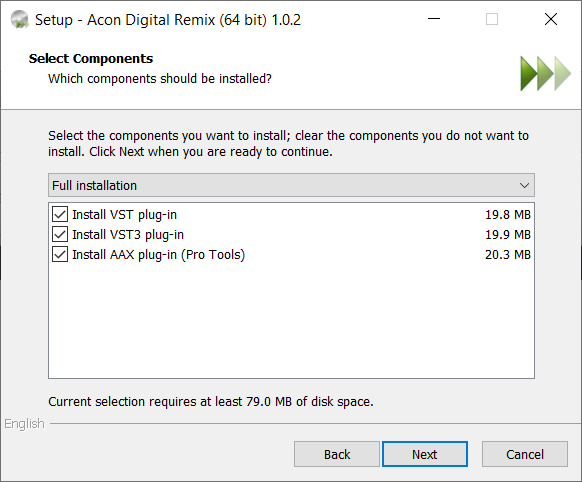
- Available in VST, AU, AAX formats on both macOS (Intel and Apple Silicon) and Windows
Made For Professional Surround Mixes
Verberate Immersive 2 is used by professionals in music and post because it lets them move quickly, sound great, and keep their systems responsive. Whether you’re placing ADR in a virtual room, expanding a lead vocal in a 7.1.4 Atmos session, or building cinematic transitions with rich reverb tails, this is a tool you can trust to deliver immersive results without compromises.
Who's It For?
- Film and TV mixers working in Dolby Atmos or surround
- Music producers building immersive tracks
- Post engineers handling dialogue, ADR, and Foley
- Game sound designers crafting believable environments
Seamless EUCON Integration for Serious Workflows
Verberate Immersive 2 supports EUCON, giving you tight, tactile control on Avid control surfaces like the S6, S4, S3, and Dock. Its parameters are smartly mapped by default, so you can adjust reverb times, position elements in 3D space, and shape EQ and decay right from your surface.
This isn’t just about convenience, it’s about helping professionals to work faster in demanding post and music sessions where grabbing physical faders and encoders makes all the difference.

Features
Platforms and Plug-in Formats
- Available as VST or AAX plug-ins on PC (Windows)
- Available as VST, AAX or AU plug-ins on Apple Macintosh (macOS)
- Native 32 bit or 64 bit versions of all plug-ins are available
- Supports sampling rates up to 96 kHz
- Supports all common speaker layouts up to 7.1.6
Acon Digital Verberate Immersive 2
- Two different late reverb algorithms: The new Vivid Hall and the Legacy Hall from version 1
- Vivid Hall is time variant and resonance free
- Independent early reflections and reverberation tail processors
- Integrated panners for direct signal, reverb and early reflections
- Realistic early reflections that blend into the mix without unpleasant comb filter effects
- Dense late reverberation tails
- Able to model frequency dispersion in mechanical plate reverbs
- Optional swirl effect models the frequency modulated cloud-like reverb tails of vintage digital reverb units
- Uncluttered user interface
- Graphical visualization of equalizer frequency response and frequency dependent reverberation times
- Preset manager and a large number of factory presets
- Save, load and categorize user presets
Stereo Music Audio Examples
Here are stereo audio demos showcasing various instruments processed with Verberate. Each clip includes a dry version, followed by several examples using different Verberate presets.
System Requirements
Windows
- Windows 10 / 8 / 7
- Intel Core i3 or AMD multi-core processor (Intel Core i5 or faster recommended)
- 1366 x 768 display resolution (1920 x 1080 or higher recommended)
- 1 GB RAM (4 GB or more recommended)
- 1 GB free HD space
- A host application that is compatible with (32 or 64-bit) VST, VST3 or AAX (Pro Tools 10.3.5 or higher)
macOS
- macOS / OS X 10.9 or later (macOS 11 Big Sur Intel and M1 Mac supported) (64-bit only)
- 1 GB RAM (4 GB or more recommended)
- 1 GB free HD space
- A host application that is compatible with AU, VST, VST3 or AAX (Pro Tools 10.3.5 or higher)
Awards


Gisle Tveito
Sound Supervisor, Storyline AS.
"Great on dialog, astonishing on music and FX, and a game changer in how we mix foley."
Sound On Sound
World-renowned music technology magazine.
"This is both a versatile and very nice-sounding reverb."
Computer Music
The world's best-selling subscriber magazine that's fully dedicated to making music with your PC or Mac.
"Verberate is a brilliant, novel and genuinely unique offering from the increasingly impressive Acon Digital..."