


 Log In

Free gifts available with your purchase

Clearer Space
'Mutant Reverb’ is a mono-to-stereo reverb plugin with a built-in ducker; perfect for vocals, percussion, synths and many other applications where you need precise control of reverb tails. Adding reverb to sounds gives warmth, character and places the sound in a real-world space. However, big problems arise when a reverb tail masks the clarity of the original signal, resulting in a muddy and undefined sound. Mutant Reverb is the solution, in just a couple of clicks, you can duck the reverb processing out of the way of the original audio without any complicated side-chain or compression routing. Just plug and play.
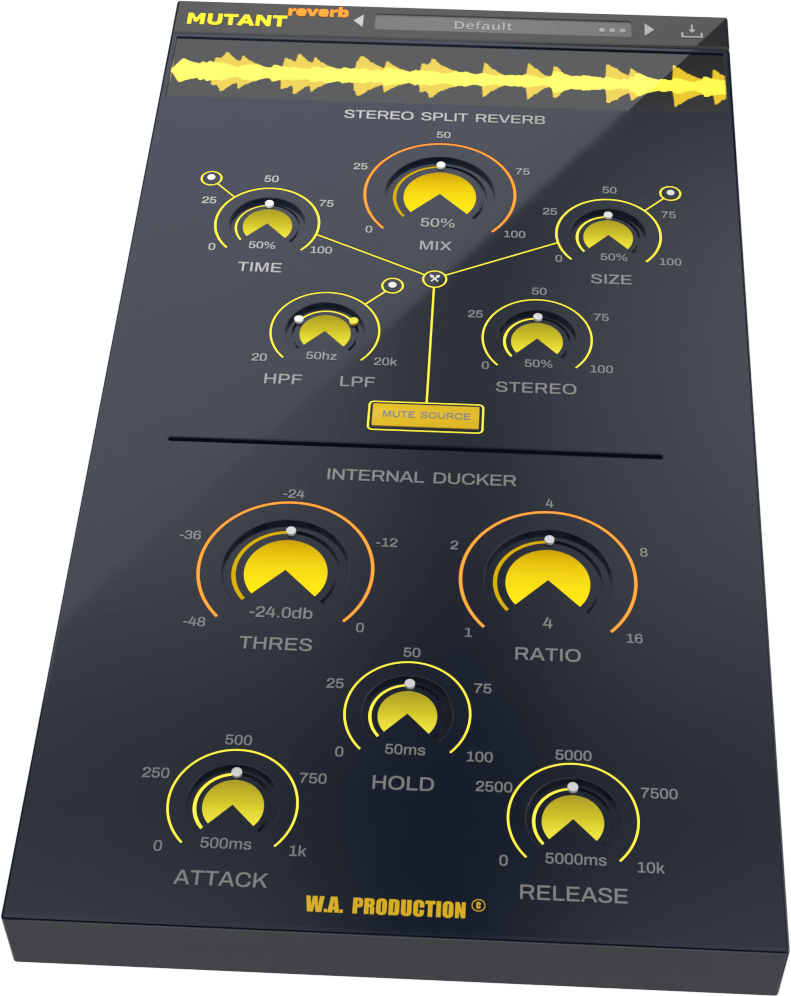
Mutant Reverb offers Stereo Split processing with a lush reverb algorithm that can turn a mono source into a stereo reverb signal. W.A Production has also included several controls to tune the room and tail character of the reverb effect. The Internal Ducker section gives you the typical threshold, ratio, attack, hold and release controls, to create space in your mix. You can even mute the original signal, to listen to the ducked reverb effect in precise detail or use the plugin on an effect bus. The visual feedback section at the top of the interface shows how the dry and wet signals are interacting in two distinct colours, making it easy to identify the reverb and ducking. Whether you’re producing vocal, synth or percussion tracks, Mutant Reverb should be in your back pocket to create space and clarity in the mix.
Power
The Mutant Reverb logo acts as a bypass control for the whole plugin, and is smoothed to be click and pop free for unhindered A/B testing.
Visual Feedback
The waveform graph at the very top of the interface shows the dry source and the wet reverb signal in different colours. You can clearly see the reverb tales and the ducking taking place.
Mix Control
Use the Mix dial to set the wet reverb level. Used in conjunction with the Threshold and Ratio dials within the Internal Ducker section, this parameter can give precise control over the performance of the reverb tail. If you want to listen to the ducked reverb effect in solo mode (or use the plugin as an effects send) just activate the mute button to mute the source signal.
Time & Pre-Delay
With the Time dial, you can set the length of the reverb tail up to an infinitive amount for endless ambience. Adjust the reverb's pre-delay time with the addition dot control, up to 100ms.
Size & Diffusion
Set the simulated room size of the reverb with the Size dial and adjust the reverb's diffusion with the additional dot control, smoothing the sound of the simulated room.
Frequency shaping & Dampening
A common reverb technique; shaping the frequency of the reverb tail reduces high and low-end clutter. Mutant Reverb’s High & Low pass filter nodes can be used to filter the output of the ambience to high and low limits of your choosing. The dot control attached to the filter allows adjustment of the dampening, simulating a more natural sounding space.
Internal Ducker Section
The ducking section of the interface works similarly to a standard compressor and the Threshold and Ratio dials are the main controls for shaping how the ducked signal is processed. Threshold sets the intensity level at which the compressor starts working and the Ratio dial dictates how much gain reduction is applied.
Advanced Controls: Attack / Hold / Release
You can fine tune the behaviour of the ducking effect with the Attack, Hold and Release dials. Attack allows you to ignore transients in the original signal. Hold stabilises the generated gain reduction. Release sets the fade out time for the gain reduction. Adjusting these parameters is the key to shaping your bespoke reverb effect.
Presets
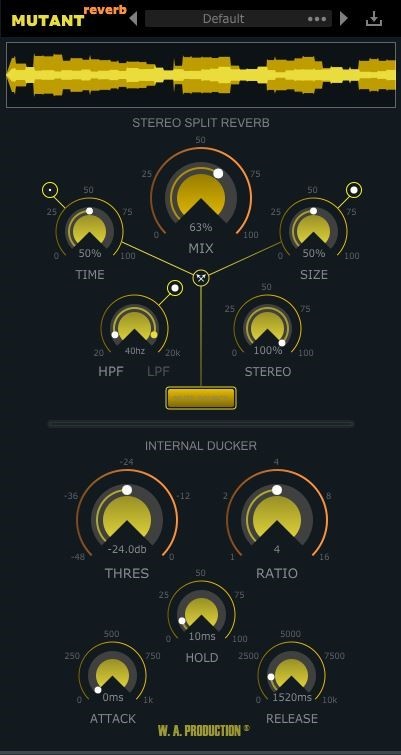
Including a wide range of factory presets, Mutant Reverb is designed to get you up and running quickly. The specially tailored settings include many types of ambience, from plate and room emulations right through to special FX. These are all easily accessible from the plugin menu and of course, you can save you own settings as user presets too.
This all-in-one frequency shaped ducked reverb gives you precise control over the reverb tails of vocals, percussion, synths and so much more. Mutant Reverb perfectly controls the feeling of ambience and space, without complex routing and side-chaining, maintaining the clarity of the original signal. Tame those tails!
W. A. Production are real-life producers making creative plugins to help you achieve studio quality processing quickly and easily. Enjoy!
Features
- Clean sounding algorithmic reverb
- Built-in internal ducker with compressor-style controls
- Many presets for a wide range of reverb parameters
- Click free bypass control
- Time, Size and Frequency filter dials
- Advanced controls for Pre-Delay, Diffusion & Dampening
- Real-time waveform display
- Full PDF Manual & Tutorial video
- Resizable user interface
System Requirements
- VST Windows 8 or higher (32 / 64-bit)
- VST / AU macOS 10.13 and later (64-bit only)
Please Note: AAX format requires Pro Tools 11 or higher.
Important Note for Mac Apple Silicon users: Before purchasing, please review the current compatibility status of this plugin on your system here.

Miza
DJ / Producer.
"I'm very impressed by the quality and how realistic the Reverb sounds."

Yuja
DJ / Producer.
"Mutant Reverb absolutely does not fail to impress. This plugin is a must-have."

The Samplecast
The show for sample library geeks, plug-in fans and people who love toys that make noise.
"When my vocal reverbs get messy, Mutant Reverb is ready to clear things up."
Reviews Summary
While it aims to provide a helpful overview, it may not capture every perspective or detail. We encourage you to read individual reviews to make an informed decision.
Overall, users highly praise this versatile and budget-friendly reverb plugin, especially for vocal processing. Standout features include its presets and particularly the ducking function, which keeps vocals clear even with heavy reverb tails. While sentiment is overwhelmingly positive, a few reviewers noted minor dissatisfaction with the sound quality.


