


 Log In

Free gifts available with your purchase
Futuristic Digital Reverb
Lose yourself in a totally new type of reverb. An original Arturia effect for the 21st century.
The most innovative sound design ever found in a reverb plug-in, it offers amazing new ways for experimental, progressive music makers to twist and warp their sounds, and redefine what a reverb can be.
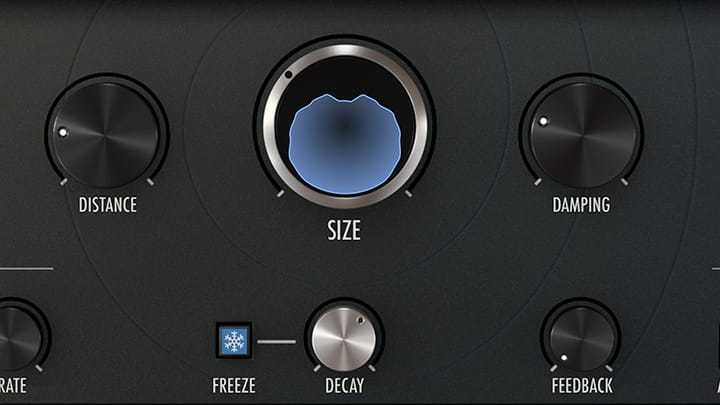
Cinematic Sound
The perfect “widescreen” reverb for whenever you need to make a big impression.
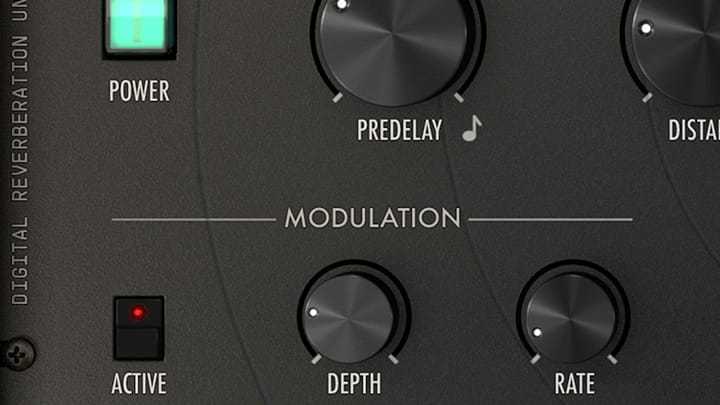
Amazing Modulation
Transform your original sound into something new using advanced modulation.
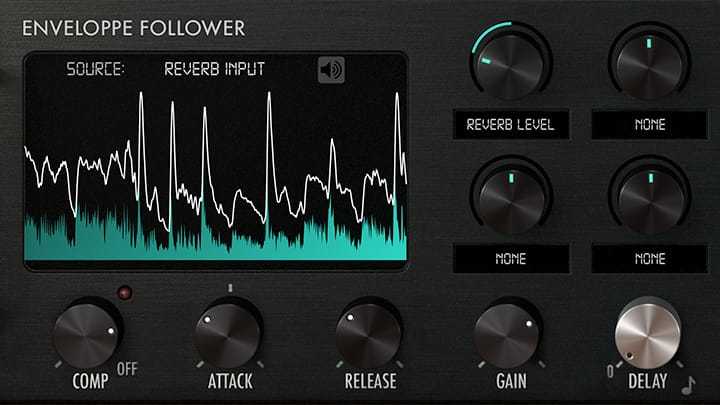
Sound Shaping Power
Get creative with unique, synth-style parameters that let you go above and beyond standard reverb.
Not a copy, not an emulation, not a tribute. Rev INTENSITY is an exciting, original reverb that will change the way you think about this type of audio effect. Having analyzed and recreated the best studio gear ever made for the FX Collection, Arturia took notes and pointers from the classics, combining the best of all things digital into one awesome reverb plugin.
Free from any restrictions, Arturia’s developers used cutting-edge algorithmic techniques to create a lush, versatile reverb that sounds fantastic, but is easy on your CPU. Arturia also packed this reverb with innovative presets that make full use of its advanced feature set, as well as integrated a tutorial into the plugin so you can learn as you go.
If you’re ready to get adventurous with your reverb, Rev INTENSITY will blow you away. Pre and post-filtering, integrated lush chorus, reverb freeze, and soft-clipping. Modulate any parameter with an envelope follower and a programmable function. Perfect for sound designers, and any producer looking for quirky, unique effects.
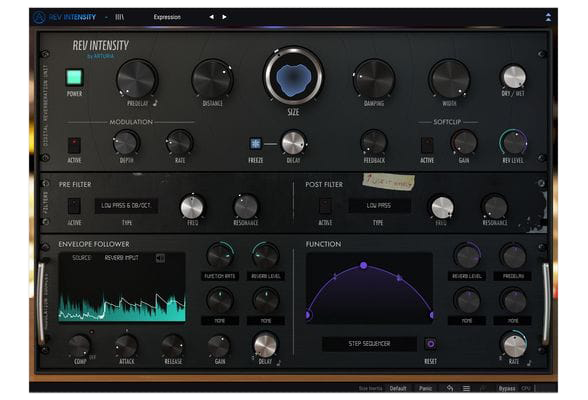
Features
- Intuitive Reverb Controls: Keep it simple with descriptive attributes that let you easily understand what you’re changing.
- Built-In Chorus: The simple but effective mod-chorus lets you thicken up your reverb sound inside the plugin.
- Freeze: Lock in a moment of your reverb, and control how it fades when you unlock it.
- Soft Clip: Smooth out your harsh drive with soft clipping. You can even crank the gain to saturate your sound.
- Pre and Post Filters: Multi-mode synth-style filters let you carve out your perfect tone, or get things screaming with resonance controls.
- Envelope Follower: Use the incoming signal itself, or a sidechain signal to modulate any parameter within Rev Intensity.
- Function Creator: Create unique, customizable animations that you can use to alter any part of the reverb’s controls.
Additional Features
- Highly programmable and modulable engine with up to 13 destinations
- Multimode pre-filter and post-filter
- Programmable envelope follower with side-chain
- Programmable function generator
- Feedback line & softclip
- Integrated delay modulation
- Freeze feature
- Resizable window
- Integrated tutorials
- A comprehensive set of presets
System Requirements
- Works in Standalone, VST, AAX, Audio Unit, NKS (64-bit DAWs only).
Mac
- Mac OS 10.13+
- 4 GB RAM
- 4 cores CPU, 3.4 GHz (4.0 GHz Turbo-boost) or Apple Silicon CPU
- 1GB free hard disk space
- OpenGL 2.0 compatible GPU
Windows
- Win 10+ (64bit)
- 4 GB RAM
- 4 cores CPU, 3.4 GHz (4.0 GHz Turbo-boost)
- 1GB free hard disk space
- OpenGL 2.0 compatible GPU
- ARM processors not supported on Windows
Protection
All Arturia software is protected by the Arturia Software Center.


