


 Log In

Free gifts available with your purchase

Replicate Realism
Transforming your sound with authentic room tones and ambient characteristics is now easier than ever with Lifeline Re-Amp intuitive speaker emulations and re-amping techniques.

Re-amping helps to shape sounds and draw out their unique character. Where producers and engineers once needed hours to set up studios to create ambience and realistic room tones, Lifeline Re-Amp can instantly move microphones, switch amps and add effects to create a realistic ‘live’ environment in a few clicks.
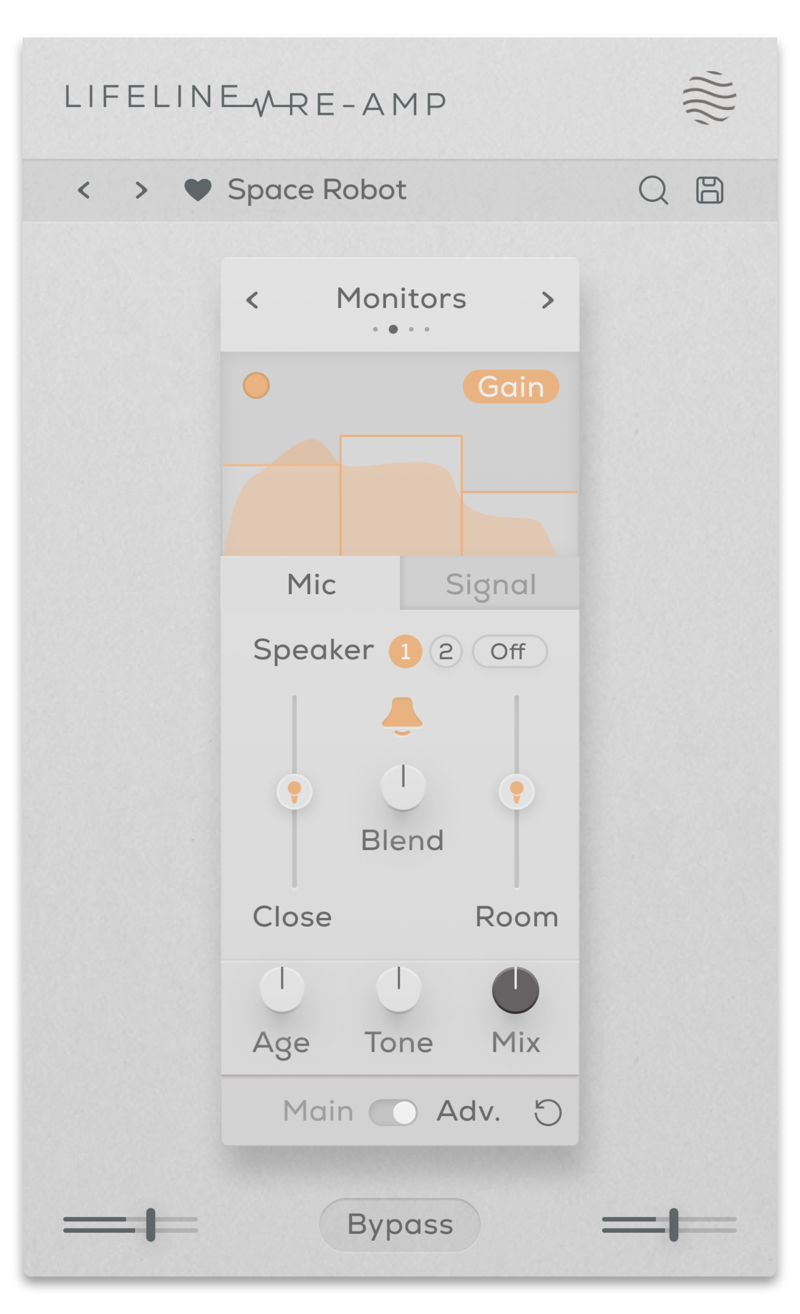
There are a versatile range of speaker emulations to experiment with, ranging from classic recording equipment to modern-day devices. From a Gameboy and vintage 8-track recorder to high-definition monitors and an electric guitar cabinet, decades of audio authenticity is ready and waiting. You can easily manipulate the age, drive, tone and mix of each element to emphasise each device’s individual qualities.

- Device: Emulations of small consumer electronics such as phone and laptop speakers.
- Cabinet: Emulations of medium-sized guitar cabinets.
- Monitors: Emulations of larger studio monitors with a rich frequency response.
- Vintage: Uses the impulse responses from vintage recording equipment including a classic 8-track cassette recorder and a ribbon microphone.
Features
- 8 Speaker Emulations
- Speaker Age control (With Adv. Multiband processing)
- Speaker Size & Drive controls
- Bass Separation control
- Close Mic / Room Mic Distance & Blend controls
- Output Gain, Tone, Dry/Wet Mix controls
- Multiband functionality for Gain and Effect processing
- Input/Output Gain Controls
- Global Bypass
- Resizeable UI
- Zero Latency
- 50 Presets
System Requirements
macOS
- macOS 10.15 or higher (Intel / Native Apple Silicon supported).
- Plugin Formats: VST3, AU, AAX, Standalone
- DAW's Supported: Ableton Live, Pro Tools, Logic Pro, FL Studio, Cubase, Nuendo, Reaper, Reason + more.
- Compatibility: 64-bit compatible only.
Windows
- Windows 7 or higher
- Plugin formats: VST3, AAX, Standalone
- DAWs supported: Ableton Live, Pro Tools, FL Studio, Cubase, Nuendo, Reaper, Reason + more.
- Compatibility: 64-bit compatible only.

Beat Magazine
Skills & software for producers & DJs.
"This plugin really shines as a versatile tool for breathing more life into static sounds, creating lo-fi sounds or giving sounds more character and three-dimensionality."

MixbusTv
Platinum-selling mixing/mastering engineer and producer David Gnozzi.
"It's my new favourite for 808s and basslines."

Dokkodo Sounds
Composer, Producer, and Sound Designer - Inner Ocean Records, Ninja Tune Music, EMI.
"A great tool to help convey emotion and add life to your recordings."


