


 Log In

Free gifts available with your purchase
Feel the Roar, Own Your Tone!
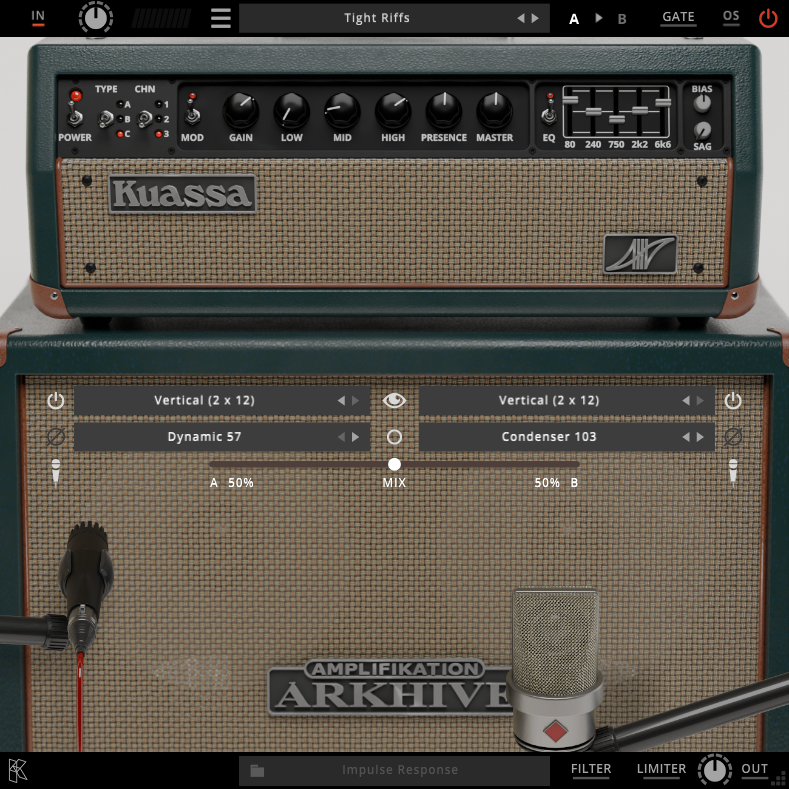
Break into the world of legendary tone with Kuassa Amplifikation ARKHIVE.
ARKHIVE is a state-of-the-art plug-in designed to epitomize the essence of the iconic MK5* amplifier. Designed for discerning musicians and producers, Kuassa Amplifikation ARKHIVE accurately reproduces the amplifier’s hallmark versatility, tonal depth, and dynamic range in your personal computer. Don’t hesitate to try it to hear the difference.
Kuassa Amplifikation ARKHIVE features the original amp’s advanced three-channel structure, each offering distinct voicing options, and a fully integrated graphic EQ section. ARKHIVE empowers users to shape any sound with precision. This plug-in brings the revered character of the renowned tube amplification into the digital realm, offering a seamless blend of analog-inspired massive tone and modern production capabilities.
Features
- Three amps with three channels each
- Amp A: Focuses on clean tones with voicings like Clean, Fat, and Tweed
- Amp B: Delivers aggressive sound with Edge, Crunch, and classic Overdrive tone
- Amp C: Offers heavy high-gain sounds and powerful extreme mode
- Different ‘Mod’ for each amps for different voicings
- Five-band equalizer for enhanced tonal shaping.
- Sag and Bias feature on the power amp section
- Low pass and high pass filters.
- Five cabinet types with impulse responses derived from matching cabinets.
- Nine types of workhorse mics
- Freely adjustable dual-microphone setups with mono or stereo output options, replicating real-world guitar recording sessions, complete with a mix control feature.
- Built-in Noise Gate and Limiter
- Supports up to 8x Oversampling.
- User friendly interface: Straightforward single screen GUI.
- Available as an Amplifikation 360 module
System Requirements
Windows
- Windows 7 or Later (64-bit only)
- Core2Duo, or AMD Phenom ii X4 or better (latest Intel i3, AMD A4, or better is recommended)
- 4 GB RAM
- VST or VST3 compatible host / DAW
Mac
- macOS 10.11 or later (Intel / Apple Silicon supported) (64-bit only)
- Intel Core 2 Duo / M1 Apple Silicon or better (latest Intel i3 recommended)
- 4 GB minimum RAM
- VST, VST3, or Audio Units compatible host / DAW
Important Notes:
- Pro Tools 11 or later is required for AAX format

















