Log In

Free gifts available with your purchase
Sparkly Cleans to Aggressive Gains
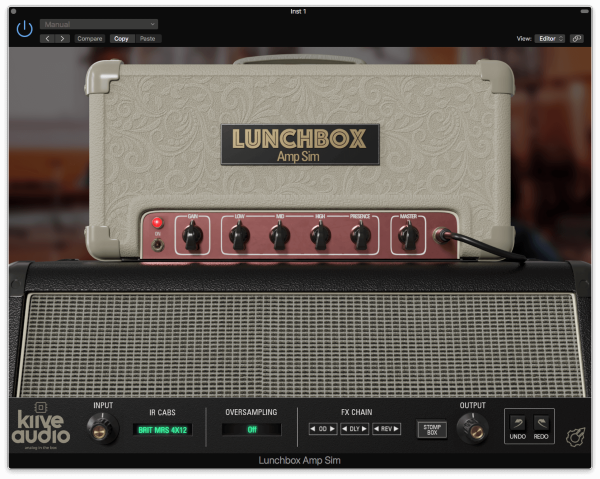
The Lunchbox Amp Sim is a recreation of one of the most notable British valve amps from the 1960s. It features tube amp-like tones, as well as three factory, picked cab impulse responses. It also includes drive, delay, and reverb pedals. Take your guitar tones from sparkly and jangly indie-rock tones or drive your signal with the included overdrive pedal and get some intense rock and hardcore tones!
Amp and Cabs
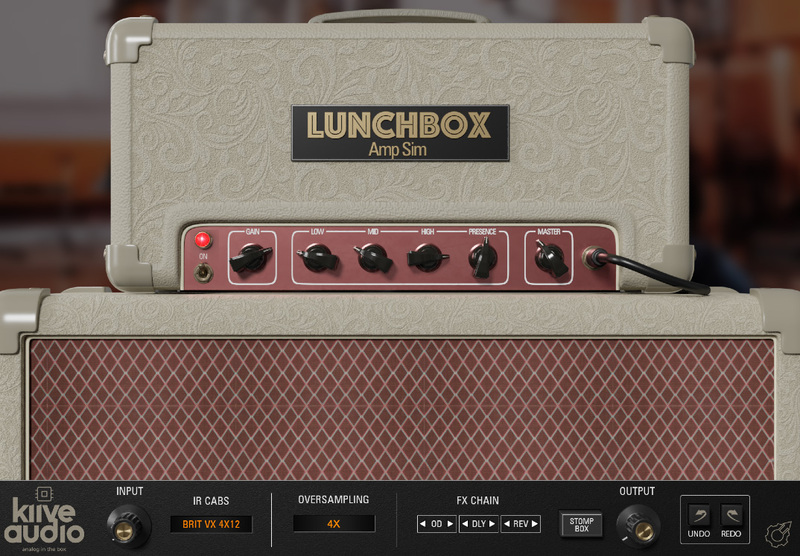
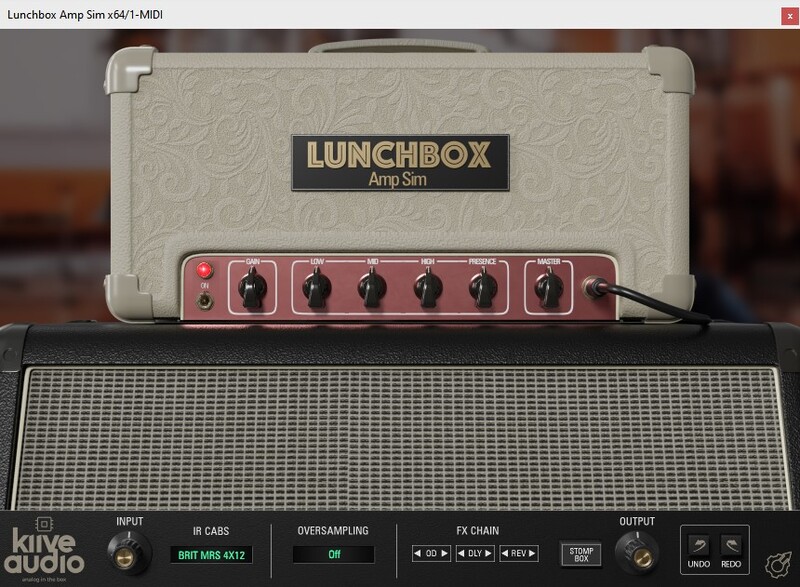
The amp section of Lunchbox allows you to tweak the amp controls much like a real amp you also have the option of switching between 3 factory selected cabs (which will update the GUI as well), you can also bypass the cab IR to use your own.
The Pedals
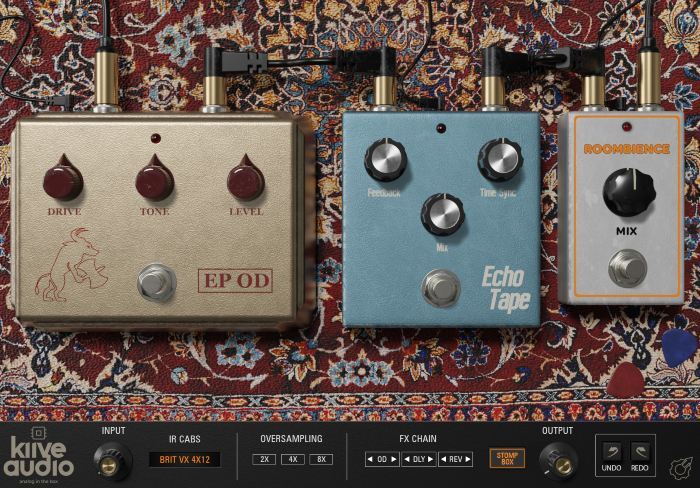
The Stomp Box Pedals section of Lunchbox gives you access to three stompboxes: a Transparent Overdrive, a Delay and a one-knob room reverb. You can also enable and disable the pedals from the signal chain section on any page.
Features
- Amp / Pedals Page Switch
- Mono to Stereo Support
- Cab Bypass
- Three Stomp Box Emulations
- Resizable GUI
- Oversampling
System Requirements
macOS
- OS X 10.7 or higher (macOS 10.14 or higher recommended)
- Processor: 1 GHz Intel Dual Core or higher
- Screen resolution: 1024 x 768 or higher
- Formats: VST, AU, AAX
- 64-bit DAW support only
Windows
- Windows 7 and above
- Processor: 1 GHz Intel Dual Core Processor or AMD equivalent
- Screen resolution: 1024 x 768 or higher
- Formats: VST, AAX
- 64-bit DAW support only
Paul Kruz
(The Holsta, Roberto Zambia, Jay Rox)
"The Lunchbox Amp it’s not just an amp, you can do a lot with it once you take a deep dive. From guitars to Keys to 808s, this thing is a beast."