/ Filter / Filter MS-20
Arturia

Filter MS-20

4.6 (1010 Reviews)
$99.00
Filter MS-20 Main Image
Tutorials | Filter MS-20 - Overview gallery thumbnail
Filter MS-20 Envelope
Filter MS-20 Sequencer
Filter MS-20 Function
Main Image
Buy Now
Product information

Punchy Sound Energizer

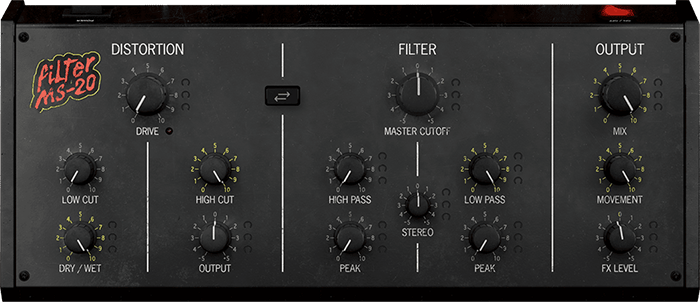
Filter MS-20 is a stereo filter and distortion effect modeled on the infamously abrasive MS-20 synthesizer. Pump destructive crunch, roaring filter sweeps, and ultra-fat stereo depth into your mixes with an audio plugin that’ll make anything sound massive.

Make anything sound massive

Turn any sound into huge, colorful, unstoppable textures and timbres that’ll give your DAW production the edge you’ve been looking for.

Filter MS-20 extracts the sonic character from an iconic instrument, distilling and enhancing it into a go-to effect for creative mixing and radical sound exploration.

Punchy filter, edgy distortion
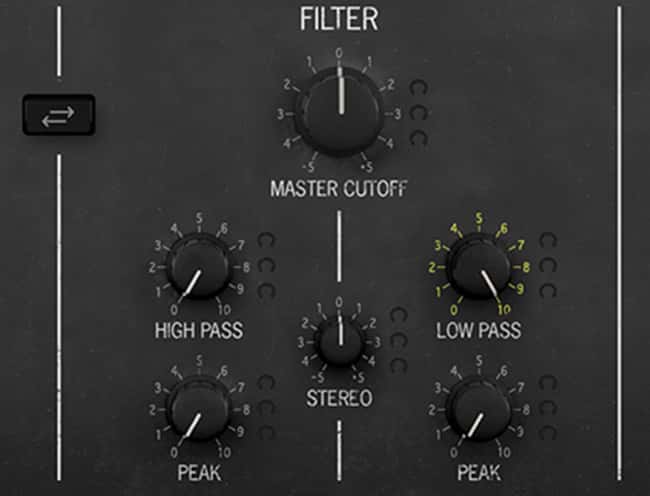
From soft rubbery bass to howling resonant sweeps, subtle fuzz to outright destruction, sculpt your sounds with the grainy filter sweeps, crushing bass, and abrasive distortion that put Filter MS-20’s namesake synth on the map, courtesy of our TAE® technology.

Push it further
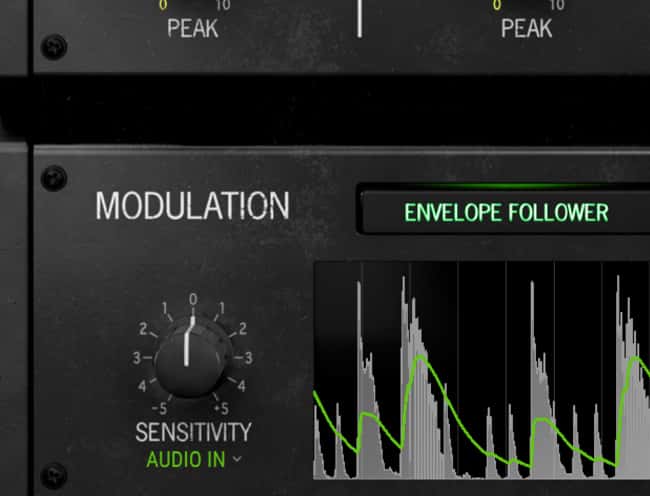
Set Filter MS-20 loose into your mix and savor wild, exciting results. Modulate and animate its virtual circuitry, reroute its filter and distortion sections, and explode the stereo width of any sound with an array of enhanced modern features.

Simple to use

Fire up Filter MS-20 and enjoy its gritty, addictive sound immediately with a knob-per-function interface, macro-style controls for quick sweeping changes to your mix, and deep sound design controls just a click away.

Your mix, your style
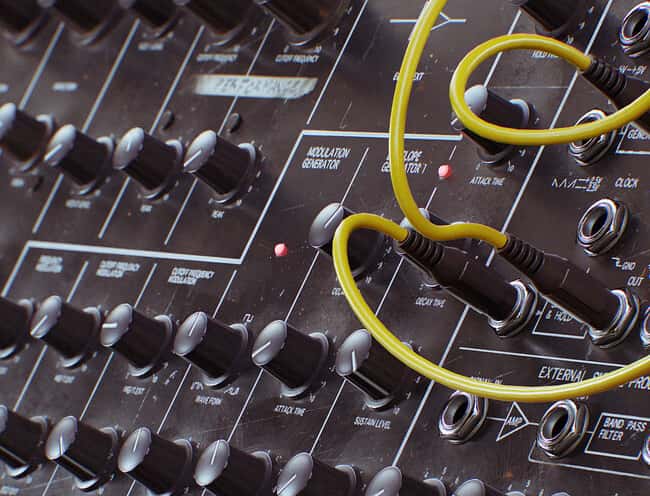
The Soul of a Monolith

In the ‘70s, analog synthesizers reigned supreme.

Rich in their sound, powerful in their versatility, playful in their design, these instruments all but defined popular music of the time. But in 1978, a menacing semi-modular black box appeared on the horizon that changed the face of analog.

Aggressive and mysterious in equal measure, the heart of the MS-20's sound was a powerful filter and external signal processing module that handled both bark and bite. Filter MS-20 deconstructs these modules and rebuilds them as an effect enhanced for modern production.

Features

  • Emulated stereo analog filter and distortion effect
  • Circuit-accurate modeling with exclusive TAE® technology
  • Resonant Low Pass, High Pass modes
  • Master Cutoff for Band Pass-style functionality
  • Stereo offset for widening filtered sounds
  • ESP distortion circuit with input filtering
  • Switchable routing (Distortion > Filter, Filter > Distortion)
  • Output Mix and Level controls
  • Envelope Follower
  • Function Generator
  • 16-Step Sequencer
  • Movement macro for attenuating/boosting modulation
  • A/B comparison

System Requirements

  • Works in Standalone, VST, AAX, Audio Unit, NKS (64-bit DAWs only).

Mac

  • Mac OS 10.13+
  • 4 GB RAM
  • 4 cores CPU, 3.4 GHz (4.0 GHz Turbo-boost) or Apple Silicon CPU
  • 1GB free hard disk space
  • OpenGL 2.0 compatible GPU

Windows

  • Win 10+ (64bit)
  • 4 GB RAM
  • 4 cores CPU, 3.4 GHz (4.0 GHz Turbo-boost)
  • 1GB free hard disk space
  • OpenGL 2.0 compatible GPU
  • ARM processors not supported on Windows

Protection

  • All Arturia software is protected by the Arturia Software Center.
Installation Instructions

Registration

1. Go to the Arturia login page. You will be prompted to create an account or log in (if you already have an Arturia account, please log in and skip to Step 4 of the registration process).

2. Click 'Create an account'.

3. Enter your details and click 'I'm not a robot'. Choose your marketing preferences and then click 'Create'.

4. You should have received an email to activate your account. Click the link that has been sent to you and login into your account by entering your personal details.

5.  You will be redirected to your Arturia account area, where you can click the 'Register New Product' option.

6. Enter the Serial Number from your Plugin Boutique account (the 16-digit code that consists of 16 numbers), e.g. 1234-5678-9012-0000 and then enter your Unlock Code (the 8-digit code that consists of letters and numbers), e.g. C5GM00N9 > Click 'Register'.

Please note: Your Arturia codes will either be separated by a comma, e.g. 1234-5678-9012-0000,C5GM00N9 or by the letters 'Uc:', e.g. 1234-5678-9012-0000 Uc:C5GM00N9.

Your product is now registered!

Mac Installation

Note: Pigments is used as an example.

1. Go to https://www.arturia.com/support/downloads&manuals > Click the download icon to download the installer for the Arturia Software Center.

2. Open the installer for the Arturia Software Center > then click 'Continue'.

3. Click 'Continue'.

4. Read the software licence agreement > then click 'Continue'.

5. If you are happy with the terms of the software licence agreement click 'Agree'.

6. Click 'Install'.

7. Enter your login credentials and click 'Install Software' (or tap your fingerprint) to install the Arturia Software Center.

8. The Arturia Software Center is now installed > click 'Close'.

9. Open the Arturia Software Center and log into your Arturia account.

10. Your purchase will now be in your account > click 'Activate' to authorise the product on your system. 

11. Click 'Install' to download and install the software onto your computer system.

Your software is now activated and ready to use in your DAW.

Windows Installation

Note: Pigments is used as an example.

1. Go to https://www.arturia.com/support/downloads&manuals > Click the download icon to download the installer for the Arturia Software Center.

2. Open the installer for the Arturia Software Center > then click 'Yes'.

3. Click 'Next'.

4. Click 'Next'.

5. Click 'Install'.

6. Click 'Finish'.

7. Open the Arturia Software Center > click 'Yes'.

8. Sign in to your Arturia account.

9. Click 'Next'.

10. Click 'Next' or install the software to your preferred custom VST folder(s).

11. If you are asked about sharing your anonymous data with Arturia's team, click 'Yes, I agree' or 'No, thanks' to proceed.

12. The software will now be in your Arturia account > click 'Activate' to authorise the product on your computer system. 

13. Click 'Install'.

14. Your software will now download and install.

Your software is now activated and ready to use in your DAW.

Plugin Boutique Rewards

Discover the most rewarding loyalty programme among all plugin retailers.

  • Free Loopmasters Samplepacks
  • Discounts on products and courses
  • Extra Virtual Cash claimed immediately at checkout
Find out more

Follow us:

X (Twitter) Facebook YouTube Instagram
Logo Logo

Plugin Boutique Limited, Part of the Beatport Group LLC.

Copyright © 2011-2025 Plugin Boutique. All rights reserved