


 Log In

Free gifts available with your purchase
The Ultimate Multi-Filter
Filterverse is a groundbreaking audio filter plug-in that offers filter types never heard before. It seamlessly blends bleeding-edge innovation with meticulous attention to detail and sets a new benchmark for filters.
From the classic to the exotic, Filterverse opens a portal to previously unimagined possibilities. Whether you know exactly what you want to hear, or aim to discover an entirely new sound, Filterverse makes dialing it in easy and inspiring.
Begin your journey of exploration of sonic dimensions beyond imagination. Enter the Filterverse.
Universe of Filters
Choose from classic, fat, saturating filters like Swiss Army Knife or the sweet-sounding Bread and Butter, linear, transparent filters like Clear Glass, extremely steep brick wall filters, exquisite multi-peak creations such as Ripples and Double-Slit, cyberpunk filters such as Robo Comb, and other audio effects including our Tempolay rhythmic granular delay and Space — our elastic and lush reverb.
Modulation Madness
Filterverse features a highly intuitive interface for assigning its 8 modulation sources: Meta Knob, sequencer/LFO, ADSR, envelope follower, randomizer, pitch detector, MIDI/CV input, and audio-rate oscillator. Sources can have multiple destinations and destinations can have multiple sources. You can cross-modulate sources with each other, stereo modulation is easy to access, and none of it requires any menu-diving!
Maximum Verse-atility
With three slots you can populate with any filter or effect you like, absolute sonic flexibility is ensured. Freely drag filter tabs to change their position, and pick serial, parallel, or combination setups in the routing tab. One or two clicks can provide instant inspiration and busting creative block. Panning, phase, and mid-side controls per filter let you further sculpt the sonic image.
Features
- Massive filter collection from timeless to futuristic
- Refined algorithms capture filter behavior in minute detail
- Many filters self-resonate and create pleasing saturation
- Optimized for audio-rate modulation
- Combine 3 different filters using extensive routing options
- 8 different modulation sources available at once
- Stereo modulation, panning and Mid/Side processing
- Modulators can cross-modulate each other
- Hundreds of presets by world-renowned producers
- Intuitive user experience focuses on immediate results
System Requirements
- For Windows and OSX 10.13+ (64-bit systems only, silicon compatible)
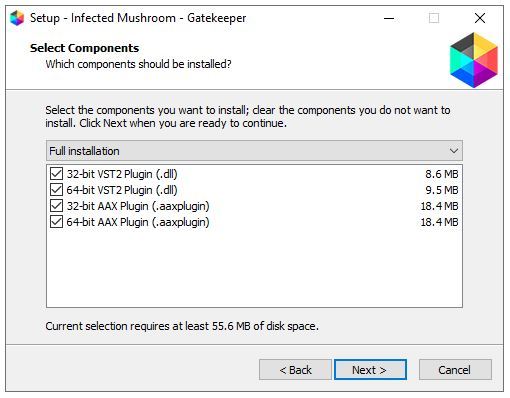
- VST2/VST3/AU/AAX formats

Reviews Summary
While it aims to provide a helpful overview, it may not capture every perspective or detail. We encourage you to read individual reviews to make an informed decision.
Customers generally praise the plugin for its unique, high-quality filters and inspiring sound-design capabilities, noting its versatility on individual tracks. While most feel it is worth the hype, some users mention a slight learning curve with the modulators, and a critical reviewer felt its complex features were niche and easily replicated by standard synth or DAW tools.


