


 Log In

Free gifts available with your purchase
The Iconic Color Of API’s Flagship Analog Console, With Expanded EQ
Now compatible with any soundcard on Mac and PC
From Stevie Wonder's Innervisions to Radiohead's In Rainbows, API desks have shaped hit albums with unmistakable punch, presence, and color for over 50 years. In 2013, Universal Audio released the API Vision Channel Strip plug‑in, artfully capturing API's flagship analog console.
Today, the updated API Vision Channel Strip Collection gives you more authentic API tone, now with switchable EQ modules and expertly modeled output section, plus all the critical recording and mixing functions of API's iconic compression, gating, and filter modules.
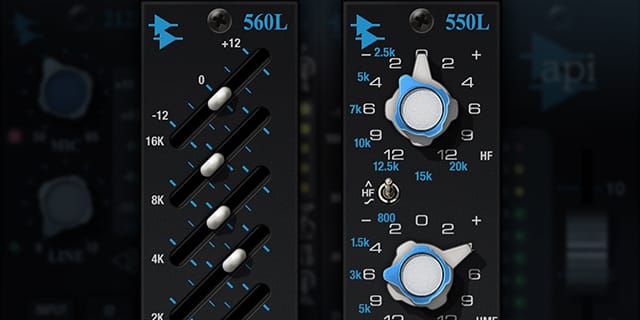
Sculpt with Parametric and New Graphic EQs
With a click of the new EQ Type button, the API Vision Channel Strip Collection lets you choose between the revered 550L 4-band parametric EQ and API's famous 560L series 10-band graphic EQ. The new 560L EQ emulation captures the complex band interactions and musical filter amp distortions of API's coveted hardware, letting you quickly sweeten and shape guitars, add aggression to drums, and push vocals forward with analog punch, low-end transparency, and ultra-tight imaging.
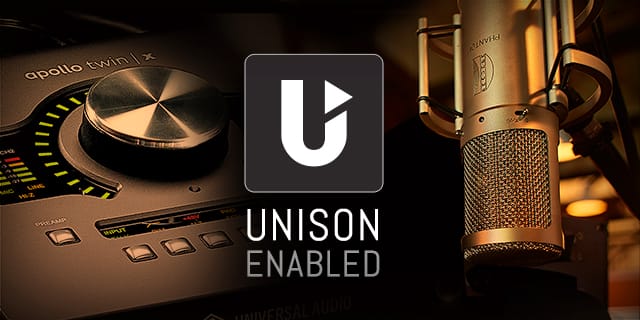
Instant Magic: The 212L Preamp with Unison Technology
The API Vision Channel Strip Collection gets even better with Apollo interfaces, thanks to Unison mic preamp technology. Unison gives you all the important impedance, gain stage “sweet spots,” and circuit behaviors of API's iconic 212L preamp via bi-directional control and communication between the software and your Apollo's mic preamps. Plus, you get the same features found in API's flagship Vision Console, including a Mic/Line switch, dedicated cut filter, and ‑6 dB line pad.
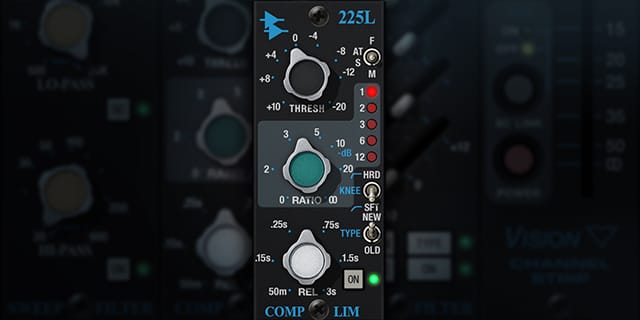
Shape Dynamics with the 225L Compressor
A versatile compressor teaming with character, the 225L thrives on any instrument, in any genre — from a single track to an entire mix. Plus, use selectable “New” and “Old” functions for two delicious brands of compression, from mild to severe.

Get Creative with API Gate/Expander and Filters
The ultra-fast 235L Noise Gate/Expander lets you easily shape ambience and attack on individual sources like kick drums or bass synth, and also clamp down on noisy drum kit rattles and gnarly guitar amp noise. Plus, the passive, fully sweepable 215L's Hi and Lo pass filters are perfect for broad stroke EQ sculpting, letting you expertly craft your source material, while preserving its original tone.
Features
- Use any audio interface, with both UAD Native and Apollo Realtime/UAD-2 versions included
- Track and mix through a stunning emulation of API’s flagship analog console channel
- Sculpt sources with new 560L series 10-band graphic EQ module and beloved 550L parametric EQs
- Punch up signals through the API 212L preamp with famed 2520 API op-amp and custom API transformers
- Reshape ambience and create dynamic effects with the 235L Gate/Expander
- Tame transients and craft bold new textures with API’s legendary 225L compression circuit
- Mix with artist presets from Joe Chiccarelli, Neil Dorfsman, David Isaac, and more
Versions Included with your Purchase
- UAD Native: Runs on your Mac or PC without any UA hardware
- Apollo Realtime & UAD-2: Runs accelerated on Apollo interfaces and UAD-2 hardware
- macOS Big Sur 11, Monterey 12, Ventura 13, Sonoma 14, Sequoia 15 and Tahoe 26
- Windows 10 or Windows 11 (64-bit editions)
- Intel, AMD, or Apple silicon processor
- Internet connection to download software and authorize UAD Native plug-ins (UADx)
- Free iLok account
- Compatible with iLok USB (2nd generation or higher) but not required
- Free UA Connect application for managing UAD Native plug-ins (UADx)
- A supported DAW compatible with VST3, AU, or AAX plug-in file formats.
Reviews Summary
While it aims to provide a helpful overview, it may not capture every perspective or detail. We encourage you to read individual reviews to make an informed decision.
Users overwhelmingly praise the UAD API Vision Channel Strip for delivering an authentic, punchy, and mix-ready analog API sound. Reviewers frequently highlight its intuitive all-in-one workflow (combining preamp, EQ, gate, and compression) and consider it especially effective on drums, drum buses, guitars, and vocals. While one reviewer noted frustration with the code redemption process, the consensus is that it is a versatile, top-tier channel strip.


