


 Log In
Free gifts available with your purchase
One For All Complete, Not Complex
If there is a single plugin to take to the desert island, it's the VCS-1. This zero latency channel strip integrates all the tools needed for instant signal enhancement and dynamics control… and then some! Complexity remains under the hood, as the user interface is based on a comprehensive, practical layout which supports a nimble workflow and is easy on the eyes.
Powerful Processing Tools
The VCS-1 shapes your tones with a triple-topology preamp offering different styles of coloration, wide-ranged high/low pass filters and a full-fledged parametric 5-band EQ. Dynamics are controlled by a luxurious compressor/limiter section and a highly practical gate/expander stage, clearly visualized by a comprehensive gain reduction and level metering panel.
Integrated Routing Matrix The individual processing sections are enhanced by highly flexible routing options. The filters and the equalizer can operate in stereo or mid/side mode, while the side-chain of the compressor can make use of the filters, the EQ, and external control signals. An additional mix stage allows on-board parallel compression, and every single section of the VCS-1 can be individually bypassed.
Global Link Groups The enormous processing power of the VCS-1 is rounded off by its capability of assigning individual plugin instances to virtual groups which share the same parameters all across your DAW, saving tons of time and effort. So, if you're looking for a single plugin to shape and process all of your signals, groups and buses in the most convenient way: Here you go.
Features
- Comprehensive channel strip offering complete signal enhancement and dynamics control
- Zero-latency operation, ideal for real-time processing
- Triple-topology preamp with selectable coloration styles
- Wide-range high/low pass filters and 5-band parametric EQ
- Includes compressor/limiter and gate/expander for detailed dynamics control
- Visualized gain reduction and level metering for precision
- Flexible routing options with stereo, mid/side modes, and side-chain control
- Integrated mix stage for on-board parallel compression
- Each section can be individually bypassed for customization
- Global link groups for shared settings across multiple instances in your DAW
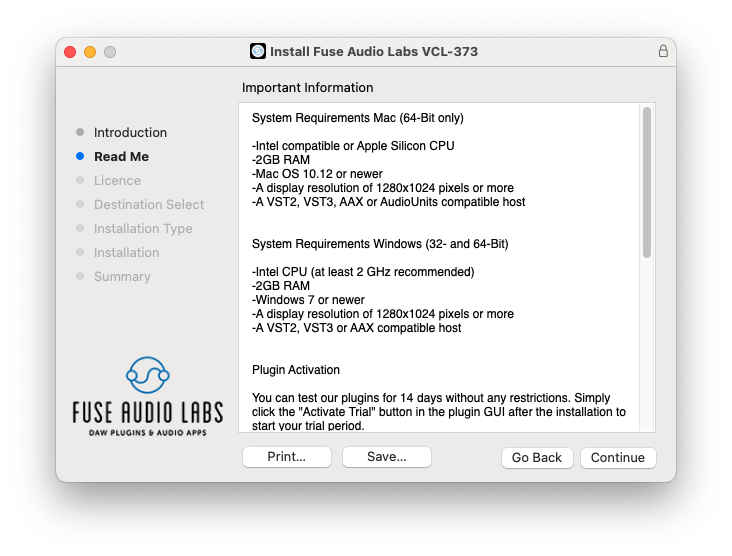
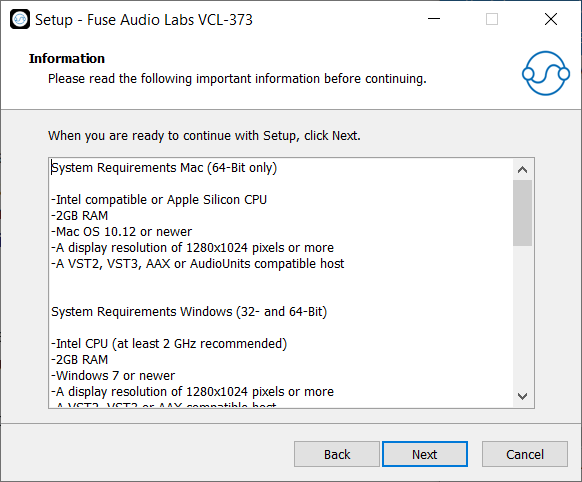
System Requirements
Mac (64-Bit only)
- Intel compatible or Apple Silicon CPU
- 2GB RAM
- Mac OS 10.12 or newer
- A display resolution of 1280x1024 pixels or more
- A VST2, VST3, AAX or AudioUnits compatible host
Windows (32- and 64-Bit)
- Intel compatible CPU (at least 2 GHz recommended)
- 2GB RAM
- Windows 7 or newer
- A display resolution of 1280x1024 pixels or more
- A VST2, VST3 or AAX compatible host



Reviews Summary
While it aims to provide a helpful overview, it may not capture every perspective or detail. We encourage you to read individual reviews to make an informed decision.
Users highly praise the Fuse VCS-1 channel strip for its exceptional versatility, sound quality, and low CPU consumption. Reviewers highlight its flexible preamp and EQ options that can emulate Neve, API, or SSL hardware, appreciating its practical workflow for both individual tracks and bus processing.


