/ Channel Strip / Abbey Road REDD Consoles
Waves

Abbey Road REDD Consoles

5.0 (1 Reviews)
$29.99 $149.00

79% off until Dec 07

Waves Abbey Road REDD Consoles
Waves Abbey Road REDD Consoles gallery thumbnail
Buy Now
Product information

Abbey Road REDD Consoles
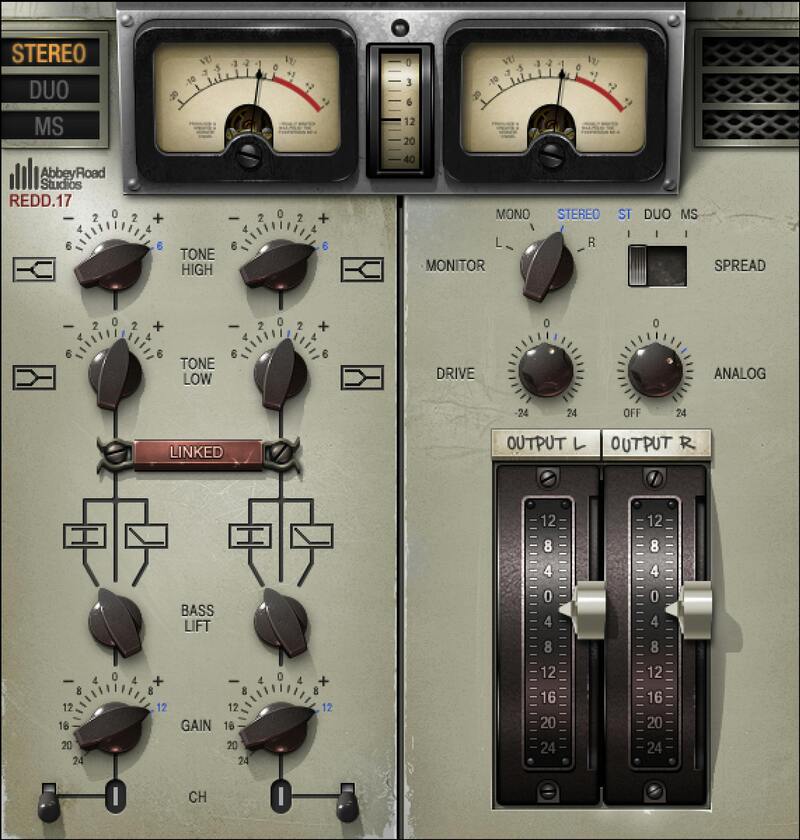
Three Classic Tube Console Strips: The Crunchy 60s POP Sound

In the 60s world of limited channels and tube-driven audio, the REDD consoles—custom-built by Abbey Road’s in-house Record Engineering Development Department—brought silky-smooth EQ, extraordinary warmth, and the ability to deliver serious punch and character when needed.

Designed in close collaboration with Abbey Road, REDD models the colorful, raw REDD.17, as well as the upgraded REDD.37 and the legendary REDD.51, complete with the famous in-house-built REDD.47 pre-amps.

Features

  • Three console channel strips with different characters
  • Make bass, drums, guitars, synths, and loops “pop” with warmth
  • Turn up the REDD drive for that raw, hard 60s sound
  • REDD.17 and REDD.37 model the enduring Siemens V72 tube amps
  • Minimalist, yet highly musical, equalization controls
  • REDD.51 model the legendary REDD.47 tube pre-amps

System Requirements

Mac

  • macOS Monterey 12, Ventura 13, Sonoma 14, Sequoia 15
  • VST / AU / AAX

PC

  • Windows 10+
  • VST / AAX
Installation Instructions

1. Head to https://www.waves.com/create-account

2. Enter your email and choose a password to create an account (if you already have a Waves account, choose Log in, enter your details and head to Step 5) > click 'Submit'

3. Open your email inbox > click the activation link in the email from Waves

4. Click 'Log in here' > Log in to your Waves account

5. Click 'Register New Products'

6. Enter the Serial Number found in your Plugin Boutique user account > click 'Submit'

7. Click download in your Plugin Boutique user account or head to https://www.waves.com/downloads/central > download the Waves Central app for your operating system

8. Install Waves Central > Open Waves Central

9. Click 'Log in' > enter your log in details

10. Click the 'Install Products' tab

11. Tick the blue dot on all products you wish to install or click the top dot to install all products > click 'Install & Activate'

12. Click 'OK'

13. Open your DAW > open the Waves plugin

Your Waves plugins are installed and ready to use, enjoy!

Plugin Boutique Rewards

Discover the most rewarding loyalty programme among all plugin retailers.

  • Free Loopmasters Samplepacks
  • Discounts on products and courses
  • Extra Virtual Cash claimed immediately at checkout
Find out more

Follow us:

X (Twitter) Facebook YouTube Instagram
Logo Logo

Plugin Boutique Limited, Part of the Beatport Group LLC.

Copyright © 2011-2025 Plugin Boutique. All rights reserved










