Log In

Free gifts available with your purchase
Note: This is an upgrade product for owners of v6. The full version can be found here.
Analog Channel emulates the sounds of high-end analog tape machines, tape, and channel amplifiers.
Analog Channel is 2 plug-ins:
- AC101 – Emulates analog channel amplifier circuits
- AC202 – Emulates analog tape machines
The AC101 configuration acts as a digital pre-amp allowing even excessive amounts of gain without digital distortion. A drive control determines where the audio “sits” in the saturation/compression region, and even the attack and release times of the distortion character are adjustable.
The AC202 configuration emulates analog tape machines. In addition to standard tape machine parameters such as bias, playback speed, and IEC1/2 equalization, AC202 offers controls well beyond the limits of the reel-world devices including adjustable low frequency roll off and head bump – independent of playback speed. The user can select from several playback head types, tape formulations, and even control the tape saturation recovery time.
Features
- Optimization for Apple Silicon and Latest Intel Processors
- Two activations per license / subscription
- High definition updated user interfaces
- New presets
- Zero Latency Algorithms
- Double Precision Processing
- Real Time Analyzers
- Library of presets emulating analog mixing systems
- Real-time display of saturation curves and calibrations
- Analog Saturation modeling
- Mono and stereo versions
ProToolerBlog
With millions of hits monthly and several thousand unique visitors a day, ProToolerBlog is the largest website in the world dedicated to Pro Tools.
“Crank the input and the drive for some saturated goodies. I find it very useful on aggressive vocals but it can, of course, be used on just about anything from drums to synths to guitars to balalaikas.”
Mac
- macOS 10.13 or higher (64-bit only) (macOS 12 Monterey compatible)
- McDSP plugins run natively on Intel and M1 Apple Silicon processors
- McDSP HD plugins support AAX DSP plugin format, AAX Native, AU, and VST3 plugin formats
- McDSP plugins support Mac OS 10.13.x (High Sierra), 10.14.x (Mojave), 10.15.x (Catalina), 11.x (Big Sur), 12.x (Monterey), and Windows 10
- Mac OS version 10.12.x (Sierra) may work but is not officially supported. Earlier Mac OS versions are not officially supported
Windows
- Windows 7, 8 & 10 (64-bit only)
HD v7 Software Support
- AAX DSP
- AAX Native
- Audio Units (AU)
- VST3
Compatible DAW's
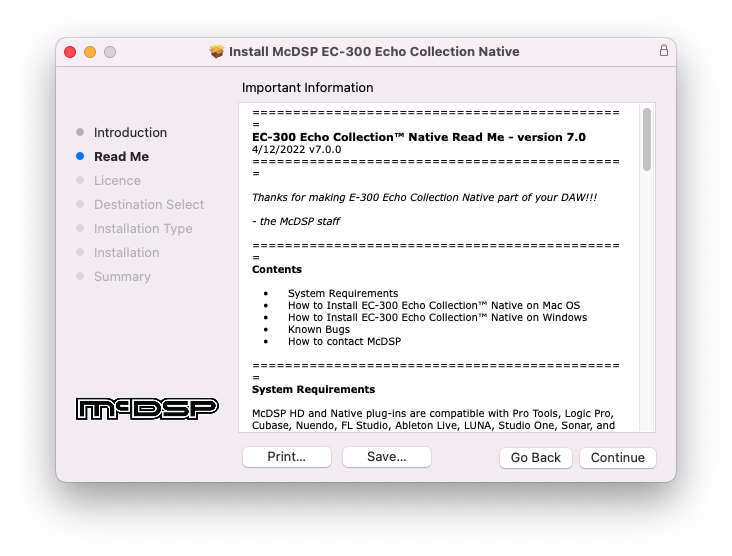
- McDSP HD and Native plugins are compatible with Pro Tools, Logic Pro, Cubase, Nuendo, Ableton Live, LUNA, Reaper, Sonar, Studio One, and other DAWs that support AAX, AU, and/or VST3 plugin formats
- As of v7.0, VST is no longer supported. VST versions of v6 McDSP plugins will no longer be updated and will be uninstalled
- McDSP HD plugins also support the VENUE S6L systems. McDSP VENUE plugins are packaged in a VENUE specific installer available on the McDSP website.
Activation:
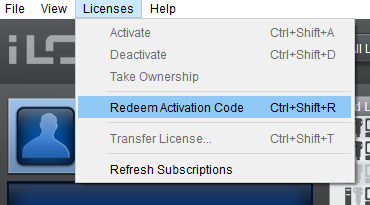
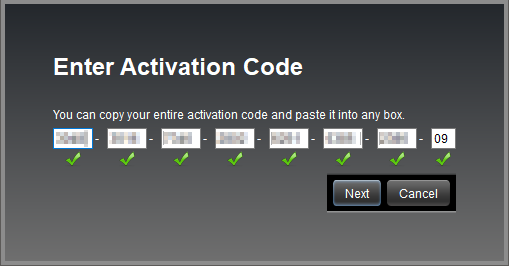
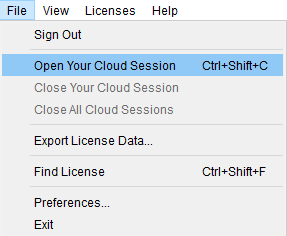
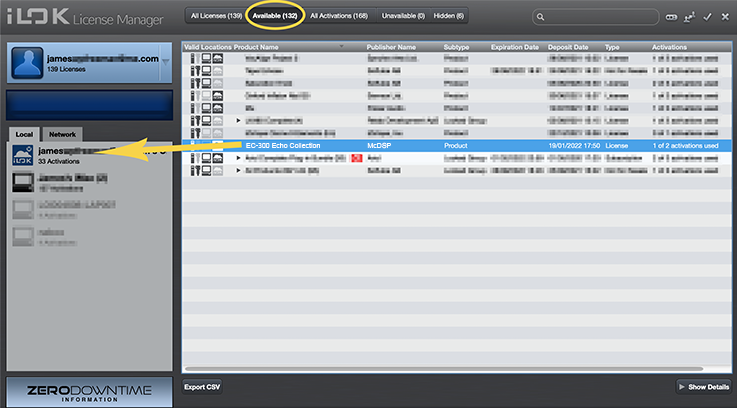
- McDSP plugins require an iLok2 or iLok3 USB Smart Key, or an iLok License Manager account and iLok Cloud for activation.
Important note: McDSP plugins require an iLok2 or iLok3 USB Smart Key, or a FREE iLok License Manager account and iLok Cloud session for authorisation. Each McDSP v7 plugin contains two activations per authorisation.