


 Log In

Free gifts available with your purchase
Important Note: This product requires Softube Console 1.
Pulling no punchiness for Console 1.
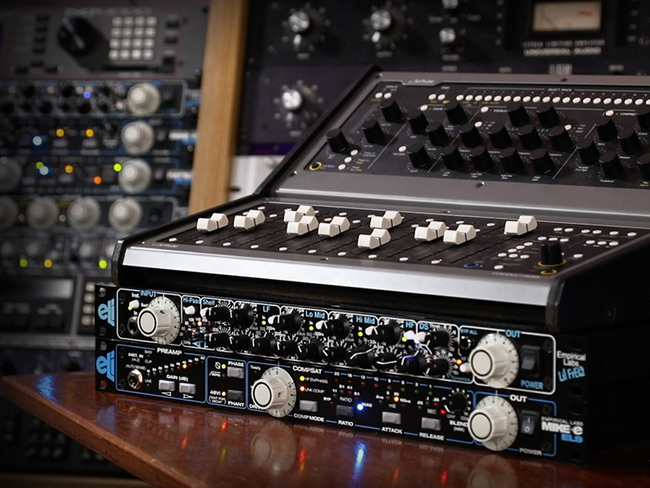
Ever wonder how an Empirical Labs console would sound? Trak Pak has your answer and it’s an emphatic, hell yeah. Introducing the Empirical Labs Trak Pak channel strip expansion for Console 1. In partnership with Dave Derr, the mastermind behind ELI, Softube expertly modelled two killer hardware units: the intensely punchy Lil FrEQ de-esser/analogue equalizer and the hairy, fat-sounding Mike-E saturator/compressor. Turns out, these two get along like gangbusters.
Combined and configured for mixing, this pairing stuffs obscene amounts of power, punch, character, and analogue warmth into a single channel strip. With the highly valued Console 1 workflow and bone-deep ELI sound, Trak Pak is unique for Console 1 and unlike anything on the pro audio market today. Drop exceptional analogue sound and the perfect amount of vintage mojo onto your ecosystem with the Empirical Labs Trak Pak.
Designed by Experts, Built on Legacy
Softube has a long history of modelling professional gear. After nearly two decades working in collaboration with premium pro audio brands like Tube-Tech, Solid State Logic, Chandler Limited®, Weiss Engineering, and Trident, Softube have a solid track record recreating indisputable classics in software form that sound precisely like their hardware counterparts.
Empirical Labs Trak Pak for Console 1 is built on this legacy, and Softube took the same meticulous approach they always do – everything needs to be exact, with skilful recording, precise testing, and fine-tuning to sound exactly like the hardware that inspired it or even better. Nothing less.
Coming Out Shining: the ELI sound
Masterfully recreated in cooperation with Dave Derr and Empirical Labs, Trak Pak is a channel strip unlike any other in the Softube catalogue. It combines the signature ELI sound with the myriad workflow benefits that Console 1 is known and loved for. It's the nearest thing to an ELI console going.
Between the Eyes: Mike-E's compression and distortion
The Mike-E compressor is that flawless blend of compression and distortion that modern production tracks demand. To make it more versatile, Softube split its functions into two Console 1 sections: Compressor and Drive. Compressor handles the pure compression side of things while Drive administers the gritty and warm distortion that Mike-E is famous for.
Smashing Punches: Lil FrEQ's EQ, filters and De-ess section
The four-band parametric EQ, with the LF and HF sporting the now-classic fixed-frequency shelving filters. Added non-stepped high- and low-cut. The De-esser/HF Limiter in the Shape Section, making for some truly original sounds when combined with Mike-E's impressive Compressor and Drive sections. The heart and soul of Lil FrEQ have been transplanted into Trak Pak. And it's giving us life.
Temple of ELI
Based on components from the precisely-modelled Empirical Labs Lil FrEQ and Mike-E units, Trak Pak is our punchiest-ever channel strip for Console 1. Configured for mixing pros and optimized for the Console 1 workflow, Trak Pak features Lil FrEQ's High-Pass filter and a newly designed Low-Pass filter in the Input Section, Lil FrEQ's De-esser/HF Limiter in the Shape Section, and Lil FrEQ's parametric EQ and High/Low Shelving in the Equalizer Section.
Mike-E makes his mark in the Compressor Section. Trak Pak's Compression Section is the compression section from Mike-E's CompSat, which is based on the famous Distressor. Coming straight from the "sat" in Mike-E’s CompSat, Trak Pak's Drive Section offers full-on, retro-flavoured distortion. If you've ever been curious about how a Mike-E/Lil-FrEQ supergroup would sound, check out Trak Pak.
Superknown
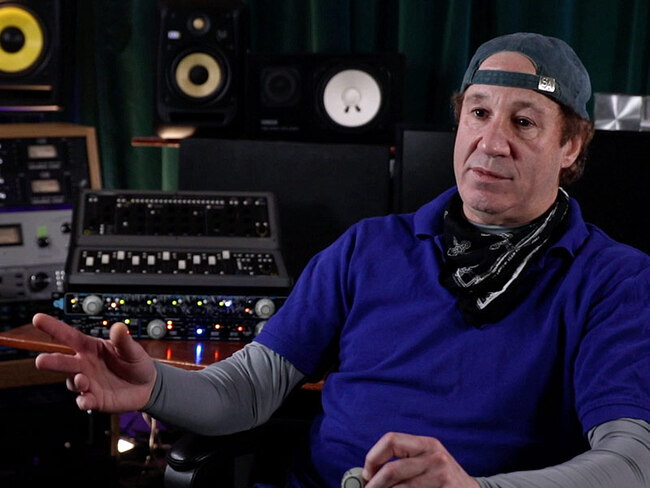
Raised by a family of engineers, Dave Derr has gone from a chance encounter at Radio Shack to having his gear used in every major studio and on thousands of records. A rocker in his own right, his name is now synonymous with analogue warmth, but he's not resting on his laurels. On the contrary. The humble genius behind Empirical Labs continues thinking and tinkering and incrementally improving on the already amazing array of products he’s gifted the music industry. Products like Fatso, DerrEsser, and Distressor. It's that work ethic and empirical spirit that has made ELI so well-regarded in the pro audio sphere. Its products are real-world tested and built to get the better of obsolescence. Softube couldn’t be prouder to be part of the Dave Derr and Empirical Labs legacy with their authentic emulations of their modern analogue classics: Mike-E, Lil FrEQ, Trak Pak, and the Empirical Labs Complete Collection.
Features
- It’s basically like having an Empirical Labs console
- High and Low-pass filters from the Lil FrEQ: 18 dB/octave
- Shape section from the DS section of Lil FrEQ (DS and HF, high frequency limiting)
- 4-band parametric EQ from Lil FrEQ with the separate shelves and filters selectable on the LF and HF bands: Gain +-14 dB
- Compressor from the Mike-E (based on the Distressor) including NUKE mode
- Compressor ratios: BYP, 1:1, 2:1, 4:1, 8:1 & NUKE
- Compressor attack times: 0.9 ms to 100 ms
- Compressor release times: 0.05 s to 0.5 s
- Drive has the multistage soft-clipping from the Saturator of Mike-E
System Requirements
- macOS Big Sur 11, Monterey 12, Ventura 13
- Windows 10 (64-bit), Windows 11
- Softube account
- iLok account
- Computer with AU, VST, VST3, and/or AAX-compatible DAW host software
- Internet access (for downloading installers and managing licenses)
Supported CPU Families
- Apple macOS computers with Intel Core i3/i5/i7 or Apple silicon (M1 or newer) CPU. Apple silicon is supported natively.
- Windows computers with quad-core Intel Core i3/i5/i7 or AMD quad-core processors with SSE 4.2 support.
- Other Intel processors (Celeron, Pentium, and Xeon) are compatible if they support SSE 4.2 instructions.
Supported Host Software (DAW)
Any 64-bit VST, VST3, AU, or AAX (Pro Tools 11.0.2 or higher) compatible host application should work. However, due to plug-in host differences between DAWs—and our rigorous standards—Softube only officially test their plug-ins and instruments in the most recent versions of Pro Tools, Logic Pro, Cubase, Ableton Live, Studio One, and Reaper. Softube plug-ins are not tested regularly in non-listed systems. They will likely work if the system requirements are met. However, the manufacturer cannot guarantee a solution for issues in unsupported systems.
Softube strongly recommend using VST3, as some of their plug-ins have features that are not present in the older VST format. Supported sample rates: 44.1, 48, 88.2, 96, 176.4, and 192 kHz, in both mono and stereo. The most recent maintenance release of your DAW application is recommended. AAX DSP is not currently in active development. TDM/VENUE/RTAS are no longer supported. See Legacy Installers.
Important Notes
- This product requires Softube Console 1.
- Make sure that you always use the latest iLok License Manager. It is not included in the Softube installer but can be downloaded from www.ilok.com


