Log In

Free gifts available with your purchase
Your New Favourite Channel Strip
The FilkChannel Strip is an analog modelled plugin based on some of the best Danner Cassette Modules made in the '70s. It features several tonal options, from light analog warmth on vocals, acoustic guitars and mix bus, to gritty driven tones for aggressive, in-your-face drums, bass, and heavy guitars!
This channel strip contains 3 modules...
PRE70
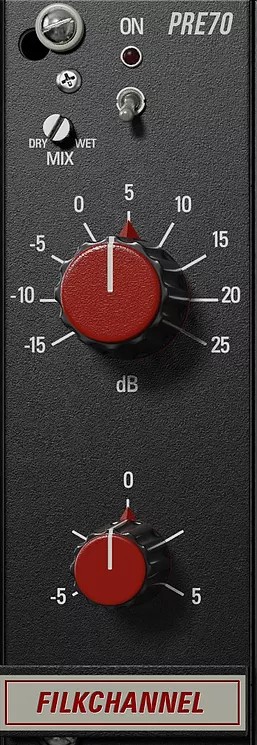
The preamp section of the FilkChannel allows you to take your sounds from warm and analog tones (set to the left) as well as aggressive harmonics and distortion (set to the right) In addition, this module has an added trim knob to attenuate the added gain from the input knob. As well as a dry/wet knob to blend the distortion.
EQ7D
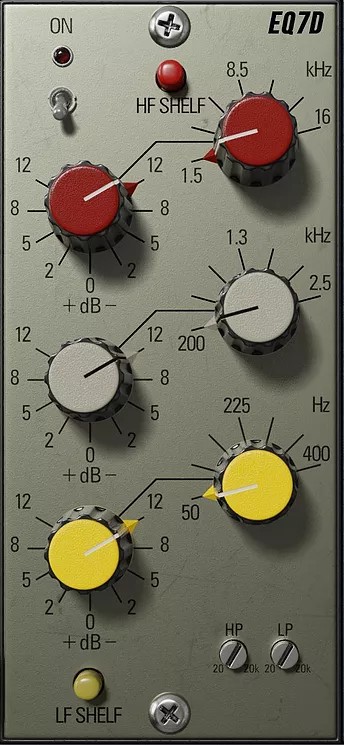
The EQ section of the FilkChannel gives you 3 bands of parametric EQ so you can adjust your sounds any way you want. This section also includes a highpass and lowpass filter both ranging from 20Hz to 20kHz as well as shelf buttons to change the curve of the high and low-frequency bands.
COMP2R
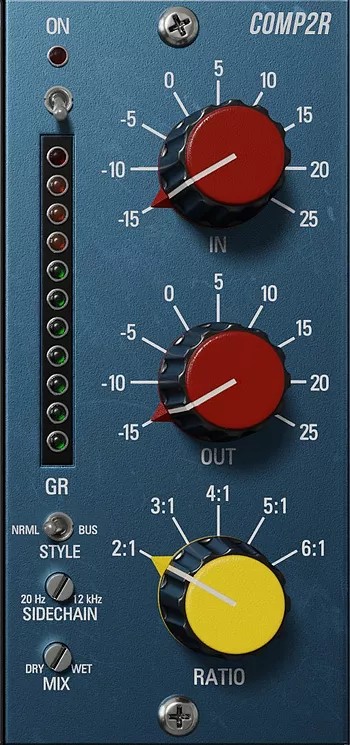
The Compressor section of the FilkChannel allows you to add punch and attack to your tracks with the fixed attack and release opto style compressor. Use the in and out knobs to adjust the amount of compressor and set the ratio using the variable-ratio knob. This section also includes a dry/wet mix knob to dial back the amount of compression, a sidechain filter ranging from 20Hz to 12kHz, as well as a “mode” switch to switch between snappy compression (NRML MODE) and more subtle soft compression (BUS MODE).
Features
- Saturation Preamp
- 3 Band EQ with LP and HP Filters
- OPTO Compressor with adjustable ratio
- Swap-able FX Chain
- Resizable GUI
- Oversampling
System Requirements
Mac
- Mac OS X 10.7 or higher (macOS 10.14 or higher recommended) (64-bit only)
- Processor - 1 GHz Intel Dual Core or higher
- Screen Resolution - 1024 x 768 or higher
- Plugin Formats - VST, AU, AAX
Windows
- Windows 7 and above (64-bit only)
- Processor - 1 GHz Intel Dual Core Processor or AMD equivalent
- Screen Resolution - 1024 x 768 or higher
- Plugin Formats - VST, AAX
Nick Ginn
(Hellbent, Rust, Hostage, Trauma Model)
"The Filk Channel has helped to achieve that with very little need for any other plugins to help get the job done."
Jesse Ernster
Grammy Award-Winning Mixer (Kanye West, Burna Boy, Doja Cat)
"FilkChannel might be the best guitar EQ of all time! That EQ is so bulky and meaty"