/ Channel Strip / 32C Bus
Harrison Consoles

32C Bus

4.5 (44 Reviews)
$149.00
Harrison Consoles 32C Bus
Harrison Consoles 32C Bus - Preview gallery thumbnail
Harrison Consoles 32C Bus - Comp Image
Harrison Consoles 32C Bus - EQ Image
Harrison Consoles 32C Bus - Input Image
Harrison Consoles 32C Bus - Output Image
Buy Now
Product information

The 32C Bus combines 4 famous Harrison processing modules - the Mixbus32C Tape Saturation / Drive processor, a Bus Compressor with Harrison's renowned 32C Hi-Pass filter, the Mixbus32C three-band Bus EQ and the Mixbus32C Master Strip Limiter - into a single comprehensive bus processing plugin.

The new cross-format 32C Bus plugin combines 4 famous Harrison processing modules – the Mixbus32C Tape Saturation / Drive processor, a Bus Compressor with Harrison's renowned 32C Hi-Pass filter, the Mixbus32C three-band Bus EQ and the Mixbus32C Master Strip Limiter - into a single comprehensive bus processing plugin.

Provided in all major workstation formats: AAX, AudioUnit VST and VST3 for nearly any host DAW.

Tape Saturation Drive
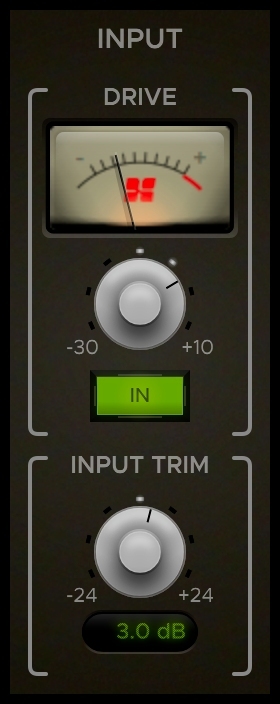
In 2009 Harrison took DAW workflow to another level. With the introduction of Mixbus and later Mixbus32C, Harrison brought back the classic analog console layout and sound to studios all around the world. A large part of the new DAW's success was due to the clever and great sounding Tape Saturation Drive processor provided on all of the dedicated mix buses in the DAW.

Now with 32C Bus that revolutionary True Analog sound can be achieved regardless of which host is being used. The new 32C Bus plugin with the Harrison Tape Saturation Drive processor is a must for anyone searching for a legendary sound.

Compressor
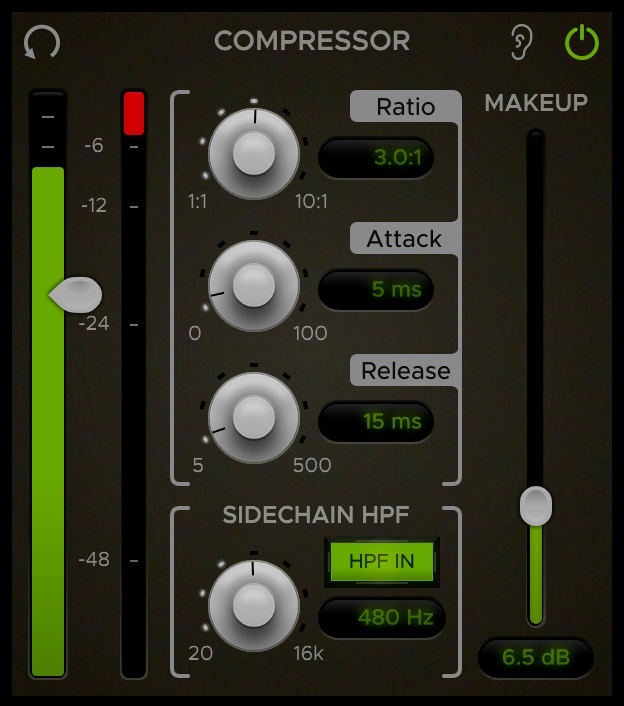
A bus processing plugin isn't complete without a great compressor.  The story of the 32C Bus compressor starts in 1985 when Harrison developed the SeriesTen digitally controlled analog music console. Each output channel on the console had a full digitally controlled analog compressor included.

The 32C Bus Compressor includes:

  • An internal side chain High Pass Filter modelled after the renowned 32C analog console filter section.
  • Full Threshold, Ratio, Release, Attack and Gain Makeup controls.
  • Extra-large Input and Gain Reduction metering.

Bus EQ
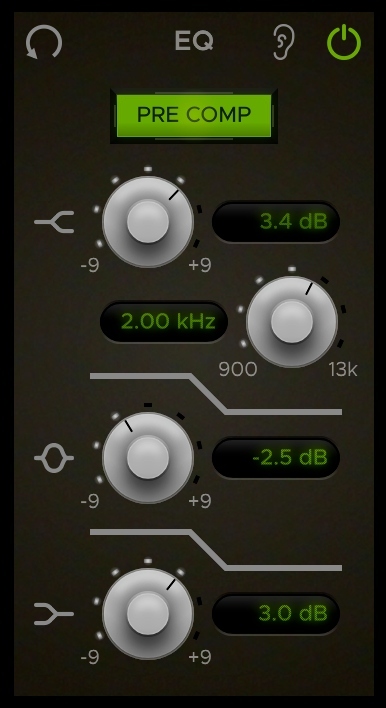
The 32C Bus EQ is a revised variation of the EQ provided on all dedicated bus channels in Mixbus and Mixbus32C DAWs.

The 32C Bus EQ includes:

  • 3 Band tone controls.
  • A new variable high band frequency control.
  • Pre- and Post-compressor selection.

Limiter / Output Section
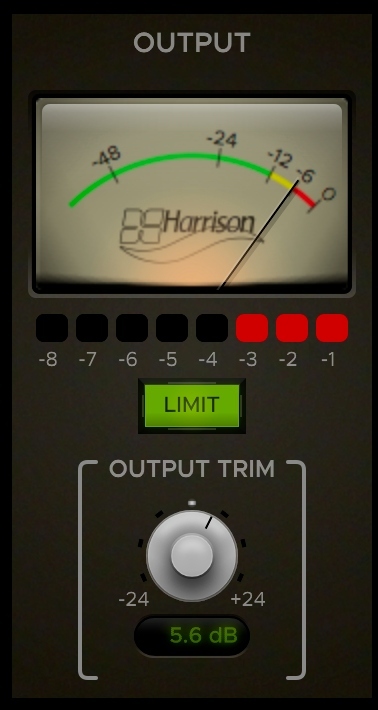
The Output Section of the 32C Bus includes a classic 'Limiter' along with a K12 output meter. Shoot for the Yellow area of the K12 meter for the perfect mix level.

System Requirements

Minimum Specifications are suggestions only and may change at any time. Harrison Consoles highly encourage you to try the free DEMO to determine if the plugins work on your setup.

  • macOS 10.9 or newer (including macOS 11 Big Sur).
  • Windows 7 or newer
  • Linux (please try the Demo Version first)

Host DAW Support:

  • Pro Tools - Version 10.3.5 or newer required for Windows | Version 11 or higher required for Mac (Enable AAX format during installation)
  • Logic - Enable AU format during installation
  • Cubase - Enable VST and/or VST3 format during installation
  • Most other DAWs - Enable the VST format during installation
Testimonials

Bobby Owsinski

"Within the first 5 seconds, I knew! That's all it took. It had an analog feel to it and you could tell immediately! Immediately it was there, without doing anything."
Installation Instructions

Important note:

  • For licenses with the format - XXXXXXX-XXXX-XXXX-XXXXXXXX - please scroll down and follow the instructions for Harrison Multi Band Compressor, below
  • For iLok licences with the format XXXX-XXXX-XXXX-XXXX-XXXX-XXXX-XXXX-XX please follow the instructions for Harrison Bass Flow & SSL Guitarstrip immediately below

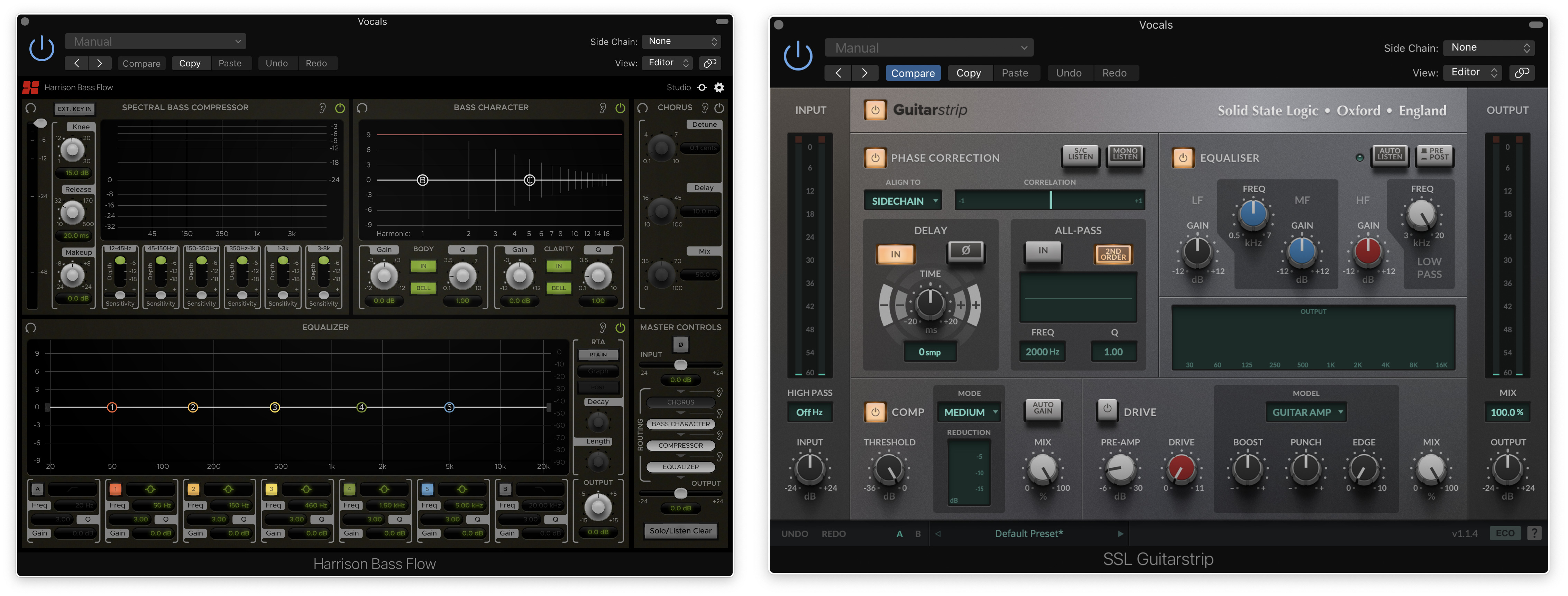
Please Note: Harrison Bass Flow & SSL Guitarstrip are used as examples

iLok Registration

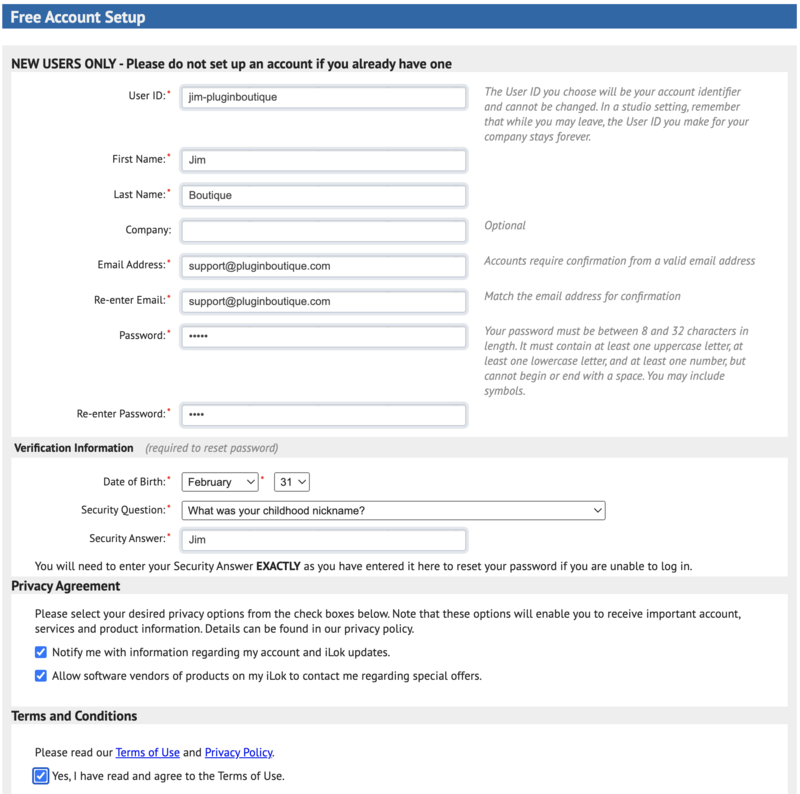
1. Go to the iLok website and create a new account if you are not currently registered and do not have the iLok Licence Manager installed on your computer

Note: Skip to the 'Registration' procedure if you are already an iLok registered user

2. Download and install the iLok License Manager

SSL Download Manager Installation

1. Go to https://solidstatelogic.com/ssl-download-manager or click DOWNLOAD in your Plugin Boutique User Account

2. Click either macOS or Windows to download the installer (Linux versions available here)

3. Double-click installer > Follow the on-screen instructions to install

4. Open SSL Download Manager

5. Locate Harrison Bass Flow & SSL Guitarstrip > Click Install on each plugin

iLok Authorisation

1. Open your iLok license manager application > click Sign In

2. Enter your iLok registered User ID and password > click Sign In

3. Once you are signed in, click the ‘Redeem’ icon which is located at the top-right corner of the iLok Licence Manager’s interface

4. Copy and paste/manually enter the 30-digit code from your Plugin Boutique User Account into the available Activation Code boxes, and then click Next

5. Select your activation destination > Click Activate

6. Click OK

7. Open the plugins in your DAW

Your plugins are now installed and ready to use. Enjoy!


Please Note: Harrison Multi Band Compressor is used as an example

Note: Harrison and SSL plugins now share the same installation process via the SSL Download Manager

iLok Registration

1. Go to the iLok website and create a new account if you are not currently registered and do not have the iLok Licence Manager installed on your computer

Note: Skip to the 'Registration' procedure if you are already an iLok registered user

2. Download and install the iLok License Manager

Registration

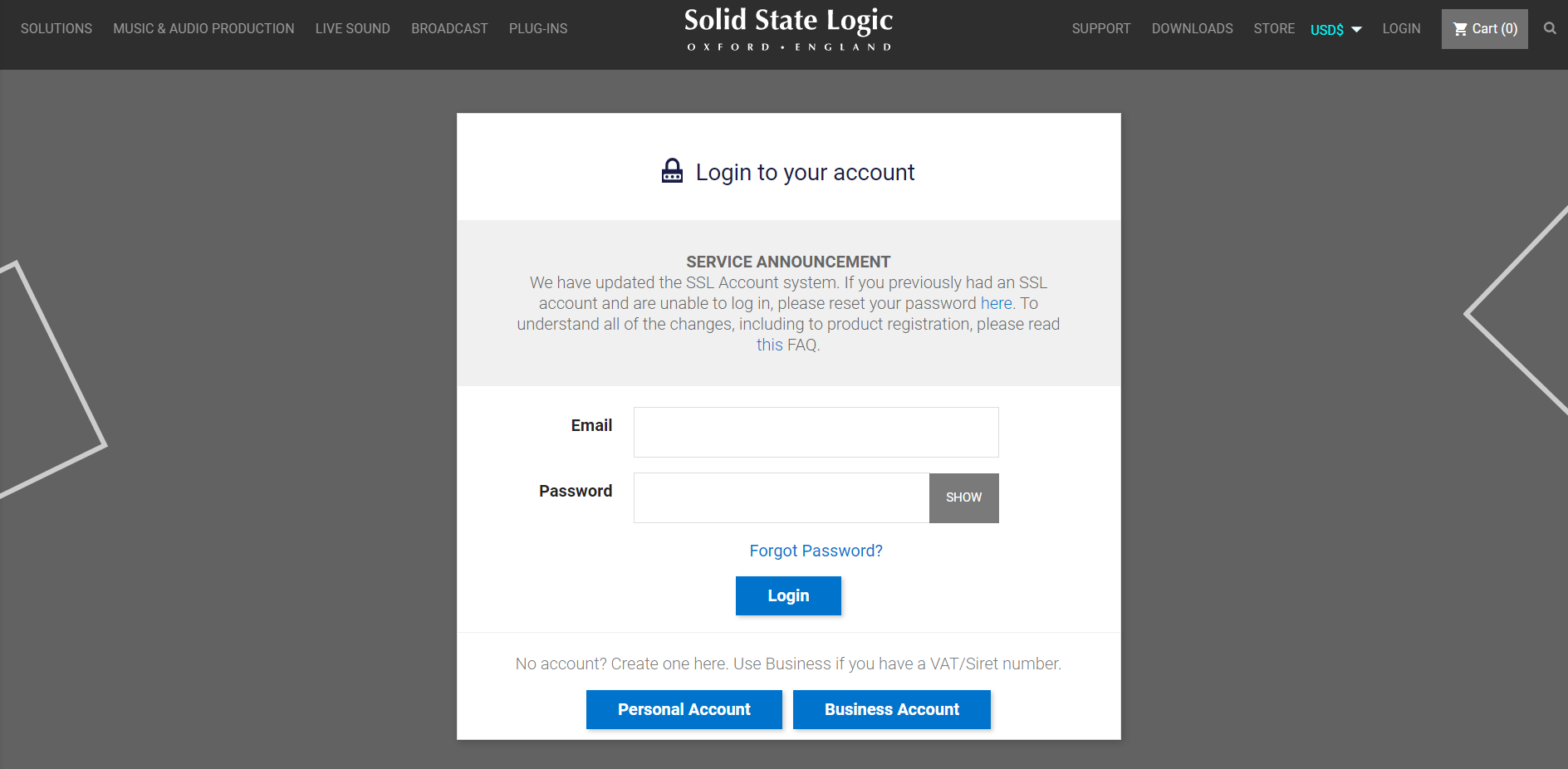
1. Go to https://account.solidstatelogic.com/register-software > Create a new account or log into your existing account if you have one

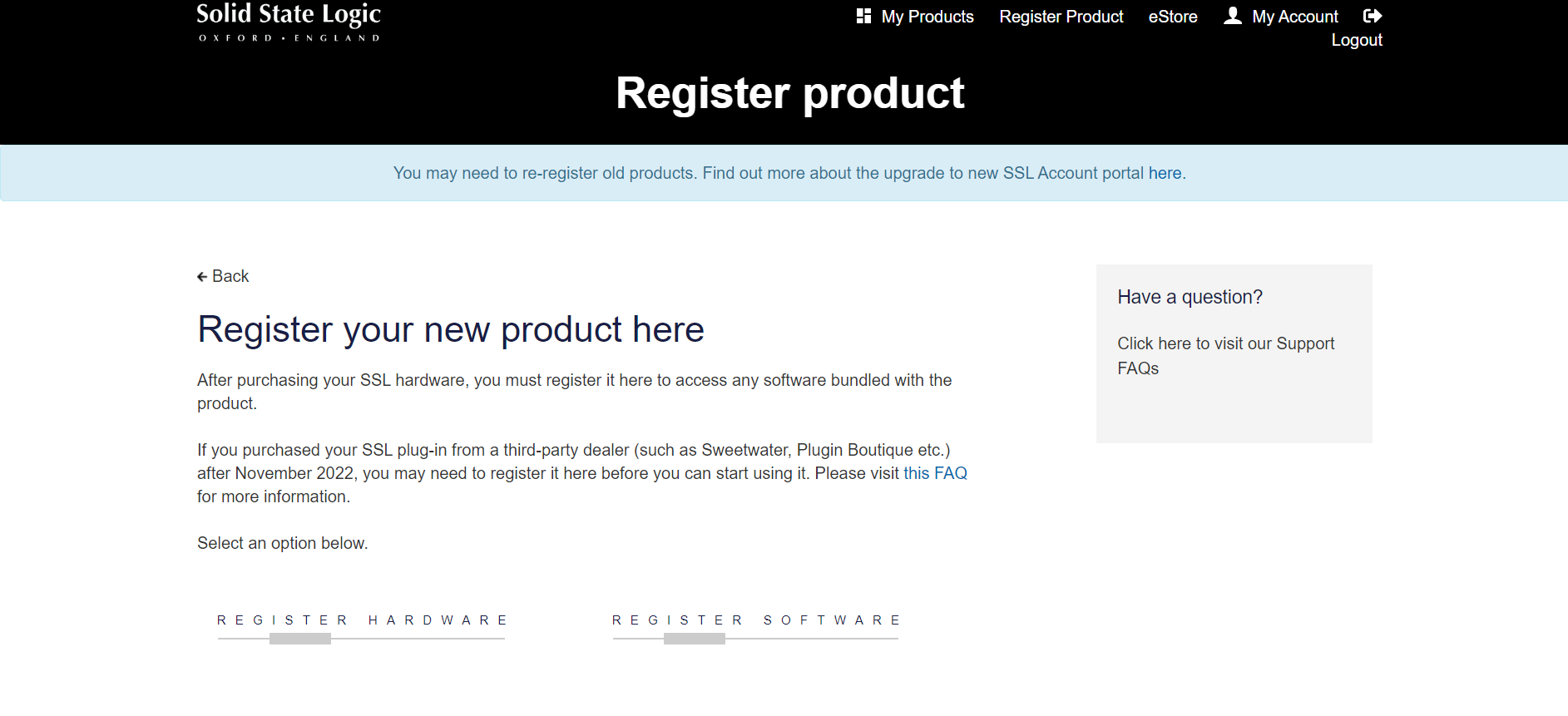
2. Click REGISTER SOFTWARE

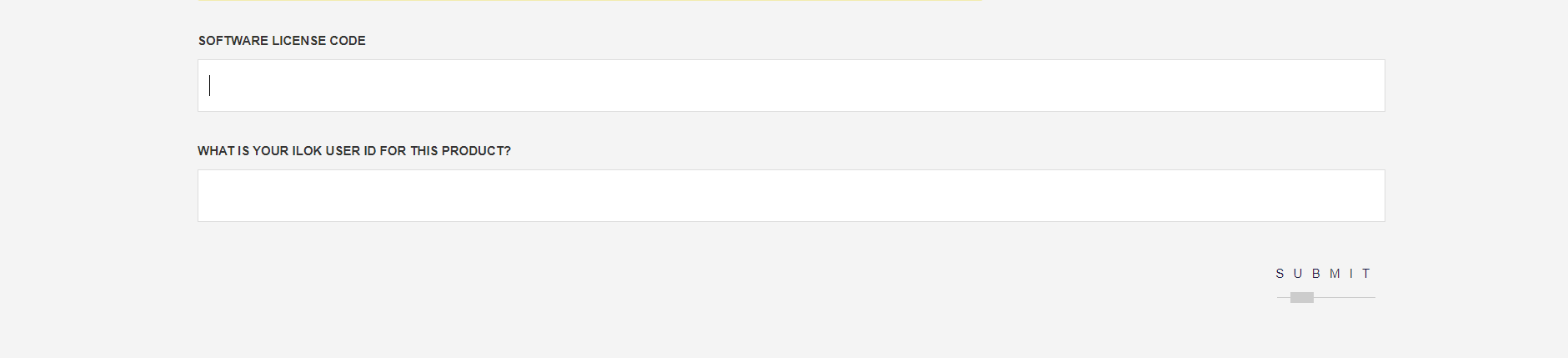
3. Enter your license code found in your Plugin Boutique User Account as well as your iLok ID > Click SUBMIT

SSL Software Installation

1. Go to https://solidstatelogic.com/ssl-download-manager or click DOWNLOAD in your Plugin Boutique User Account

2. Click either macOS or Windows to download the installer (Linux versions available here)

3. Double-click installer > Follow the on-screen instructions to install

4. Open SSL Download Manager

5. Locate Harrison Multi Band Compressor > Click Install

6. Open your DAW > Scan for plugins

7. Click Activate

8. Click Skip

9. Enter your iLok account details > Click Next

10. Select 'Harrison Multi Band Compressor' > Click Next

11. Select an activation location > Click Next

12. Click Continue

13. Open the plugin in your DAW

Your plugin is now installed and ready to use. Enjoy!

Plugin Boutique Rewards

Discover the most rewarding loyalty programme among all plugin retailers.

  • Free Loopmasters Samplepacks
  • Discounts on products and courses
  • Extra Virtual Cash claimed immediately at checkout
Find out more

Follow us:

X (Twitter) Facebook YouTube Instagram
Logo Logo

Plugin Boutique Limited, Part of the Beatport Group LLC.

Copyright © 2011-2025 Plugin Boutique. All rights reserved