Log In
Free gifts available with your purchase
This product is an expansion for Softube Modular. If you do not currently own Modular, you can purchase it HERE.
The mad scientist of sequencers.
The Vermona Random Rhythm module is a little bit like Frankenstein’s monster: robustly built with a passionate soul—but also, good-looking. Created in collaboration with German-based Vermona, whose musical heritage producing amplifiers and organs dates back decades, Random Rhythm is an exacting model of the original random-based, dual-channel trigger sequencer hardware.
Concocted specifically for Modular, Random Rhythm lets imagination off-leash while maintaining full control over what’s being sequenced. It says random in the name, but there's a method to the madness.
Easy Experimentation
Created in collaboration with—and authorized by—Vermona, the Random Rhythm module lets your creativity run amuck. And you don't need a PhD in probabilities to play it.
Inspiring Attributes
Take artistry to the edge of imagination with four sliders per rhythm section, a random dual-channel trigger sequencer, and the ability to save presets of your patches.
Odds On Fun
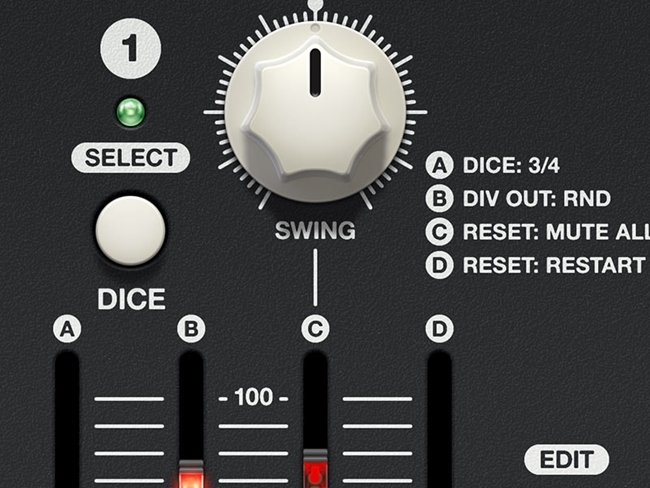
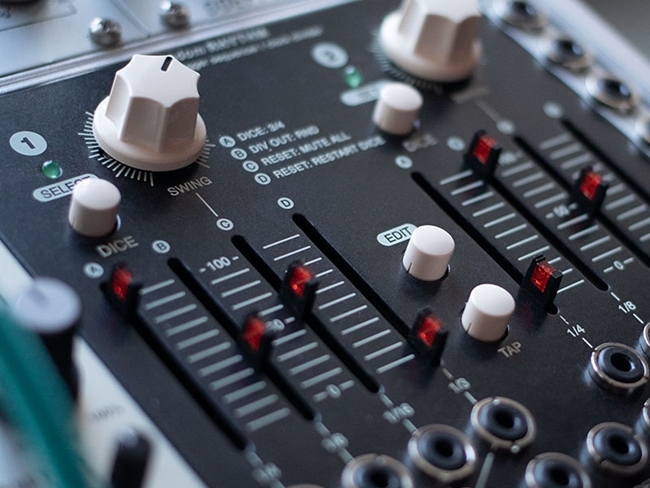
The Softube + Vermona Random Rhythm module is a random-based dual-channel trigger sequencer with a thoroughly novel approach. It gives you two rhythm sections with four sliders per rhythm section. The sliders correspond to the note-values quarters, eighths, sixteenths, and triplet notes and are used to influence the probability that they will appear at each step in the generated pattern. What used to be a chore, programming complex patterns, is now an enjoyable and artistic task.

Speculate On Sound
With Random Rhythm you can work either rhythm section of the module in realtime or dice mode. Set it to realtime and the module continuously generates random values for each note value. In dice mode, the module generates random values for a complete 3/4- or 4/4-bar. It’s not a total unknown, though. In either setting, the sliders still have authority over the resulting sequence.
Rhythmical Laws
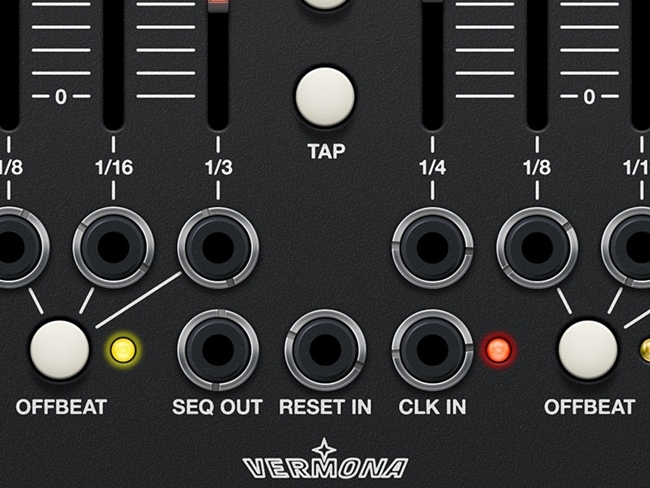
Don’t let the name fool you, Random Rhythm can be precise when it needs to be. Use it as a tool to generate or multiply clocks with individual outs for the quarters, eighths, sixteenths, and triplets. The Reset Input allows you to mute the outputs or restart your diced bar. Precision is important, but fun rules Random Rhythm.
Amplified Originality
The Softube + Vermona Random Rhythm module is a magnifying glass for creativity. Use it as the sole rhythm base or as an invaluable addition to other sequencers. The module’s foolproof interface lets you generate beats without thinking about patterns. It’s easy to discover new and exciting sequences that you wouldn’t typically program note by note.
Features
- An exact model of the original hardware, authorized by Vermona
- Get creative, one-of-kind results without manual or note-by-note programming
- Software exclusives let you save presets and the states with the session
- Functions just like the Eurorack hardware
- Great for drum modules, as an arpeggio sequencer, or anything you can conceive of
- Made for Modular, Softube's Eurorack platform.
- Use Vermona Random Rhythm to create interesting rhythmic textures for drums or melodies:
- Generate probability-based rhythmic patterns
- Separate outputs for different note values and combined for complex stuff
- Real-time and dice mode
- Swing
System Requirements
- macOS Big Sur 11, Monterey 12, Ventura 13
- Windows 10 (64-bit), Windows 11
- Softube account
- iLok account
- Computer with AU, VST, VST3, and/or AAX-compatible DAW host software
- Internet access (for downloading installers and managing licenses)
Supported CPU Families
- Apple macOS computers with Intel Core i3/i5/i7 or Apple silicon (M1 or newer) CPU. Apple silicon is supported natively.
- Windows computers with quad-core Intel Core i3/i5/i7 or AMD quad-core processors with SSE 4.2 support.
- Other Intel processors (Celeron, Pentium, and Xeon) are compatible if they support SSE 4.2 instructions.
Supported Host Software (DAW)
Any 64-bit VST, VST3, AU, or AAX (Pro Tools 11.0.2 or higher) compatible host application should work. However, due to plug-in host differences between DAWs—and our rigorous standards—Softube only officially test their plug-ins and instruments in the most recent versions of Pro Tools, Logic Pro, Cubase, Ableton Live, Studio One, and Reaper. Softube plug-ins are not tested regularly in non-listed systems. They will likely work if the system requirements are met. However, the manufacturer cannot guarantee a solution for issues in unsupported systems.
Softube strongly recommend using VST3, as some of their plug-ins have features that are not present in the older VST format. Supported sample rates: 44.1, 48, 88.2, 96, 176.4, and 192 kHz, in both mono and stereo. The most recent maintenance release of your DAW application is recommended. AAX DSP is not currently in active development. TDM/VENUE/RTAS are no longer supported. See Legacy Installers.
- This product requires Softube Modular.
- Make sure that you always use the latest iLok License Manager. It is not included in the Softube installer but can be downloaded from www.ilok.com