


 Log In

Free gifts available with your purchase


The Ultimate Chord Machine
Creative real-time compositional assistant for Mac and PC.
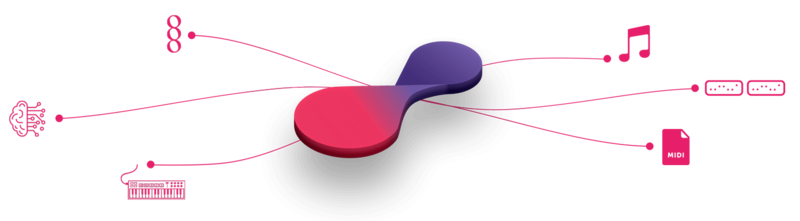
Chordjam is an innovative plugin that builds chords and progression patterns through intuitive user-guided randomization.
It automatically randomizes a unique combination of parameters, serving up unpredictable but always-musical variations.
Choose from a variety of scale types, Chord types, voicing parameters, rhythms and progressions or have its powerful sequencer conjure up unlimited progression patterns for you, based on any combination of settings, serving up unpredictable but always-musical variations.
Create unique and complex chord structures and infinitely evolving progressions.
Chord Better Than Best
Ignite Music Creation • A New Approach
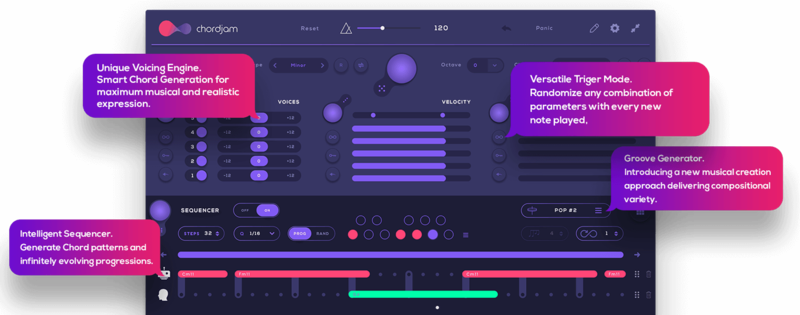
Unlike similar plugins, Chordjam uses intuitive user-guided randomization to go about its business, bringing new elements for musical expression and delivers limitless inspiration and musical variety.
What’s new in version 1.5?
MIDI Polyphonic Expression (MPE) Adopted!
- Chordjam now supports MPE technology to deliver polyphonic portamento/gliding chords which allows you to bend from any chord to any chord, both in real-time chord triggering or using the sequencer’s progression patterns.
Features
- Generate Random Chords
- Trigger New Chords with Every Note Played
- Unique Voicing Parameters
- Intelligent Sequencer Engine
- Arp Mode
- Chord Progression & Pattern Presets
- Generate Infinite Chord Patterns & Progressions
- Everything is Synced to your Host tempo
- Drag MIDI Chord
- Drag MIDI pattern
- Pads Section for Musical Performance
- Quick Load preset Section
- Choose Quantization settings
- Shuffle & Shift Mode
- Advanced Infinity Mode
- Set Sequence range & Motion Settings
- Set Range for Transposition, Time-Delay and Velocity
- Save & Load your own patterns
- Send MIDI to any Device, Software & Hardware
- Advanced MIDI CC/Mapping editor
- No Two Chords will Ever Be the Same
- Delivering limitless inspiration and musical variety
System Requirements
- macOS 10.12 or higher (64-bit only)
- Windows 10 or higher (32 / 64-bit compatible)
- 4GB of RAM required.
- At least 50 MB of free drive space.
- Comes in VST / VST3 / AU / AAX formats.
- Reliable internet connection for download delivery and product activation.
- Allows for activation on three (3) computers per serial code.
Important note: When accessing this software via a Rent to Own plan or the Beatport Studio membership, it's installed and run through the Beatport Access portal. An internet connection is required every 30 days to validate your license.
ComputerMusic
A monthly magazine published by Future plc in the UK, covering the topic of creating digital music on a computer.
"What we have here is nothing less than a creative real-time compositional assistant"
Reviews Summary
While it aims to provide a helpful overview, it may not capture every perspective or detail. We encourage you to read individual reviews to make an informed decision.
Users widely praise the product as a powerful and useful chord generator, highlighting standout features like MPE pitch bend support. While some note a learning curve and a somewhat confusing interface for per-chord editing, the overall consensus is that it is highly rewarding once mastered.


