Log In
.jpg)
Free gifts available with your purchase

The DIY Sequencer
A Rule-Based MIDI Sequencer
Nest is a modular system that gravitates around the creation of MIDI. The basic ingredients are 20 modules inspired by classic integrated circuits and today's computer features, a clever voice to synth assignment, 12 patch scenes and a quad VST/Synth/MIDI Interface.
What is Nest?
Nest is a modular sequencer. It offers all kinds of modules to generate and process triggers and numbers. You can build highly complex sequencing environments with the aim to produce music with a life of its own.
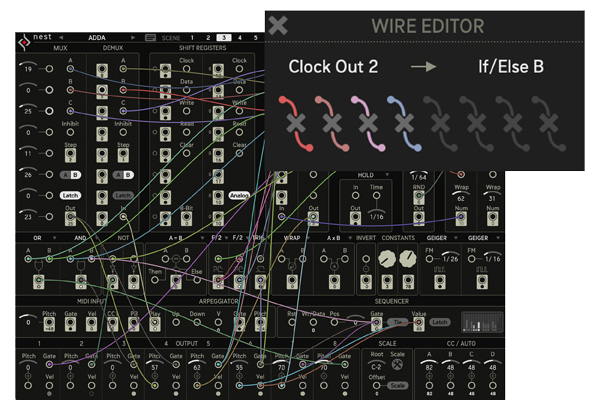
Nest is equipped with resemblings of classical, transistor-based integrated circuits like Shift Registers or Multiplexers, plus programming tools like the if/else and math modules. Also, a writable Sequencer and flexible Arpeggiator are on board, to make life easy when needed.
A clever voice assignment distributes the 8 possible MIDI voices to up to 4 different sound generators like VSTs, internal Synths and Drums or MIDI channels. This can make Nest not only fun when hosting your favourite plugins, but you can also use it to drive your hardware park.
A New Sequencer Everyday
Hardware is made of interesting components, and tinkering with them is loads of fun, now Nest provides this experience without sourcing parts and magic smoke. It provides access to the main building blocks of modern electronics, and it allows for free patching and experimenting.
You can throw circuits together like Lego bricks, and with that, sheer endless possibilities open up. Create beats from numbers and numbers from beats, distribute patterns across multiple sound sources, build intelligent song machines.
Nest is a super flexible composition tool, which brings together classical transistor logic with modern computer functions. The wire-patching offers endless possibilities and surprises. With 12 patch scenes and a powerful sound interface, Nest is a little laboratory for complex, intelligent music machines.
The Two Faces of Nest - Wire and Sound
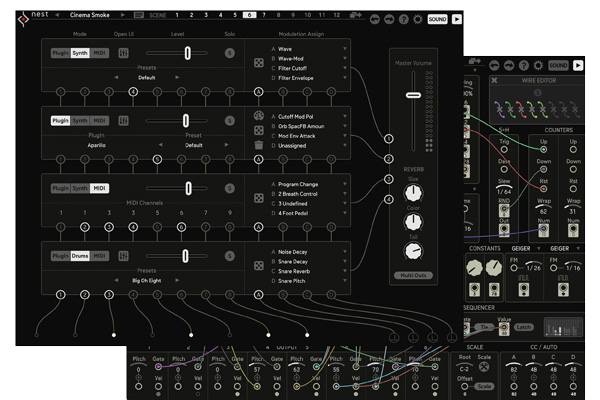
On the Wire page, Sugar Bytes created an awesome patch and send it to up to 8 voice slots. The range of possibilities is sheer endless. More than 20 modules to combine, some rather for numbers (pitch, velocity, modulation), some for gates (triggers, rhythms). With 12 Scenes, a patch can have many variations and allows for playing with songs structures.
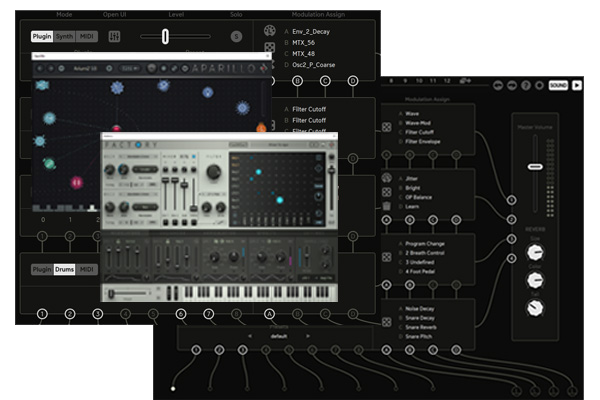
On the Sound page, you can receive these 8 voices and assign them freely to 4 channels. So you could have a huge layered 8 voice chord, or 3 voices could be drums, another 3 would be a chord and the last two might be a bassline and some samples. Each Channel can be an internal Synth, a VST Plugin or MIDI Out. A fine reverb puts your patch into perspective and adds a silver lining to even the most simple sounds. With the multiple audio outs, each sound channel plus the reverb channel can be routed to an individual DAW channel.
The Nest Story
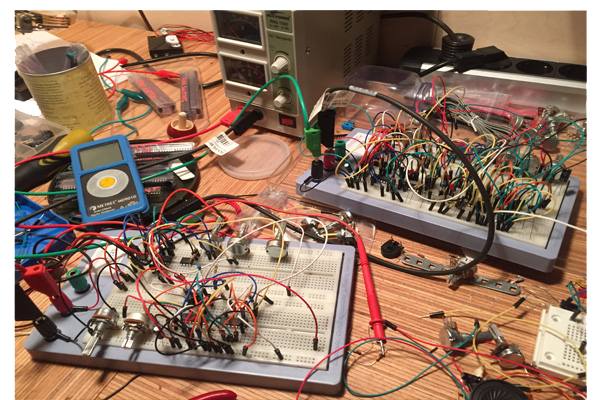
"Nest has an actual hardware background, as it originates from different hobbyist euro rack modules, which I built over time. Shift Registers and multiplexers are loads of fun on the breadboard, not to forget the Nandulator. There was a hardware sequencer, which would put out off-steps as gates too, and would also provide the internal counter´s binary address as 4 gate sources. So there were plenty of eye-openers along the way and a deep interest in logic circuits. But still, building my dream module would be close to impossible in hardware. And then came the idea to actually emulate the who-is-who of sequencing and logic IC´s in software. Prototypes quickly uncovered great potential, and so Nest was born." (Rico Baade)
Features
- Build your own sequencer!
- More than 20 different modules
- Generate 8 MIDI voices and assign to 4 targets
- Host up to 4 VST2 plug-ins
- Use internal synths and drums
- Recall 12 scenes via MIDI
- Send to 16 MDI channels
- Plus MIDI CCs and automation
- Multi audio outs (5 Stereo)
- Flexible scale system
System Requirements
Mac
- macOS 10.12 or higher (Apple Silicon M1 supported) (64-bit only)
- VST2, VST3, AU, AAX & Standalone Application
Windows
- Windows 7 or higher (64-bit only)
- VST2, VST3, AAX & Standalone Application
Important note: This software is only available in 64-bit format for both Windows and macOS and will not function on 32-bit systems.