


 Log In

Free gifts available with your purchase
Make It Wide
The Classic Studio Trick for Super-Wide Vocals - with a Powerful New Twist
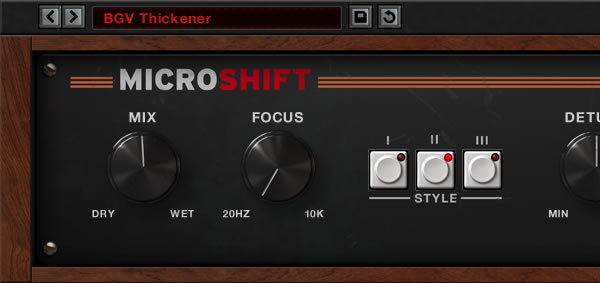
Need some width for your background vocals? Want to make a lead guitar or synth sound larger than life? MicroShift gives you three different flavours of a classic stereo widening trick at the push of a button. It uses a special recipe of pitch shifting, and delay that varies over time, to create rich stereo width. It’s incredibly simple to use and perfect for spicing up important instruments, or for blending background vocals subtly into a mix.
Hardware Vibe
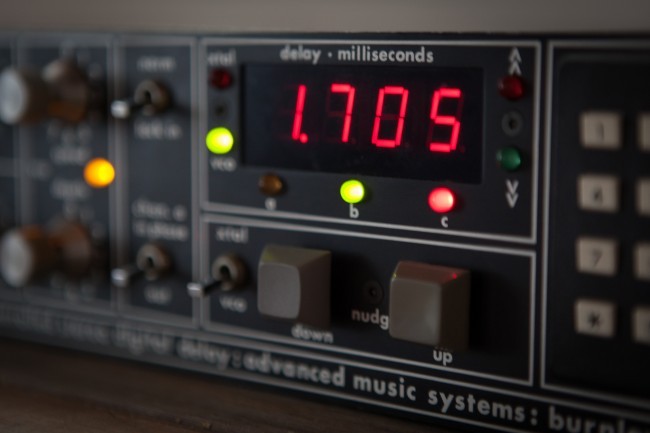
Soundtoys designed MicroShift to nail the vibe of sought-after hardware pitch shifters like the Eventide H3000 (which featured algorithms originally designed by Soundtoys’ founders) and the AMS DMX 15-80s. MicroShift captures the quirks of the originals including saturation and even the different de-glitching algorithms used by these units. So now you can have the big, wide sound of the original hardware with a simple and refined interface that makes getting those tried-and-true sounds faster and easier than ever.
Expanded Features
While MicroShift is dead simple to use, Soundtoys also let you precisely adjust the character of the width you’re adding to your tracks. Change the amount of time-varying delay with the Delay control. Adjust the amount of micro pitch shifting with the Detune control. And the Focus control lets you sculpt away low and mid frequencies that might make some tracks sound muddy.
A Little Taste is All You Need
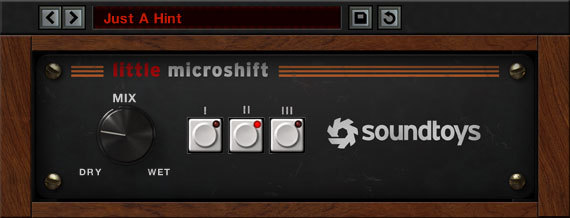
When you buy MicroShift, you also get Soundtoys' original mini version of the effect, Little MicroShift. And it’s anything but little. It adds width, space, and spread to any track, just like its big brother, but with a simple three-button, one-knob interface. Perfect when you want to add width to a track with zero fuss.
Features
- Widen vocals, lead guitars, synths and more
- Get big sounds fast with a clean, simple interface
- Put the spotlight on important instruments, or blend them into the background
- Select from 3 different flavours of widening based on sought-after hardware
- Add width to a specific frequency range with the Focus knob
- Control the Detune amount and Delay range of the effect
System Requirements
Mac
- macOS 10.12 Sierra and later (Intel / Apple Silicon supported) (64-bit only)
- VST2, VST3, AU, AAX Native, AAX AudioSuite
Windows
- Windows 7 and later (64-bit only)
- VST2, VST3, AAX Native, AAX AudioSuite
Supported Sample Rates:
- Minimum - 44.1 kHz
- Maximum - 192 kHz
Important Notes:
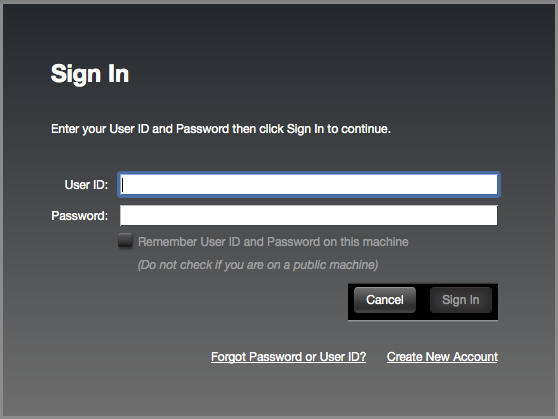
- A FREE account at ilok.com is required (a physical USB iLok is not required)
- This software is 64-bit only and is not compatible with 32-bit systems.
Officially Supported Host Applications:
All version 5 Soundtoys products come in 64-bit VST2, VST3, AU and AAX Native plugin formats.
Supported DAWs:
- Pro Tools: 12 or higher (Mac & PC: AAX Native and AudioSuite)
- Logic Pro X: 10.7 or higher (Mac: AudioUnits)
- Ableton Live: 10.0 or higher (Mac: AudioUnits, VST2 & VST3; Windows: VST2 & VST3)
- Studio One: 4.5 or higher (Mac: AudioUnits, VST2 & VST3; Windows: VST2 & VST3)
- Cubase: 9.5 or higher (Mac & PC: VST3)
- Nuendo: 8 or higher (Mac & PC: VST3)
- Reaper: 6 or higher (Mac: AudioUnits, VST2 & VST3; Windows: VST2 & VST3)
- Bitwig: 4 or higher (Mac & PC: VST2 & VST3)




Reviews Summary
While it aims to provide a helpful overview, it may not capture every perspective or detail. We encourage you to read individual reviews to make an informed decision.
Overall, customers highly recommend this plugin for adding stereo width, depth, and presence, particularly on vocals and synth pads. While a few reviewers note its limited feature set and one found it unremarkable, the vast majority praise its ease of use, Mid/Side capability, and exceptional value.


