Log In

Free gifts available with your purchase
Analog Phase Shifter
Rich Phase Sweeps, Deep Analog Vibe, and Tempo-Locked Modulation
From funk-laced guitars to swooshing disco drums to jazz-fusion keys and bombastic rock vocals, phase shifting is a wildly diverse effect that’s at the heart of countless records from the 60s to today. PhaseMistress captures the sounds of legendary phasers and packs them into one plug-in that takes this creative effect to the next level.
At Soundtoys, they have a bit of a phaser hoarding problem. Soundtoys have them stacked in their test room, stock room and literally lining the halls. When designing PhaseMistress, Soundtoys carefully studied some of the best like the Bi-Phase, Boss Super Phaser, Phase 90, Moogerfooger 12 stage, Small Stone, Trine and many more. Soundtoys needed to be sure PhaseMistress nailed that rich, silky analog sound. Then Soundtoys went further and added deep tweakability and a range of inspiring rhythmic tools. Soundtoys think you’re going to love what they came up with.
Deeply Customizable
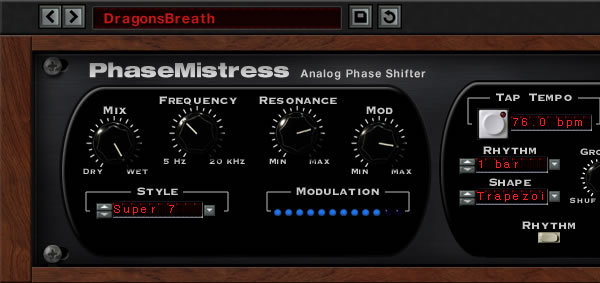
While PhaseMistress comes packed with useful presets and an easy-to-use hardware-inspired interface, Soundtoys also give you deep control over the phasing “circuit” that gives this effect its distinctive sound. You can choose from 69 different styles of presets that alter the phaser’s internal structure. Set the number of stages from subtle 2-stage phasing up to a wild 24 stages. You can also fine-tune the resonance, colour and intensity of the effect to craft your own unique phase-shifting styles.
Versatile and Creative
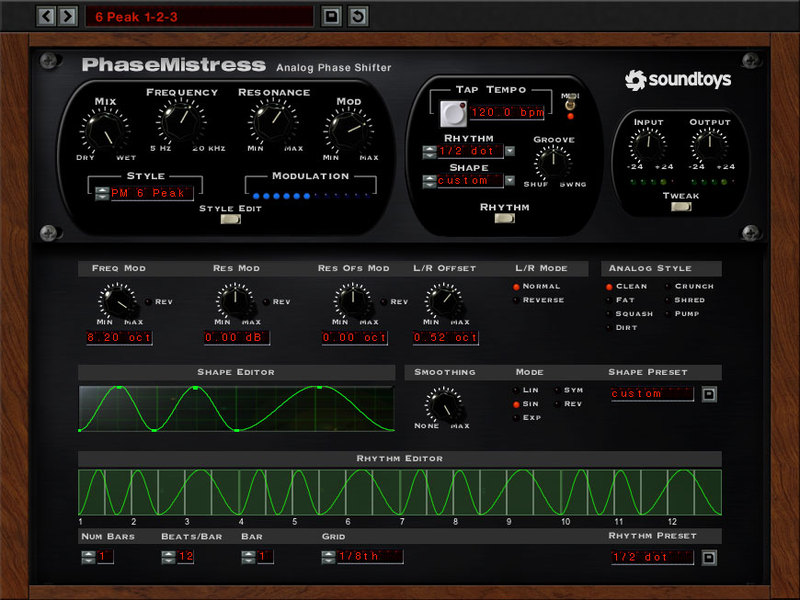
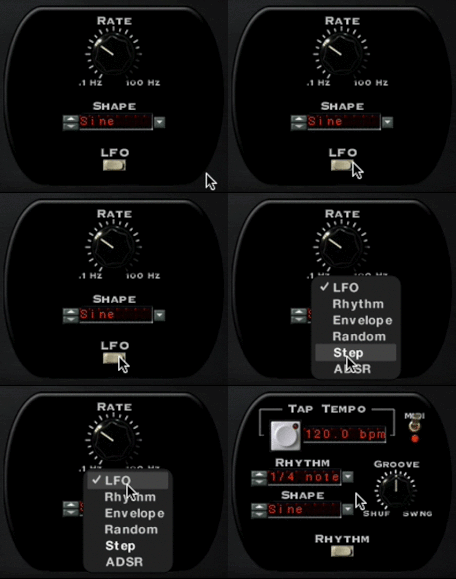
Many phasers create their whooshing sound with the help of a humble low-frequency oscillator (LFO). That’s great when you want a simple back-and-forth sweep. But what if you want something a bit more out there? In PhaseMistress you can choose from a multitude of creative LFO shapes that go beyond what you’ll find in hardware–and you can even draw your own curves in the Tweak panel. For cool robotic effects, try the random mode and step mode for phase shifts that jump rather than sweep. Rhythm mode lets you program your own rhythmic patterns, or choose from some great pre-made ones, too. And in Envelope mode, PhaseMistress responds to the dynamics of the incoming audio making it an awesome rhythm-triggered effect for funky drums, slap bass or rhythm guitar sounds.
It’s on guitar, bass, drums, vocals (Queen, ELO, Pink Floyd anybody?), and even whole mixes. Soundtoys have heard crushed envelope-phased drums and gritty-phased-out radio guitars. Turns out it’s more powerful than even Soundtoys thought. This is one phase you won’t grow out of.
Features
- Recreate the silky, funky sounds of a huge range of hardware phasers
- Get authentic analog sounds with 69 different built-in phasing styles
- Tweak circuit-level options to design your own phasing styles
- Choose from 6 different operation modes: LFO, Rhythm, Step, Random and more
- Create envelope follower and trigger effects that respond to the music
- Draw your own LFO waveshapes and unique rhythmic patterns
System Requirements
Mac
- macOS 10.12 Sierra and later (Intel / Apple Silicon supported) (64-bit only)
- VST2, VST3, AU, AAX Native, AAX AudioSuite
Windows
- Windows 7 and later (64-bit only)
- VST2, VST3, AAX Native, AAX AudioSuite
Supported Sample Rates:
- Minimum - 44.1 kHz
- Maximum - 192 kHz
Important Notes:
- A FREE account at ilok.com is required (a physical USB iLok is not required)
- This software is 64-bit only and is not compatible with 32-bit systems.
Officially Supported Host Applications:
All version 5 Soundtoys products come in 64-bit VST2, VST3, AU and AAX Native plugin formats.
Supported DAWs:
- Pro Tools: 12 or higher (Mac & PC: AAX Native and AudioSuite)
- Logic Pro X: 10.7 or higher (Mac: AudioUnits)
- Ableton Live: 10.0 or higher (Mac: AudioUnits, VST2 & VST3; Windows: VST2 & VST3)
- Studio One: 4.5 or higher (Mac: AudioUnits, VST2 & VST3; Windows: VST2 & VST3)
- Cubase: 9.5 or higher (Mac & PC: VST3)
- Nuendo: 8 or higher (Mac & PC: VST3)
- Reaper: 6 or higher (Mac: AudioUnits, VST2 & VST3; Windows: VST2 & VST3)
- Bitwig: 4 or higher (Mac & PC: VST2 & VST3)
Richard Hilton
Producer, Engineer, Keyboardist with Nile Rodgers Productions
"Phase Mistress is the best-sounding phaser I've heard since I put my favorite hardware phaser back in the box."