


 Log In

Free gifts available with your purchase
Product information
MultiMod Rack
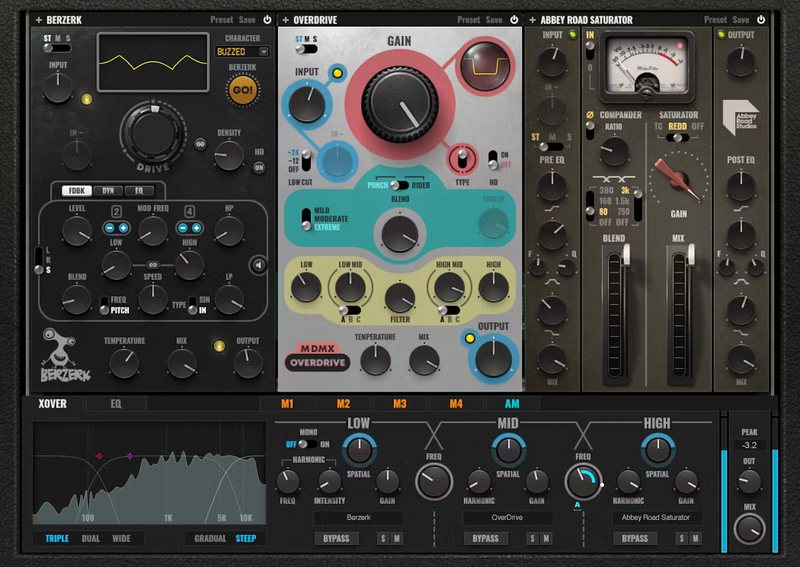
From Solo Performers to Power Trio Group
Three of Waves’ most popular distortion plugins, Abbey Road Saturator, Berzerk, and MDMX, join forces as a power trio in MultiMod. This virtual rack holds 3 instances of any of these plug-ins—or, substitute autopan, chorus, compressor, delay, distortion, or reverb for any of the effects.
With 3-band frequency splitting, EQ, and modulation, MultiMod becomes a distortion powerhouse that can go from adding an intricate multiband edge, to hardcore, over-the-top destruction.
Features
- 6 additional effects complement the 3 distortion effects
- Process up to 3 different frequency bands, with variable crossovers
- 4 modulation sources, switchable between LFO and step sequencer
- 4 fully parametric EQ stages, with 5 response curves per stage
- Use the input amplitude as another modulation source
- Most parameters are eligible for modulation, and have MIDI Learn
- Go beyond conventional panning with stereo rotation and width
- Draw LFO shapes and step sequencer patterns
- 170 wild presets from award-winning artists, 221 factory presets
- Real-time FFT display for crossover and EQ
System Requirements
Mac
- macOS Monterey 12, Ventura 13, Sonoma 14, Sequoia 15
- VST / AU / AAX
PC
- Windows 10+
- VST / AAX
Installation Instructions












Customer Reviews
(1)


