


 Log In

Free gifts available with your purchase
Product information
MDMX Distortion Modules
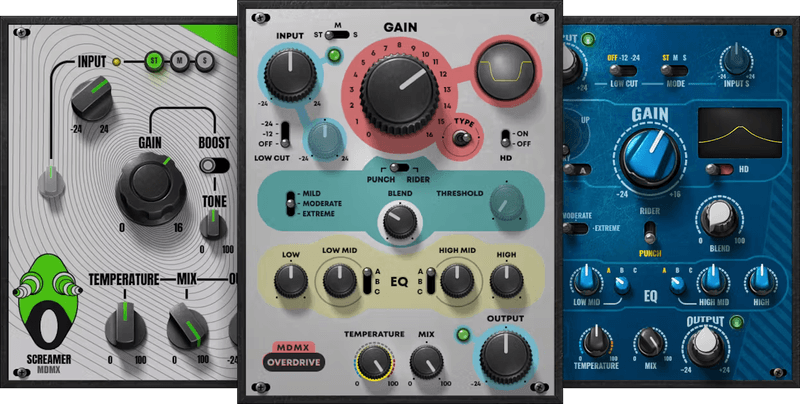
Your Toolkit for Classic and Modern Distortion
Distortion isn’t just for guitarists. Although MDMX was inspired by iconic guitar stompboxes, these versatile, virtual versions pack in more features, more options, mid-side processing, dynamic response, and other enhancements that make MDMX universally applicable to all instruments.
Whether you want to inject power into drums, fashion industrial bass sounds, add a tight edge to vocals, grab that satisfying guitar fuzz, or rough up some synth sounds, MDMX is your ticket.
Features
- 3 classic distortion tones: screamer, overdrive, and fuzz
- Innovative Temperature control dials in overall warmth and color
- Layer distortion and dry sounds with parallel processing
- For real-time control, almost all parameters have MIDI Learn
- With stereo, process mid or side audio separately
- Input level control for mid or side, when choosing mid or side mode
- 112 presets from award-winning artists, and 23 factory presets
- HD mode oversamples to minimize potential aliasing
System Requirements
Mac
- macOS Monterey 12, Ventura 13, Sonoma 14, Sequoia 15
- VST / AU / AAX
PC
- Windows 10+
- VST / AAX
Installation Instructions














