/ Distortion / Manny Marroquin Distortion
Waves

Manny Marroquin Distortion

$27.99 $99.00

71% off until Dec 07

Waves Manny Marroquin Distortion
Waves Manny Marroquin Distortion gallery thumbnail
Buy Now
Product information

Manny Marroquin Distortion
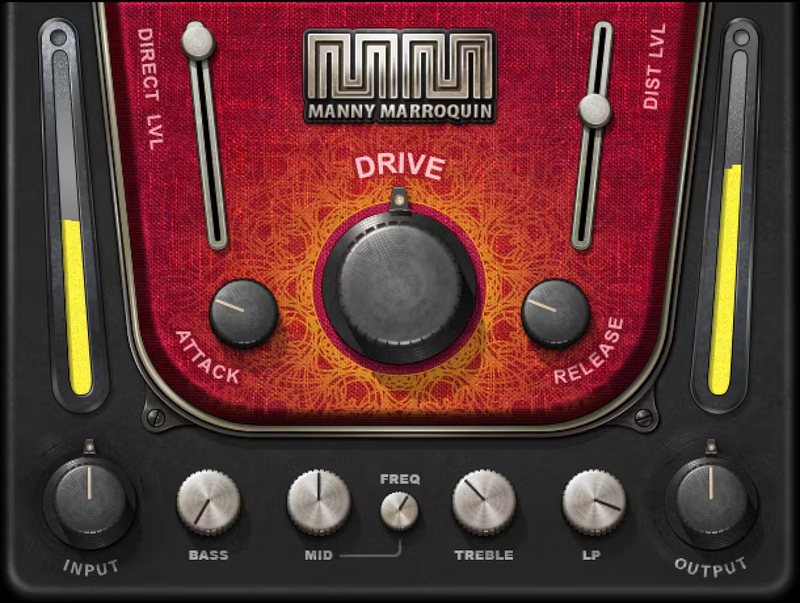
Not Your Ordinary Distortion

10x Grammy winner Manny Marroquin (Kendrick Lamar, Kanye West, Lizzo, Future) isn’t your ordinary mixing engineer, and this isn’t your ordinary distortion. Parallel processing layers distortion that growls and teases instead of crushes—thicken digital synths, add grit to bass amps, toughen up drums, and more.

As Manny Marroquin says, “Whether or not it’s audible, sometimes I just want to feel distortion.” Now, you can feel—and hear—distortion that imparts a distinctive character to any sound.

Features

  • Created with mix engineer Manny Marroquin (Kendrick Lamar, Lizzo)
  • 4 pre-distortion EQ stages focus on the frequencies to be saturated
  • Excels at making synths sound less sterile, and fit better in mixes
  • Beefs up drums for a bigger, more powerful sound
  • Pre-distortion compressor shapes the dynamics
  • Attack control determines how rapidly the distortion develops
  • Release determines whether distortion lingers with note tails
  • With subtle settings, makes vocals punch more than with a limiter
  • Makes single-coil pickups sound less thin and more assertive
  • The ideal fix when some sounds are just too “clean”

System Requirements

Mac

  • macOS Monterey 12, Ventura 13, Sonoma 14, Sequoia 15
  • VST / AU / AAX

PC

  • Windows 10+
  • VST / AAX
Installation Instructions

1. Head to https://www.waves.com/create-account

2. Enter your email and choose a password to create an account (if you already have a Waves account, choose Log in, enter your details and head to Step 5) > click 'Submit'

3. Open your email inbox > click the activation link in the email from Waves

4. Click 'Log in here' > Log in to your Waves account

5. Click 'Register New Products'

6. Enter the Serial Number found in your Plugin Boutique user account > click 'Submit'

7. Click download in your Plugin Boutique user account or head to https://www.waves.com/downloads/central > download the Waves Central app for your operating system

8. Install Waves Central > Open Waves Central

9. Click 'Log in' > enter your log in details

10. Click the 'Install Products' tab

11. Tick the blue dot on all products you wish to install or click the top dot to install all products > click 'Install & Activate'

12. Click 'OK'

13. Open your DAW > open the Waves plugin

Your Waves plugins are installed and ready to use, enjoy!

Plugin Boutique Rewards

Discover the most rewarding loyalty programme among all plugin retailers.

  • Free Loopmasters Samplepacks
  • Discounts on products and courses
  • Extra Virtual Cash claimed immediately at checkout
Find out more

Follow us:

X (Twitter) Facebook YouTube Instagram
Logo Logo

Plugin Boutique Limited, Part of the Beatport Group LLC.

Copyright © 2011-2025 Plugin Boutique. All rights reserved










