/ Distortion / Distortion 1 mkII
Audiority

Distortion 1 mkII

4.6 (93 Reviews)
$20.00
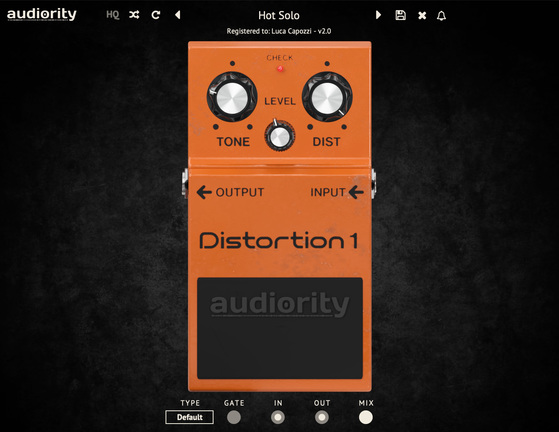
Audiority Distortion 1 - Main UI
Audiority Distortion 1: Davide Pepi Demo gallery thumbnail
Audiority Distortion 1: Quick Demo gallery thumbnail
Buy Now
Product information

Important Note: This is not a physical product and is a music software plugin available for online download only.

Analog Modeled Vintage Distortion Plugin

Edgy Distortion

Distortion 1 is an analog modelled simulation of the iconic *BOSS® DS-1™, distortion stompbox introduced in the late ‘70s and behind the signature sound of many guitar legends.

This is one of the most known (and modified) distortion pedals ever made.
Features

  • Independent Tone, Distortion and Level Controls
  • Pre and Post Effect Gain
  • Mix Control
  • Noise Gate
  • 8 Different Circuit Types
  • Resizable Interface

System Requirements

Intel Mac

  • OSX 10.8 or later (64-bit only)
  • Intel i5 or higher
  • 2 GB RAM
  • Screen Resolution - 1024×768
  • VST2, AU, AAX (requires Pro Tools 11 or higher)

Silicon Mac

  • macOS 11.0 or later
  • Apple M1 or higher
  • 2GB RAM
  • Screen resolution: 1024×768
  • VST2, VST3, AU 64-bit host
  • PT11 or higher, AAX 64-bit host

PC

  • Windows 7 or later (64-bit only)
  • Intel i5 or higher
  • 2 GB RAM
  • Screen Resolution - 1024×768
  • VST2, AAX (requires Pro Tools 11 or higher)

Important Note: This software is 64-bit only and will not function on 32-bit systems.

Installation Instructions
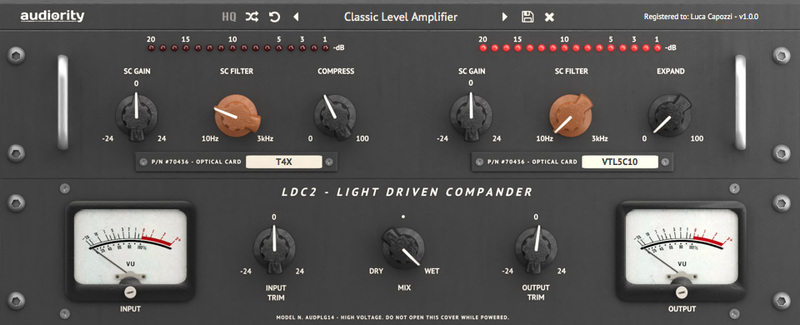
Note: LDC2 Compander is used as the example.

Mac

Registration

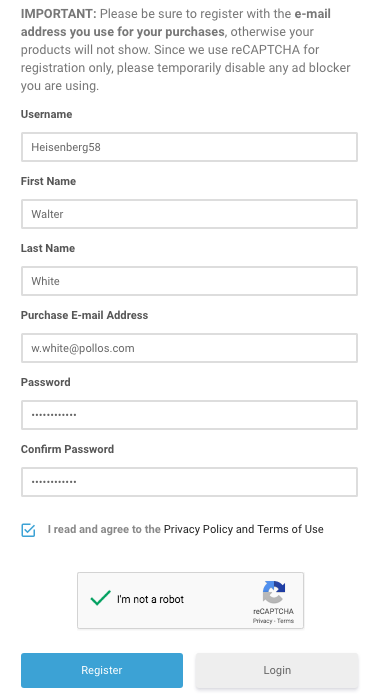
1. Visit https://www.audiority.com/register and enter your personal details > Click 'Register.'

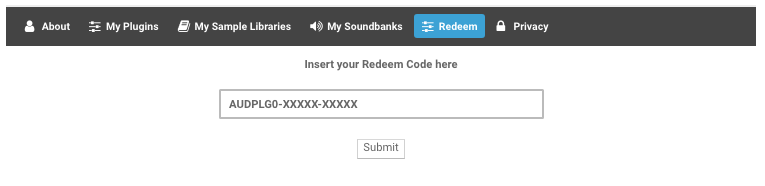
2. Once logged in, Click the 'Redeem' button at the top of the page and enter the redeem code, found in your Plugin Boutique User Account > Click 'Submit'.

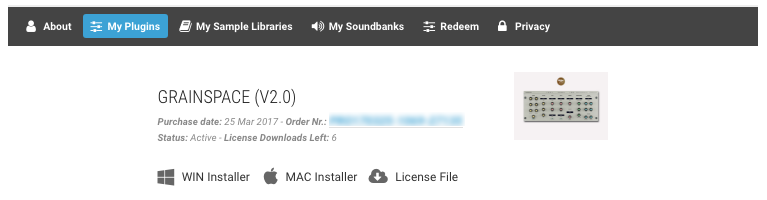
3. Click the 'My Plugins' button > Select the Mac Installer.

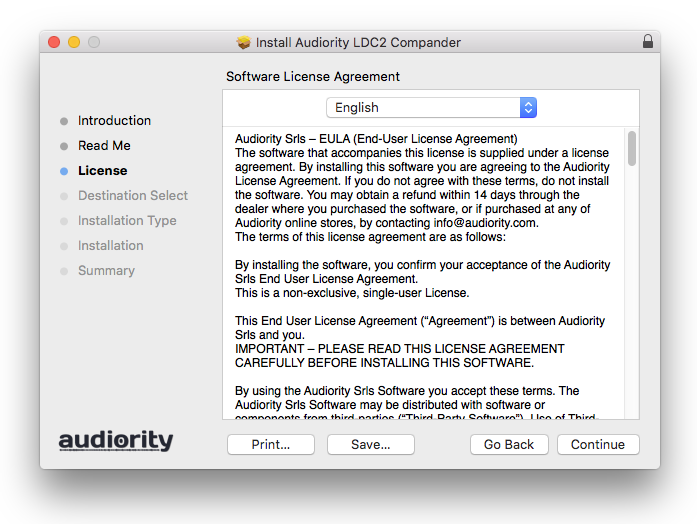
4. Locate the .dmg installer file from the 'Downloads' section of your computer, and double-click it to begin the installation process > click ‘Continue.’

Installation

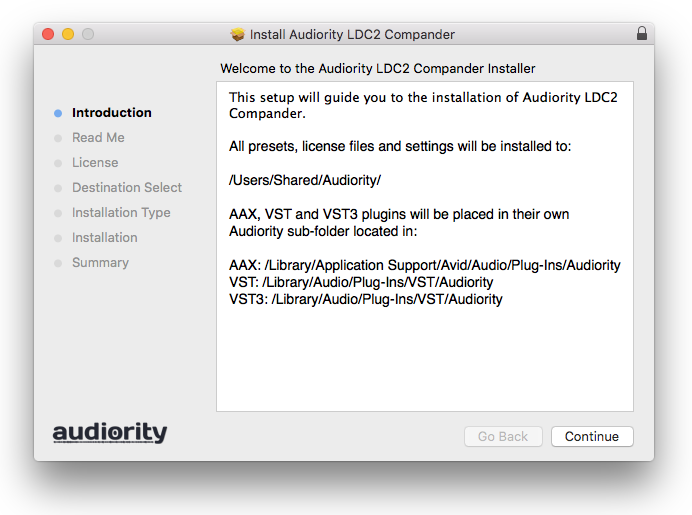
1. Open the .dmg file > Open the .pkg file to begin the installation.

2. Click 'Continue'.

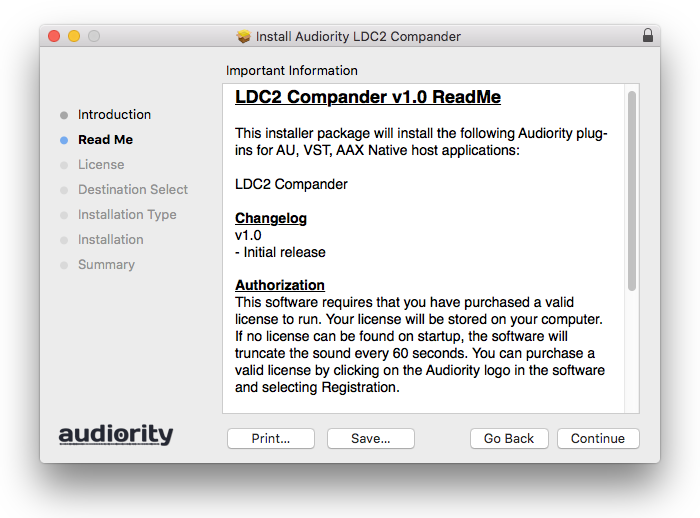
3. Click 'Continue'.

4. Click 'Continue'.

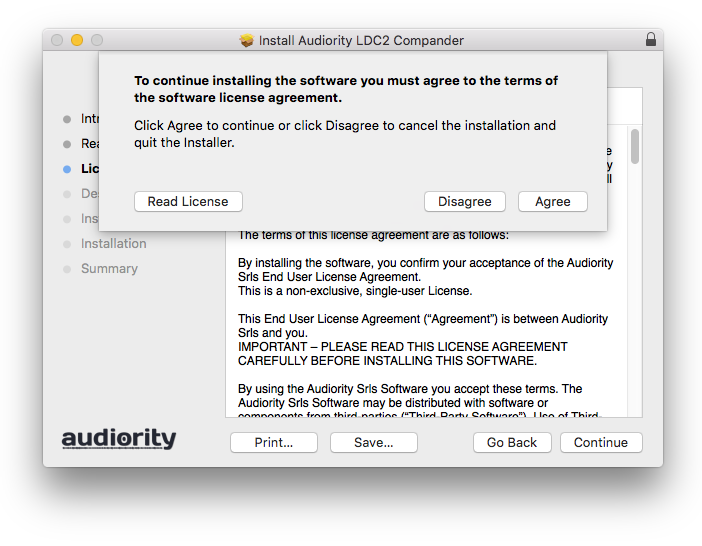
5. Click 'Agree'.

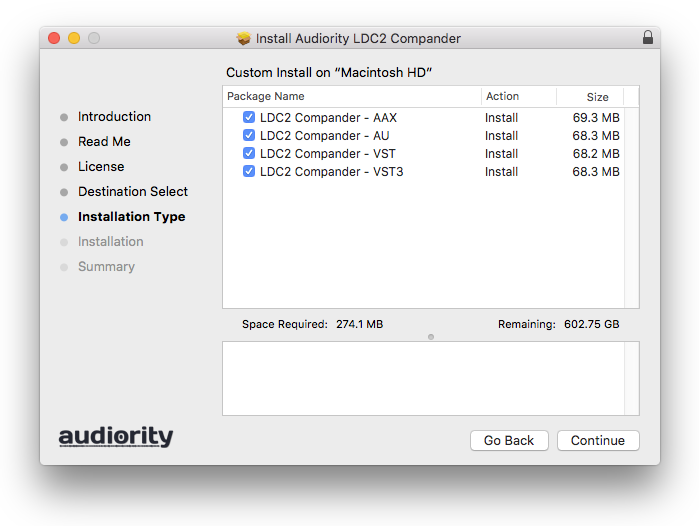
6. Click 'Continue'.

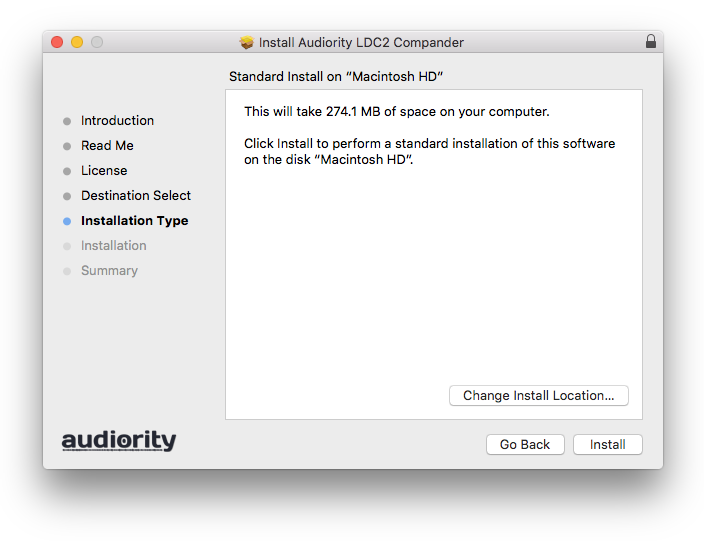
7. Click 'Install'.

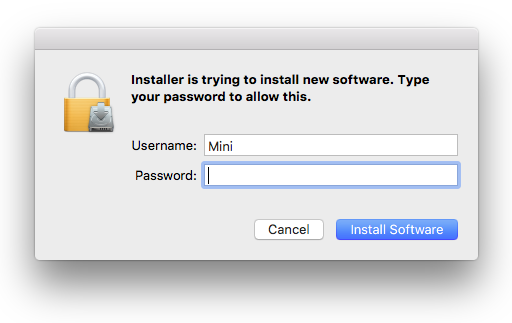
8. Enter your computer Username and Password > Click 'Install Software'.

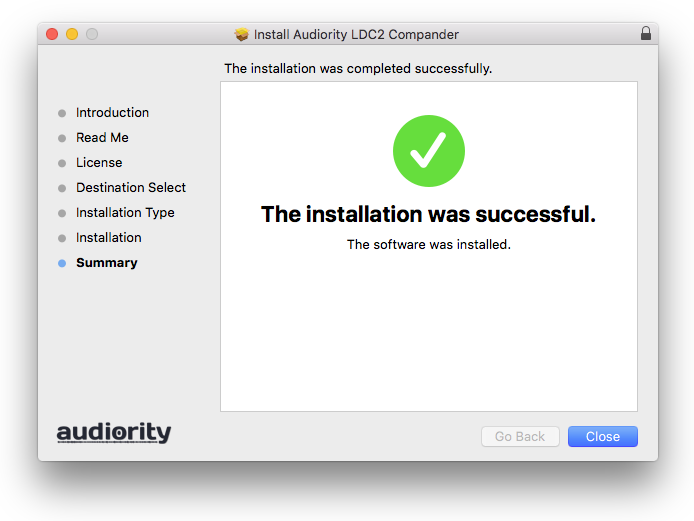
9. Click 'Close'.

Activation

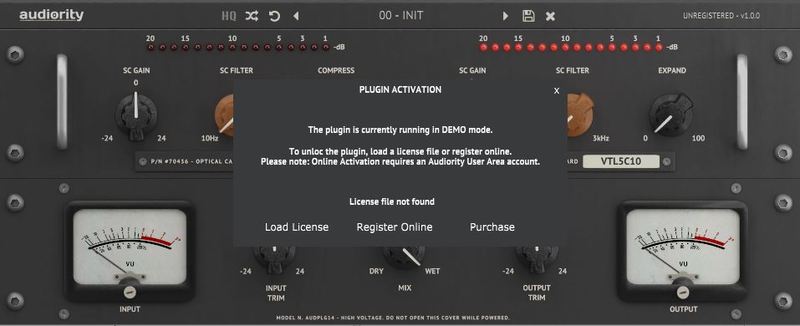
1. Open the newly installed plugin in your DAW > Click 'Register Online'.

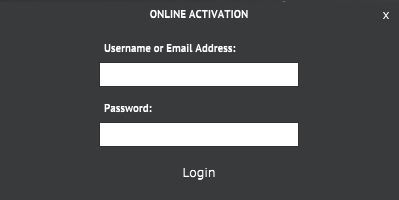
2. Enter your username and email address that you registered at Audiority > Click 'Login'.

Your plugin is now activated and ready to use.

Windows

Registration

1. Visit https://www.audiority.com/register and enter your personal details > Click 'Register.'

2. Once logged in, Click the 'Redeem' button at the top of the page and enter the redeem code, found in your Plugin Boutique User Account > Click 'Submit'.

3. Click the 'My Plugins' button > Select the Windows Installer.

Installation

1. Double-click the installer to extract the contents > Double-click the .exe file to begin the installation.

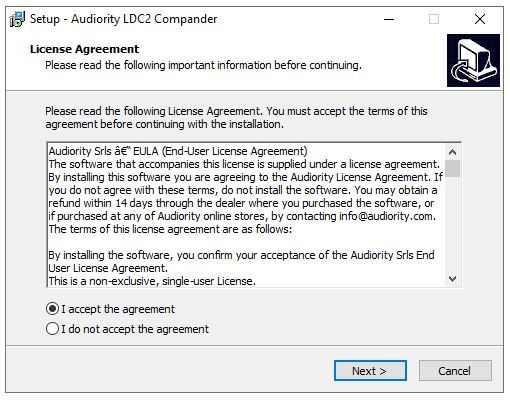
2. Select 'I Accept the Agreement' > Click 'Next'.

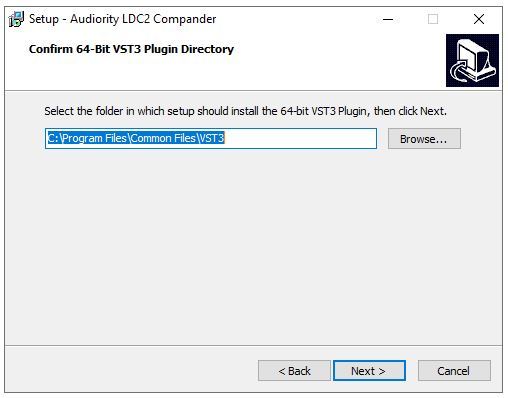
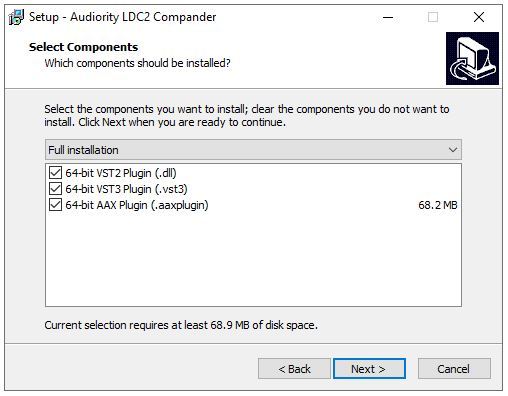
3. Click 'Next'.

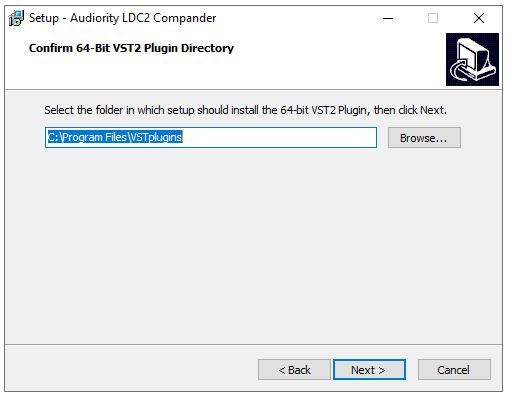
4. Click 'Next'.

5. Click 'Next'.

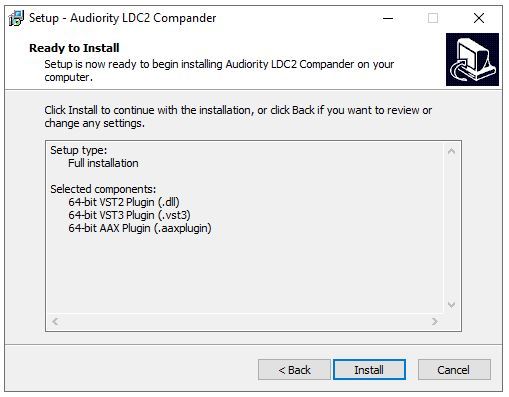
6. Click 'Install'.

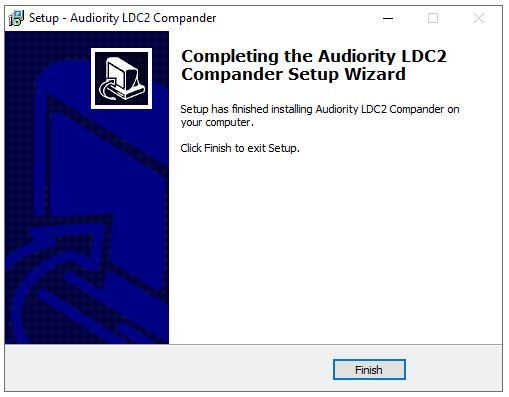
7. Click 'Finish'.

Activation

1. Open the newly installed plugin in your DAW > Click 'Register Online'.

2. Enter your username and email address that you registered at Audiority > Click 'Login'.

Your plugin is now activated and ready to use.

Plugin Boutique Rewards

Discover the most rewarding loyalty programme among all plugin retailers.

  • Free Loopmasters Samplepacks
  • Discounts on products and courses
  • Extra Virtual Cash claimed immediately at checkout
Find out more

Follow us:

X (Twitter) Facebook YouTube Instagram
Logo Logo

Plugin Boutique Limited, Part of the Beatport Group LLC.

Copyright © 2011-2025 Plugin Boutique. All rights reserved