


 Log In

Free gifts available with your purchase
Dual Distortion Reactor
Dist COLDFIRE is a dual-engine distortion effect that goes from rich tube saturation to unrestrained sonic destruction in a few clicks. Combine analog & digital algorithms with deep modulation and customization, and unlock near-infinite distortion possibilities for your sound.
To create is to destroy
Twist the simplest groove into a gnarled web of crushed resonance; bring your instruments, vocals, and loops to life with stacked analog drive; zap a synth drone into glitchy bit-crushed mayhem that dances to your beat.
Dist COLDFIRE lets you harness not one, but two powerful distortion engines, exploring their unique and explosive synergy, and creating entirely new sounds with any input signal. This is sonic alchemy on an unprecedented level, yours to master and manipulate - what will you create?
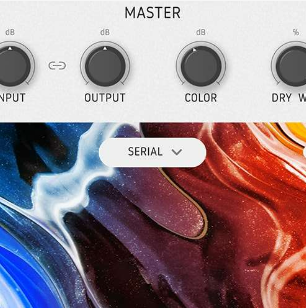
Totally custom distortion
This is no ordinary on/off, dry/wet, analog/digital distortion. Pair up any of the 11 distortion types, from emulated tube heat to icy digital bit crush, customize your routing, sprinkle in some modulation, and forge sonic carnage that’s totally your own.
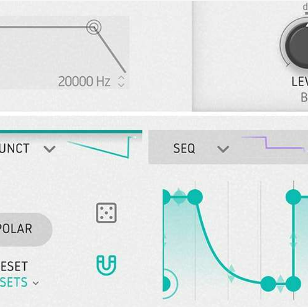
More than crunch
Create resonant metallic melodies, introduce artificial harmonic reflections, trigger wildly destructive feedback loops; go beyond conventional distortion with 6 custom modulation slots, 16-step sequencing, comb filtering, and much more.
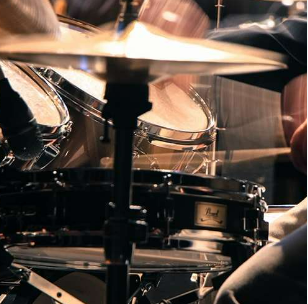
For any sound
Enrich, saturate, pulverize, or transform any sound beyond recognition. Whether you’re looking for warm vocal enhancement, monstrous kick drum impacts, speaker-rattling bass fuzz, or denser-than-black-hole wavefolding, Dist COLDFIRE packs every punch you need.
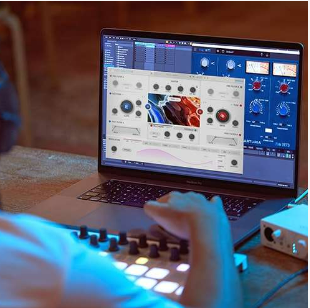
Intuitive but powerful
Simple enough to create exciting dual distortion effects in just a few easy clicks, but flexible enough to become totally immersed in destructive sound design, Dist COLDFIRE strikes the balance between quickfire plugin and deep processing powerhouse.
Preset library
For when you need to quickly turn up the analog heat or shatter your sound with sub-zero digital crush, Dist COLDFIRE comes loaded with more than 150 specialized presets. From mix enhancers to wild modulated chaos, you'll find your distortion flavor in seconds.
- Artificier - Give your simple percussive loops & drum machine stems an android voice with edgy bit-crushing, erratic filter modulation, and erratic bursts of glitchy feedback.
- Drums Sidechain Big C - A drum loop becomes an ominous bassy drone, with a pumping sidechain response and aggressive snarling quality that swells with each hit.
- Random Bit Sounding - Transform any static sound with a pulsing filter with evolving stacked distortion, adding an abrasive character and crunchy dynamic movement.
- Big Stepper - Simple and familiar synth sounds become punchy, powerful, and perfect for those euphoric dancefloor moments. Create huge basses, leads, and pads that'll have you hooked.
- Drum Bus Transformer & Tape - Emulating the sound of classic studio hardware, breathe new life into your drum bus with the Transformer and Tape modes, saturating your transients and accentuating the high end with band split processing.
- Gentle Lo Fi - Using classic tape-style saturation, give your drums that coveted lo-fi vibe, making even the cleanest stem sound like an unearthed reel from the archives.
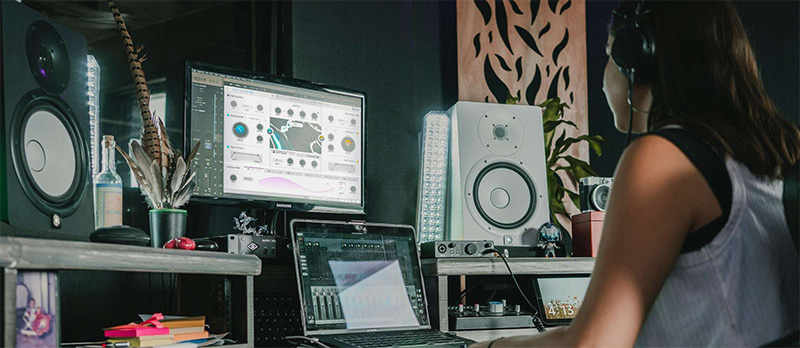
The sound of alteration
Distortion is a universal thing, a cause and effect, a means and an end. The folding of an analog waveform; the dense fizziness of a classic ‘70s guitar stompbox; the bite of a sound that’s passed its threshold.
In the sphere of contemporary music, it can mean the pumping analog imperfections of artists like Caribou and Floating Points; the hybrid industrial soundscapes of acts like Nine Inch Nails and Skinny Puppy; the seismic guitar sounds of everyone from Eric Gales to Bring Me The Horizon; the gritty, intimate production of today’s songwriting pioneers like Billie Eilish and Phoebe Bridgers.
Distortion says ‘don’t settle for a sound’. Engage Dist COLDFIRE and alter, experiment, twist, smash, and savor both the means and the end.
The distortion catalyst
From worn out magnetic tape to clipped-signal circuitry to dramatic folds in analog waveforms, distortion can exist in many forms.
Dist COLDIRE fuses 11 of these forms into a single explosive plugin, from red-hot analog to ice-cold digital, each with distinctive controls. Get experimental and discover wild compound reactions yet unheard.
Analog
- Tape - Dial in some grainy tape-style saturation and degradation, particularly effective on the low-end, perfect for that organic lo-fi sound.
- Tube - The soft-clipping warmth and depth of the vacuum valve sound, rich in harmonics and highly responsive to your input.
- Transistor - The biting response of classic echo box preamps, known for its presence and edgy character, great on guitars.
- Transformer - A simulation of the nuanced distortion created by magnetic hysteresis, with two options: nickel, for subtle processing, and iron, for more low-mid emphasis.
- Germanium - The screaming tone made famous by Germanium diode amps, distortion pedals, and fuzz boxes, bright and red-hot.
- Force - Based on classic studio outboard gear, with 4 modes of operation ranging from analog saturation to roaring overdrive, great for your mix bus.
Digital
- Rectifier - Imitating the unique harmonic overtones and zapped character achieved by reshaping a waveform’s negative phase.
- Bit Crusher - Edgy harmonics and glassy digital noise achieved by reducing the sample and bitrate of a sound, making anything sound harsh and robotic.
- Bit Inverter - Introduce crisp digital distortion and unexpected artifacts by modulating a signal’s bit content in real-time.
- Wavefolder - By distorting the shape of your signal’s waveform, this mode delivers unique overtones and harmonic alterations beyond recognition with 7 shapes.
- Waveshaper - An incredibly flexible mode with 11 subtypes of operation, from shattered-signal fuzz to surprisingly resonant asymmetrical drive.

A closer, look
Dist COLDFIRE is simple to use when you need it to be, geared up to unleash complex & thrilling sonic results.
Explore its accessible interface and flexible features, and savor whatever degree of destruction you’re looking for. On the other hand, if you’re looking to take your destructive sound design deeper, its advanced panel offers heaps of extra functionality and room for experimentation.
Features
- Two distortion engines
- 11 distortion algorithms to choose from, each with specific controls:
- Tape
- Tube
- Transistor
- Transformer
- Rectifier
- Germanium
- Force
- Bit Crusher
- Bit Inverter
- Wavefolder
- Waveshaper
- Hidden Advanced control panel for in-depth sound design
- 5 routing options: Serial, Parallel, Stereo, Mid/Side, Band Split
- Routing balance slider to blend Distortions A & B, with real-time visualizer
- Pre or Post 3-mode Dynamics module: Compressor, Multiband, Limiter
- Feedback module
- 6-mode Pre Filter per distortion engine, including Comb Filtering
- 2-band Post Filter per distortion engine
- 6 assignable modulation slots, each with 4 modes: LFO, Function, Follower, 16-Step Sequencer
- Over 150 presets built-in
- A/B comparison
- Oversampling
System Requirements
- Works in VST, AAX, Audio Unit, NKS (64-bit DAWs only).
Mac
- Mac OS 10.13+
- 4 GB RAM
- 4 cores CPU, 3.4 GHz (4.0 GHz Turbo-boost) or Apple Silicon CPU
- 1GB free hard disk space
- OpenGL 2.0 compatible GPU
Windows
- Win 10+ (64bit)
- 4 GB RAM
- 4 cores CPU, 3.4 GHz (4.0 GHz Turbo-boost)
- 1GB free hard disk space
- OpenGL 2.0 compatible GPU
- ARM processors not supported on Windows
Protection
All Arturia software is protected by the Arturia Software Center. An elegant and simple solution to help you install, activate, and update your Arturia software.
Reviews Summary
While it aims to provide a helpful overview, it may not capture every perspective or detail. We encourage you to read individual reviews to make an informed decision.
Users highly praise this distortion plugin for its versatility, crisp high-frequency precision, and punch, noting it excels at delivering everything from subtle warmth to aggressive grit on synths, drums, bass, and vocals. The main drawback highlighted is its high CPU usage, which users hope will be optimized in future updates.


