


 Log In

Free gifts available with your purchase
Double Modulation, Infinite Movement
There are tasks a single modulation plugin cannot handle. Unless it is Duoflux. Duoflux is a cutting-edge dual-modulation plugin designed to elevate your mixes and add depth to your soundscapes. With two independent modulation units packed into one plugin, Duoflux offers unparalleled flexibility and creative control, making it the ultimate tool for any producer or sound designer.
Four Ways to Split
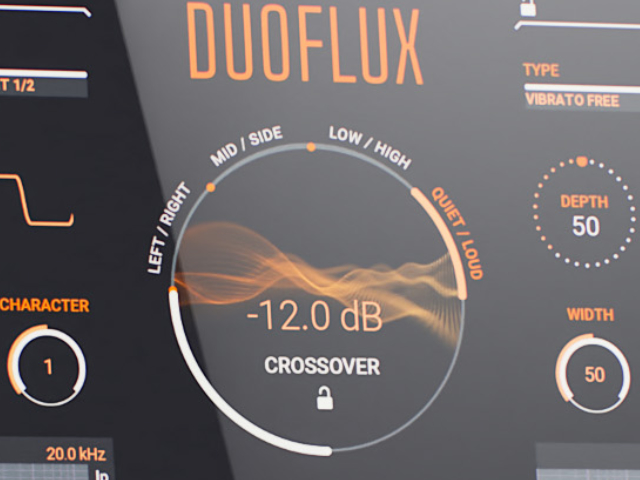
The unique power of Duoflux lies in how it splits signals, which can then be processed separately or in different combinations. The signal is distributed to the two modulation units based on a crossover, which can be set to Frequency, Volume, Stereo, or Mid/Side. This gives you precise control over how the effects interact with different elements of your mix.
17 Modulation Algorithms
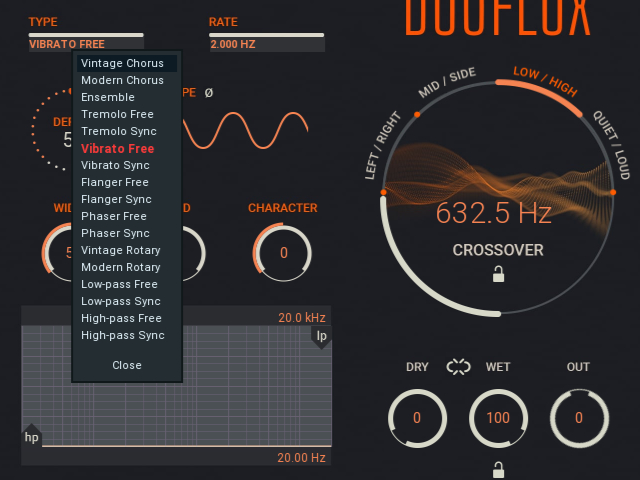
Duoflux boasts two independent modulation units, each offering a wide range of 17 meticulously crafted algorithms. Whether you need the lush width of a Vintage Chorus or Ensemble, the swirling motion of a Modern Rotary, or the rhythmic pulse of Tremolo and Phaser, Duoflux has it covered. This extensive library allows you to blend and layer different modulation textures to achieve complex and evolving soundscapes.
Two Modulation Units
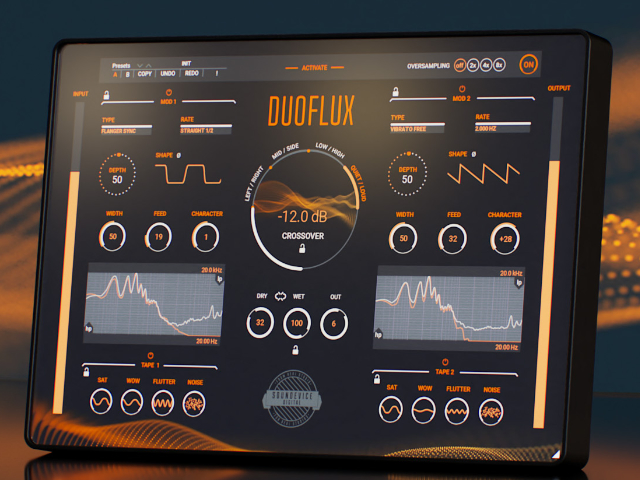
Duoflux boasts two independent modulation units, each offering a wide range of creative possibilities. The interface allows for precise control over distinct parameters, including Rate, Depth, Width, and Character, alongside adjustable LFO Shapes ranging from sine to square. This allows you to blend and layer different modulation textures to achieve complex and evolving soundscapes.
Tape Saturation
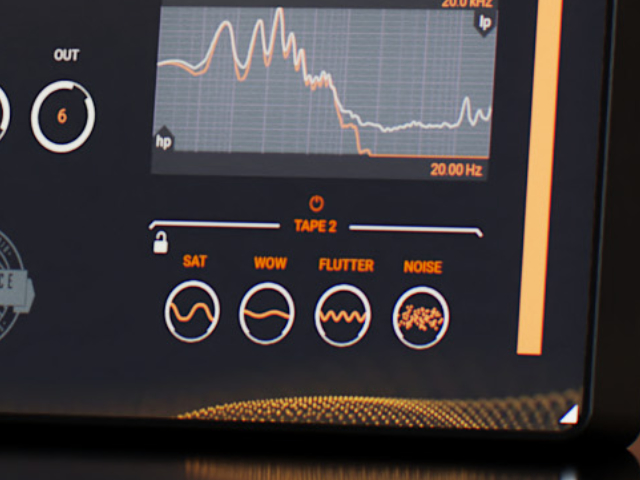
Each modulation unit also has its own Tape section, which can make the sound even more enjoyable. Instead of clean digital modulation, you can inject vintage character. This section gives you control over Saturation, tape-style Wow and Flutter modulation, and even Noise to simulate head scrape and dust. Sometimes, the difference between the two units is a subtle change in saturation; other times, you may want clean modulation on the lows and vintage tape wobble on the highs. Imagine a plugin which can do that.
Features
Mid/Side
Mid/Side processing is simply a different way to process a stereo audio file and is commonly used in EQs and compressors. Instead of processing the left and right, you split the signal into the centre (mid) and the right and left (sides). That way, you can focus on different parts of your mix or audio file and apply different processes to different areas. Imagine a modulator that can apply a chorus to the sides while keeping the mid channel focused.
Left/Right
Left/Right splits the signal more traditionally into left and right channels, so you can apply one type of modulation to the left channel and one to the right. This mode is a great way to get extreme effects at the outer edges of your mix or just gentle movement working within your side channels. Note that the Width control is disabled for Left/Right types to ensure precise channel separation.
Quiet/Loud
Duoflux can also split the audio at a certain loudness (set by the Crossover dial) so the modulation processors work on both quieter and louder parts of your audio. Like the previous modes, they do this completely independently, so you can have different movements on the loud parts as you do the quiet. Again, this is a unique feature for any modulation plugin.
Hassle-free software protection
No iLok, no dongle, or internet access is required for activation. United Plugins software uses license files to activate your software. You can freely use the purchased software on all your computers as long as you are the user.
FREE 15-Day unlimited trial
All the descriptions are nothing compared to putting your hands on the plugin. No saving limits. No noises. No boundaries. Engage the plugin in your project for real and fully exploit its powers for two weeks.
64-bit audio quality at ANY sampling rate
The plugin provides the maximum audio quality you can get. It uses internal 64-bit audio processing and can handle any sampling rate. 192 kHz or even higher.
Smart bypass
The intelligent way United Plugins' plugins manage bypassing ensures that you don't get any clicks or harmful noises when automating the parameter. It also compensates for latency, ensuring that the bypass states are perfectly in sync with each other.
Intelligent sleep on silence
This plugin intelligently detects whether it makes sense to perform processing at all. If not, it temporarily turns on sleep mode. In such a state, it requires virtually no CPU at all to save the computing sources for other processes.
Free-for-life updates
United Plugins never become obsolete. The United Plugins team keep track of the current operating systems and DAWs. You may always update to the most recent version for free, without paying a cent, a penny, or whatever currency you prefer.
Mac
- macOS (from macOS 10.14 Mojave and newer, 64-bit)
- Intel/AMD/Apple Silicon CPU
Windows
- Windows 10/11 (64-bit)
- Intel/AMD processor with SSE2 support
- Compatible with 64-bit VST3 hosts (Cubase, Nuendo, Studio One, FL Studio, Live...)
- Compatible with 64-bit AAX hosts (Avid Pro Tools)
- Compatible with 64-bit VST hosts (Cubase, Nuendo, Studio One, FL Studio, Live...)
- Compatible with 64-bit VST3 hosts (Cubase, Nuendo, Studio One, FL Studio, Live...)


