


 Log In

Free gifts available with your purchase
This product is an expansion for Softube Modular. If you do not currently own Modular, you can purchase it HERE.
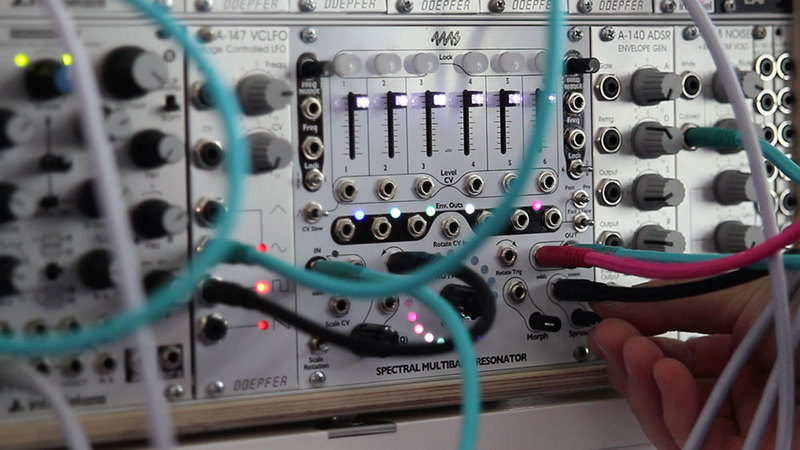
4ms SMR for Modular can process audio like a classic filter bank, ring like a marimba when plucked/struck, vocode, re-mix tracks, harmonize, output spectral data, quantize other oscillators to scales and much more. It’s deep, versatile and infinitely expands what is possible to achieve with Modular.
The 4ms SMR consists of six channels of resonant bandpass filters, all individually locked to a twenty notes scale displayed in the centre of the unit via the LED ring. All six filters can easily be swept around their present note scale manually or via CV. The note scales cover everything from Western scales, alternative tunings to more esoteric Gamelan and microtonal scales.
What Does This Mean?
This means endless fun! You can use SMR as an oscillator bank for additive synthesis, create beautiful moving chord structures, you can use it as a vocoder, phaser, a quantizer, a stereo-widener thingy, a CV source/arpeggiator/sequencer, a remix tool for extracting triggers from recorded material, a drum synthesizer—by pulse triggering odd and even for different rhythms—a basis for multiband compressor patches and just a crazy ass effect. Daunting? The 4ms SMR comes with 75 brand new presets which covers these use cases. Great starting points for further patch-o-rama! Oh, and its CPU usage is comparatively low, so you can add a large number of SMR units to your patches.
Where Do I Even Begin?
The 4ms SMR can seem a bit daunting at first. That's why it comes with no less than 75 brand new presets which covers the use cases above. Great starting points for further patch-o-rama! Oh, and its CPU usage is comparatively low, so you can add a large number of SMR units to your patches.
Softube’s 4ms Spectral Multiband Resonator plug-in is officially endorsed by 4ms. It faithfully emulates both the hardware and firmware of the original unit, with some minor alterations and improvements.
In Short
- Innovative multiband resonant filter
- Wide range of uses
- Includes 75 new presets
- Officially licensed from 4ms
- Low CPU usage
- Requires Modular
System Requirements
- macOS Big Sur 11, Monterey 12, Ventura 13
- Windows 10 (64-bit), Windows 11
- Softube account
- iLok account
- Computer with AU, VST, VST3, and/or AAX-compatible DAW host software
- Internet access (for downloading installers and managing licenses)
Supported CPU Families
- Apple macOS computers with Intel Core i3/i5/i7 or Apple silicon (M1 or newer) CPU. Apple silicon is supported natively.
- Windows computers with quad-core Intel Core i3/i5/i7 or AMD quad-core processors with SSE 4.2 support.
- Other Intel processors (Celeron, Pentium, and Xeon) are compatible if they support SSE 4.2 instructions.
Supported Host Software (DAW)
Any 64-bit VST, VST3, AU, or AAX (Pro Tools 11.0.2 or higher) compatible host application should work. However, due to plug-in host differences between DAWs—and our rigorous standards—Softube only officially test their plug-ins and instruments in the most recent versions of Pro Tools, Logic Pro, Cubase, Ableton Live, Studio One, and Reaper. Softube plug-ins are not tested regularly in non-listed systems. They will likely work if the system requirements are met. However, the manufacturer cannot guarantee a solution for issues in unsupported systems.
Softube strongly recommend using VST3, as some of their plug-ins have features that are not present in the older VST format. Supported sample rates: 44.1, 48, 88.2, 96, 176.4, and 192 kHz, in both mono and stereo. The most recent maintenance release of your DAW application is recommended. AAX DSP is not currently in active development. TDM/VENUE/RTAS are no longer supported. See Legacy Installers.
- Softube Modular is required to run this software.
- Make sure that you always use the latest iLok License Manager. It is not included in the Softube installer but can be downloaded from www.ilok.com

Kaitlyn Aurelia Smith
Electronic artist, composer and performer
"I really enjoy how true the Softube Modular plug-in is to the real life patching experience and how many more stacking situations are available. The new 4ms module sounds very accurate to the hardware version."
Plaid
Warp Records
"The 4ms Spectral Multiband Resonator has a beautiful, versatile, sometimes additive sound. Love it most when its six bands self resonate and the frequencies travel around circular scale settings. Truly original and wonderful, with so much left to explore."


